

v1.0.7
date_range_picker
Os seletor de intervalo de datas usam uma janela de diálogo para selecionar um intervalo de datas em dispositivos móveis.
119Curtidas 796Downloads em 30 dias25Pontos Pub
Plataformas indisponíveis
Os seletores de intervalo de data do Flutter usam uma janela de diálogo para selecionar um intervalo de datas em dispositivos móveis.

Texto original em inglês. Visite o GitHub para a versão atual.


Currently Flutter has supported date range picker, so I think my mission is done. Thanks for using my lib. Link: https://api.flutter.dev/flutter/material/showDateRangePicker.html
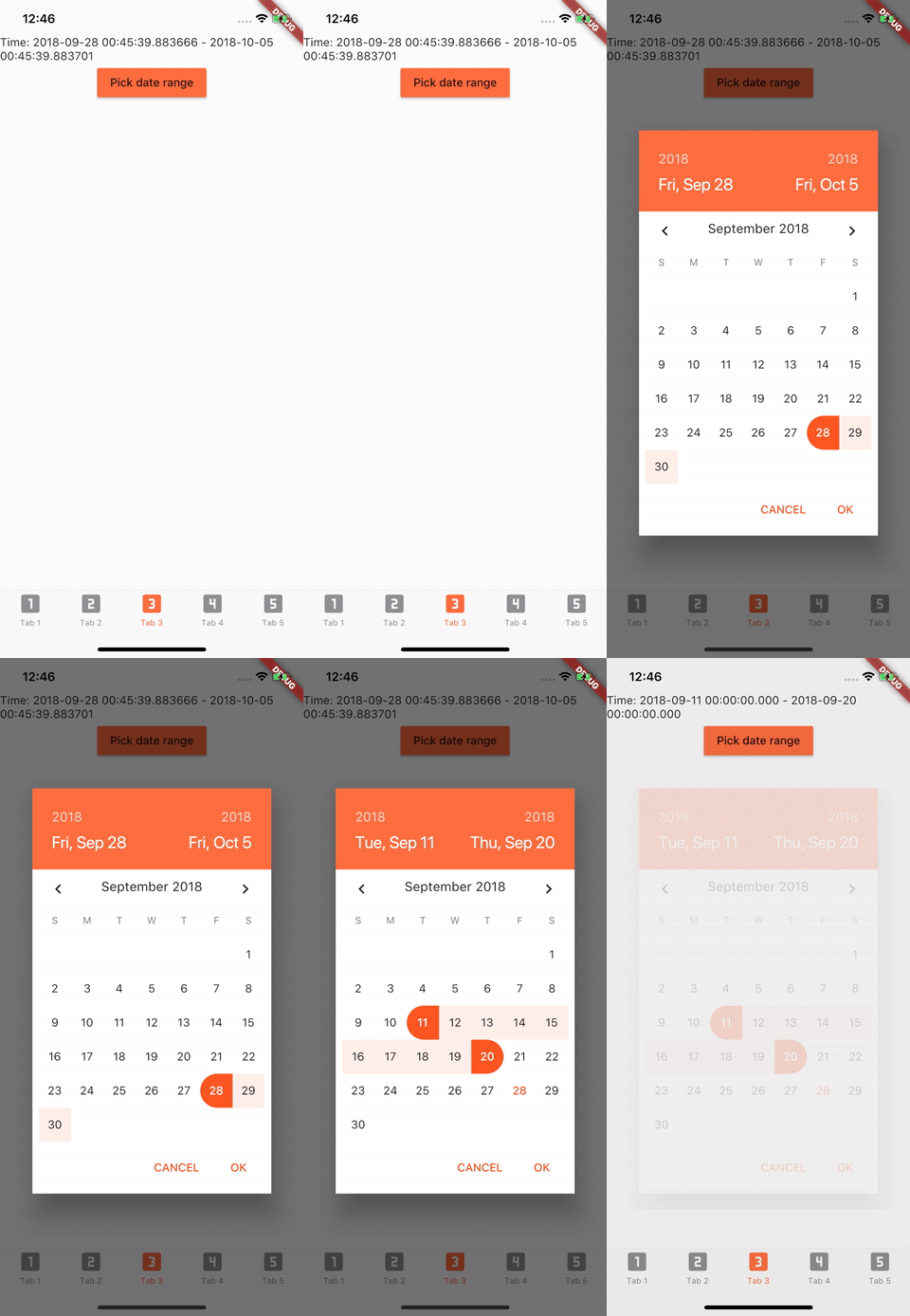
Add to pubspec.yaml in dependencies
date_range_picker: ^1.0.5
import 'package:date_range_picker/date_range_picker.dart' as DateRagePicker;
...
new MaterialButton(
    color: Colors.deepOrangeAccent,
    onPressed: () async {
      final List<DateTime> picked = await DateRagePicker.showDatePicker(
          context: context,
          initialFirstDate: new DateTime.now(),
          initialLastDate: (new DateTime.now()).add(new Duration(days: 7)),
          firstDate: new DateTime(2015),
          lastDate: new DateTime(DateTime.now().year + 2)
      );
      if (picked != null && picked.length == 2) {
          print(picked);
      }
    },
    child: new Text("Pick date range")
)
To change the colors to your preferred ones, you can wrap it in a Theme and a builder.
Theme(
    data: Theme.of(context).copyWith(
        accentColor: Colors.green,
        primaryColor: Colors.black,
        buttonTheme: ButtonThemeData(
        highlightColor: Colors.green,
        buttonColor: Colors.green,
        colorScheme: Theme.of(context).colorScheme.copyWith(
            secondary: Colors.red,
            background: Colors.white,
            primary: Colors.green,
            primaryVariant: Colors.green,
            brightness: Brightness.dark,
            onBackground: Colors.green),
            textTheme: ButtonTextTheme.accent)),
            child: Builder(
                builder: (context) => RaisedButton(
                    color: Color.fromRGBO(212, 20, 15, 1.0),
                    shape: RoundedRectangleBorder(borderRadius: BorderRadius.circular(30.0)),
                    child: Padding(
                        padding: const EdgeInsets.only(top: 10.0, bottom: 10.0, left: 30.0, right: 30.0),
                        child: Text(
                          "Date Picker",
                          style: TextStyle(
                            color: primaryColor,
                            fontSize: 28,
                            fontWeight: FontWeight.w300,
                          ),
                        ),
                      ),
                      onPressed: () async {
                        final List<DateTime> picked = await DateRangePicker.showDatePicker(
                            context: context,
                            initialFirstDate: new DateTime.now(),
                            initialLastDate: (new DateTime.now()).add(new Duration(days: 7)),
                            firstDate: new DateTime(2015),
                            lastDate: new DateTime(DateTime.now().year + 2));
                        if (picked != null && picked.length == 2) {
                          print(picked);
                        }
                      },
                    ),
                ),
            )
Lista de dependências 2 itens
{"sdk":"flutter"}{"sdk":"flutter"}Filtre pelo caso de uso, compare a atividade e confira o projeto original antes de adotá-lo.
“A repository is the most basic element of GitHub.”
GitHub Docs — About repositories ↗