
v2.13.0
flutter_rust_bridge
Gerador de vinculação Flutter/Dart <-> Rust, com recursos ricos, mas contínuo e simples
663Curtidas 621 milDownloads em 30 dias160Pontos Pub
AndroidiOSWebmacOSWindowsLinux
Diário digital com criptografia de ponta

Gerador de vinculação Flutter/Dart <-> Rust, com recursos ricos, mas contínuo e simples
 v0.1.6
Um pacote para ajudar na criação de janelas personalizadas com Flutter desktop (borda personalizada, barra de título e botões minimizar/máximo/fechar) e operações comuns de janela desktop (mostrar/esconder/posição na tela) para Windows e macOS
Gerador de vinculações FFI, usando o LibClang para analisar arquivos C, Objective-C e Swift.
 v1.1.0
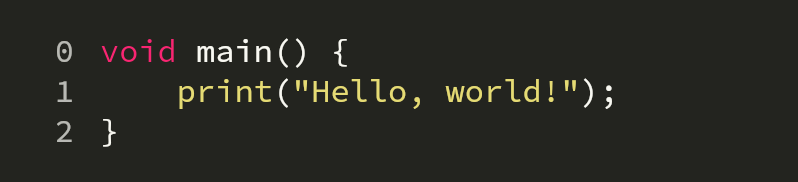
Um campo de código personalizável que suporta realce de sintaxe, rolagem bidirecional e modificadores de código
Texto original em inglês. Visite o GitHub para a versão atual.
A digital diary with state-of-the-art encryption.
Calendar
Editor
I feel like the days of traditional diaries are over. Not only are they inconvenient to carry around, but they are also not very secure. Thus, I decided to create a digital diary that is secure and easy to use.
The project is a local Desktop application that stores all data on the local file system. All files in the repository are encrypted using the ChaCha20-Poly1305 cipher which uses a 256-Bit key. That is plenty to protect your diary for the next years. The key is derived from a password using the Argon2 algorithm, which is currently the recommended algorithm. You can only decrypt the diary again using the same password. In the future we might add support for a second factor like a FIDO2 key that offers a higher level of security.
If you want to save your data in the cloud you can bind a directory to a cloud storage service like Dropbox or Google Drive. Since your data is encrypted and the cloud service private your diary should be safe from prying eyes.
cd client
flutter build windows
You'll find the executable in client/build/windows/runner/Release/.
flutter pub run msix:create
The app currently consists of a simple calendar that just shows whether a day has an entry or not. When clicking on the day in the calendar you'll be able to either create a new entry or edit an existing one (if you know the password for decryption at least).
The encrypted diary entries are stored under your home directory in a folder named .diary.
Run ./tools/build_bridge.sh or ./tools/build_bridge.bat depending on your OS