
sheet inferior interativo
Pacote Flutter. Uma aba inferior interativa personalizável, que permite interagir com a tela atrás dela.

- Estrelas
- 2
- Forks
- 1
- Último push (UTC)
- 17 de ago. de 2026
- Status do projeto
- Ativo
README original
Texto original em inglês. Visite o GitHub para a versão atual.
Interactive Bottom Sheet




A customizable interactive bottom sheet, which lets you interact with the screen behind it.
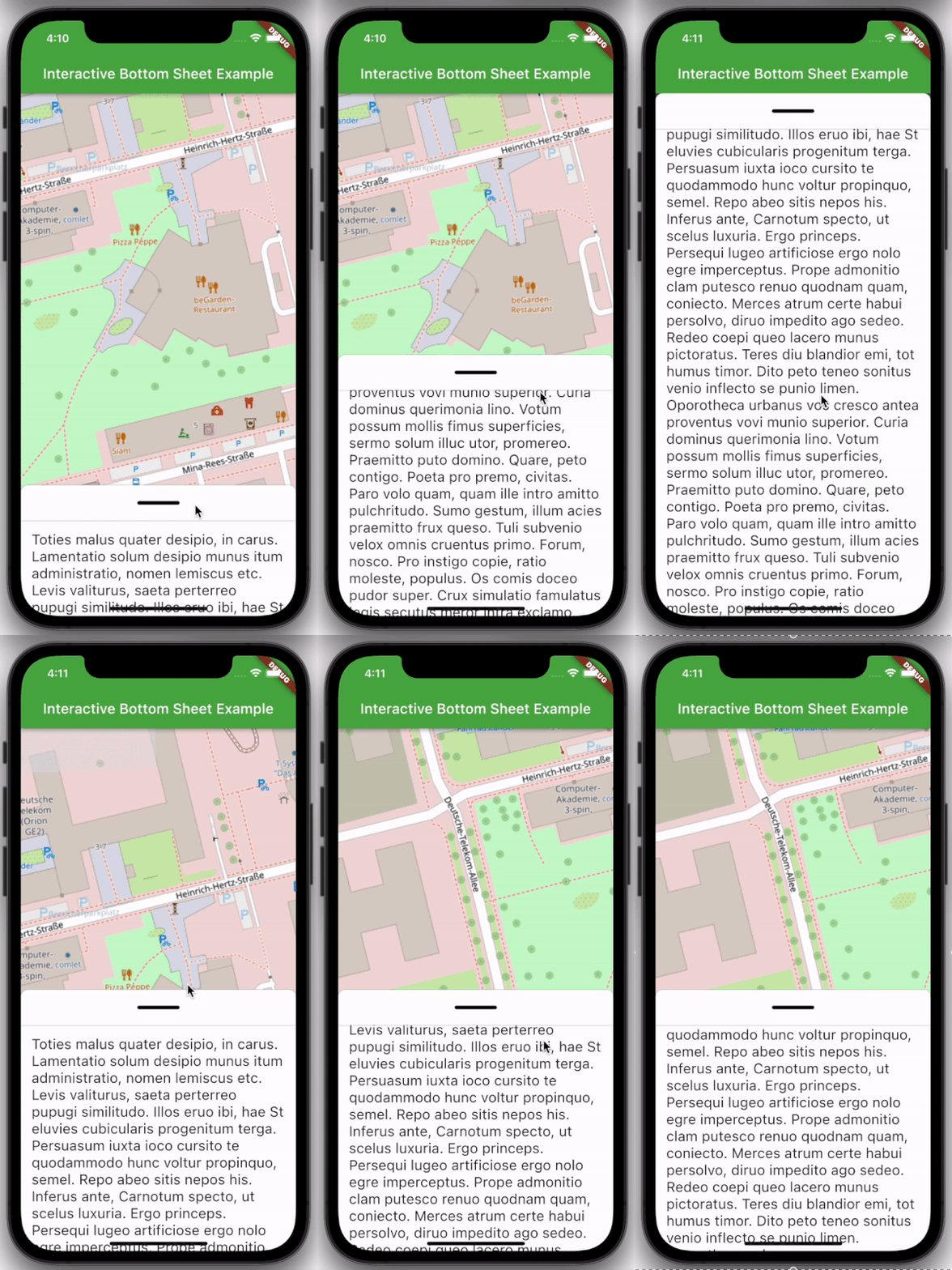
Features
- Easy to use
- Customizable colors
- Customizable DraggableArea
- Customizable heights and widths of different parts of the sheet
- Possibility to declare snap points
Usage
Depend on it:
dependencies:
  interactive_bottom_sheet: ^1.0.0
Import it:
import 'package:interactive_bottom_sheet/interactive_bottom_sheet.dart';
Example
Scaffold(
  bottomSheet: const InteractiveBottomSheet(
    options: InteractiveBottomSheetOptions(),
    child: Text(
       'Lorem ipsum dolor sit amet.'
    ),
  ),
);
Customization options
Scaffold(
  bottomSheet: const Scaffold(
  bottomSheet: InteractiveBottomSheet(
    options: InteractiveBottomSheetOptions(
      maxSize: 0.75,
      backgroundColor: Colors.green,
      snapList: [0.25, 0.5],
    ),
    draggableAreaOptions: DraggableAreaOptions(
      topBorderRadius: 10,
      height: 75,
      backgroundColor: Colors.grey,
      indicatorColor: Colors.grey,
      indicatorWidth: 50,
      indicatorHeight: 50,
      indicatorRadius: 10,
      ),
    ),
    child: Text('Lorem ipsum dolor sit amet.'),
  ),
);
Top Border Radius
To get rounded Borders at the top of the sheet (usual for iOS) on the top side of the widget, it is necessary to overwrite the bottomSheetTheme.
Theme(
  data: Theme.of(context).copyWith(
    bottomSheetTheme: const BottomSheetThemeData(
      backgroundColor: Colors.transparent
    ),
  ),
  child: const Scaffold(
    bottomSheet: InteractiveBottomSheet(
      child: Text('Lorem ipsum dolor sit amet.'),
    ),
  ),
);

Autor no GitHub
cosee ↗
LinguagensC++CMakeDartRubyCSwiftHTMLShellKotlinObjective-C
Categorias
Dependências usadas
Lista de dependências 4 itens
- flutter
{"sdk":"flutter"} - flutter_testDesenvolvimento
{"sdk":"flutter"} - cosee_lintsDesenvolvimento
^0.13.0 - dart_code_linterDesenvolvimento
^4.0.0
Como escolher um repositório para seu projeto?
Filtre pelo caso de uso, compare a atividade e confira o projeto original antes de adotá-lo.
- Busque por nome, autor ou descrição e filtre por tema.
- Compare estrelas, forks e envios recentes. Estrelas indicam interesse, mas não garantem qualidade.
- Confira o README, a licença e as issues no GitHub antes de usar o projeto.
Fontes e manutenção
“A repository is the most basic element of GitHub.”
GitHub Docs — About repositories ↗