
 v0.2.1
barras
Um pacote simples e personalizável de leitura de códigos de barras para Android e iOS. Usa AVCaptureSession no iOS e ZXing no Android.
32Curtidas 63Downloads em 30 dias150Pontos Pub
AndroidiOS
Um pacote simples e personalizável de leitura de códigos de barras para Android e iOS. Usa AVCaptureSession no iOS e ZXing no Android.

Lista de dependências 5 itens
{"sdk":"flutter"}^1.0.2^2.0.1^1.0.0{"sdk":"flutter"}Texto original em inglês. Visite o GitHub para a versão atual.
This document is also available in: English | Português
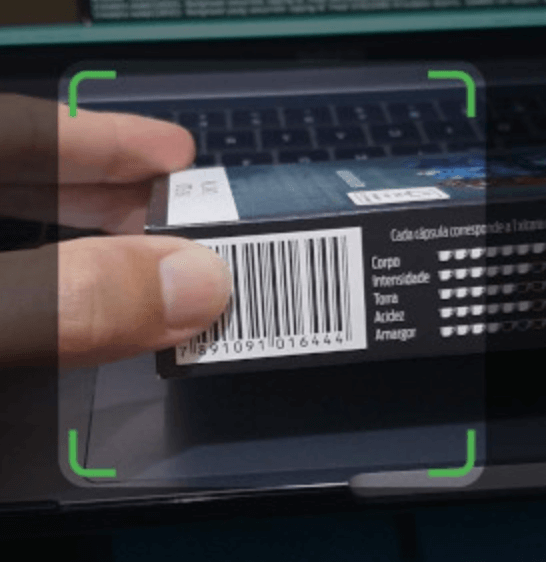
Barras is a simple and customizable barcode scanning Flutter package for Android and iOS. It uses AVCaptureSession in iOS and ZXing in Android.
Please bear in mind that Barras is experimental, in early development stage.
Barras requires camera usage permission, on both iOS and Android. This must be implemented by you, considering any alternatives that you may be already using for user permission requests.
If you are not handling permissions yet, there are good plugins to do it, like permission_handler.
Besides that, Barras depends on the following:
Add Barras dependency to the pubspec.yaml file:
dependencies:
  barras: ^0.2.1
Import it in your code:
import 'package:barras/barras.dart';
Simply call the scan method, and we are good to go:
// Open the barcode reading page. Returned data will be null if
// Cancel button is pressed, or if user navigates back
final data = await Barras.scan(context);
Default barcode capture page
You can also customize the appearance of the barcode capture page:
// Open the barcode reading page. Customize the appearance, changing the
// viewfinder color, size and blinking speed. Returned data will be null
// if Cancel button is pressed, or if user navigates back
final data = await Barras.scan(
  context,
  viewfinderHeight: 120,
  viewfinderWidth: 300,
  scrimColor: Color.fromRGBO(128, 0, 0, 0.5),
  borderColor: Colors.red,
  borderRadius: 24,
  borderStrokeWidth: 2,
  buttonColor: Colors.yellow,
  borderFlashDuration: 250,
  cancelButtonText: "取消",
  successBeep: false,
);
Customized barcode capture page
You can check a working example app in the example folder.