
readmore
Um plugin Flutter que permite expandir e colapsar texto dinamicamente
- Estrelas
- 272
- Forks
- 93
- Último push (UTC)
- 6 de ago. de 2024
- Status do projeto
- Ativo
README original
Texto original em inglês. Visite o GitHub para a versão atual.
readmore
A Flutter plugin that allows for expanding and collapsing text with the added capability to style and interact with specific patterns in the text like hashtags, URLs, and mentions using the Annotation feature.
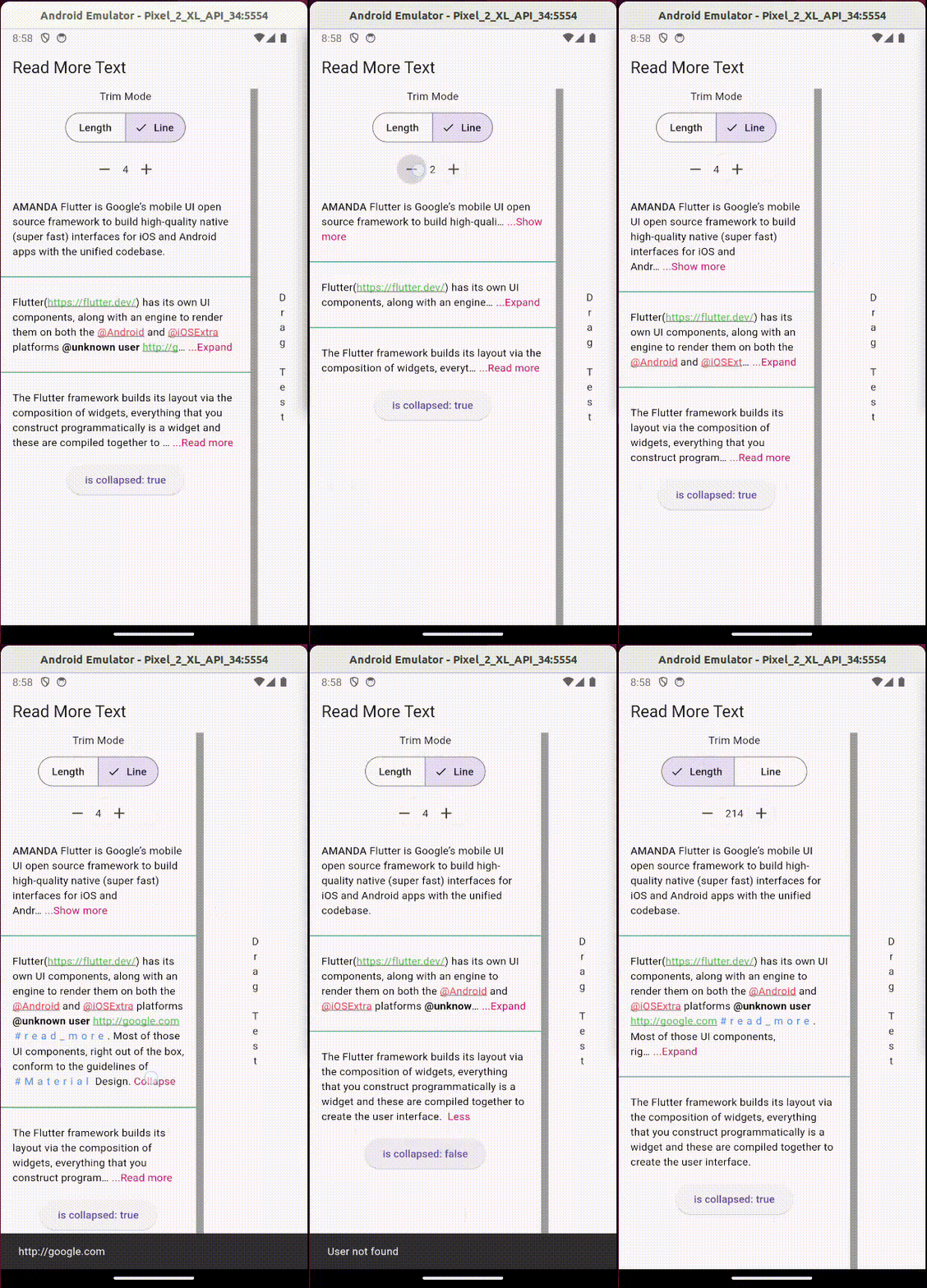
Usage:
Add the package to your pubspec.yaml:
readmore: ^3.0.0
Then, import it in your Dart code:
import 'package:readmore/readmore.dart';
Basic Example
ReadMoreText(
  'Flutter is Google’s mobile UI open source framework to build high-quality native (super fast) interfaces for iOS and Android apps with the unified codebase.',
  trimMode: TrimMode.Line,
  trimLines: 2,
  colorClickableText: Colors.pink,
  trimCollapsedText: 'Show more',
  trimExpandedText: 'Show less',
  moreStyle: TextStyle(fontSize: 14, fontWeight: FontWeight.bold),
);
Rich Text Example
With the ReadMoreText.rich constructor, you can create text with rich formatting, including different colors, decorations, letter spacing, and interactive elements within a single widget.
ReadMoreText.rich(
  TextSpan(
    style: const TextStyle(color: Colors.black),
    children: [
      const TextSpan(text: 'Rich '),
      const TextSpan(
        text: 'Text',
        style: TextStyle(
          color: Colors.blue,
          decoration: TextDecoration.underline,
          letterSpacing: 5,
          recognizer: TapGestureRecognizer()..onTap = () {
            // Handle tap
          },
        ),
      ),
    ],
  ),
  trimMode: TrimMode.Line,
  trimLines: 2,
  colorClickableText: Colors.pink,
  trimCollapsedText: '...Read more',
  trimExpandedText: ' Less',
);
Using Annotations
The Annotation feature enhances the interactivity and functionality of the text content. You can define custom styles and interactions for patterns like hashtags, URLs, and mentions.
ReadMoreText(
  'This is a sample text with a #hashtag, a mention <@123>, and a URL: https://example.com.',
  trimMode: TrimMode.Line,
  trimLines: 2,
  colorClickableText: Colors.pink,
  annotations: [
    Annotation(
      regExp: RegExp(r'#([a-zA-Z0-9_]+)'),
      spanBuilder: ({required String text, required TextStyle textStyle}) => TextSpan(
        text: text,
        style: textStyle.copyWith(color: Colors.blue),
      ),
    ),
    Annotation(
      regExp: RegExp(r'<@(\d+)>'),
      spanBuilder: ({required String text, required TextStyle textStyle}) => TextSpan(
        text: 'User123',
        style: textStyle.copyWith(color: Colors.green),
        recognizer: TapGestureRecognizer()..onTap = () {
          // Handle tap, e.g., navigate to a user profile
        },
      ),
    ),
    // Additional annotations for URLs...
  ],
  moreStyle: TextStyle(fontSize: 14, fontWeight: FontWeight.bold),
);
Note: This feature is not available with the ReadMoreText.rich constructor, as TextSpan gives you total control over styling and adding interactions to parts of the text.

Jonny Borges ↗
Dependências usadas
Lista de dependências 1 itens
- flutter
{"sdk":"flutter"}
Como escolher um repositório para seu projeto?
Filtre pelo caso de uso, compare a atividade e confira o projeto original antes de adotá-lo.
- Busque por nome, autor ou descrição e filtre por tema.
- Compare estrelas, forks e envios recentes. Estrelas indicam interesse, mas não garantem qualidade.
- Confira o README, a licença e as issues no GitHub antes de usar o projeto.
Fontes e manutenção
“A repository is the most basic element of GitHub.”
GitHub Docs — About repositories ↗
- jonataslaw/readmore · GitHub ↗
- GitHub Docs — Saving repositories with stars ↗
- Diretório mantido por Ducafecat ↗