Buscar pacotes, repositórios e categorias de apps

Repositório GitHubjoysarkar18/glossy

brilhante

Este é um pacote Flutter feito por mim para criar componentes de interface com vidro. Execute o comando flutter pub add glossy para adicionar esta dependência ao seu projeto Flutter. Para mais informações, leia o arquivo ReadMe.

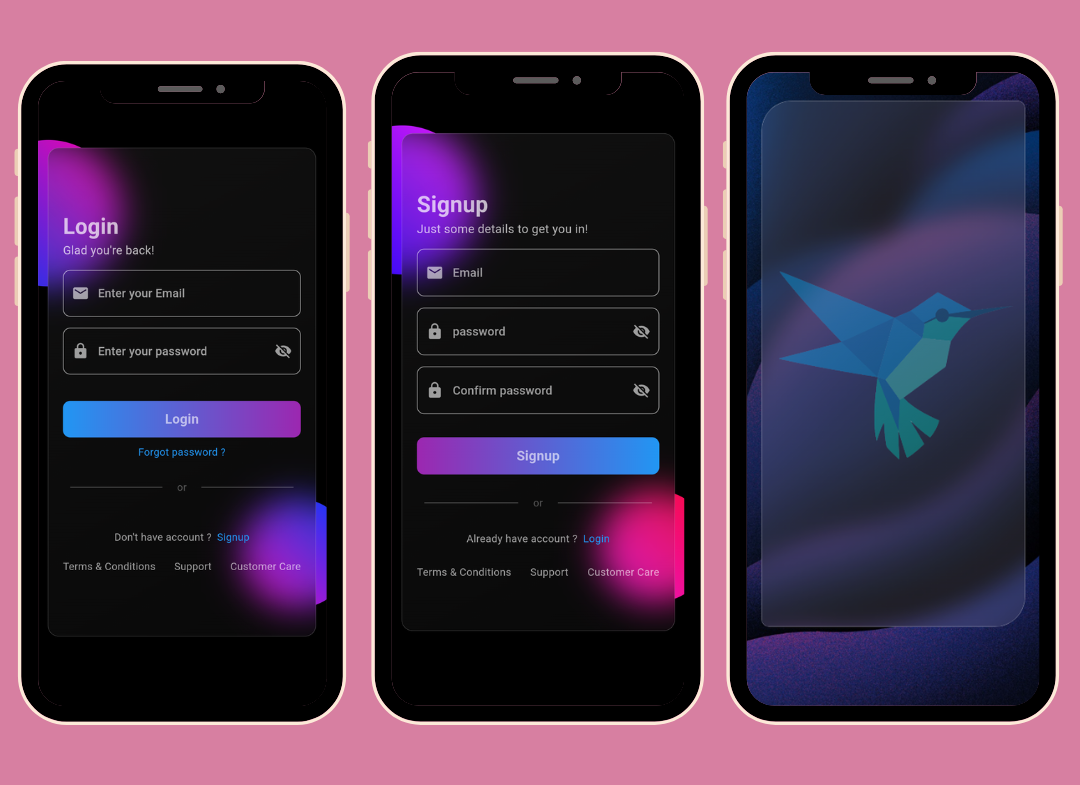
Capa do projeto brilhante
Estrelas
19
Forks
1
Último push (UTC)
6 de jan. de 2025
Status do projeto
Ativo

README original

Texto original em inglês. Visite o GitHub para a versão atual.

Screenshots

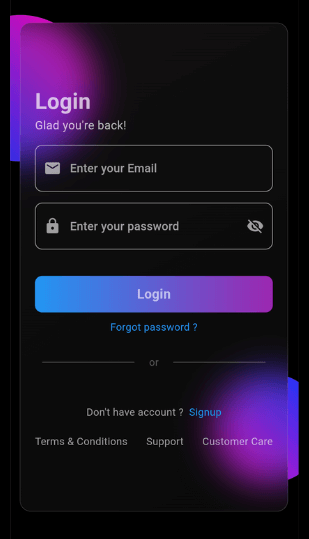
App Screenshot

Overview

This Flutter package allows you to easily create glass morphism effects in your Flutter applications. Glass morphism is a design trend that involves using blurred, semi-transparent elements to create a frosted glass-like effect.

Installation

To use this package, add glossy as a dependency in your pubspec.yaml file:

dependencies:
  flutter:
    sdk: flutter
  glossy: ^0.0.5

OR

Open your termilar in the project level and run this command.

flutter pub add glossy

Usage

You can use the GlossyContainer widget provided by this package to create glass morphism effects. Here's a basic example:

import 'package:flutter/material.dart';
import 'package:glossy/glossy.dart';

void main() {
  runApp(const MyApp());
}

class MyApp extends StatelessWidget {
  const MyApp({super.key});

  @override
  Widget build(BuildContext context) {
    return MaterialApp(
      home: Scaffold(
        backgroundColor: Colors.black,
        appBar: AppBar(
          title: const Text('Glass Morphism Example'),
        ),
        body: Center(
          child: SizedBox(
            width: 300,
            height: 300,
            child: Stack(
              children: [
                Container(
                  height: 140,
                  width: 140,
                  decoration: (BoxDecoration(
                      color: Colors.purple,
                      borderRadius: BorderRadius.circular(70))),
                ),
                Align(
                  alignment: Alignment.bottomRight,
                  child: Container(
                    height: 140,
                    width: 140,
                    decoration: (BoxDecoration(
                        color: Colors.purple,
                        borderRadius: BorderRadius.circular(70))),
                  ),
                ),
                Align(
                  alignment: Alignment.center,
                  child: GlossyContainer(
                    width: 200,
                    height: 200,
                    borderRadius: BorderRadius.circular(12),
                    child: const Center(
                      child: Text(
                        'Glass Morphism',
                        style: TextStyle(
                          fontSize: 20,
                          fontWeight: FontWeight.bold,
                          color: Colors.white,
                        ),
                      ),
                    ),
                  ),
                ),
              ],
            ),
          ),
        ),
      ),
    );
  }
}

Parameters

  • width: The width of the container required.
  • height: The height of the container required.
  • borderRadius: The border radius of the container.
  • blur: The amount of blur to apply to the container.
  • child: The widget placed inside the glass container.
  • color: Background color of the container.
  • opacity: Opacity of the container.
  • strengthX: Strength of blur in the horizontal direction.
  • strengthY: Strength of blur in the vertical direction.
  • border: Border of the container.
  • blendMode: Blend mode for applying filter.
  • gradient: Gradient of the container.
  • boxShadow: Box shadows for the container.
  • image: Background image of the container.
  • imageOpacity: Opacity of the background image.

Support

If you find this project helpful and would like to support its development, you can connect with me on social media:

Your support and feedback are greatly appreciated and will help in further improving this project.

joy sarkar GitHub avatar
Autor no GitHub

joy sarkar ↗

My name is Joy Sarkar, and I'm a passionate Android developer who's always looking to learn new technologies. I specialize in building high-quality Android appl

CabswaleKolkata, West BengalSite oficial ↗
LinguagensDart

Categorias

Pacotes publicados por este repositório

Dependências usadas

Lista de dependências 3 itens

  • flutter{"sdk":"flutter"}
  • flutter_testDesenvolvimento{"sdk":"flutter"}
  • flutter_lintsDesenvolvimento^2.0.0

Como escolher um repositório para seu projeto?

Filtre pelo caso de uso, compare a atividade e confira o projeto original antes de adotá-lo.

  1. Busque por nome, autor ou descrição e filtre por tema.
  2. Compare estrelas, forks e envios recentes. Estrelas indicam interesse, mas não garantem qualidade.
  3. Confira o README, a licença e as issues no GitHub antes de usar o projeto.

Fontes e manutenção

“A repository is the most basic element of GitHub.”

GitHub Docs — About repositories ↗