
v0.1.0
atomized_image
Um widget que pinta e anima imagens com partículas para alcançar um efeito atômico.
44Curtidas 50Downloads em 30 dias40Pontos Pub
Plataformas indisponíveis
Um widget que pinta e anima imagens com partículas para obter um efeito atômico
Texto original em inglês. Visite o GitHub para a versão atual.


A widget which paints and animates images with particles to achieve an atomized effect.
Credits to Jason Labbe, for the original sketch from where most of the code of this package is.
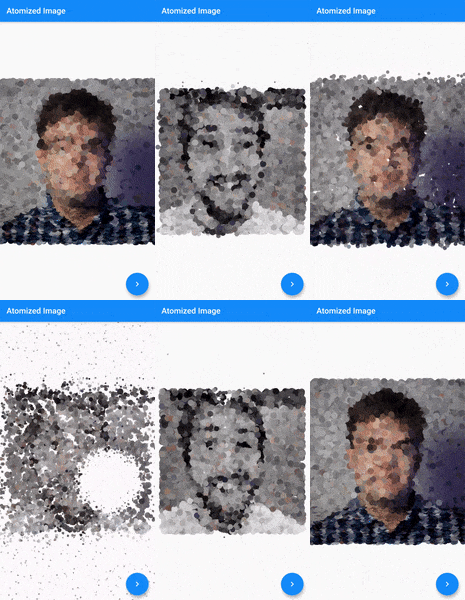
In the pubspec.yaml of your flutter project, add the following dependency:
dependencies:
  atomized_image: <latest_version>
In your library add the following import:
import 'package:atomized_image/atomized_image.dart';
Example:
AtomizedImage(
  // Use an ImageProvider to get the image you want to atomize.
  image: NetworkImage('https://pbs.twimg.com/profile_images/653618067084218368/XlQA-oRl_400x400.jpg'),
)
To change the image and animates the particles again, just change the image provider with a new one.
I'm working on my packages on my free-time, but I don't have as much time as I would. If this package or any other package I created is helping you, please consider to sponsor me so that I can take time to read the issues, fix bugs, merge pull requests and add features to these packages.
Feel free to contribute to this project.
If you find a bug or want a feature, but don't know how to fix/implement it, please fill an issue.
If you fixed a bug or implemented a feature, please send a pull request.

Lista de dependências 3 itens
{"sdk":"flutter"}^2.0.8{"sdk":"flutter"}Filtre pelo caso de uso, compare a atividade e confira o projeto original antes de adotá-lo.
“A repository is the most basic element of GitHub.”
GitHub Docs — About repositories ↗