
v1.0.2
flutter_speedometer
Widget simples que permite aos desenvolvedores Flutter integrar facilmente um velocímetro em seus aplicativos com opções personalizáveis
15Curtidas 63Downloads em 30 dias40Pontos Pub
Plataformas indisponíveis
Pacote de widget speedometer do Flutter
Texto original em inglês. Visite o GitHub para a versão atual.
Flutter Speedometer widget package
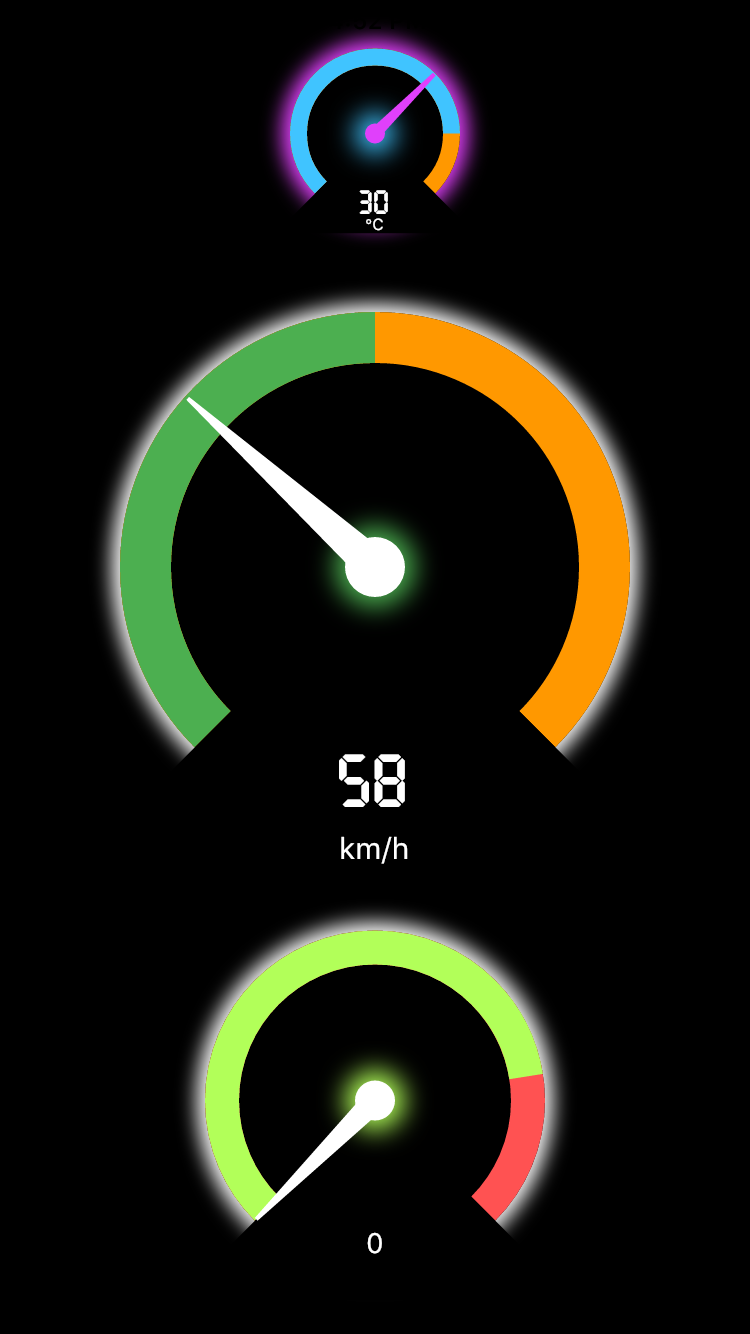
In order to use this package, do import
import 'package:flutter_speedometer/flutter_speedometer.dart';
Basic implementation can be done like below code:
import 'package:flutter/material.dart';
import 'package:flutter_speedometer/flutter_speedometer.dart';

void main() {
  runApp(
    Center(
      child: Speedometer(
        size: 250,
        minValue: 0,
        maxValue: 180,
        currentValue: 76,
        warningValue: 150,
        displayText: 'mph',
      ),
    ),
  );
}
You can find more examples from Example App
In this table, you can find all attributes provided by this package:
| Attribute | Default value | Description |
|---|---|---|
| size | 200 | Min value to be displayed |
| minValue | 0 | Min value to be displayed |
| maxValue | 100 | Max value to be displayed |
| currentValue | 0 | Set the current value |
| warningValue | 80 | Set the current value |
class Speedometer {

    final double size;
    final int minValue;
    final int maxValue;
    final int currentValue;
    final int warningValue;
    final Color backgroundColor;
    final Color meterColor;
    final Color warningColor;
    final Color kimColor;
    final TextStyle displayNumericStyle;
    final String displayText;
    final TextStyle displayTextStyle;
}
Feel free to leave any feedback for helping support this package 🍻

Lista de dependências 2 itens
{"sdk":"flutter"}{"sdk":"flutter"}Filtre pelo caso de uso, compare a atividade e confira o projeto original antes de adotá-lo.
“A repository is the most basic element of GitHub.”
GitHub Docs — About repositories ↗