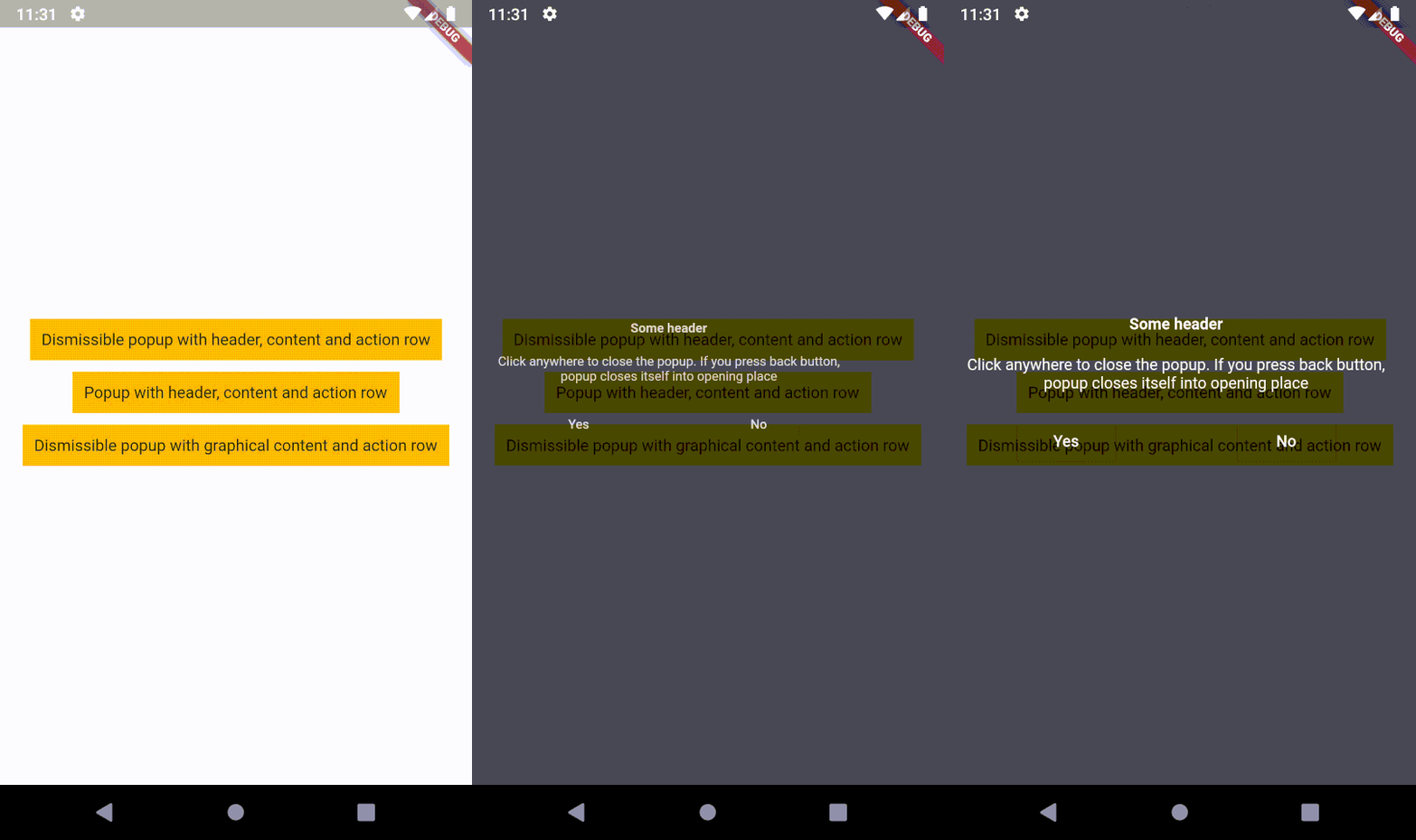
Um conteúdo sobreposto que se fecha em seu local de abertura (ao pressionar o botão de voltar) ou na posição onde o ponteiro tocou a tela. Isso significa que o popup suporta gestos de toque!
Texto original em inglês. Visite o GitHub para a versão atual.
Description
An overlaid content, which closes itself into opening place (on back button)
or into the position where the pointer contacted the screen. It means, popup supports tap gesture!
The second step is to create a popup.
I recommend to use OPopupTrigger class
in order to simply create the popup as in the example.
It pushes OPopupOverlay widget
into Navigation stack, thus a user can dismiss the popup by back button
or by tapping anywhere on a screen.
In the OPopupTrigger class you can also set barrierDismissible
to false (to prevent dismissing popup by taping anywhere)
and for example create a button,
which pops the popup from Navigator stack (Navigator.of(context).pop())
in order to close the popup - like buttons in the example.
Customization
If you do not want to use OPopupContent class as a content of a popup triggered by OPopupTrigger
you should skip popupHeader and popupActionRow fields and set your own widget to
popupContent field. It gives you an ability to fully customize the content of the popup:
size, alignment etc.
You can also overwrite OPopupContent (create a class which extends OPopupContent),
customize it inside your own class and set your version of OPopupContent
to OPopupTrigger.popupContent
(also do not set popupHeader and popupActionRow in order to omit original OPopupContent).
If you use this code in commercial project, please donate me via GitHub Sponsors. I do the same for packages which I use, because it ensures stable development for all of us!






 v1.0.1