

 v0.0.92
keymap
Um widget de atalhos do teclado reutilizável com uma interface mínima e flexível e manipulação de foco.
34Curtidas 1,1 milDownloads em 30 dias140Pontos Pub
AndroidiOSmacOSWindowsLinux
um widget de mapa de teclas do Flutter com exibição em sobreposição

Texto original em inglês. Visite o GitHub para a versão atual.
A keymap widget letting a developer easily allow end users to use keyboard shortcuts and an associated help screen overlay to any app.
This is pre-alpha and the API will probably change in the future.

dependencies:
  keymap: <latest-version>
Add a KeyMap widget to your tree in the build method
@override
Widget build(BuildContext context) {
  return KeyboardWidget(
    bindings: [
      KeyAction.fromString('A','increment the counter', () {
        setState(() {
          count++;
        });}, isControlPressed: true),
      KeyAction(LogicalKeyboardKey.keyD, 'decrement the counter', () {
        setState(() {
          count--;
        });
      }, isAltPressed: true, isControlPressed: true),
    ],
    child: Column(
      children: [
        const Text('Up arrow for adding, down arrow to subtract'),
        Text('count: $count'),
      ],
    ),
  );
}
You can optionally set the number of columns for the text shown in the help screen
  @override
  Widget build(BuildContext context) {
    return KeyboardWidget(
      columnCount: 2,
      child: Scaffold(
This creates keyboard shortcuts that call the referenced methods and a help screen that can be called up by pressing F1 (or any key you choose):
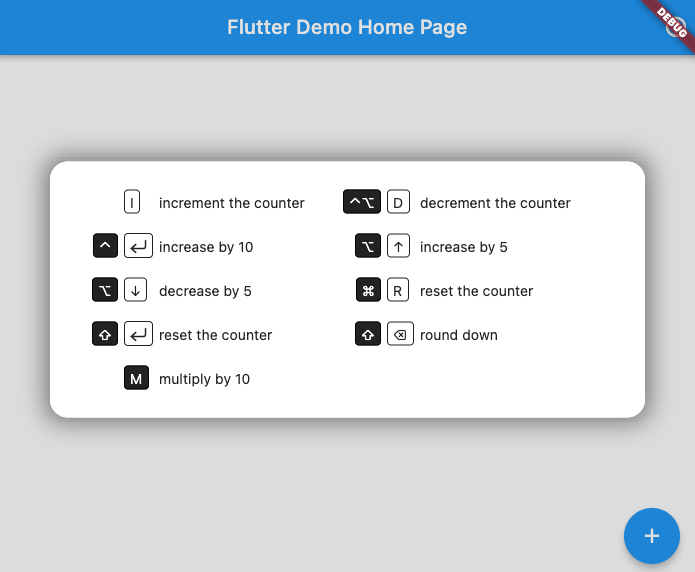
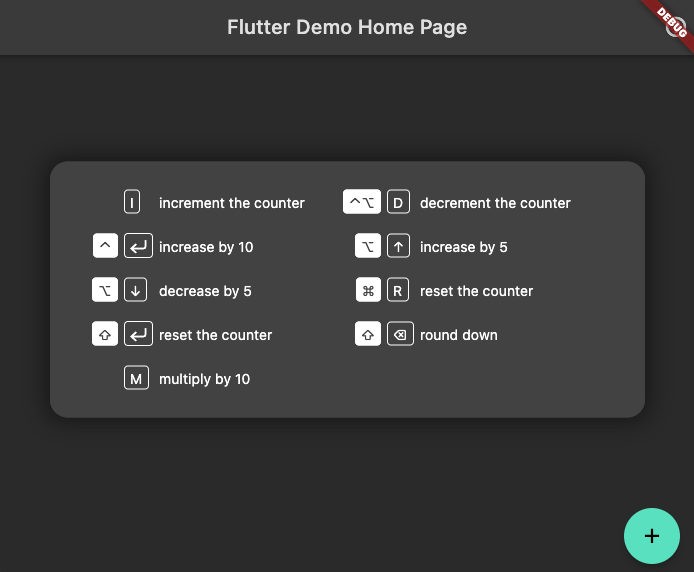
It will shift colors to match your app's theme (here in dark mode)
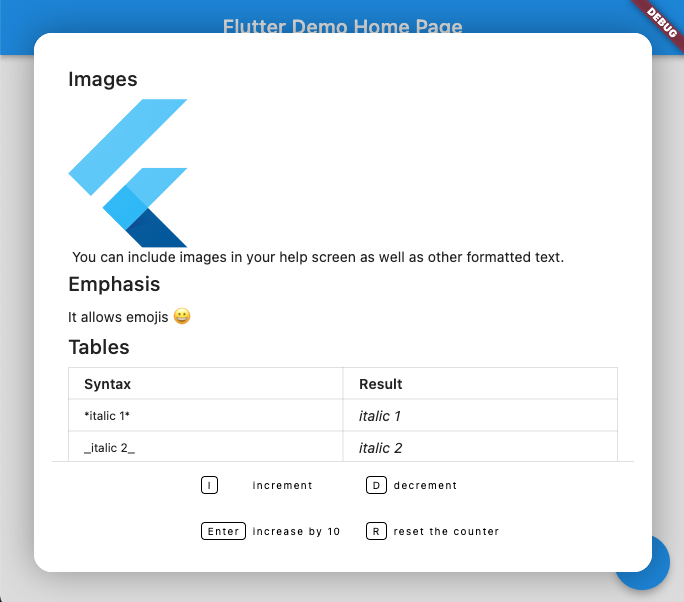
You can add rich text (using Markdown format) above the keyboard map. A code sample showing how to do this can be found in the examples directory
Lista de dependências 4 itens
1.0.7{"sdk":"flutter"}{"sdk":"flutter"}^1.0.0Filtre pelo caso de uso, compare a atividade e confira o projeto original antes de adotá-lo.
“A repository is the most basic element of GitHub.”
GitHub Docs — About repositories ↗