


v0.1.0
image_watermark
Pacote Flutter para adicionar marca d'água de texto ou imagem em imagens, você pode personalizar a posição da marca d'água e a cor.
64Curtidas 900Downloads em 30 dias150Pontos Pub
AndroidiOSWebmacOSWindowsLinux
pacote image_watermark do flutter https://pub.dev/packages/image_watermark

Texto original em inglês. Visite o GitHub para a versão atual.
Image watermark is flutter pacakge to add text watermark and image watermark on image,you can customize the position of watermark and color.
Based on Image pacakge.
Check on pub.dev
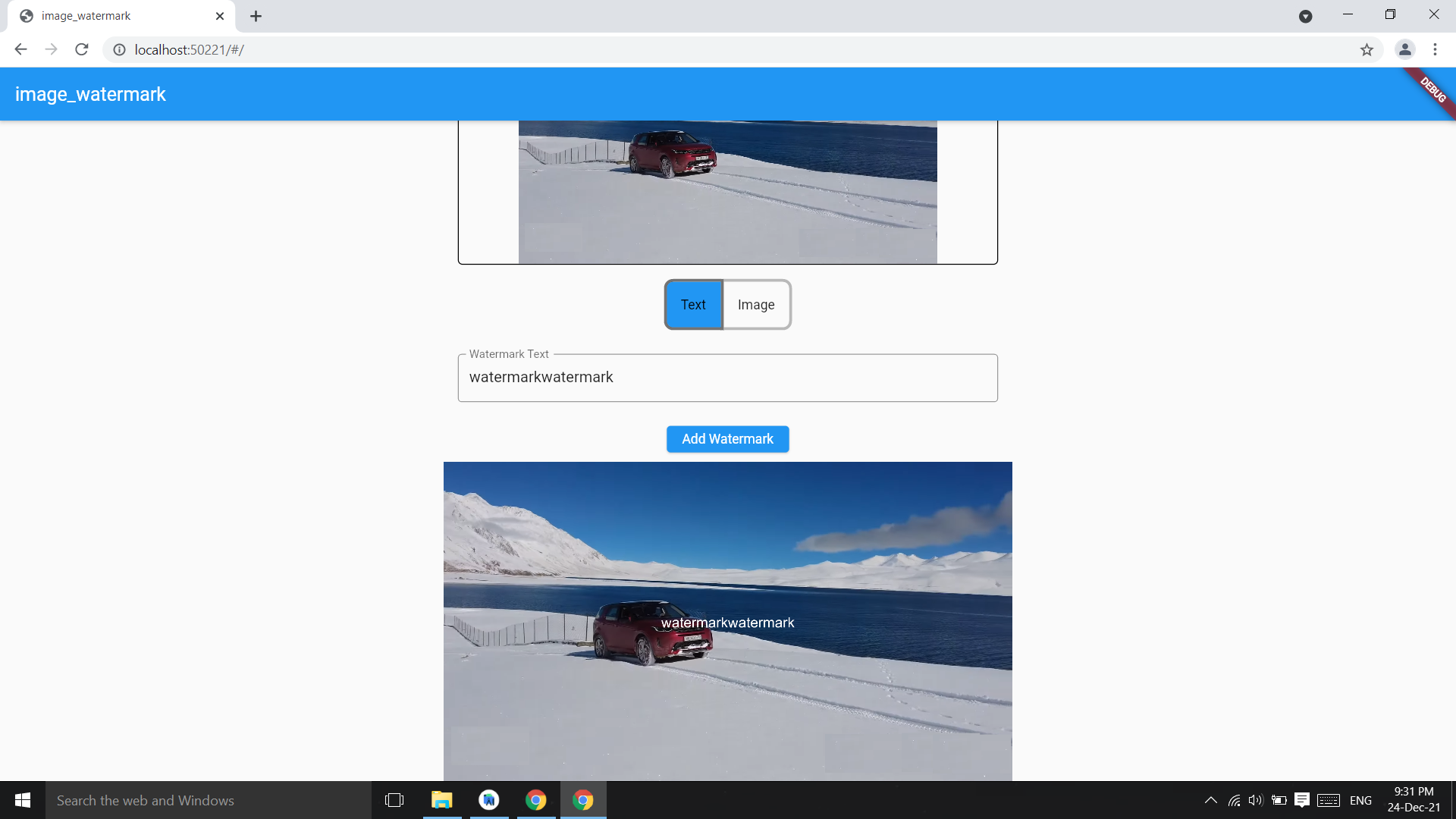
Add watermark text at center of image,parameter image bytes and string and it returns image bytes
final watermarkedImg =
  await ImageWatermark.addTextWatermark(
    imgBytes: imgBytes,
    watermarktext: 'watermarkText',
  );
final watermarkedImgBytes =
    await ImageWatermark.addTextWatermark(
            imgBytes: imgBytes, ///image bytes
            watermarktext: 'watermarkText', ///watermark text
            color: Colors.white, ///default : Colors.black
          );
Change the position of watermark
final watermarkedImg =
    await ImageWatermark.addTextWatermark(
            imgBytes: imgBytes,             ///image bytes
            watermarktext: 'watermarkText',      ///watermark text
            dstX: 20,                   ///position of watermark x coordinate
            dstY: 30,                   ///y coordinate
            color: Colors.green, ///default : Colors.black
          );
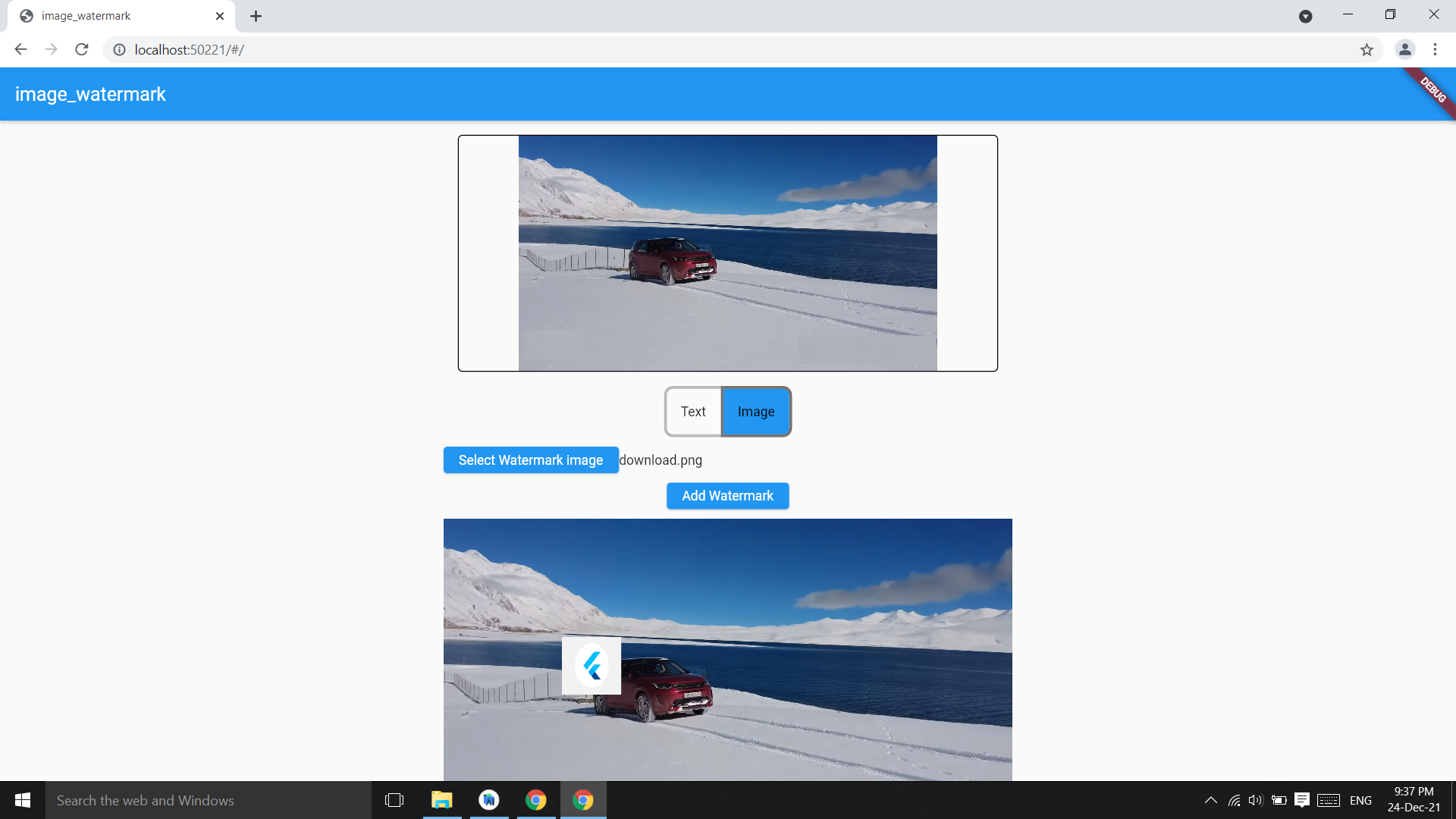
Add image as watermark on image
final watermarkedImgBytes =
    await ImageWatermark.addImageWatermark(
            originalImageBytes: imgBytes,
            waterkmarkImageBytes: watermarkImgByte,
          );
final watermarkedImgBytes =
    await ImageWatermark.addImageWatermark(
            originalImageBytes: imgBytes,  //image bytes
            waterkmarkImageBytes: imgBytes2, //watermark img bytes
            imgHeight: 200,   //watermark img height
            imgWidth: 200,    //watermark img width
            dstY: 400, //watermark position Y
            dstX: 400, //watermark position X
          );
Image package only have arial Fonts, you can change the font converting a .ttf font in .fnt format:
Download your font in .ttf format.
Convert the font to .fnt format using the next site.
Use ImageFont class, readOtherFontZip if you use .zip file; readOtherFont if you unzip and get the .fnt & .png files.
Add the font in pubspec.yaml:
  assets:
  - path/to/font.zip
Then use it as follows:
final assetFont = await rootBundle.load('path/to/font.zip');

final font = assetFont.buffer.asUint8List(assetFont.offsetInBytes, assetFont.lengthInBytes);

final bitMapFont = ImageFont.readOtherFontZip(font);

...

await ImageWatermark.addTextWatermark(
  imgBytes: imgBytes,
  font: bitMapFont, /// Font from .zip
  watermarkText: 'watermark text',
  dstX: 20,
  dstY: 40,
)

Lista de dependências 4 itens
{"sdk":"flutter"}^4.1.7{"sdk":"flutter"}^3.0.1Filtre pelo caso de uso, compare a atividade e confira o projeto original antes de adotá-lo.
“A repository is the most basic element of GitHub.”
GitHub Docs — About repositories ↗