
 v2.2.3
v_video_compressor
Plugin profissional do Flutter para compressão de vídeo de alta qualidade com acompanhamento em tempo real do progresso e geração de miniaturas.
46Curtidas 9,6 milDownloads em 30 dias160Pontos Pub
AndroidiOS
Pacote completo de compactação de vídeo Flutter nativo Kotlin Swift e geração e corte de miniaturas de vídeo!

{"sdk":"flutter"}^2.1.8{"sdk":"flutter"}^6.0.0Texto original em inglês. Visite o GitHub para a versão atual.
pub package License: MIT Platform
A professional Flutter plugin for high-quality video compression with real-time progress tracking, thumbnail generation, and comprehensive configuration options.
This plugin focuses exclusively on video compression and thumbnail generation. For video selection, use established plugins like image_picker or file_picker.
| Platform | Support | Minimum Version | Notes |
|---|---|---|---|
| Android | ✅ Full Support | API 21+ (Android 5.0+) | Hardware acceleration available |
| iOS (SwiftPM) | ✅ Full Support | iOS 15.0+ | Current Flutter toolchains |
| iOS (CocoaPods) | ✅ Full Support | iOS 12.0+ | Legacy Flutter toolchain metadata |
The package requires Flutter 3.44 or newer and Dart 3.12 or newer. Android apps can use either Flutter's legacy KGP compatibility mode or AGP 9 built-in Kotlin; enabling built-in Kotlin requires Flutter 3.47 or newer.
Add to your pubspec.yaml:
dependencies:
  v_video_compressor: ^2.2.2
  file_picker: ^8.0.0 # For video selection
  # OR
  image_picker: ^1.0.7 # Alternative for video selection
Add permissions to android/app/src/main/AndroidManifest.xml:
<uses-permission android:name="android.permission.READ_EXTERNAL_STORAGE" />
<uses-permission android:name="android.permission.READ_MEDIA_VIDEO" />
<uses-permission android:name="android.permission.WRITE_EXTERNAL_STORAGE"
    android:maxSdkVersion="28" />
The plugin supports both CocoaPods and Swift Package Manager. Flutter selects the configured dependency manager automatically. SwiftPM consumers must target iOS 15.0 or newer to match Flutter's framework package. The CocoaPods metadata retains iOS 12.0 for legacy Flutter toolchains; the effective minimum is the highest requirement from the app, Flutter SDK, and plugin.
Add permissions to ios/Runner/Info.plist:
<key>NSPhotoLibraryUsageDescription</key>
<string>This app needs access to photo library to compress videos</string>
<key>NSPhotoLibraryAddUsageDescription</key>
<string>This app needs access to save compressed videos to photo library</string>
import 'package:v_video_compressor/v_video_compressor.dart';
import 'package:file_picker/file_picker.dart';

class VideoCompressionExample extends StatefulWidget {
  @override
  _VideoCompressionExampleState createState() => _VideoCompressionExampleState();
}

class _VideoCompressionExampleState extends State<VideoCompressionExample> {
  final VVideoCompressor _compressor = VVideoCompressor();

  double _progress = 0.0;
  bool _isCompressing = false;

  Future<void> _compressVideo() async {
    // 1. Pick video using file_picker
    FilePickerResult? result = await FilePicker.platform.pickFiles(
      type: FileType.video,
    );

    if (result == null || result.files.single.path == null) return;

    final videoPath = result.files.single.path!;

    setState(() {
      _isCompressing = true;
      _progress = 0.0;
    });

    try {
      // 2. Compress with progress tracking
      final compressionResult = await _compressor.compressVideo(
        videoPath,
        const VVideoCompressionConfig.medium(),
        onProgress: (progress) {
          setState(() => _progress = progress);
        },
      );

      if (compressionResult != null) {
        print('✅ Compression completed!');
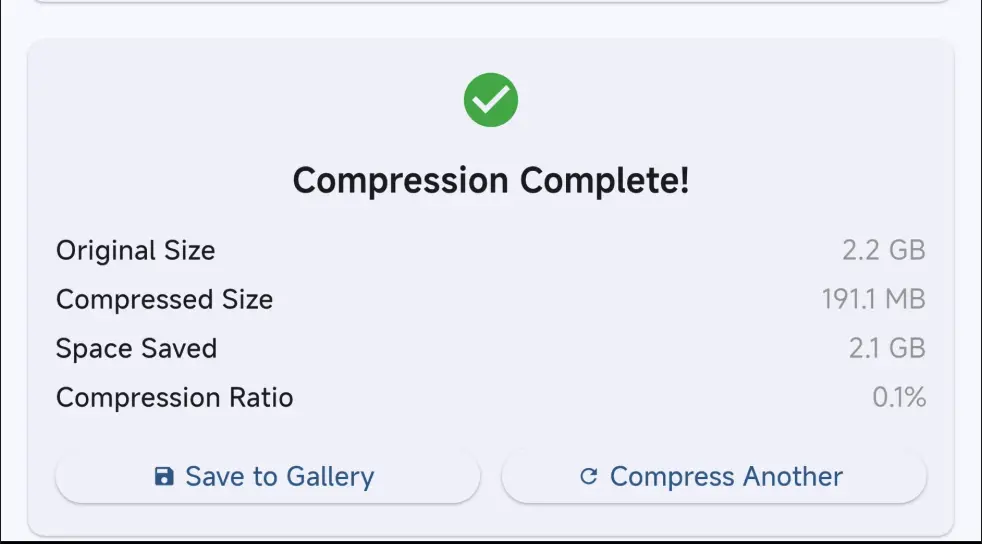
        print('Original: ${compressionResult.originalSizeFormatted}');
        print('Compressed: ${compressionResult.compressedSizeFormatted}');
        print('Space saved: ${compressionResult.spaceSavedFormatted}');
        print('Output path: ${compressionResult.outputPath}');
      }
    } catch (e) {
      print('❌ Compression failed: $e');
    } finally {
      setState(() => _isCompressing = false);
    }
  }

  @override
  Widget build(BuildContext context) {
    return Scaffold(
      appBar: AppBar(title: const Text('Video Compressor')),
      body: Center(
        child: _isCompressing
            ? Column(
                mainAxisAlignment: MainAxisAlignment.center,
                children: [
                  CircularProgressIndicator(value: _progress),
                  const SizedBox(height: 16),
                  Text('${(_progress * 100).toInt()}%'),
                ],
              )
            : ElevatedButton(
                onPressed: _compressVideo,
                child: const Text('Pick & Compress Video'),
              ),
      ),
    );
  }
}
Listen to compression progress from anywhere in your app with the new typed global stream:
import 'package:v_video_compressor/v_video_compressor.dart';

class MyApp extends StatefulWidget {
  @override
  _MyAppState createState() => _MyAppState();
}

class _MyAppState extends State<MyApp> {
  StreamSubscription<VVideoProgressEvent>? _progressSubscription;
  VVideoProgressEvent? _currentProgress;

  @override
  void initState() {
    super.initState();
    _setupGlobalProgressListener();
  }

  void _setupGlobalProgressListener() {
    // Listen to global progress stream from anywhere
    _progressSubscription = VVideoCompressor.progressStream.listen(
      (event) {
        setState(() {
          _currentProgress = event;
        });

        print('Progress: ${event.progressFormatted}');
        if (event.isBatchOperation) {
          print('Batch: ${event.batchProgressDescription}');
        }
      },
    );
  }

  @override
  void dispose() {
    _progressSubscription?.cancel();
    super.dispose();
  }
}
// Method 1: Simple progress callback
VVideoCompressor.listenToProgress((progress) {
  print('Progress: ${(progress * 100).toInt()}%');
});

// Method 2: Batch progress callback
VVideoCompressor.listenToBatchProgress((progress, currentIndex, total) {
  print('Batch: Video ${currentIndex + 1}/$total - ${(progress * 100).toInt()}%');
});

// Method 3: Full event callback
VVideoCompressor.listen((event) {
  print('Progress: ${event.progressFormatted}');
  print('Video: ${event.videoPath}');
  if (event.isBatchOperation) {
    print('Batch: ${event.batchProgressDescription}');
  }
});
Map checking - proper VVideoProgressEvent typeIn Services/Controllers:
class VideoCompressionService {
  static StreamSubscription<VVideoProgressEvent>? _subscription;

  static void startGlobalListener() {
    _subscription = VVideoCompressor.progressStream.listen((event) {
      // Update your state management, emit to other streams, etc.
      print('Service: ${event.progressFormatted}');
    });
  }

  static void stopGlobalListener() {
    _subscription?.cancel();
  }
}
With State Management:
class VideoCompressionNotifier extends ChangeNotifier {
  VVideoProgressEvent? _currentProgress;

  VVideoProgressEvent? get currentProgress => _currentProgress;

  void startListening() {
    VVideoCompressor.progressStream.listen((event) {
      _currentProgress = event;
      notifyListeners(); // Notify UI to rebuild
    });
  }
}
Multiple Widgets:
// Widget A
class ProgressIndicator extends StatelessWidget {
  @override
  Widget build(BuildContext context) {
    return StreamBuilder<VVideoProgressEvent>(
      stream: VVideoCompressor.progressStream,
      builder: (context, snapshot) {
        if (!snapshot.hasData) return SizedBox();
        return LinearProgressIndicator(value: snapshot.data!.progress);
      },
    );
  }
}

// Widget B - completely separate
class ProgressText extends StatelessWidget {
  @override
  Widget build(BuildContext context) {
    return StreamBuilder<VVideoProgressEvent>(
      stream: VVideoCompressor.progressStream,
      builder: (context, snapshot) {
        if (!snapshot.hasData) return Text('Ready');
        return Text(snapshot.data!.progressFormatted);
      },
    );
  }
}
Choose the right quality for your use case:
| Quality | Resolution | Typical Bitrate | File Size | Use Case |
|---|---|---|---|---|
VVideoCompressQuality.high |
1080p HD | 3.5 Mbps | Larger | Professional, archival |
VVideoCompressQuality.medium |
720p | 1.8 Mbps | Balanced | General purpose, social media |
VVideoCompressQuality.low |
480p | 900 kbps | Smaller | Quick sharing, messaging |
VVideoCompressQuality.veryLow |
360p | 500 kbps | Very small | Bandwidth limited |
VVideoCompressQuality.ultraLow |
240p | 350 kbps | Minimal | Maximum compression |
final advancedConfig = VVideoAdvancedConfig(
  // Resolution & Quality
  customWidth: 1280,
  customHeight: 720,
  videoBitrate: 2000000,        // 2 Mbps
  frameRate: 30.0,              // 30 FPS

  // Codec & Encoding
  videoCodec: VVideoCodec.h265, // Better compression
  audioCodec: VAudioCodec.aac,
  encodingSpeed: VEncodingSpeed.medium,
  crf: 25,                      // Quality factor (lower = better)
  twoPassEncoding: true,        // Better quality
  hardwareAcceleration: true,   // Use GPU

  // Audio Settings
  audioBitrate: 128000,         // 128 kbps
  audioSampleRate: 44100,       // 44.1 kHz
  audioChannels: 2,             // Stereo

  // Video Effects
  brightness: 0.1,              // Slight brightness boost
  contrast: 0.05,               // Slight contrast increase
  saturation: 0.1,              // Slight saturation increase

  // Editing
  trimStartMs: 2000,            // Skip first 2 seconds
  trimEndMs: 60000,             // End at 1 minute
  rotation: 90,                 // Rotate 90 degrees
);

final result = await _compressor.compressVideo(
  videoPath,
  VVideoCompressionConfig(
    quality: VVideoCompressQuality.medium,
    advanced: advancedConfig,
  ),
);
VVideoCropRect selects a real output region; it is not a preview scale or a
letterbox mask. Coordinates are normalized doubles in the inclusive 0.0..1.0
space of the correctly displayed frame after source orientation metadata and
the requested 0, 90, 180, or 270 degree rotation have been applied.
left and top are the starting edges and right and bottom are the ending
edges. Crop-aware rotation values follow video_editor_3: 90 is a left
(counter-clockwise) turn and 270 is a right (clockwise) turn.
A crop is valid only when every value is finite and:
0 <= left < right <= 10 <= top < bottom <= 1Invalid values are rejected and are never clamped. (0, 0, 1, 1) is a
full-frame no-op; full-frame detection uses a 1e-6 tolerance only for
floating-point round-off.
const cropRect = VVideoCropRect(
  left: 0.0,
  top: 0.0,
  right: 0.5,
  bottom: 0.5,
);

if (!cropRect.isValid()) {
  throw ArgumentError('Invalid crop coordinates');
}

final result = await compressor.compressVideo(
  inputPath,
  const VVideoCompressionConfig(
    quality: VVideoCompressQuality.medium,
    advanced: VVideoAdvancedConfig(
      trimStartMs: 1000,
      trimEndMs: 5000,
      rotation: 90,
      cropRect: cropRect,
      videoCodec: VVideoCodec.h264,
    ),
  ),
);
The native export uses one encoding pass in this deterministic order:
(0, 0).Coordinates exposed by video_editor_3 can be mapped directly without adding
that package as a dependency of v_video_compressor:
final cropRect = VVideoCropRect(
  left: controller.minCrop.dx,
  top: controller.minCrop.dy,
  right: controller.maxCrop.dx,
  bottom: controller.maxCrop.dy,
);

final result = await compressor.compressVideo(
  inputPath,
  VVideoCompressionConfig(
    quality: quality,
    fallbackToOriginalIfNotSmaller: false,
    advanced: VVideoAdvancedConfig(
      trimStartMs: controller.startTrim.inMilliseconds,
      trimEndMs: controller.endTrim.inMilliseconds,
      rotation: controller.rotation,
      cropRect: cropRect,
      videoCodec: VVideoCodec.h264,
    ),
  ),
);
The example app also includes a focused Crop, trim & rotate screen. It uses
video_trimmer for the video preview and draggable trim timeline, then passes
the selected millisecond range into VVideoAdvancedConfig. The example never
calls video_trimmer.saveTrimmedVideo, so trim, crop, rotation, audio handling,
and compression still happen once through v_video_compressor.
For crop-aware exports, autoAlign chooses the largest aspect-preserving,
encoder-safe output inside the quality or custom bounds. letterbox is the
only mode that intentionally centers the crop in a larger canvas with bars.
exact accepts even custom dimensions only when they preserve the selected
crop aspect within one output pixel; incompatible or sub-16x16 outputs are
rejected.
The integration suite includes deterministic quadrant fixtures and an opt-in
iOS network case. The network case downloads Flutter's public H.264/AAC
bee.mp4 sample inside the simulator, then verifies crop, trim, audio,
dimensions, and playability:
cd example
flutter test integration_test \
  -d <ios-simulator-id> \
  --dart-define=VVC_RUN_NETWORK_INTEGRATION=true \
  --plain-name "downloads a public Flutter video and exports crop on iOS"
An additional opt-in iOS audit exercises every public compression setting and
prints machine-readable PASS, FAIL, or UNSUPPORTED results after
inspecting the encoded tracks and decoded thumbnails:
cd example
flutter test integration_test/ios_compression_feature_audit_test.dart \
  -d <ios-simulator-id> \
  --dart-define=VVC_RUN_IOS_FEATURE_AUDIT=true
By default, the plugin returns the original file when encoding saves less than 5% to avoid wasting storage. Disable that fallback when the requested codec or container is required. The plugin automatically prohibits original-file fallback whenever an effective crop, trim, nonzero rotation, custom size, audio removal, or explicit codec request requires the encoded output. This prevents a successful export from silently discarding edits.
final result = await _compressor.compressVideo(
  videoPath,
  const VVideoCompressionConfig.medium(
    fallbackToOriginalIfNotSmaller: false,
  ),
);

print('Original returned: ${result?.usedOriginalFile}');
Track compression operations with custom IDs for better monitoring:
// Compress with custom ID
final result = await _compressor.compressVideo(
  videoPath,
  const VVideoCompressionConfig.medium(),
  onProgress: (progress) {
    print('Compression progress: ${(progress * 100).toInt()}%');
  },
  id: 'my-video-compression-${DateTime.now().millisecondsSinceEpoch}',
);

// Or let the plugin auto-generate an ID
final result2 = await _compressor.compressVideo(
  videoPath,
  const VVideoCompressionConfig.medium(),
  onProgress: (progress) {
    print('Progress: ${(progress * 100).toInt()}%');
  },
  // No ID provided - will auto-generate one
);
Benefits of ID-based tracking:
// Maximum compression for smallest files
final maxCompression = VVideoAdvancedConfig.maximumCompression(
  targetBitrate: 300000,  // 300 kbps
  keepAudio: false,       // Remove audio
);

// Social media optimized
final socialMedia = VVideoAdvancedConfig.socialMediaOptimized();

// Mobile optimized
final mobile = VVideoAdvancedConfig.mobileOptimized();

final result = await _compressor.compressVideo(
  videoPath,
  VVideoCompressionConfig(
    quality: VVideoCompressQuality.medium,
    advanced: maxCompression, // Use preset
  ),
);
The VVideoAdvancedConfig class provides fine-grained control over the compression process:
// Fix for vertical videos appearing horizontal after compression
VVideoAdvancedConfig(
  autoCorrectOrientation: true,  // Preserves original video orientation
  videoBitrate: 1500000,
  audioBitrate: 128000,
)
Key Features:
Problem: Compressed videos show colored/black smears along edges when input dimensions aren't divisible by 16 (encoder padding artifacts).
Solution: Automatic 16-pixel boundary alignment prevents encoder padding:
// These dimensions will automatically align to 16-pixel boundaries
VVideoAdvancedConfig(
  customWidth: 1082,   // Will align to 1072 (1072 % 16 == 0)
  customHeight: 1278,  // Will align to 1264 (1264 % 16 == 0)
  dimensionHandling: VDimensionHandling.autoAlign,  // Default: smart auto-detection
)
Dimension Handling Options:
enum VDimensionHandling {
  autoAlign,   // ✅ Default: Smart alignment, only aligns when needed
  letterbox,   // Adds black bars to maintain aspect ratio during alignment
  exact,       // Keep exact dimensions (may cause artifacts with odd dimensions)
}
How It Works:
| Input | Aligned | Notes |
|---|---|---|
| 1920 | 1920 | Already 16-aligned, no change |
| 1080 | 1072 | Rounds down to prevent padding |
| 1082 | 1072 | Removes edge artifacts |
| 1278 | 1264 | Fixes chroma padding issues |
| 720 | 720 | Standard width, already aligned |
Key Benefits:
VVideoAdvancedConfig(
  videoBitrate: 1500000,        // Custom video bitrate
  audioBitrate: 128000,         // Custom audio bitrate
  customWidth: 1280,            // Custom width (use with height)
  customHeight: 720,            // Custom height (use with width)
  rotation: 90,                 // Manual rotation (0, 90, 180, 270)
  frameRate: 30.0,              // Target frame rate
  removeAudio: false,           // Remove audio track
  brightness: 0.1,              // Brightness adjustment (-1.0 to 1.0)
  contrast: 0.1,                // Contrast adjustment (-1.0 to 1.0)
  autoCorrectOrientation: true, // Auto-correct video orientation
  dimensionHandling: VDimensionHandling.autoAlign, // NEW: Auto-align dimensions to 16-pixel boundaries
  // ... other options
)
On iOS, videoBitrate is approximated through AVFoundation's total output-size
limit and may vary slightly from the requested rate. audioBitrate is not an
independent AVAssetExportSession control; iOS chooses it as part of the export
preset.
final thumbnail = await _compressor.getVideoThumbnail(
  videoPath,
  VVideoThumbnailConfig(
    timeMs: 5000,                    // 5 seconds into video
    maxWidth: 300,
    maxHeight: 200,
    format: VThumbnailFormat.jpeg,
    quality: 85,                     // JPEG quality (0-100)
  ),
);

if (thumbnail != null) {
  print('Thumbnail: ${thumbnail.thumbnailPath}');
  print('Size: ${thumbnail.width}x${thumbnail.height}');
  print('File size: ${thumbnail.fileSizeFormatted}');
}
final thumbnails = await _compressor.getVideoThumbnails(
  videoPath,
  [
    VVideoThumbnailConfig(timeMs: 1000, maxWidth: 150),   // 1s
    VVideoThumbnailConfig(timeMs: 5000, maxWidth: 150),   // 5s
    VVideoThumbnailConfig(timeMs: 10000, maxWidth: 150),  // 10s
  ],
);

print('Generated ${thumbnails.length} thumbnails');
for (final thumbnail in thumbnails) {
  print('${thumbnail.timeMs}ms: ${thumbnail.thumbnailPath}');
}
Compress multiple videos with overall progress tracking:
final results = await _compressor.compressVideos(
  [videoPath1, videoPath2, videoPath3],
  const VVideoCompressionConfig.medium(),
  onProgress: (progress, currentIndex, total) {
    print('Overall: ${(progress * 100).toInt()}% (${currentIndex + 1}/$total)');
  },
);

print('Successfully compressed ${results.length} videos');
for (final result in results) {
  print('${result.originalPath} → ${result.outputPath}');
  print('Space saved: ${result.spaceSavedFormatted}');
}
final videoInfo = await _compressor.getVideoInfo(videoPath);
if (videoInfo != null) {
  print('Duration: ${videoInfo.durationFormatted}');
  print('Resolution: ${videoInfo.width}x${videoInfo.height}');
  print('File size: ${videoInfo.fileSizeFormatted}');
}
final estimate = await _compressor.getCompressionEstimate(
  videoPath,
  VVideoCompressQuality.medium,
  advanced: advancedConfig, // Optional
);

if (estimate != null) {
  print('Estimated size: ${estimate.estimatedSizeFormatted}');
  print('Compression ratio: ${(estimate.compressionRatio * 100).toInt()}%');
  print('Expected bitrate: ${estimate.bitrateMbps.toStringAsFixed(1)} Mbps');
}
Cancel operations anytime:
// Cancel ongoing compression
await _compressor.cancelCompression();

// Check if compression is running
final isActive = await _compressor.isCompressing();

// Handle cancellation in UI
if (isActive) {
  await _compressor.cancelCompression();
  // Files are automatically cleaned up
}
// Clean everything when app closes
@override
void dispose() {
  _compressor.cleanup();
  super.dispose();
}
// Safe cleanup - keep compressed videos
await _compressor.cleanupFiles(
  deleteThumbnails: true,
  deleteCompressedVideos: false,  // Keep compressed videos
  clearCache: true,
);

// Full cleanup - ⚠️ removes all compressed videos
await _compressor.cleanupFiles(
  deleteThumbnails: true,
  deleteCompressedVideos: true,   // ⚠️ This deletes your videos!
  clearCache: true,
);
// Video information
Future<VVideoInfo?> getVideoInfo(String videoPath);

// Compression estimation
Future<VVideoCompressionEstimate?> getCompressionEstimate(
  String videoPath,
  VVideoCompressQuality quality,
  {VVideoAdvancedConfig? advanced}
);

// Single video compression
Future<VVideoCompressionResult?> compressVideo(
  String videoPath,
  VVideoCompressionConfig config,
  {Function(double progress)? onProgress, String? id}
);

// Batch compression
Future<List<VVideoCompressionResult>> compressVideos(
  List<String> videoPaths,
  VVideoCompressionConfig config,
  {Function(double progress, int currentIndex, int total)? onProgress}
);

// Control operations
Future<void> cancelCompression();
Future<bool> isCompressing();
// Single thumbnail
Future<VVideoThumbnailResult?> getVideoThumbnail(
  String videoPath,
  VVideoThumbnailConfig config
);

// Multiple thumbnails
Future<List<VVideoThumbnailResult>> getVideoThumbnails(
  String videoPath,
  List<VVideoThumbnailConfig> configs
);
// Complete cleanup
Future<void> cleanup();

// Selective cleanup
Future<void> cleanupFiles({
  bool deleteThumbnails = true,
  bool deleteCompressedVideos = false,
  bool clearCache = true,
});
The plugin provides comprehensive error handling and logging:
try {
  final result = await _compressor.compressVideo(videoPath, config);
  if (result == null) {
    print('Compression failed - check logs for details');
  }
} catch (e, stackTrace) {
  print('Error: $e');
  print('Stack trace: $stackTrace');

  // The plugin automatically logs detailed error information
  // Check your development console for full context
}
1. Compression fails silently
2. Progress not updating
setState() in progress callbackisCompressing()3. iOS simulator issues
4. Large file handling
The plugin provides comprehensive logging:
// Logs are automatically output to console with tag 'VVideoCompressor'
// Filter logs by tag to see only plugin-related messages
Check the example directory for complete sample applications:
Video compression is memory-intensive. For production apps, please read our Memory Optimization Guide to avoid OutOfMemoryError issues. Key recommendations:
We welcome contributions! Please see the repository guidelines for the project layout, validation commands, and pull request expectations.
git clone https://github.com/v-chat-sdk/v_video_compressor.git
cd v_video_compressor
flutter pub get
cd example && flutter pub get
This project is licensed under the MIT License - see the LICENSE file for details.
Made with ❤️ for the Flutter community