Buscar pacotes, repositórios e categorias de apps

Repositório GitHubyako-dev/flutter_badges

flutter_badges

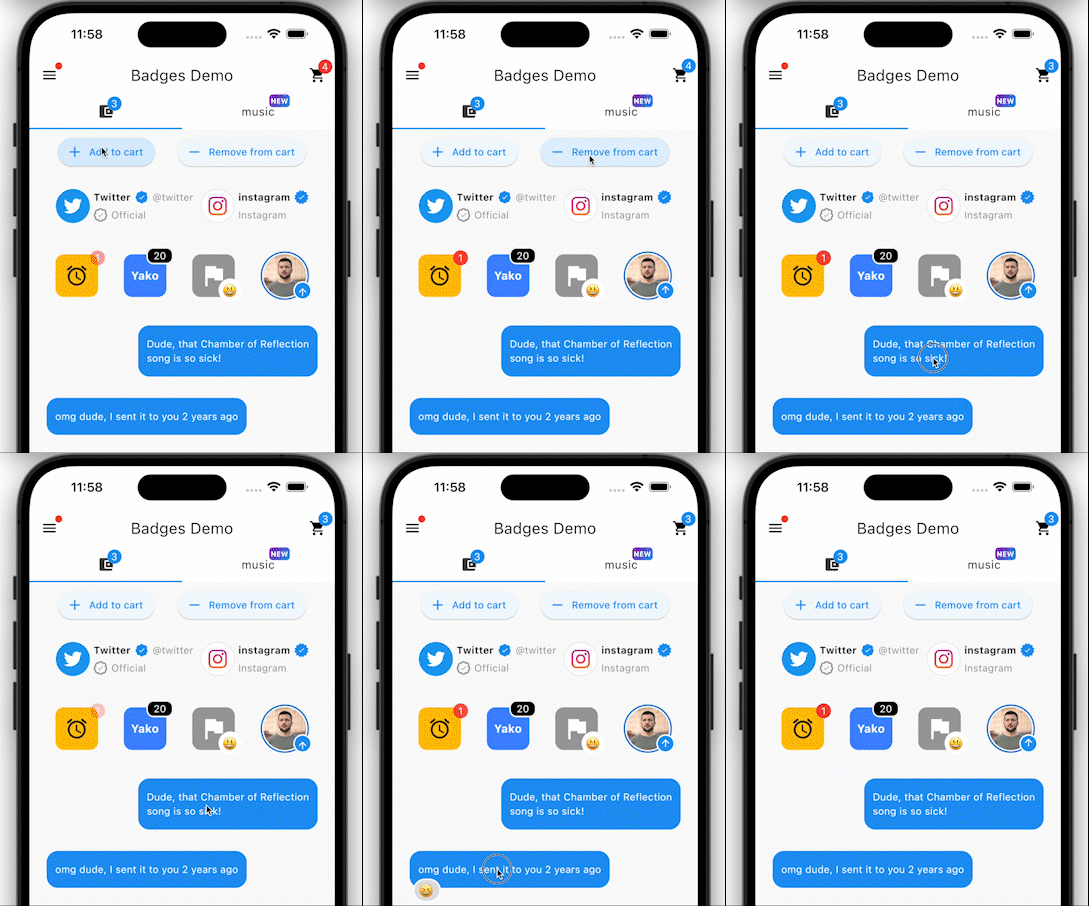
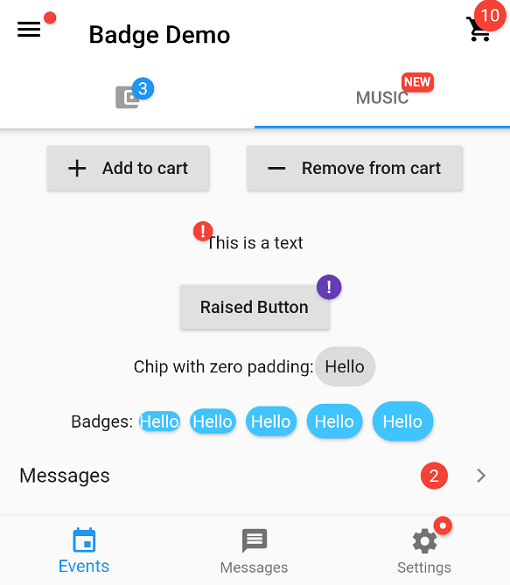
Um pacote Flutter para criar adesivos.

Capa do projeto flutter_badges
Estrelas
735
Forks
132
Último push (UTC)
10 de abr. de 2026
Status do projeto
Ativo

README original

Texto original em inglês. Visite o GitHub para a versão atual.

Pub Version popularity likes building style: flutter lints Package of the week

Installing:

In your pubspec.yaml

dependencies:
  badges: ^3.2.0

Attention! In Flutter 3.7 the Badge widget was introduced in the Material library, so to escape the ambiguous imports you need to import the package like this:

Option 1: namespace prefix

import 'package:badges/badges.dart' as badges;

and then use the "badges.Badge" widget instead of the "Badge" widget. The same for all the classes from this package.

Option 2: hide Flutter's Material Badge widget

import 'package:badges/badges.dart';
import 'package:flutter/material.dart' hide Badge;


Basic Usage:

    badges.Badge(
      badgeContent: Text('3'),
      child: Icon(Icons.settings),
    )

Advanced usage

    badges.Badge(
      position: badges.BadgePosition.topEnd(top: -10, end: -12),
      showBadge: true,
      ignorePointer: false,
      onTap: () {},
      badgeContent:
          Icon(Icons.check, color: Colors.white, size: 10),
      badgeAnimation: badges.BadgeAnimation.rotation(
        animationDuration: Duration(seconds: 1),
        colorChangeAnimationDuration: Duration(seconds: 1),
        loopAnimation: false,
        curve: Curves.fastOutSlowIn,
        colorChangeAnimationCurve: Curves.easeInCubic,
      ),
      badgeStyle: badges.BadgeStyle(
        shape: badges.BadgeShape.square,
        badgeColor: Colors.blue,
        padding: EdgeInsets.all(5),
        borderRadius: BorderRadius.circular(4),
        borderSide: BorderSide(color: Colors.white, width: 2),
        borderGradient: badges.BadgeGradient.linear(
            colors: [Colors.red, Colors.black]),
        badgeGradient: badges.BadgeGradient.linear(
            colors: [Colors.blue, Colors.yellow],
            begin: Alignment.topCenter,
            end: Alignment.bottomCenter,
        ),
        elevation: 0,
      ),
      child: Text('Badge'),
    ),


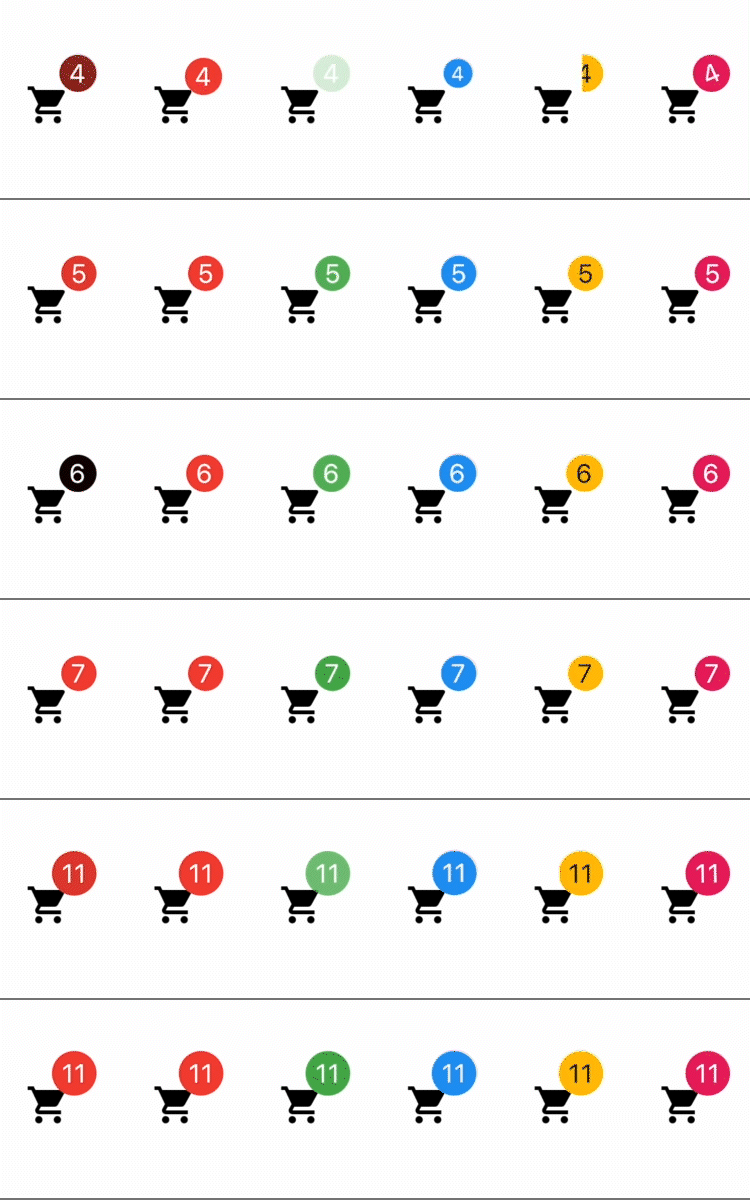
Animations:

From left to right:
1) Color change animation 2) BadgeAnimation.slide 3) BadgeAnimation.fade 4) BadgeAnimation.scale 5) BadgeAnimation.size 6) BadgeAnimation.rotation
Also, loop animation is available, this will loop the animation until you stop it.


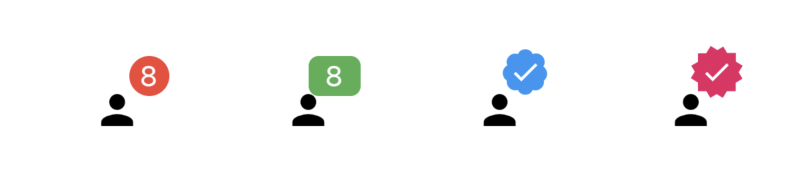
Shapes:

From left to right:
1) BadgeShape.circle 2) BadgeShape.square 3) BadgeShape.twitter 4) BadgeShape.instagram


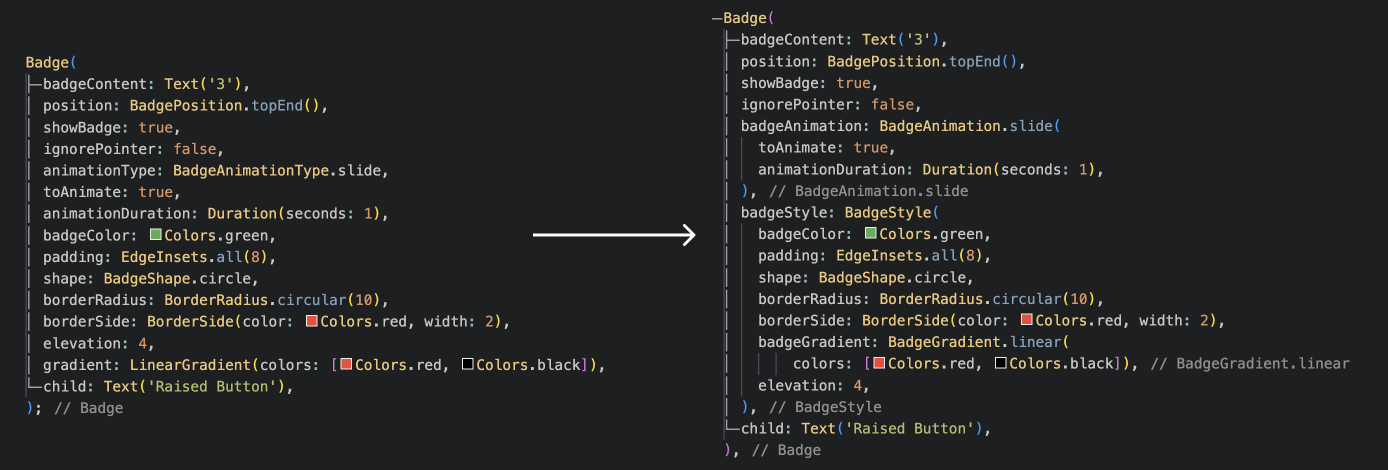
Migration from Badges 2:

Check out other Yako packages:

Badges

Settings UI

Status Alert

Full Screen Menu

Diagonal decoration

Yako Yheme Switch

and more to come!

Yako GitHub avatar
Autor no GitHub

Yako ↗

Great mobile apps with Flutter

LinguagensDartC++CMakeRubyObjective-CCKotlin

Categorias

Pacotes publicados por este repositório

Dependências usadas

Lista de dependências 3 itens

  • flutter{"sdk":"flutter"}
  • flutter_testDesenvolvimento{"sdk":"flutter"}
  • flutter_lintsDesenvolvimento^6.0.0

Como escolher um repositório para seu projeto?

Filtre pelo caso de uso, compare a atividade e confira o projeto original antes de adotá-lo.

  1. Busque por nome, autor ou descrição e filtre por tema.
  2. Compare estrelas, forks e envios recentes. Estrelas indicam interesse, mas não garantem qualidade.
  3. Confira o README, a licença e as issues no GitHub antes de usar o projeto.

Fontes e manutenção

“A repository is the most basic element of GitHub.”

GitHub Docs — About repositories ↗