


 v1.1.2
stacked_page_view
一個用來建立垂直輪播圖的 Flutter 插件。此套件非常輕巧,實際程式碼僅約 109 行。
24喜歡 38近 30 天下載150Pub 分數
AndroidiOSWebmacOSWindowsLinux
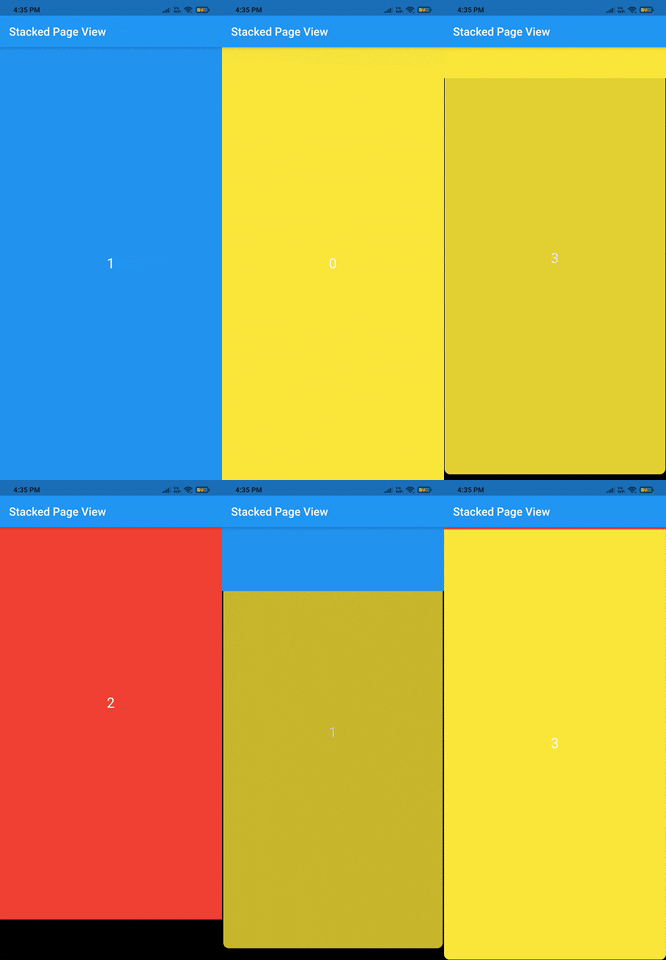
Flutter 插件,用於渲染堆疊的頁面視圖

以下為英文專案原文快照,最新內容請造訪 GitHub。

Hi! This package will create stacked page view in your flutter app. it's as lightweight as it can get⚡⚡ .
PageView.builder(
        itemCount: 10,
        scrollDirection: Axis.vertical,
        controller: pageController,
        itemBuilder: (context, index) {
          return StackPageView(
            controller: pageController,
            index: index,
            child: Container(
              color: (colors..shuffle()).first,
              child: Center(
                child: Text(
                  '$index',
                  style: TextStyle(
                    color: Colors.white,
                    fontSize: 25,
                  ),
                ),
              ),
            ),
          );
        },
      )
依賴清單 2 項
{"sdk":"flutter"}{"sdk":"flutter"}先依使用情境篩選,再比較專案活躍情況,最後到原始儲存庫確認使用要求。
“A repository is the most basic element of GitHub.”
GitHub Docs — About repositories ↗