
v6.0.1
firebase_crashlytics
Firebase Crashlytics 的 Flutter 插件。它會將未捕獲的錯誤報告至 Firebase 控制台。
1330喜歡 247萬近 30 天下載160Pub 分數
AndroidiOSmacOS
一個使用 Flutter 和 Deezer API 建構的複雜 UI 移動音樂串流應用 🚀

Firebase Crashlytics 的 Flutter 插件。它會將未捕獲的錯誤報告至 Firebase 控制台。
適用於 Firebase Google 性能監控的 Flutter 插件,這是一項應用度量解決方案,可在 Android 和 iOS 上監控追蹤和 HTTP/S 網路請求。
 v1.0.1
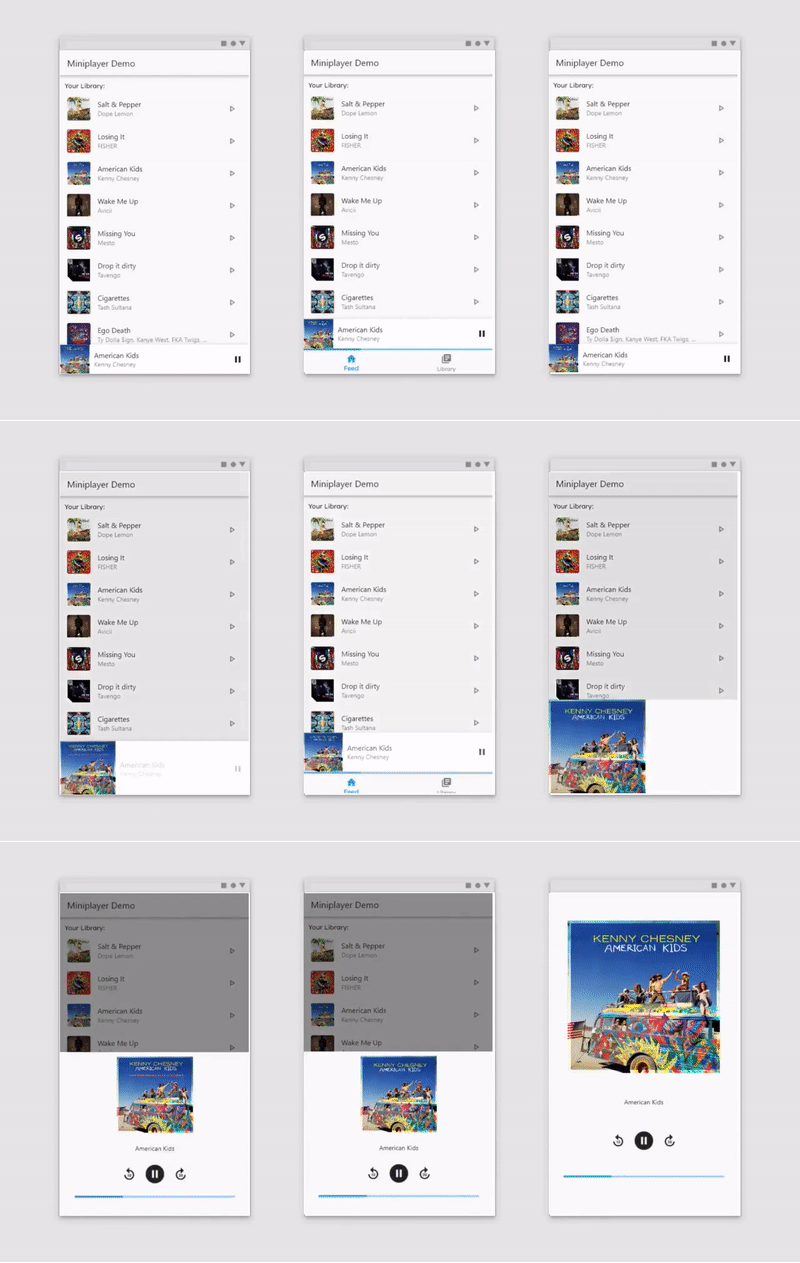
一個輕量級的 Flutter 套件,用於簡化迷你播放器的建立。
 v4.1.1
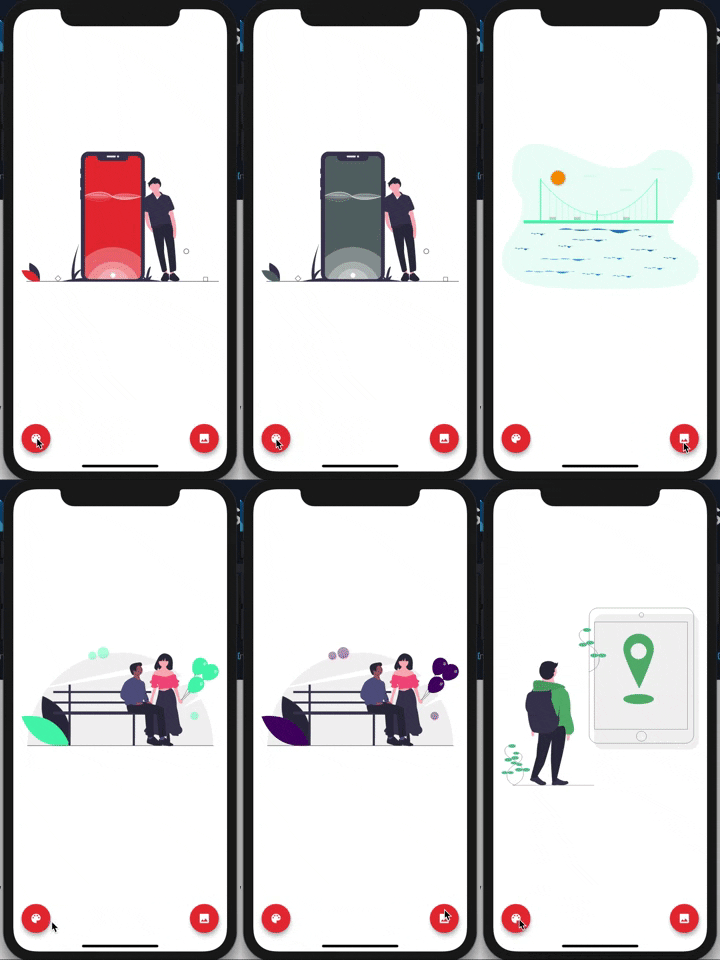
更新了 UnDraw 圖庫。這些插圖由 Katerina Limpitsouni 設計。
{"sdk":"flutter"}{"git":{"url":"git://github.com/31Carlton7/canton_design_system.git","ref":"master"}}^3.0.1+1^0.14.0+3^1.7.0^8.3.3^0.7.1+1^2.2.3^2.0.4^1.1.0^4.0.0^0.13.3^0.9.12^1.0.1^0.9.2^1.2.4^0.17.0{"sdk":"flutter"}以下為英文專案原文快照,最新內容請造訪 GitHub。
https://github.com/31Carlton7/sap/blob/master/assets/images/banner.png
https://img.shields.io/github/stars/31Carlton7/sap https://visitor-badge.glitch.me/badge?page_id=31Carlton7.sap
Sap is a music streaming & discovery app built with the Deezer API for iOS and Android. It includes a mini player, search and local storage. Be sure to leave a star 🌟.
The API for getting the music and other information are courtesy of Deezer.
To build the app I utilized the Flutter SDK as the UI Framework and that uses Dartlang as the programming language. The list of packages the app uses can be found here under the dependencies indent. My UI Package I use to curate the UI can be found here, however I will not be publishing the package on pub.dev anytime soon. This project is null safe. I also used Firebase Analytics and Crashlytics to better understand the users who use the app. There is no form of authentication or database usage.
Assuming Flutter is installed and setup on your device (If not, follow the steps to do so here), Fork, clone, or download the code for this repository and navigate to the enclosing folder inside your terminal. Then use this command to run:
flutter run
If you would like a TestFlight version for the iOS app, please consult with me via this email: carltonaikins7@gmail.com, and I will add you to the test group. Google Play testing will be coming soon. You can also download the IPA & APK files from here and inject it into your phone yourself.
| Light Mode | ||
|---|---|---|
| https://github.com/31Carlton7/sap/blob/master/screenshots/light_mode/screenshot_1.png | https://github.com/31Carlton7/sap/blob/master/screenshots/light_mode/screenshot_2.png | https://github.com/31Carlton7/sap/blob/master/screenshots/light_mode/screenshot_3.png |
| https://github.com/31Carlton7/sap/blob/master/screenshots/light_mode/screenshot_4.png | https://github.com/31Carlton7/sap/blob/master/screenshots/light_mode/screenshot_5.png | https://github.com/31Carlton7/sap/blob/master/screenshots/light_mode/screenshot_6.png |
| https://github.com/31Carlton7/sap/blob/master/screenshots/light_mode/screenshot_7.png | https://github.com/31Carlton7/sap/blob/master/screenshots/light_mode/screenshot_8.png | https://github.com/31Carlton7/sap/blob/master/screenshots/light_mode/screenshot_9.png |
| Dark Mode | ||
|---|---|---|
| https://github.com/31Carlton7/sap/blob/master/screenshots/dark_mode/screenshot_1.png | https://github.com/31Carlton7/sap/blob/master/screenshots/dark_mode/screenshot_2.png | https://github.com/31Carlton7/sap/blob/master/screenshots/dark_mode/screenshot_3.png |
| https://github.com/31Carlton7/sap/blob/master/screenshots/dark_mode/screenshot_4.png | https://github.com/31Carlton7/sap/blob/master/screenshots/dark_mode/screenshot_5.png | https://github.com/31Carlton7/sap/blob/master/screenshots/dark_mode/screenshot_6.png |
| https://github.com/31Carlton7/sap/blob/master/screenshots/dark_mode/screenshot_7.png | https://github.com/31Carlton7/sap/blob/master/screenshots/dark_mode/screenshot_8.png | https://github.com/31Carlton7/sap/blob/master/screenshots/dark_mode/screenshot_9.png |
If you have any questions, you can reach me here:
In God we trust🙏🏾