


v2.2.5
c_material
一個現代的 Flutter 顏色系統,包含預定義的顏色、語意標記和 Material 3 主題,用於建立一致且可擴展的 UI 設計。
130喜歡 149近 30 天下載160Pub 分數
AndroidiOSWebmacOSWindowsLinux
Ammar2000-Matarieh/colors_package open-source repository details.

以下為英文專案原文快照,最新內容請造訪 GitHub。


A new package for choosing colors. It is very powerful and supports all operating systems, including iPhone, Android, the web, and many platforms. It helps in direct access to colors.
_ Simple package helps you to use all colors to direct code and flexible and eazy use when use class it found over 100 colors
It is a very powerful package that includes around 140 colors and more. Its features include being filled with a wide variety of colors, being easy to use, and allowing developers to access the desired color through the MaterialColors class. It is also distinguished by its attractiveness across all colors.
Opt-in to the embedded views preview by adding a boolean property to the app's Info.plist file
with the key io.flutter.embedded_views_preview and the value YES.
iOS (only support> 11.0) you need to add this line in your ios/Podfile
platform :ios, '11.0'
To use C_Material_Colors in your project, add the c_material package to pubspec.yaml:
dart pub add c_material or flutter pub add flex_color_scheme
Import the package to use it:
import 'package:c_material/c_material.dart';
Explaining of how to use this package
    /// You Can use Any Widgets in flutter like this :
    /// Container(
     color: MaterialColors.blue;
   /// )

   /// But Note Very Important :
   /// you can use class MaterialColors just type proberity class Color
   /// Not use MaterialAllProberity ....
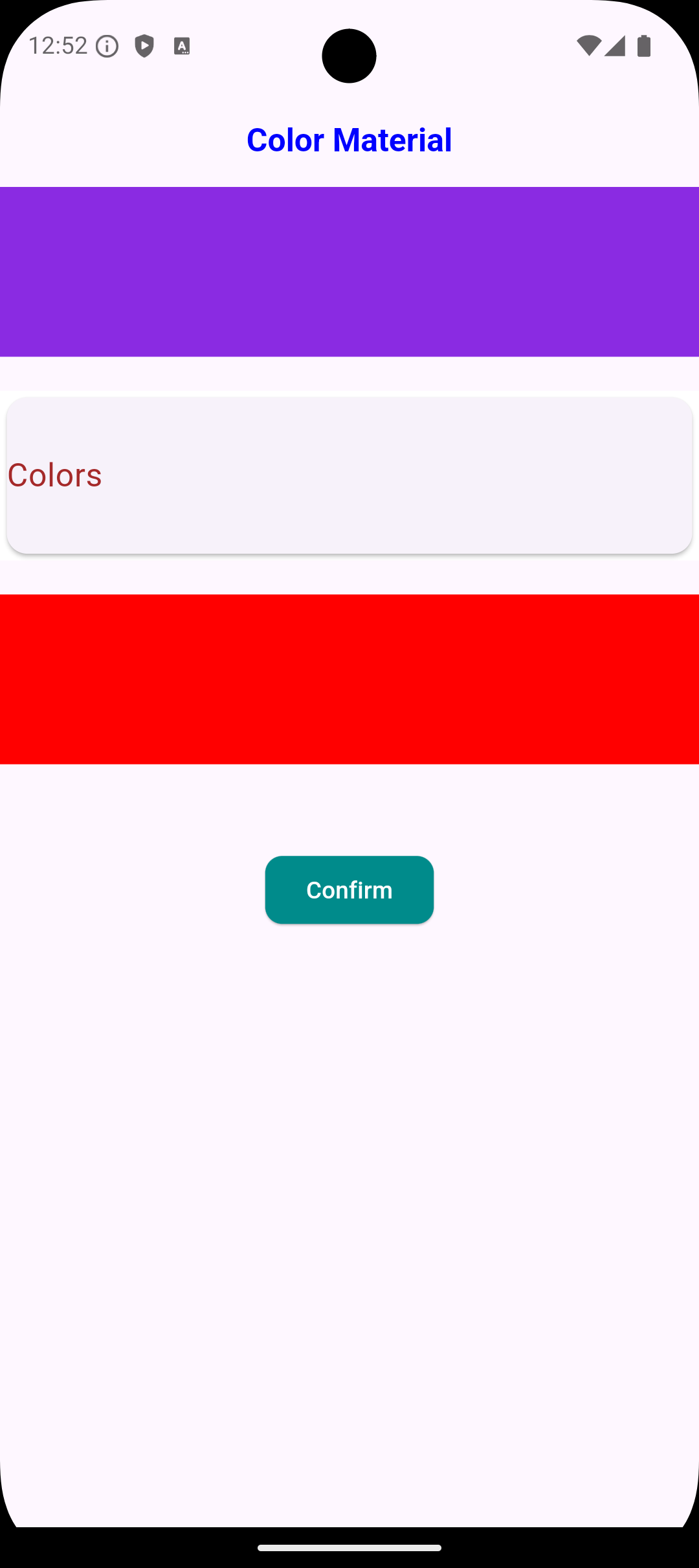
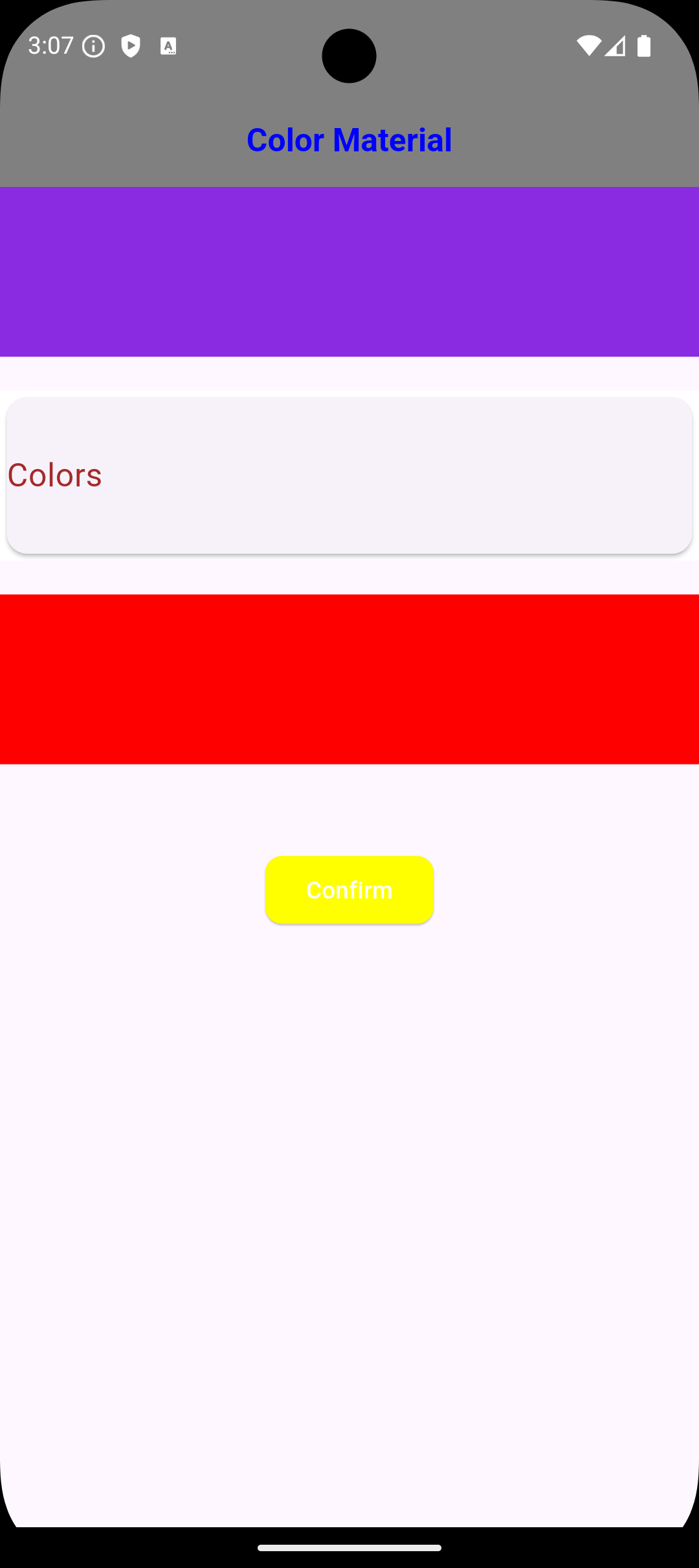
    /// You Can use Any Widgets in flutter like this :
    /// Container(
     color: MaterialColors.blue;
   /// ),

   /// Container(
     color: MaterialColors.offWhite;
   /// )

   /// AppBar(
    backgroundColor: MaterialColors.green
   /// )

   /// But Note Very Important :
   /// you can use class MaterialColors just type proberity class Color
   /// Not use MaterialAllProberity ....
/// Example :
/// Scaffold Widget => Scaffold(
  backgroundColor: MaterialColors.red,
) ,

/// Card Widget => Card(
  color: MaterialColors.blue ,
),

Notes :
/// The most important thing about the package is that it does not accept a class of type WidgetStateProperty because it has a different type; it only accepts the type Color. ///
    ///If you need any thing from [Color Blue]
    ///you can use it MaterialColors class to access Many Colors :
    MaterialColors.aliceBlue;

    ///If you need any thing from [Color Red]
    ///you can use it MaterialColors class to access Many Colors :
    MaterialColors.red;

    ///If you need any thing from [Color Yellow]
    ///you can use it MaterialColors class to access Many Colors :
    MaterialColors.yellow;

    ///If you need use color black [Color Black]
    ///you can use it MaterialColors class to access Many Colors :
    MaterialColors.black;

    ///If you need use color sandyBrown [Color Brown]
    ///you can use it MaterialColors class to access Many Colors :
    MaterialColors.sandyBrown;
     ///If you need any thing from [Color blanchedAlmond]
    ///you can use it MaterialColors class to access Many Colors :
    MaterialColors.blanchedAlmond,

    ///If you need any thing from [Color blueViolet]
    ///you can use it MaterialColors class to access Many Colors :
    MaterialColors.blueViolet,

    ///If you need any thing from [Color cornflowerBlue]
    ///you can use it MaterialColors class to access Many Colors :
    MaterialColors.cornflowerBlue,

    ///If you need any thing from [Color chocolate]
    ///you can use it MaterialColors class to access Many Colors :
    MaterialColors.chocolate,

    ///If you need any thing from [Color saddleBrown]
    ///you can use it MaterialColors class to access Many Colors :
    MaterialColors.saddleBrown,

    ///If you need any thing from [Color fireBrick]
    ///you can use it MaterialColors class to access Many Colors :
    MaterialColors.fireBrick,

    ///If you need any thing from [Color wheat]
    ///you can use it MaterialColors class to access Many Colors :
    MaterialColors.wheat,

    ///If you need any thing from [Color darkGoldenrod]
    ///you can use it MaterialColors class to access Many Colors :
    MaterialColors.darkGoldenrod,

    ///If you need any thing from [Color lightBlue]
    ///you can use it MaterialColors class to access Many Colors :
    MaterialColors.lightBlue,

    ///If you need any thing from [Color darkRed]
    ///you can use it MaterialColors class to access Many Colors :
    MaterialColors.darkRed,

I hope this package helped you very well. If you need to contact with me:
 [ammarmatarieh2@gmail.com]
 [GitHub Profile](https://github.com
Ammar2000-Matarieh)
Do not hesitate to contact me if you faced any problem.
Developer: Ammar Matarieh.
依賴清單 3 項
{"sdk":"flutter"}{"sdk":"flutter"}^4.0.0先依使用情境篩選,再比較專案活躍情況,最後到原始儲存庫確認使用要求。
“A repository is the most basic element of GitHub.”
GitHub Docs — About repositories ↗