
flutter_scale_ruler
用於英尺和英吋測量的簡單比例尺。

- 星標
- 7
- 分支
- 2
- 最近推送(UTC)
- 2024年8月7日
- 專案狀態
- 未封存
原始 README
以下為英文專案原文快照,最新內容請造訪 GitHub。
flutter_scale_ruler
A simple scale ruler for adding length in feet and inches and cms (pub.dev).
Screenshots
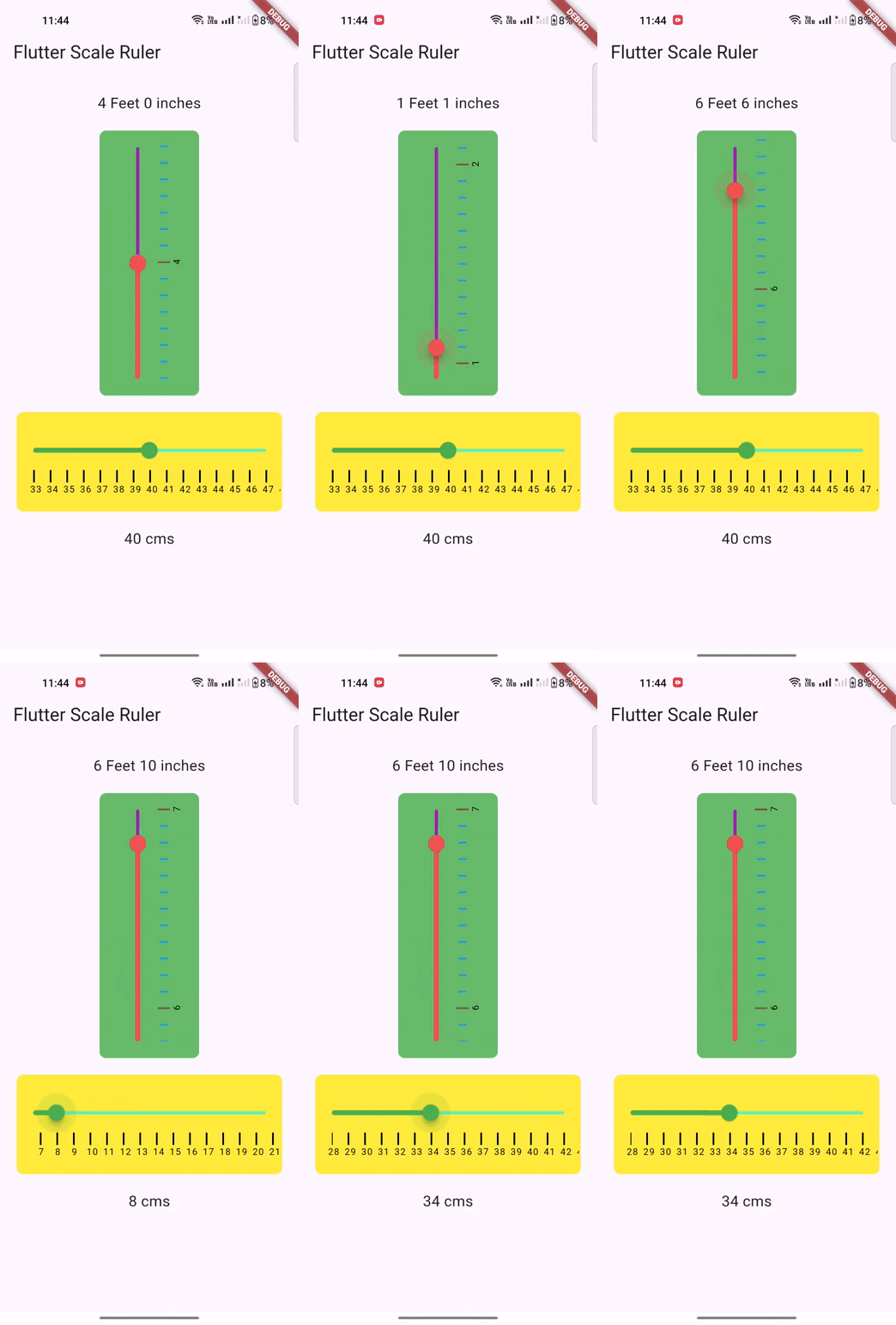
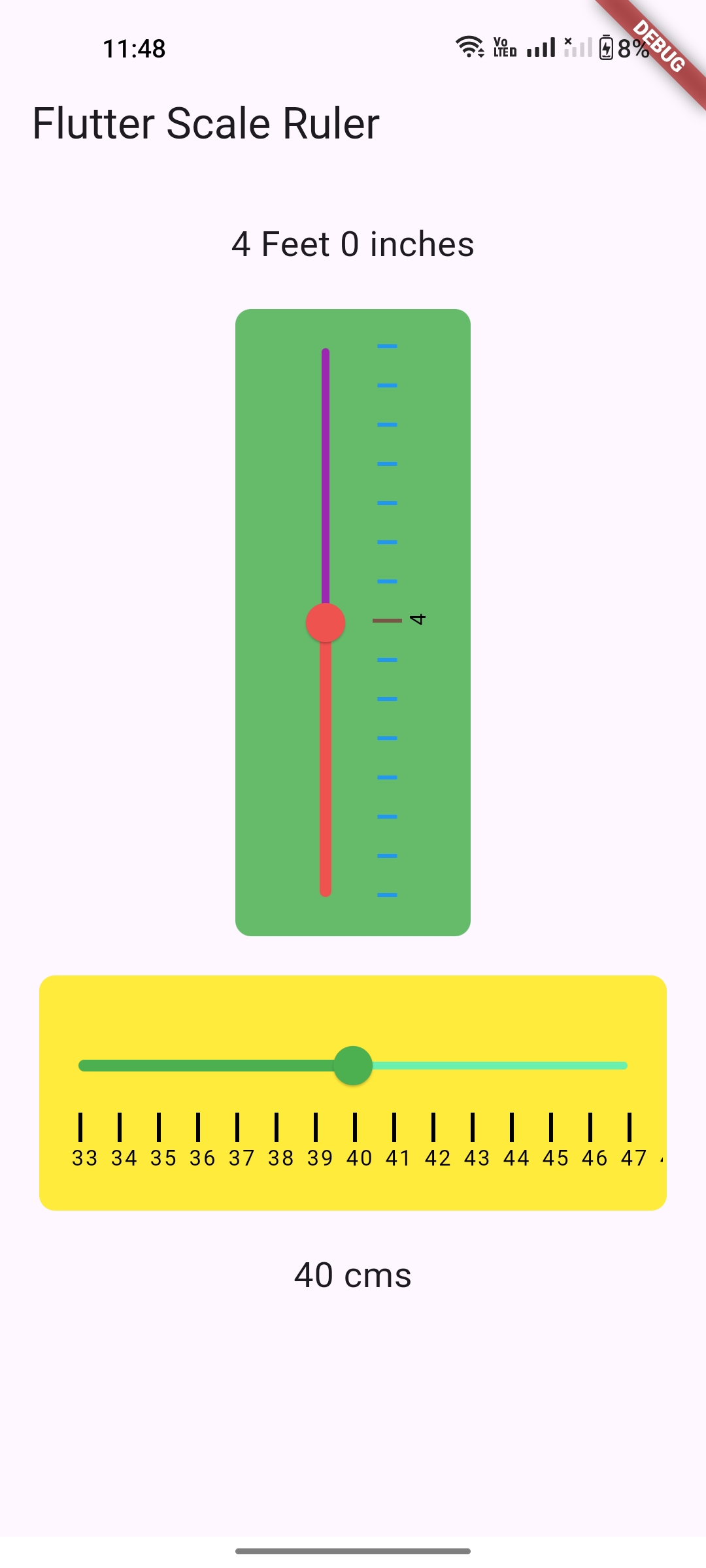
Usage
To use this package :
- add the dependency to your pubspec.yaml file.
dependencies:
   flutter:
     sdk: flutter
   flutter_scale_ruler:
How to use
import 'package:flutter/material.dart';
import 'package:flutter_scale_ruler/flutter_scale_ruler.dart';

void main() {
  runApp(const MyApp());
}

class MyApp extends StatelessWidget {
  const MyApp({Key? key}) : super(key: key);

  @override
  Widget build(BuildContext context) {
    return MaterialApp(
      title: 'Flutter Scale Ruler',
      theme: ThemeData(
        primarySwatch: Colors.blue,
      ),
      home: const MyHomePage(title: 'Flutter Scale Ruler'),
    );
  }
}

class MyHomePage extends StatefulWidget {
  const MyHomePage({Key? key, required this.title}) : super(key: key);

  final String title;

  @override
  State<MyHomePage> createState() => _MyHomePageState();
}

class _MyHomePageState extends State<MyHomePage> {
  ScaleValue? _scaleValue;
  ScaleValue? _scaleValueCms;

  @override
  Widget build(BuildContext context) {
    return Scaffold(
      appBar: AppBar(
        title: Text(widget.title),
      ),
      body: SingleChildScrollView(
        child: Padding(
          padding: const EdgeInsets.all(20.0),
          child: Column(
            crossAxisAlignment: CrossAxisAlignment.center,
            mainAxisAlignment: MainAxisAlignment.center,
            children: [
              Text(
                "${_scaleValue?.feet ?? "0"} Feet ${_scaleValue?.inch ?? "0"} inches",
                style: const TextStyle(fontSize: 18.0),
              ),
              const SizedBox(height: 20.0),
              ScaleRuler.lengthMeasurement(
                maxValue: 8,
                minValue: 0,
                initialValue: 4,
                isFeet: true,
                axis: Axis.vertical,
                stepIndicatorColor: Colors.brown,
                stepIndicatorDividerColor: Colors.blue,
                onChanged: (ScaleValue? scaleValue) {
                  if (mounted) {
                    setState(() {
                      _scaleValue = scaleValue;
                    });
                    debugPrint(
                        "${scaleValue?.feet} Feet ${scaleValue?.inch} inches");
                  }
                },
              ),
              const SizedBox(height: 20.0),
              ScaleRuler.lengthMeasurement(
                maxValue: 80,
                minValue: 0,
                initialValue: 40,
                axis: Axis.horizontal,
                backgroundColor: Colors.yellow[500]!,
                sliderActiveColor: Colors.green[500]!,
                sliderInactiveColor: Colors.greenAccent,
                onChanged: (ScaleValue? scaleValue) {
                  if (mounted) {
                    setState(() {
                      _scaleValueCms = scaleValue;
                    });
                    debugPrint("${scaleValue?.cms} cms");
                  }
                },
              ),
              const SizedBox(height: 20.0),
              Text(
                "${_scaleValueCms?.cms ?? "0"} cms",
                style: const TextStyle(fontSize: 18.0),
              ),
            ],
          ),
        ),
      ),
    );
  }
}
Pull Requests
Pull requests are most welcome. It usually will take me within 24-48 hours to respond to any issue or request.
- Please keep PR titles easy to read and descriptive of changes, this will make them easier to merge :)
- Pull requests must be made against
developbranch. Any other branch (unless specified by the maintainers) will get rejected.
Created & Maintained By
If you found this project helpful or you learned something from the source code and want to thank me, consider buying me a cup of :coffee:
License
Copyright 2018 Boffin Coders Pvt. Ltd.

Licensed under the Apache License, Version 2.0 (the "License");
you may not use this file except in compliance with the License.
You may obtain a copy of the License at

   http://www.apache.org/licenses/LICENSE-2.0

Unless required by applicable law or agreed to in writing, software
distributed under the License is distributed on an "AS IS" BASIS,
WITHOUT WARRANTIES OR CONDITIONS OF ANY KIND, either express or implied.
See the License for the specific language governing permissions and
limitations under the License.

GitHub 作者
Appriva-labs ↗
語言C++DartCMakeHTMLSwiftCKotlinObjective-C
分類
使用的依賴
依賴清單 3 項
- flutter
{"sdk":"flutter"} - flutter_test開發依賴
{"sdk":"flutter"} - flutter_lints開發依賴
^4.0.0
如何選擇適合專案的儲存庫?
先依使用情境篩選,再比較專案活躍情況,最後到原始儲存庫確認使用要求。
- 透過儲存庫名稱、作者或描述搜尋,再依技術分類縮小範圍。
- 綜合星標、分支與最近推送比較專案;星標反映社群關注,不保證品質。
- 使用前在 GitHub 確認 README、授權條款與 Issues。
來源與維護
“A repository is the most basic element of GitHub.”
GitHub Docs — About repositories ↗