

 v1.0.1-62
pdftron_flutter
一個便利的包裝器,用於建構使用 PDFTron 移動 SDK 的 Flutter 應用,以實現順暢、彈性且獨立的文件檢視功能。
79喜歡 3980近 30 天下載130Pub 分數
AndroidiOS
用於使用 PDFTron 移動 SDK 建構 Flutter 應用程式的便利包裝器。

以下為英文專案原文快照,最新內容請造訪 GitHub。
[!IMPORTANT] This repository serves as a wrapper around the native SDKs. It exposes only a limited set of APIs intended for basic viewing, annotating and removing components from the out‑of‑box UI. Any advanced customization or access to lower‑level functionality should be performed directly through the native SDKs rather than this wrapper.
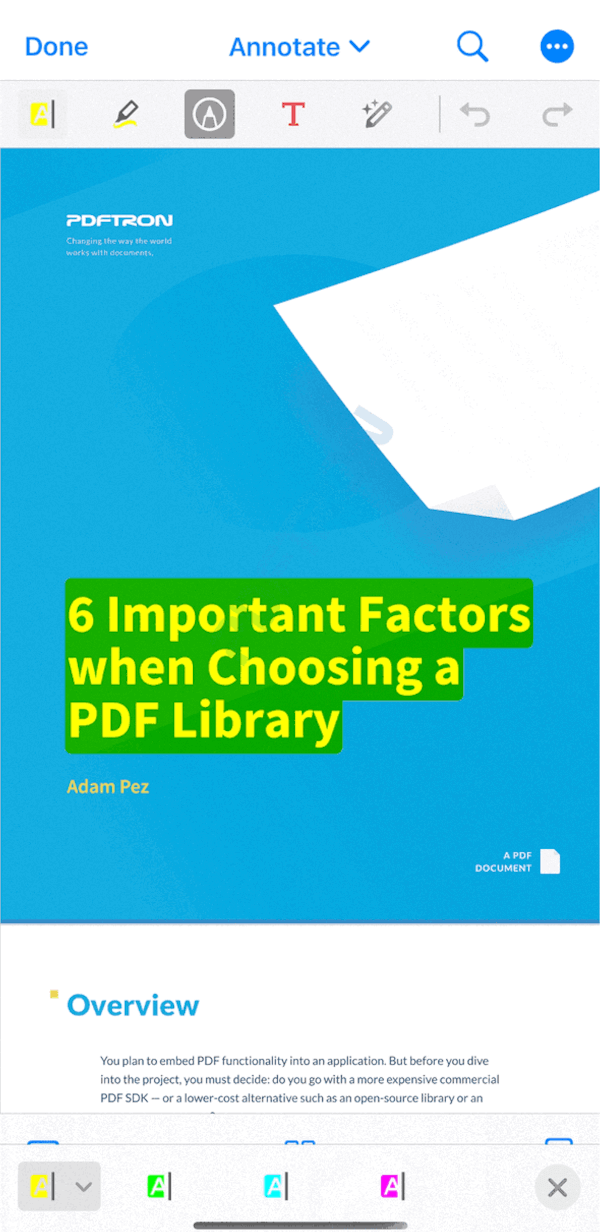
| Android | iOS |
|---|---|
 |
 |
Dart now supports sound null safety, which is available starting from Dart 2.12.0 and Flutter 2.0.0. Here is a guide to migrate to null safety
If you would like to use our null safe SDK, it is available in the following places:
The rest of this README.md contains documentation, installation instructions, and information for the null safe version of our SDK.
Version 0.0.6 is the last stable release for the legacy UI.
The release can be found here: https://github.com/ApryseSDK/pdftron-flutter/releases/tag/legacy-ui.
First follow the Flutter getting started guides to install, set up an editor, and create a Flutter Project. The rest of this guide assumes your project is created by running flutter create myapp.
Add the following dependency to your Flutter project in myapp/pubspec.yaml file:
dependencies:
    flutter:
      sdk: flutter
+   pdftron_flutter:
dependencies:
    flutter:
      sdk: flutter
+   pdftron_flutter:
+     git:
+       url: git://github.com/ApryseSDK/pdftron-flutter.git
myapp directory, run flutter packages get.The following instructions are only applicable to Android development; click here for the iOS counterpart.
Now add the following items in your myapp/android/app/build.gradle file:
defaultConfig {
    applicationId "com.example.myapp"
    targetSdkVersion flutter.targetSdkVersion
    versionCode flutterVersionCode.toInteger()
    versionName flutterVersionName

+   resValue("string", "PDFTRON_LICENSE_KEY", "\"LICENSE_KEY_GOES_HERE\"")
}
In your myapp/android/app/src/main/AndroidManifest.xml file, add the following lines:
<manifest xmlns:android="http://schemas.android.com/apk/res/android"
  package="com.example.myapp">

  <!-- Required if you want to work with online documents -->
+ <uses-permission android:name="android.permission.INTERNET" />
  <!-- Required if you want to record audio annotations -->
+ <uses-permission android:name="android.permission.RECORD_AUDIO" />

  <application
    ...
+   android:largeHeap="true">

    <!-- Add license key in meta-data tag here. This should be inside the application tag. -->
+   <meta-data
+     android:name="pdftron_license_key"
+     android:value="@string/PDFTRON_LICENSE_KEY" />
    ...
  <activity
      ...
-     android:windowSoftInputMode="adjustResize"
+     android:windowSoftInputMode="adjustPan">
  </activity>
If you are using the DocumentView widget, change the parent class of your MainActivity file (either Kotlin or Java) to FlutterFragmentActivity:
import androidx.annotation.NonNull
import io.flutter.embedding.android.FlutterFragmentActivity
import io.flutter.embedding.engine.FlutterEngine
import io.flutter.plugins.GeneratedPluginRegistrant

class MainActivity : FlutterFragmentActivity() {
    override fun configureFlutterEngine(@NonNull flutterEngine: FlutterEngine) {
        GeneratedPluginRegistrant.registerWith(flutterEngine);
    }
}
Follow the instructions outlined in the Usage section.
Check that your Android device is running by running the command flutter devices. If none are available, follow the device set up instructions in the Install guides for your platform.
Run the app with the command flutter run.
The following instructions are only applicable to iOS development; click here for the Android counterpart.
[!IMPORTANT] As of March 2025, use of the
PDFTronandPDFTronToolspodspecs distributed specifically for the PDFTron Flutter wrapper (https://pdftron.com/downloads/ios/flutter/pdftron/latest.podspecandhttps://pdftron.com/downloads/ios/flutter/pdftron-tools/latest.podspec, respectively) is deprecated and no longer maintained.Please update to the latest podspecs provided for the wrapper as soon as possible (
https://www.pdftron.com/downloads/ios/cocoapods/xcframeworks/pdftron/latest.podspec) and (https://www.pdftron.com/downloads/ios/cocoapods/xcframeworks/pdftron-tools/latest.podspec)See more information here: Apryse iOS SDK CocoaPods
myapp/ios/Podfile file and add: # Uncomment this line to define a global platform for your project
- # platform :ios, '9.0'
+ platform :ios, '10.0'
...
target 'Runner' do
...
+ # PDFTron Pods
+ pod 'PDFTron', podspec: 'https://www.pdftron.com/downloads/ios/cocoapods/xcframeworks/pdftron/latest.podspec'
+ pod 'PDFTronTools', podspec: 'https://www.pdftron.com/downloads/ios/cocoapods/xcframeworks/pdftron-tools/latest.podspec'
end
flutter build ios --no-codesignflutter emulators --launch apple_ios_simulatorflutter runThere are 2 different ways to use PDFTron Flutter API:
You must choose either the widget or plugin, and use it for all APIs. Mixing widget and plugin APIs will not function correctly. Whether you choose the widget or plugin is personal preference.
If you pick the Android widget, you will need to add padding for operating system intrusions like the status bar at the top of the device. One way is to set the enabled system UI, and then wrap the widget in a SafeArea or use an AppBar:
// If using Flutter v2.3.0-17.0.pre or earlier.
SystemChrome.setEnabledSystemUIOverlays(
  SystemUiOverlay.values
);
// If using later Flutter versions.
SystemChrome.setEnabledSystemUIMode(
  SystemUiMode.edgeToEdge,
);

// If using SafeArea:
return SafeArea (
  child: DocumentView(
    onCreated: _onDocumentViewCreated,
  ));

// If using AppBar:
return Scaffold(
  appBar: AppBar( toolbarHeight: 0 ),
  body: DocumentView(
    onCreated: _onDocumentViewCreated,
  ));
myapp/pubspec.yaml: permission_handler: ^11.3.1
lib/main.dart, replace the entire file with the following:import 'dart:async';
import 'dart:io' show Platform;
import 'package:flutter/material.dart';
import 'package:flutter/services.dart';
import 'package:pdftron_flutter/pdftron_flutter.dart';
// Uncomment this if you are using local files
// import 'package:permission_handler/permission_handler.dart';
void main() => runApp(MyApp());
class MyApp extends StatelessWidget {
@override
Widget build(BuildContext context) {
return MaterialApp(
home: Viewer(),
);
}
}
class Viewer extends StatefulWidget {
@override
_ViewerState createState() => _ViewerState();
}
class _ViewerState extends State<Viewer> {
String _version = 'Unknown';
String _document =
"https://pdftron.s3.amazonaws.com/downloads/pl/PDFTRON_mobile_about.pdf";
bool _showViewer = true;
@override
void initState() {
super.initState();
initPlatformState();
showViewer();
// If you are using local files delete the line above, change the _document field
// appropriately and uncomment the section below.
// if (Platform.isIOS) {
// // Open the document for iOS, no need for permission.
// showViewer();
// } else {
// // Request permission for Android before opening document.
// launchWithPermission();
// }
}
// Future<void> launchWithPermission() async {
// PermissionStatus permission = await Permission.storage.request();
// if (permission.isGranted) {
// showViewer();
// }
// }
// Platform messages are asynchronous, so initialize in an async method.
Future<void> initPlatformState() async {
String version;
// Platform messages may fail, so use a try/catch PlatformException.
try {
// Initializes the PDFTron SDK, it must be called before you can use any functionality.
PdftronFlutter.initialize("your_pdftron_license_key");
version = await PdftronFlutter.version;
} on PlatformException {
version = 'Failed to get platform version.';
}
// If the widget was removed from the tree while the asynchronous platform
// message was in flight, you want to discard the reply rather than calling
// setState to update our non-existent appearance.
if (!mounted) return;
setState(() {
_version = version;
});
}
void showViewer() async {
// opening without a config file will have all functionality enabled.
// await PdftronFlutter.openDocument(_document);
var config = Config();
// How to disable functionality:
// config.disabledElements = [Buttons.shareButton, Buttons.searchButton];
// config.disabledTools = [Tools.annotationCreateLine, Tools.annotationCreateRectangle];
// Other viewer configurations:
// config.multiTabEnabled = true;
// config.customHeaders = {'headerName': 'headerValue'};
// An event listener for document loading
var documentLoadedCancel = startDocumentLoadedListener((filePath) {
print("document loaded: $filePath");
});
await PdftronFlutter.openDocument(_document, config: config);
try {
// The imported command is in XFDF format and tells whether to add, modify or delete annotations in the current document.
PdftronFlutter.importAnnotationCommand(
"<?xml version=\"1.0\" encoding=\"UTF-8\"?>\n" +
" <xfdf xmlns=\"http://ns.adobe.com/xfdf/\" xml:space=\"preserve\">\n" +
" <add>\n" +
" <square style=\"solid\" width=\"5\" color=\"#E44234\" opacity=\"1\" creationdate=\"D:20200619203211Z\" flags=\"print\" date=\"D:20200619203211Z\" name=\"c684da06-12d2-4ccd-9361-0a1bf2e089e3\" page=\"1\" rect=\"113.312,277.056,235.43,350.173\" title=\"\" />\n" +
" </add>\n" +
" <modify />\n" +
" <delete />\n" +
" <pdf-info import-version=\"3\" version=\"2\" xmlns=\"http://www.pdftron.com/pdfinfo\" />\n" +
" </xfdf>");
} on PlatformException catch (e) {
print("Failed to importAnnotationCommand '${e.message}'.");
}
try {
// Adds a bookmark into the document.
PdftronFlutter.importBookmarkJson('{"0":"Page 1"}');
} on PlatformException catch (e) {
print("Failed to importBookmarkJson '${e.message}'.");
}
// An event listener for when local annotation changes are committed to the document.
// xfdfCommand is the XFDF Command of the annotation that was last changed.
var annotCancel = startExportAnnotationCommandListener((xfdfCommand) {
String command = xfdfCommand;
print("flutter xfdfCommand:\n");
// Dart limits how many characters are printed onto the console.
// The code below ensures that all of the XFDF command is printed.
if (command.length > 1024) {
int start = 0;
int end = 1023;
while (end < command.length) {
print(command.substring(start, end) + "\n");
start += 1024;
end += 1024;
}
print(command.substring(start));
} else {
print("flutter xfdfCommand:\n $command");
}
});
// An event listener for when local bookmark changes are committed to the document.
// bookmarkJson is JSON string containing all the bookmarks that exist when the change was made.
var bookmarkCancel = startExportBookmarkListener((bookmarkJson) {
print("flutter bookmark: $bookmarkJson");
});
var path = await PdftronFlutter.saveDocument();
print("flutter save: $path");
// To cancel event:
// annotCancel();
// bookmarkCancel();
// documentLoadedCancel();
}
@override
Widget build(BuildContext context) {
return Scaffold(
body: Container(
width: double.infinity,
height: double.infinity,
child:
// Uncomment this to use Widget version of the viewer.
// _showViewer
// ? DocumentView(
// onCreated: _onDocumentViewCreated,
// ):
Container(),
),
);
}
// This function is used to control the DocumentView widget after it has been created.
// The widget will not work without a void Function(DocumentViewController controller) being passed to it.
void _onDocumentViewCreated(DocumentViewController controller) async {
Config config = new Config();
var leadingNavCancel = startLeadingNavButtonPressedListener(() {
// Uncomment this to quit the viewer when leading navigation button is pressed.
// this.setState(() {
// _showViewer = !_showViewer;
// });
// Show a dialog when leading navigation button is pressed.
_showMyDialog();
});
controller.openDocument(_document, config: config);
}
Future<void> _showMyDialog() async {
print('hello');
return showDialog<void>(
context: context,
barrierDismissible: false, // User must tap button!
builder: (BuildContext context) {
return AlertDialog(
title: Text('AlertDialog'),
content: SingleChildScrollView(
child: Text('Leading navigation button has been pressed.'),
),
actions: <Widget>[
TextButton(
child: Text('OK'),
onPressed: () {
Navigator.of(context).pop();
},
),
],
);
},
);
}
}
See Changelog
See Contributing
See License
依賴清單 1 項
{"sdk":"flutter"}先依使用情境篩選,再比較專案活躍情況,最後到原始儲存庫確認使用要求。
“A repository is the most basic element of GitHub.”
GitHub Docs — About repositories ↗