
Flutter_gemini_Chat
此倉庫提供使用 Flutter_gemini 套件將 Google Gemini 整合至 Flutter 應用程式的說明。以下是一個使用 Flutter 建立 Gemini 聊天機器人 💬 🤖 AI 的範例。感謝您的支援 ❤️

- 星標
- 21
- 分支
- 1
- 最近推送(UTC)
- 2025年3月1日
- 專案狀態
- 未封存
原始 README
以下為英文專案原文快照,最新內容請造訪 GitHub。
🚀 Integrating Gemini into Your Flutter Application
Create gemini robot 💬 chat bot 🤖 with Flutter. Show some ❤️ and star ⭐ the repo if you liked it.
contact for work, mail: chunhthanhde.dev@gmail.com




📚 Overview
Integrate Google's Gemini AI into your Flutter app with ease using the flutter_gemini package. This guide will help you enhance your app's functionality by leveraging Gemini's advanced AI features, including multilingual support, image and audio processing, and Natural Language Processing (NLP).
🌟 Key Features of Gemini
- Stream Generate Content: Handle partial results with streaming without waiting for the complete response.
- Text-only Input: Complete and summarize texts using NLP.
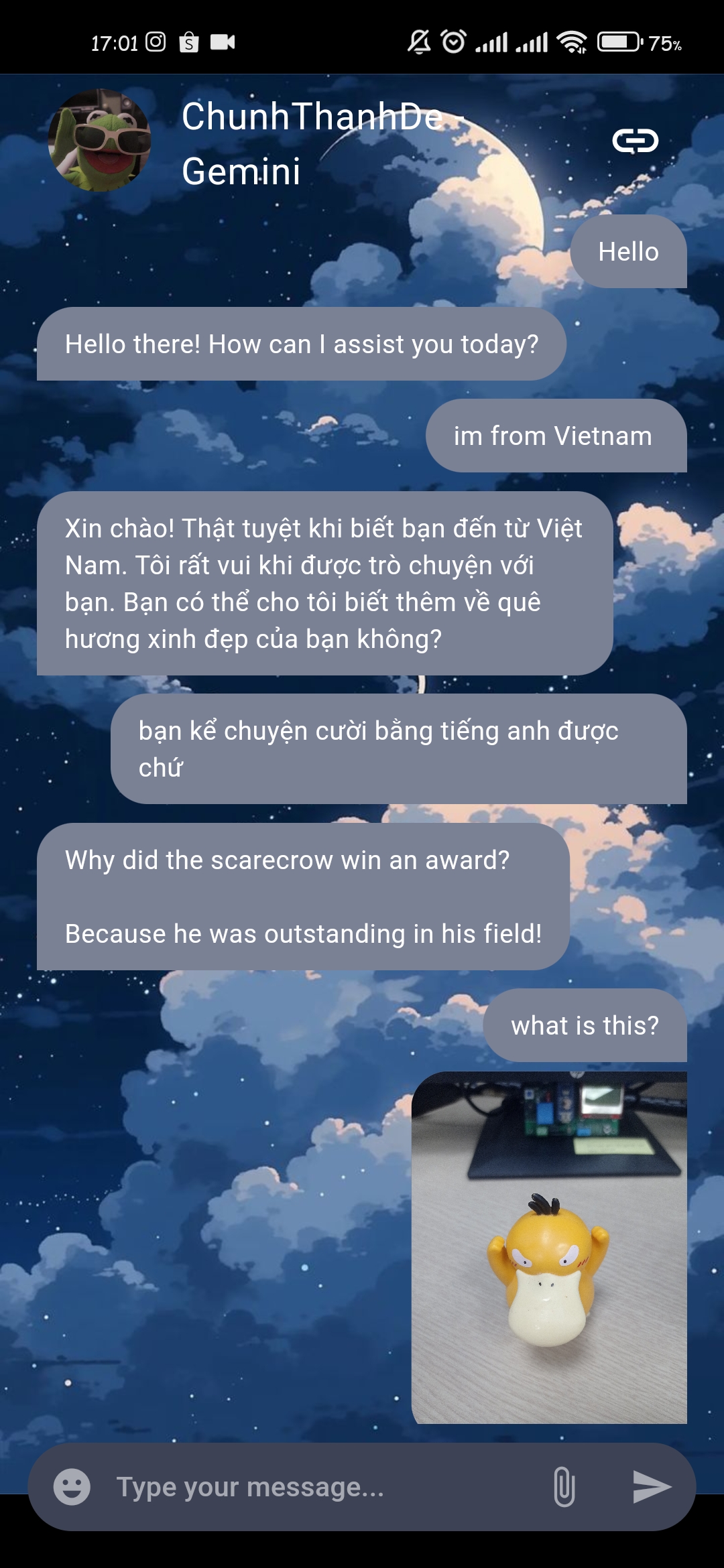
- Text-and-Image Input: Use the gemini-pro-vision model for tasks involving both text and images.
- Multi-Turn Conversations (Chat): Engage in dynamic conversations with follow-up questions.
- Token Counting: Convert information into floating-point numbers.
- Model Info: Retrieve details about the model, including version and input token limits.
- EmbedContents and BatchEmbedContents: Transform information into numerical arrays for learning.
🏁 Implementation Steps
-
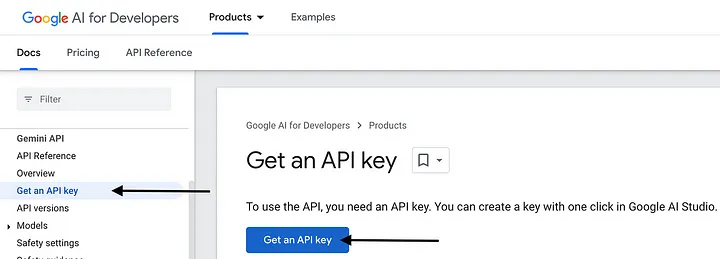
Obtain an API Key 🔑 Create an account at Google Gemini.
-
Click on "Get API Key,"
-
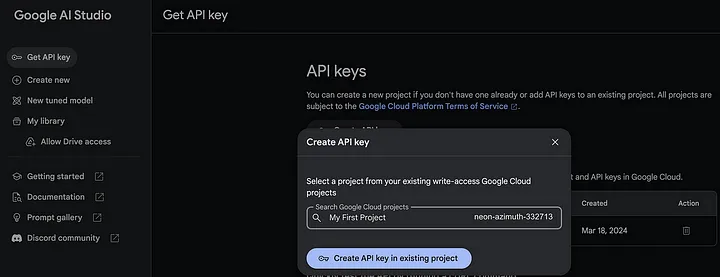
select a Google Cloud project,
-
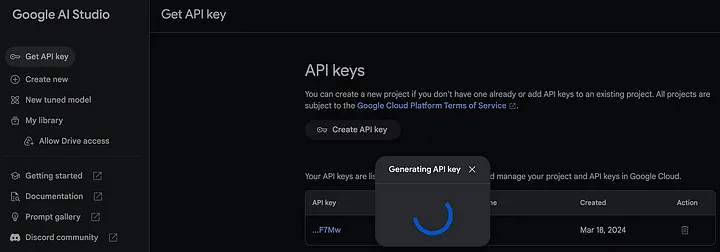
and generate your API key.
-
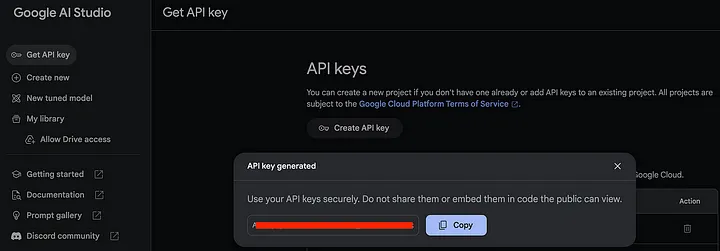
Save this key for later use.
-
-
Add Dependency 📦
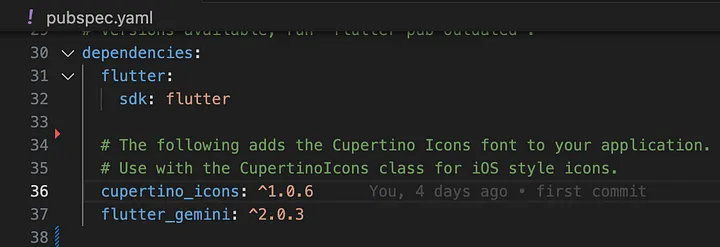
- Add the
flutter_geminipackage to your project by running:flutter pub add flutter_gemini
- Add the
-
Initialize Gemini ⚙️
- In your
main.dartfile, initialize the Gemini package with your API key:void main() { Gemini.init(apiKey: 'YOUR_API_KEY_HERE'); runApp(const MyApp()); }
- In your
-
Create an Instance and Make Requests 🤖
- Use the following code to create an instance of
flutter_geminiand handle text or image input:final _gemini = Gemini.instance; _gemini.textAndImage( text: 'Your query here', images: [imageFile.readAsBytesSync()], );
- Use the following code to create an instance of
-
Handle Responses 🔍
- Manage responses from Gemini with attributes such as
FinishReasonandSafetyRating:if (value?.finishReason != 'STOP') { setResponse(value?.output ?? "Invalid User Query"); } if (value?.SafetyRating != 'HarmCategory') { setResponse(value?.candidates[0].safety_ratings); }
- Manage responses from Gemini with attributes such as
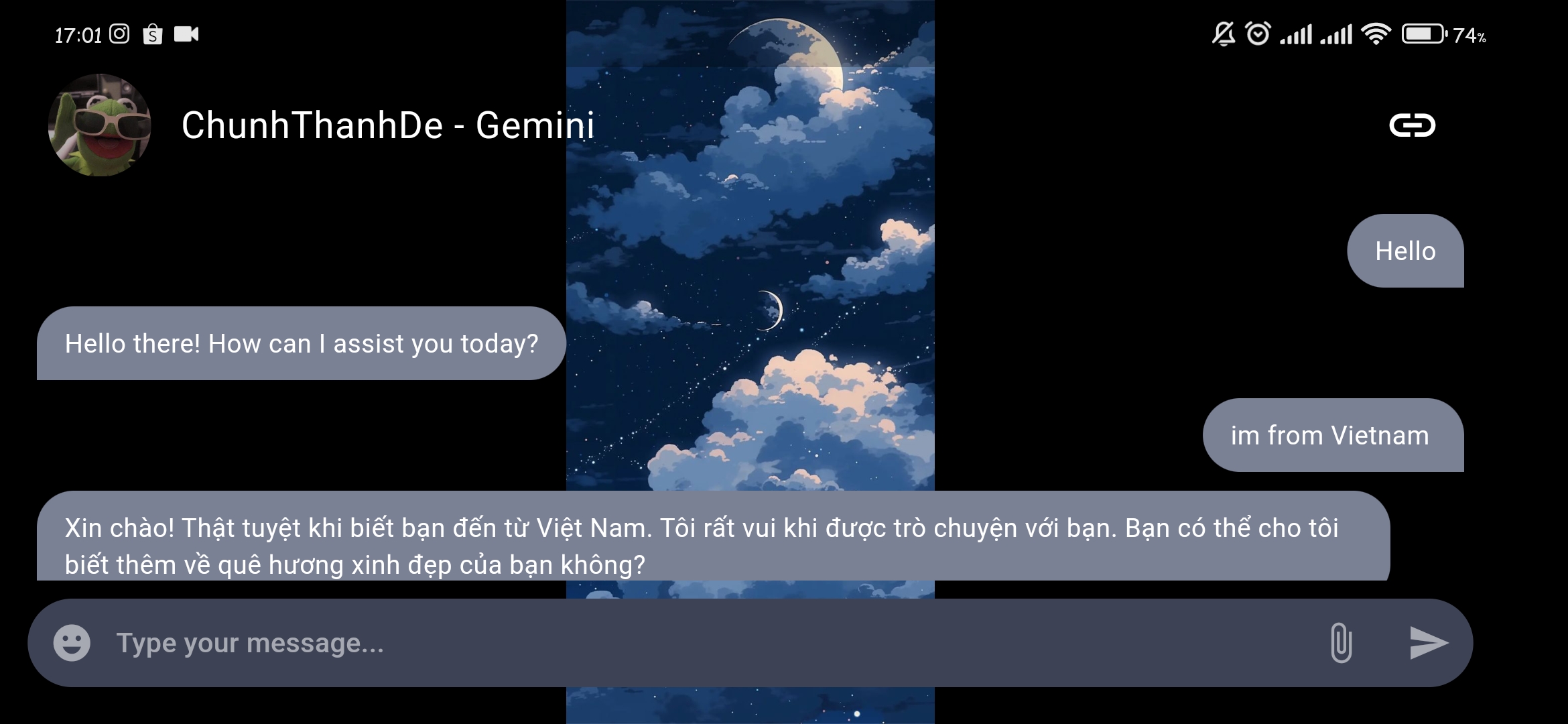
🚀 Demo
You can see the response from the gemini here: https://www.youtube.com/watch?v=SUzw8YPLYZM
 |
 |
🎉 Benefits
- Easy Integration: Simplifies adding AI features with clear documentation.
- Cross-Platform Compatibility: Supports Android, iOS, web, macOS, and Windows from a single codebase.
- Reduced Time to Market: Speeds up the integration of AI features into your app.
🌟 Conclusion
Integrating Google Gemini into your Flutter app with the flutter_gemini package opens up new possibilities for enhancing user experience. Utilize Gemini's powerful AI capabilities to add multilingual support, process images and audio, and implement advanced chatbot functionality.
📚 References
Feel free to like and share your thoughts in the comments if you found this guide helpful! 👍

Chung Nguyen Thanh ↗
分類
使用的依賴
依賴清單 14 項
- flutter
{"sdk":"flutter"} - cupertino_icons
^1.0.6 - provider
^6.1.2 - get_it
^7.6.7 - dio
^5.4.1 - image_picker
^1.0.7 - flutter_markdown
^0.6.21 - emoji_picker_flutter
^2.1.0 - loading_animation_widget
^1.2.1 - image_picker_ios
^0.8.9+2 - flutter_gemini
^2.0.3 - url_launcher
^6.3.0 - flutter_test開發依賴
{"sdk":"flutter"} - flutter_launcher_icons開發依賴
0.13.1
如何選擇適合專案的儲存庫?
先依使用情境篩選,再比較專案活躍情況,最後到原始儲存庫確認使用要求。
- 透過儲存庫名稱、作者或描述搜尋,再依技術分類縮小範圍。
- 綜合星標、分支與最近推送比較專案;星標反映社群關注,不保證品質。
- 使用前在 GitHub 確認 README、授權條款與 Issues。
來源與維護
“A repository is the most basic element of GitHub.”
GitHub Docs — About repositories ↗