
 v1.1.1
cr_json_widget
一個可視化樹狀結構的元件,其中節點可以是任何元件。
21喜歡 1340近 30 天下載150Pub 分數
AndroidiOSWebmacOSWindowsLinux
Cleveroad/cr_json_widget open-source repository details.
以下為英文專案原文快照,最新內容請造訪 GitHub。
This widget visualises a tree structure, where a node can be any widget.
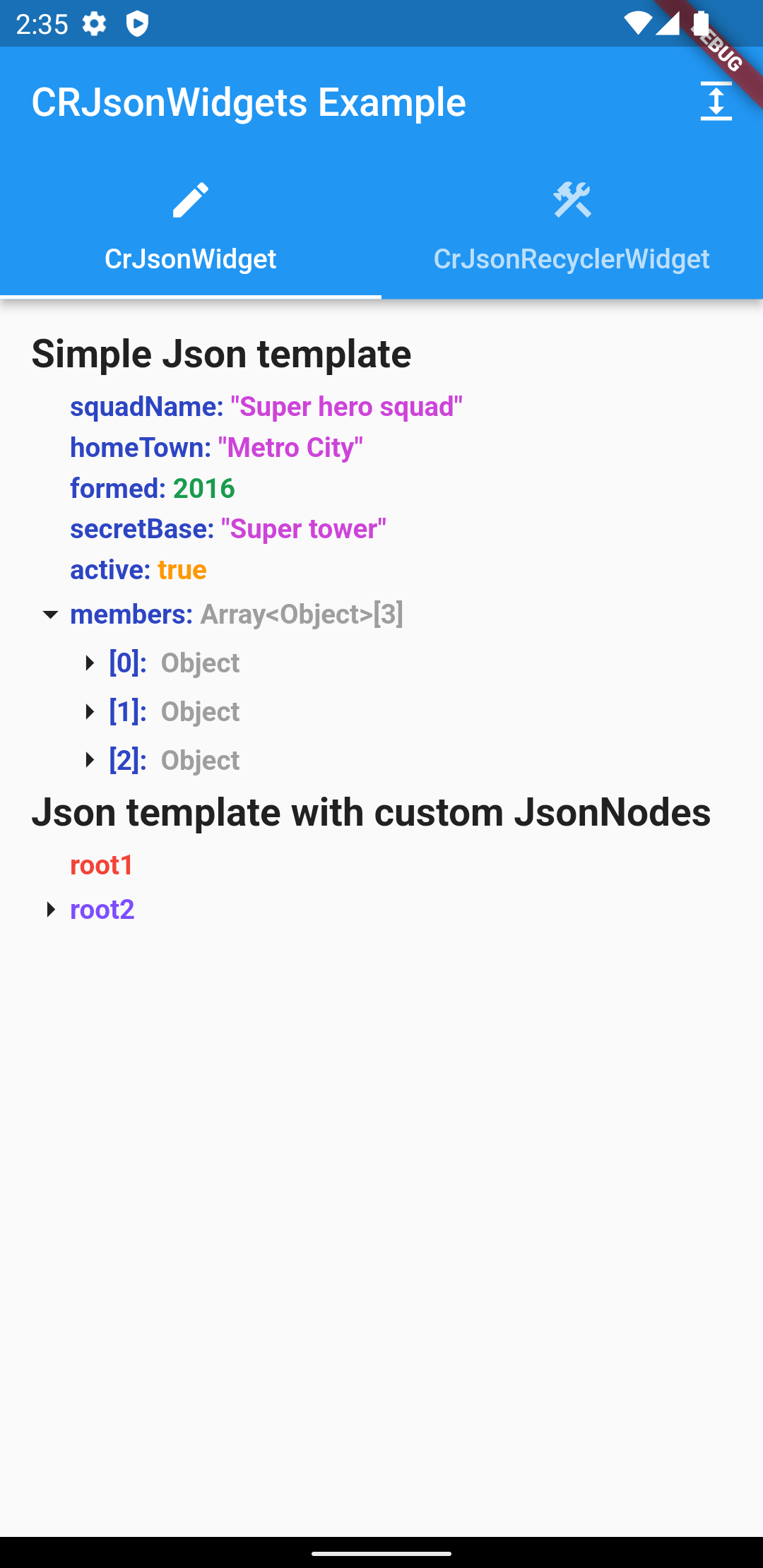
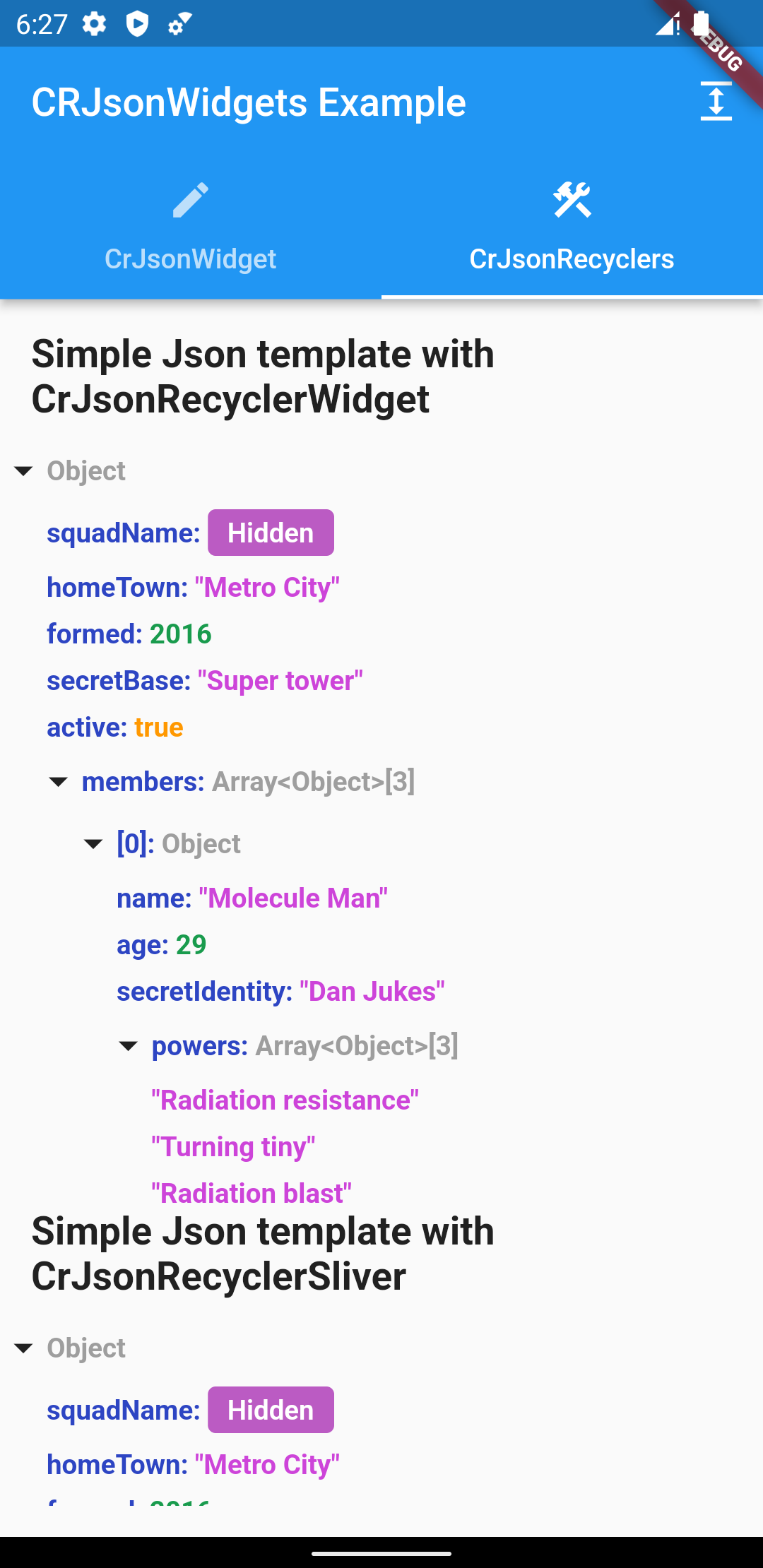
dependencies:
    cr_json_widget: ^1.1.0
Create JsonController:
final _jsonController = JsonController(
    allNodesExpanded: false,
    uncovered: 3,
);
allNodesExpanded - Sets whether the json tree is expanded by default
uncovered - Sets the value to what nesting by default the json tree will be expanded
Add widget: 2.1 Accepts json as Map <String, Any> and builds the tree automatically:
    ...
    final data = <String, dynamic>{
        'integer': 1,
        'string': 'test',
    }
    ...
    CrJsonWidget(
        ..
        json: data
    )
    ...
2.2 Accepts your custom List , for placement in the form of a tree:
    CrJsonWidget(
        ..
    jsonNodes: [
        JsonNode(
            content: const Text(
                'root1',
                style: TextStyle(
                    fontWeight: FontWeight.bold,
                    color: Colors.red,
                ),
            ),
        ),
        JsonNode(
            content: const Text(
                'root2',
                style: TextStyle(
                    fontWeight: FontWeight.bold,
                    color: Colors.deepPurpleAccent,
                ),
            ),
            children: [
                JsonNode(
                    content: const Text('child21'),
                ),
                JsonNode(
                    content: const Text('child22'),
                ),
                JsonNode(
                    content: const Text('root23'),
                    children: [
                        JsonNode(
                            content: const Text('child231'),
                        ),
                    ],
                    ),
                ],
            ),
        ],
    ),
Full implementation example:
    ...
    CrJsonWidget(
        iconOpened: Icon(
            Icons.arrow_drop_down,
            size: _iconSize,
        ),
        iconClosed: Icon(
            Icons.arrow_right,
            size: _iconSize,
        ),
        indentHeight: 5,
        indentLeftEndJsonNode: _iconSize,
        jsonNodes: [
            JsonNode(
                content: const Text(
                    'root1',
                    style: TextStyle(
                        fontWeight: FontWeight.bold,
                        color: Colors.red,
                    ),
                ),
            ),
            JsonNode(
                content: const Text(
                    'root2',
                    style: TextStyle(
                        fontWeight: FontWeight.bold,
                        color: Colors.deepPurpleAccent,
                    ),
                ),
                children: [
                    JsonNode(
                        content: const Text('child21'),
                    ),
                    JsonNode(
                        content: const Text('child22'),
                    ),
                    JsonNode(
                        content: const Text('root23'),
                        children: [
                            JsonNode(
                                content: const Text('child231'),
                            ),
                        ],
                        ),
                    ],
                ),
            ],
        jsonController: _jsonController,
    ),
iconOpened - Custom icon for opening a node
iconClosed - Custom icon for closing a node
indentHeight - Vertical indent between levels
indentWidth - Horizontal indent between levels
indentLeftEndJsonNode - The starting position of the ending node (Recommended size is the size
of the icon)
json - Parsed json
jsonNodes - List of root level json nodes
jsonController - Json controller to manage the json state
      final _jsonController = JsonRecyclerController(
      saveClosedHistory: false,
      showStandardJson: false,
      isExpanded: true,
    );
isExpanded - Sets whether the json tree is expanded by default
saveClosedHistory - The parameter defines whether the previously opened child tabs should be saved
or not
showStandardJson - Will show json with curly braces
jsonKeyColor - Json key color in the tree
intColor - Set color of int parameters in the tree of json
doubleColor - Set color of double parameters in the tree of json
stringColor- Set color of string parameters in the tree of json
nullColor- Set color of null parameters in the tree of json
boolColor - Set color of bool parameters in the tree of json
objectColor - Set color of object parameters in the tree of json
standardJsonBackgroundColor - Set background color of widget
iconOpened - Custom icon for opening a node
iconClosed - Custom icon for closing a node
fontStyle - Set font style of text. By default, the inherited style used
fontWeight - Set font weight of text. By default FontWeight.bold
horizontalSpaceMultiplier- The distance by which the left child element will be offset from the
parent
verticalOffset - The space by which the child element will be offset from the parent
additionalIndentChildElements - Additional indentation for aligning child elements depending on
the size of the parent icon
❗ Since the CrJsonRecyclerWidget has a builder in it, you must set the height or you will get an error
2.1 CrJsonRecyclerWidget:
     ...
     final data = <String, dynamic>{
         'integer': 1,
         'string': 'test',
     }
     ...
    CrJsonRecyclerWidget(
          ..
           json: data,
         ),
     ...
json - Parsed json
jsonController - Json controller to manage the json state
rootExpanded - Whether to expand the root nesting by default
Full implementation example:
      ...
      Expanded(
          child: CrJsonRecyclerWidget(
            json: json,
            jsonController: _jsonController,
            rootExpanded: true,
          ),
        ),
      ...
2.2 CrJsonRecyclerSliver:
     ...
     final data = <String, dynamic>{
         'integer': 1,
         'string': 'test',
     }
     ...
           CrJsonRecyclerSliver(
              ...
               json: json,
           ),
    ...
json - Parsed json
jsonController - Json controller to manage the json state
rootExpanded - Whether to expand the root nesting by default
Full implementation example:
        ...
        CustomScrollView(
              slivers: [
                    CrJsonRecyclerSliver(
                          jsonController: _jsonController,
                          json: json,
                          rootExpanded: true,
                    ),
              ],
          ),
        ...

依賴清單 2 項
{"sdk":"flutter"}{"sdk":"flutter"}先依使用情境篩選,再比較專案活躍情況,最後到原始儲存庫確認使用要求。
“A repository is the most basic element of GitHub.”
GitHub Docs — About repositories ↗