v5.1.2
android_alarm_manager_plus
用於存取 Android AlarmManager 服務的 Flutter 外掛程式,當鬧鐘觸發時在背景執行 Dart 程式碼。
616喜歡 2.4萬近 30 天下載160Pub 分數
Android
用於控制和管理 OpenShock 設備的應用程式

以下為英文專案原文快照,最新內容請造訪 GitHub。
[!WARNING] This repository has moved to Codeberg: https://codeberg.org/kaiya/ShockAlarmApp #
ShockAlarm

A powerful app for controlling OpenShock shockers and setting alarms with custom tones.
A web version (for IOS, ...) can be found here (does not support live controls).
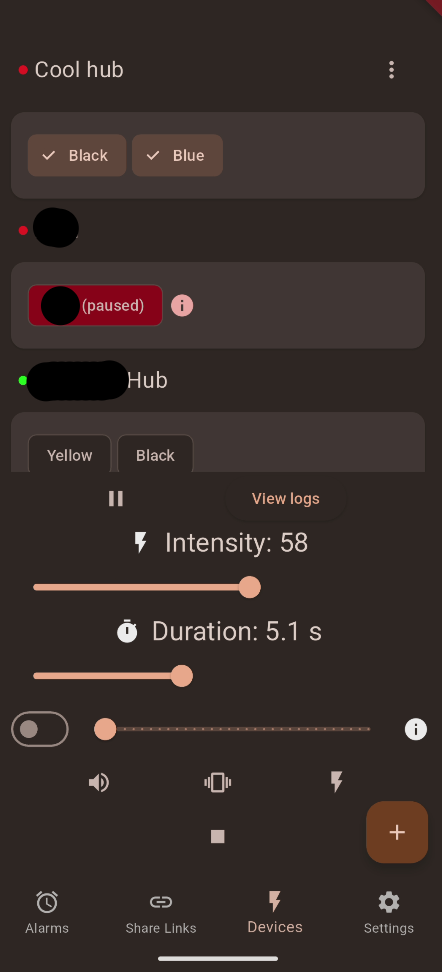
ShockAlarm is a powerful tool for controlling your Shockers via OpenShock. It allows you to fully manage your shockers, logs, shares, hubs, share links, tokens and sessions. On top it also allows you to seamlessly use ShareLinks.
There is advanced functionality like controlling multiple shockers at the same time, specifying a random interval for intensity, duration and a delay, live controls with patterns and alarms.
It's fully material you themed just like the standard Android apps you're already used to and provides a responsive ui with a nice design.
Furthermore it fixes some layout flaws of the official OpenShock Frontend like having shared and own shockers in separate tabs (which is annoying). On top it also has lots of info buttons you can press to get more insight on what something does.
You can also log in on multiple OpenShock instances at once. ShockAlarm will show all shockers from all instances seamlessly at a glance!
I cannot guarentee that all features work with all possible configurations. I try to make them work with each other but sometimes I miss them. For example a random intensity won't work with the shock confirmation dialog. However a hard limit will.
Everything with websockets is currently not supported due to authentication problems with websockets. This includes:
github.com/ComputerElite/ShockAlarmApp as th app source
Install the apk file from the releases
Use your favorite aur helper like paru or yay and install shock-alarm. link to aur
You can download a Windows installer from the releases and then execute it.
You can download a Portable version (zip file) from the releases, unzip and then execute it.

This app is based on flutter and thus you need to first install flutter: https://docs.flutter.dev/get-started/install
Afterwards clone the repository and get all dependencies:
git clone https://github.com/ComputerElite/ShockAlarmAppcd ShockAlarmAppflutter pub get<versioncode>.txt. It should be markdown formatted.FDroid will publish the update autonomously once a build cycle starts. The changelog we created earlier will be added to the FDroid page automatically
用於存取 Android AlarmManager 服務的 Flutter 外掛程式,當鬧鐘觸發時在背景執行 Dart 程式碼。
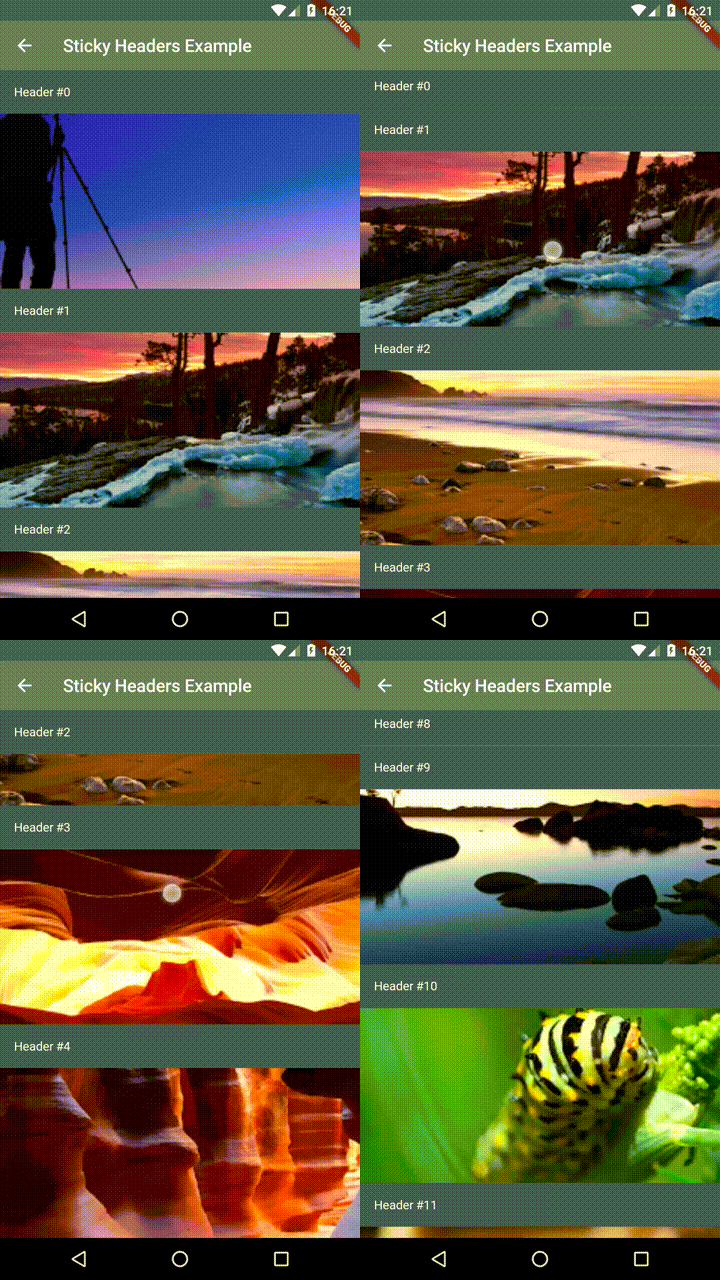
Flutter 粘性標題 - 讓您在可滾動內容上放置標題,當內容滾動時,標題將黏附在容器頂部。
一個可在所有平台(包括 Flutter 和伺服器端)上運作的 'dart:html',可簡化跨平台開發與 HTML/XML 處理。
一個高度可自訂的 Flutter 小工具,可輕鬆呈現 QR 碼。
在 Android 上使用前景服務於背景執行應用程式。適用於需要持續運作的應用程式,例如背景資料同步或訊息傳遞。
為 Dart 編寫的跨平台、獨立於平台的 ASP.NET Core SignalR 客戶端,可在命令列和瀏覽器中使用。
一種免費的驗證碼替代方案,用於增強安全性並防範機器人。
依賴清單 27 項
{"sdk":"flutter"}^4.1.0^2.0.5^2.3.4^5.0.0^1.7.0^19.5.0^1.3.0^1.1.2^10.0.0^0.0.1^6.3.1^0.3.0+2^3.3.0^1.3.0+1^1.1.1^2.2.4^1.2.10^2.4.5{"path":"./battery_optimization_helper"}^9.0.0^3.1.3^2.1.5^5.0.1{"sdk":"flutter"}^6.0.0^1.25.15先依使用情境篩選,再比較專案活躍情況,最後到原始儲存庫確認使用要求。
“A repository is the most basic element of GitHub.”
GitHub Docs — About repositories ↗