
RepForge
🏋️ RepForge:一款設計精美的離線優先Flutter健身記錄應用,具備進階AI分析與GenUI功能。由舉重者打造,專為舉重者而生

- 星標
- 2
- 分支
- 0
- 最近推送(UTC)
- 2026年9月24日
- 專案狀態
- 未封存
原始 README
以下為英文專案原文快照,最新內容請造訪 GitHub。
RepForge 🏋️
Your ultimate companion to forge strength, track progress, and shatter your fitness goals.


📖 About RepForge
RepForge (formerly Workout-logger) is an open-source, beautifully designed workout logging mobile application built with Flutter. Whether you're a powerlifter, a casual gym-goer, or someone just starting their fitness journey, RepForge empowers you to track your workouts seamlessly, visualize your progress with detailed analytics, and stay motivated.
Tired of subscription-heavy fitness apps? RepForge is built by lifters, for lifters. It keeps your data local, offline, and completely under your control.
✨ Key Features
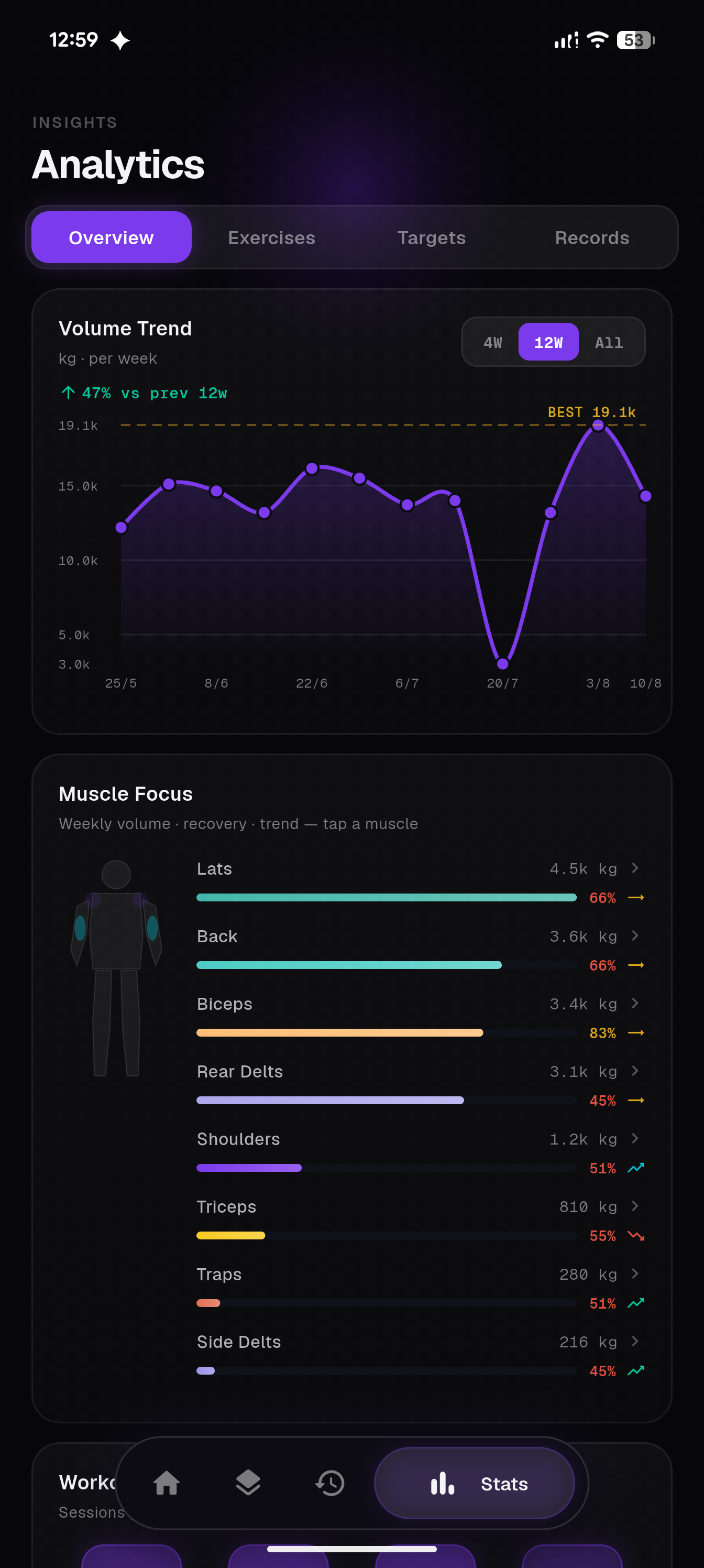
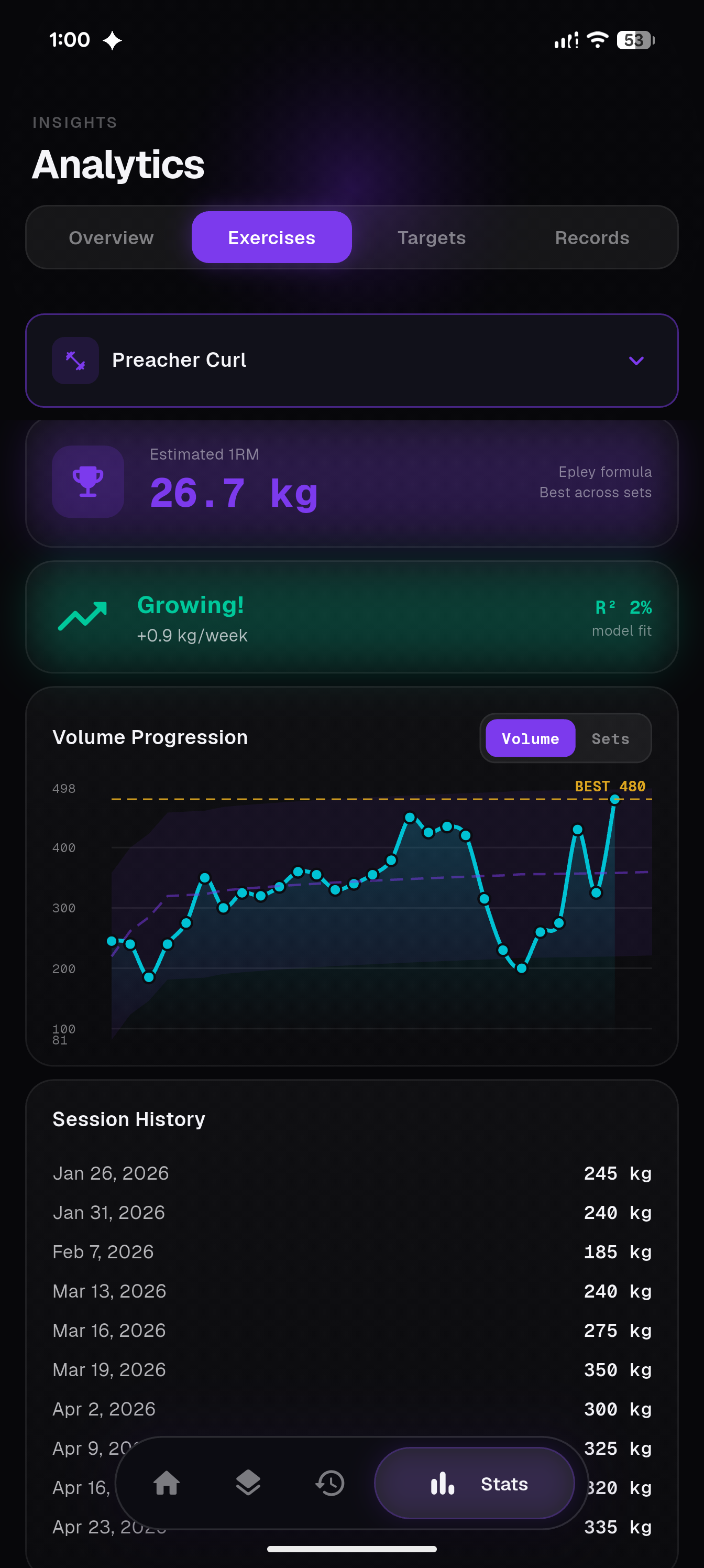
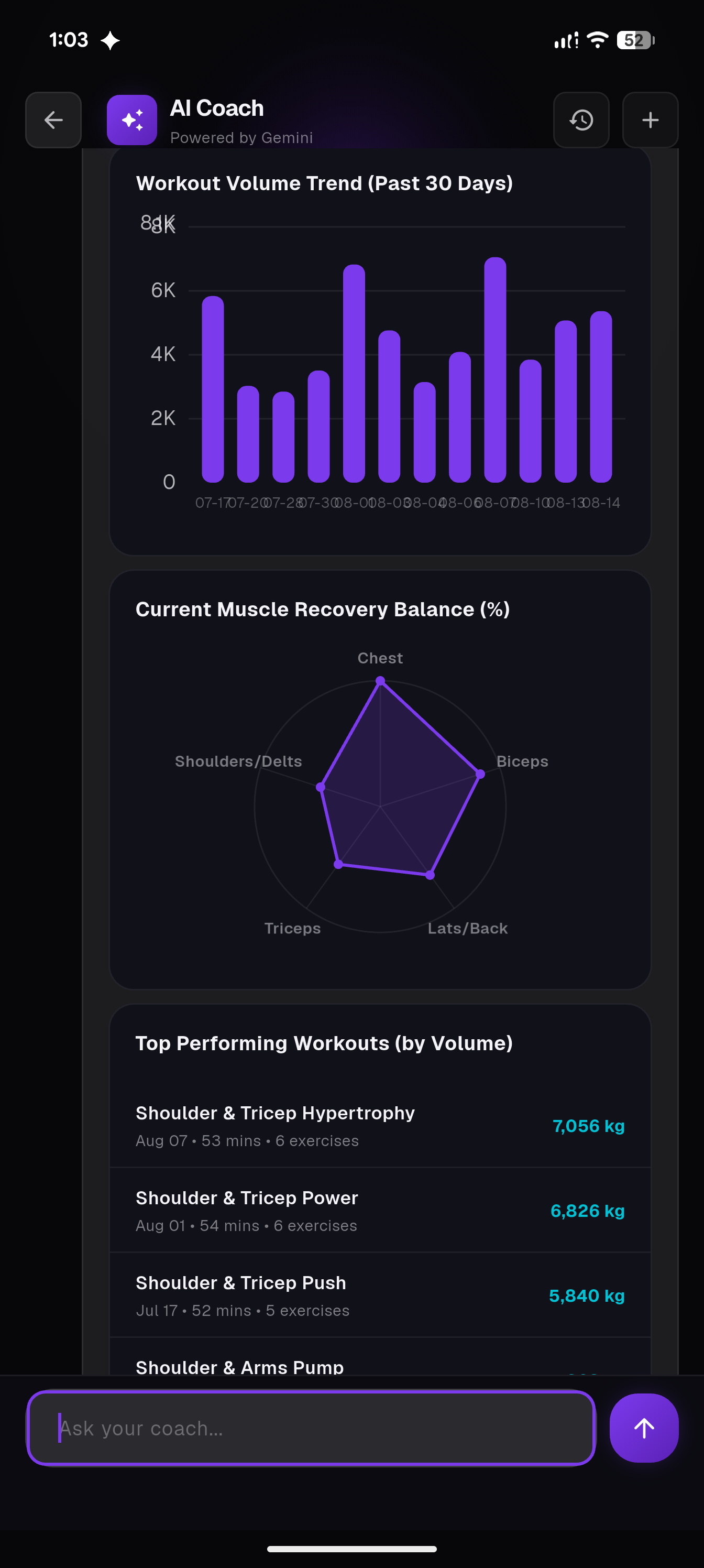
- 📊 Advanced Analytics: Volume trends, per-exercise progression with estimated 1RM, muscle-group focus and recovery balance, and a full personal-records log — powered by
fl_chart. - ⚡ Super-Fast Logging: An intuitive active-workout flow with AI-suggested weight/reps for your next set, dropsets, and rest timers that gets out of your way so you can focus on the pump.
- 🗓️ Routines & Programs: Build reusable routines, queue up your next session, and follow structured multi-week training programs.
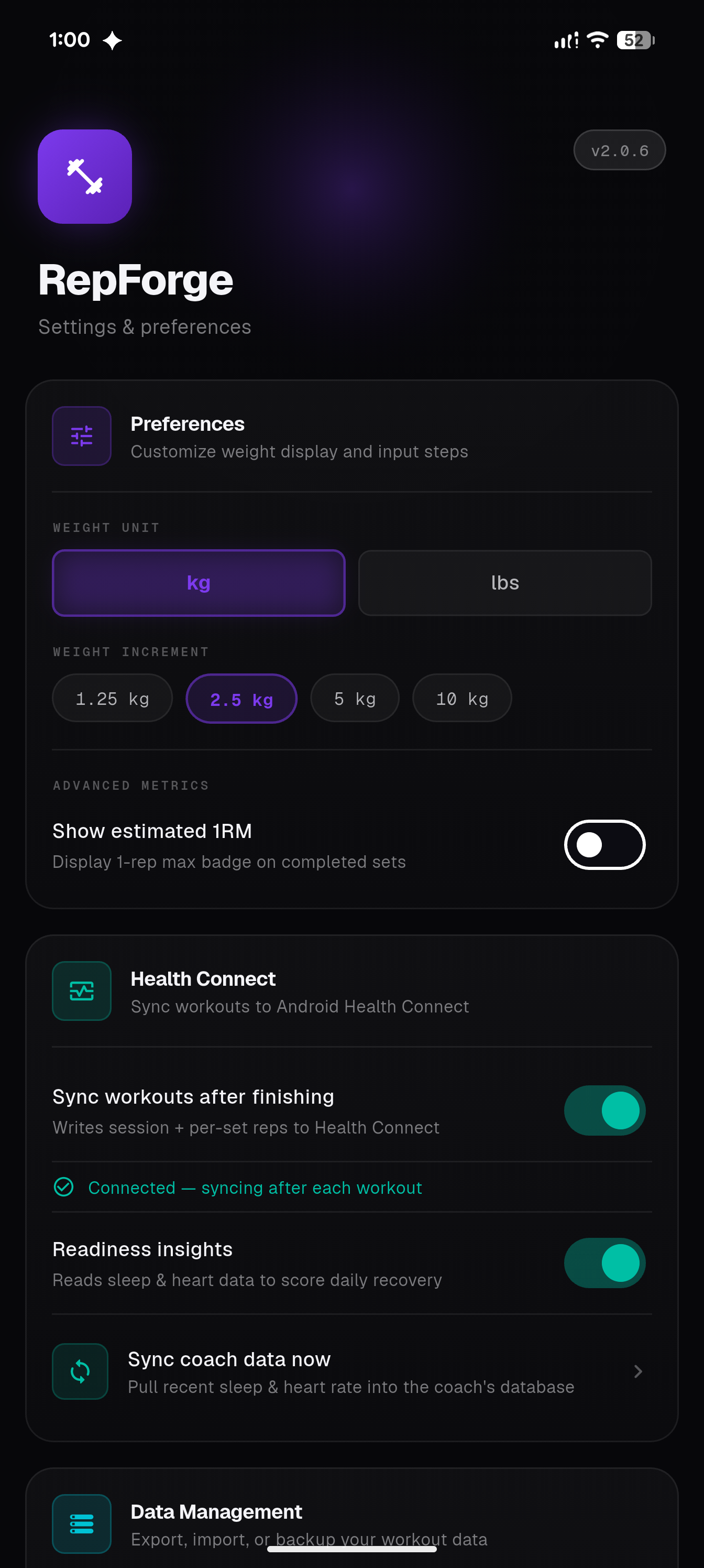
- 🫀 Health Connect Integration: Syncs workouts to Android Health Connect and reads sleep/heart-rate data back in to score daily training readiness.
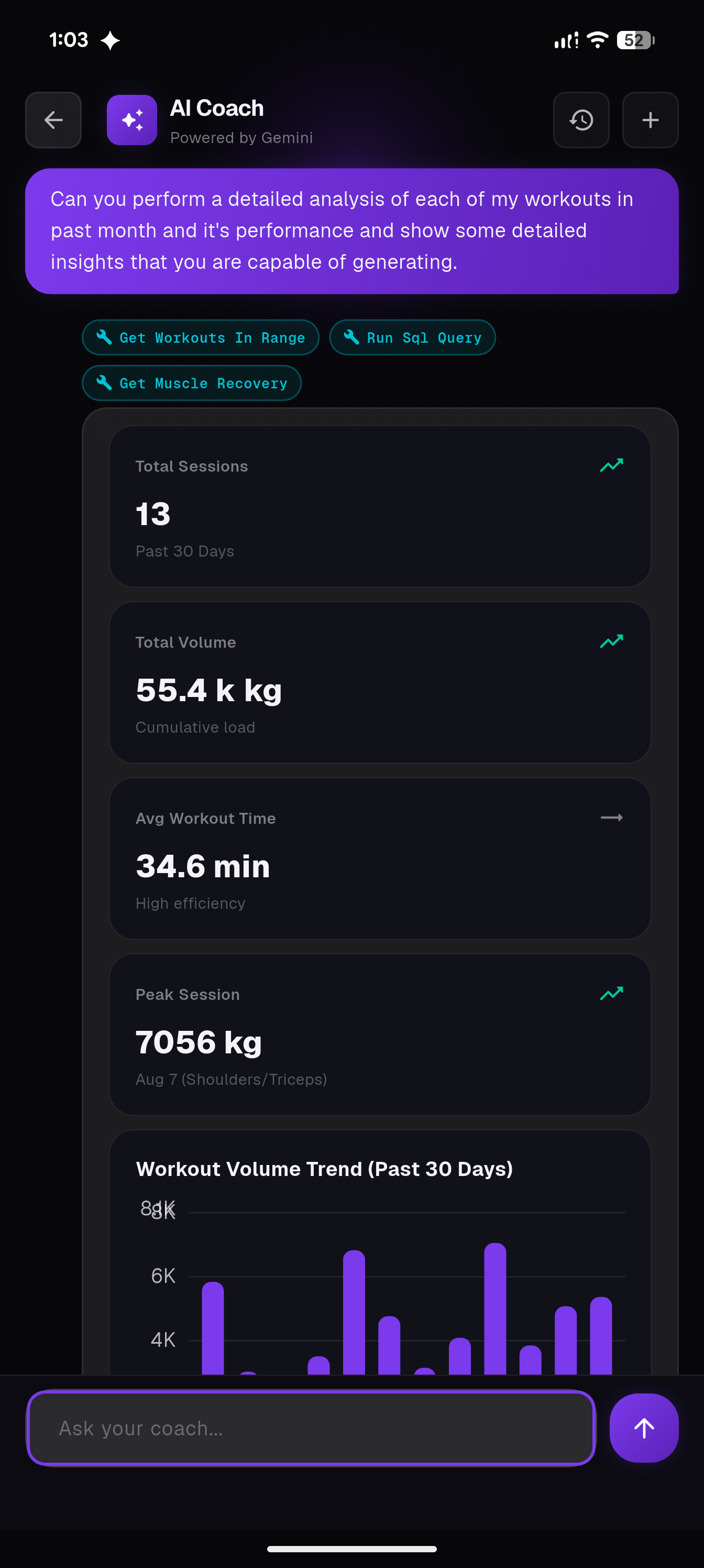
- 🤖 AI Coach: A conversational, tool-calling coach (powered by Gemini) that can query your own workout history, chart correlations, and explain your progress — see Anti-Features below.
- 📱 Offline-First: Your data is stored locally for fast, secure access anywhere, even without internet.
- 🔄 Export/Import: Never lose your data. Back up and restore your workout history at your convenience.
- 🎨 Custom Theming: A modern, soft-futurist interface with a consistent design system.
📸 Screenshots
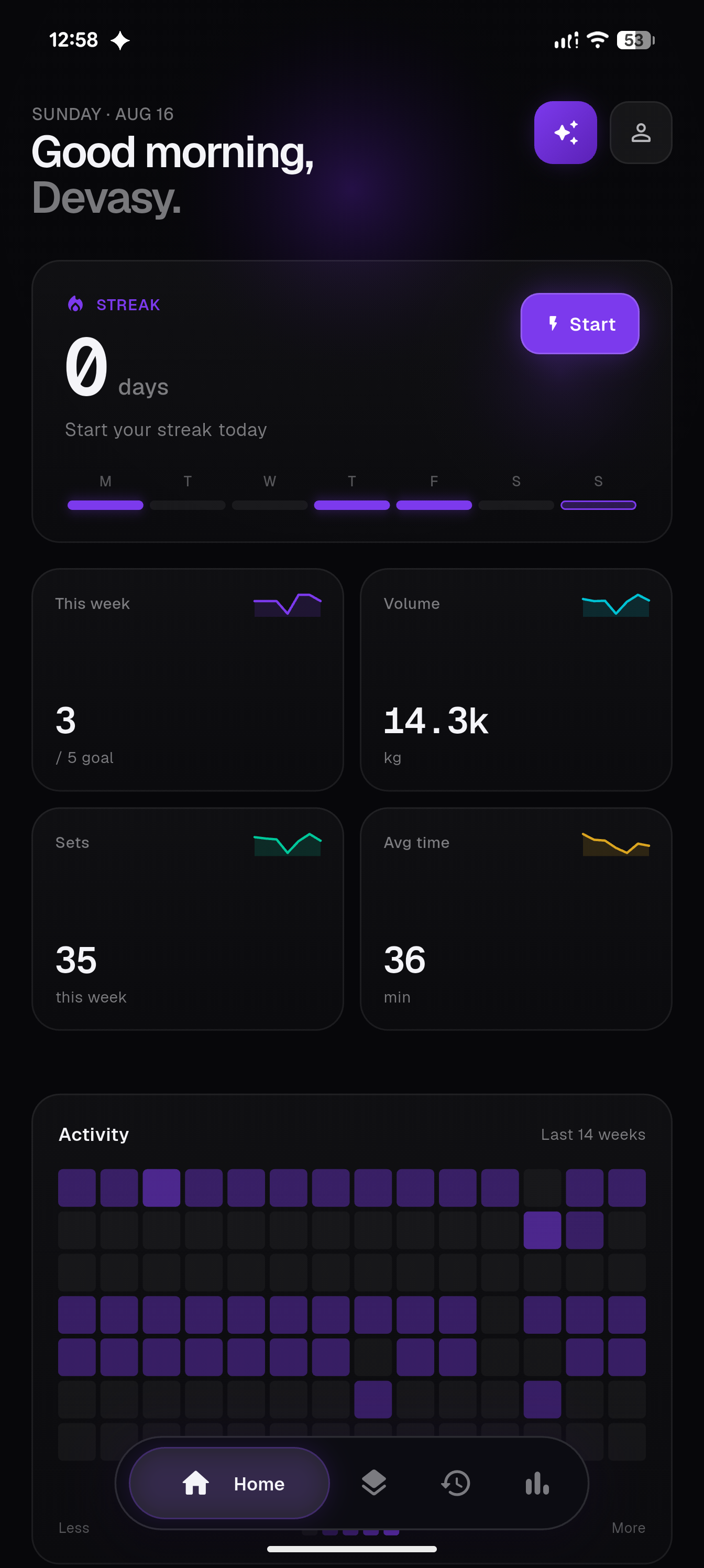
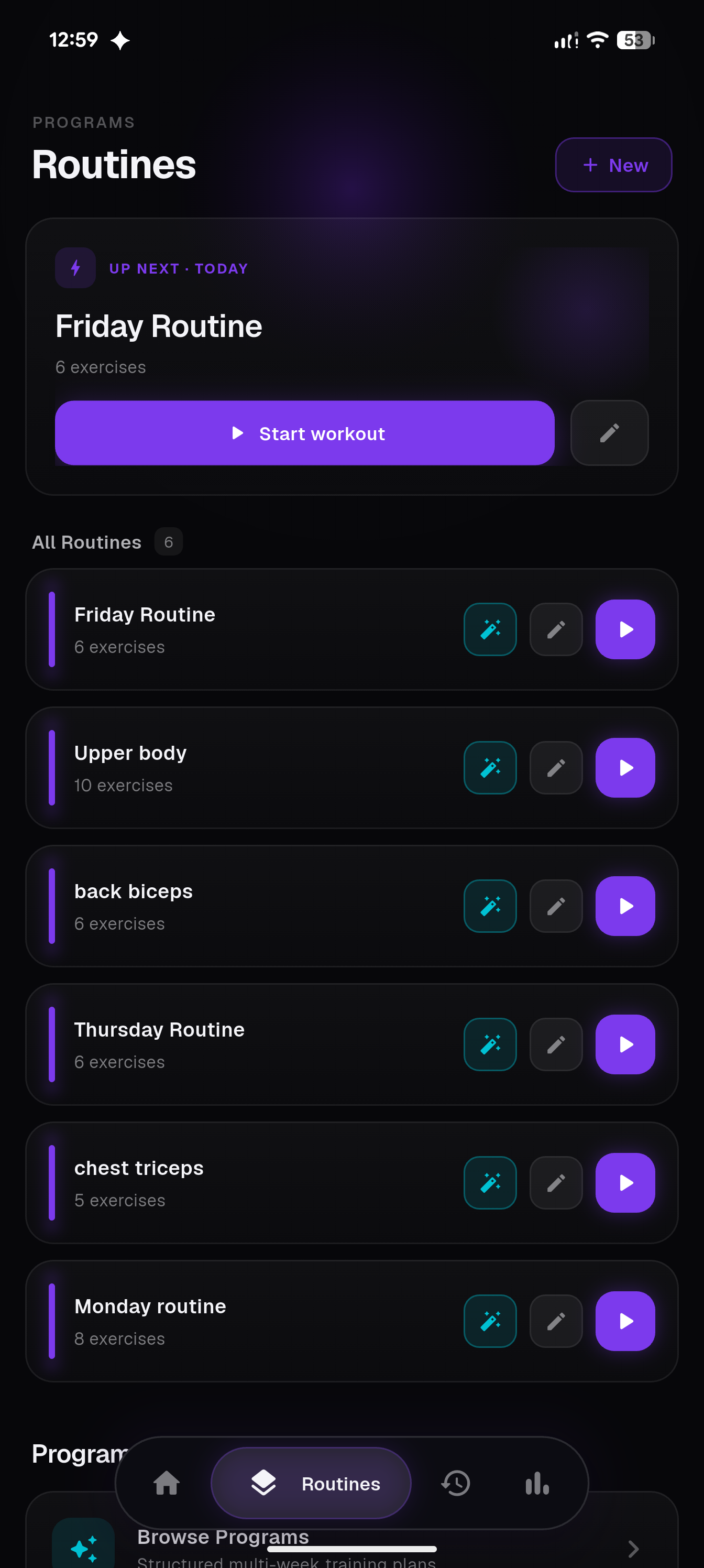
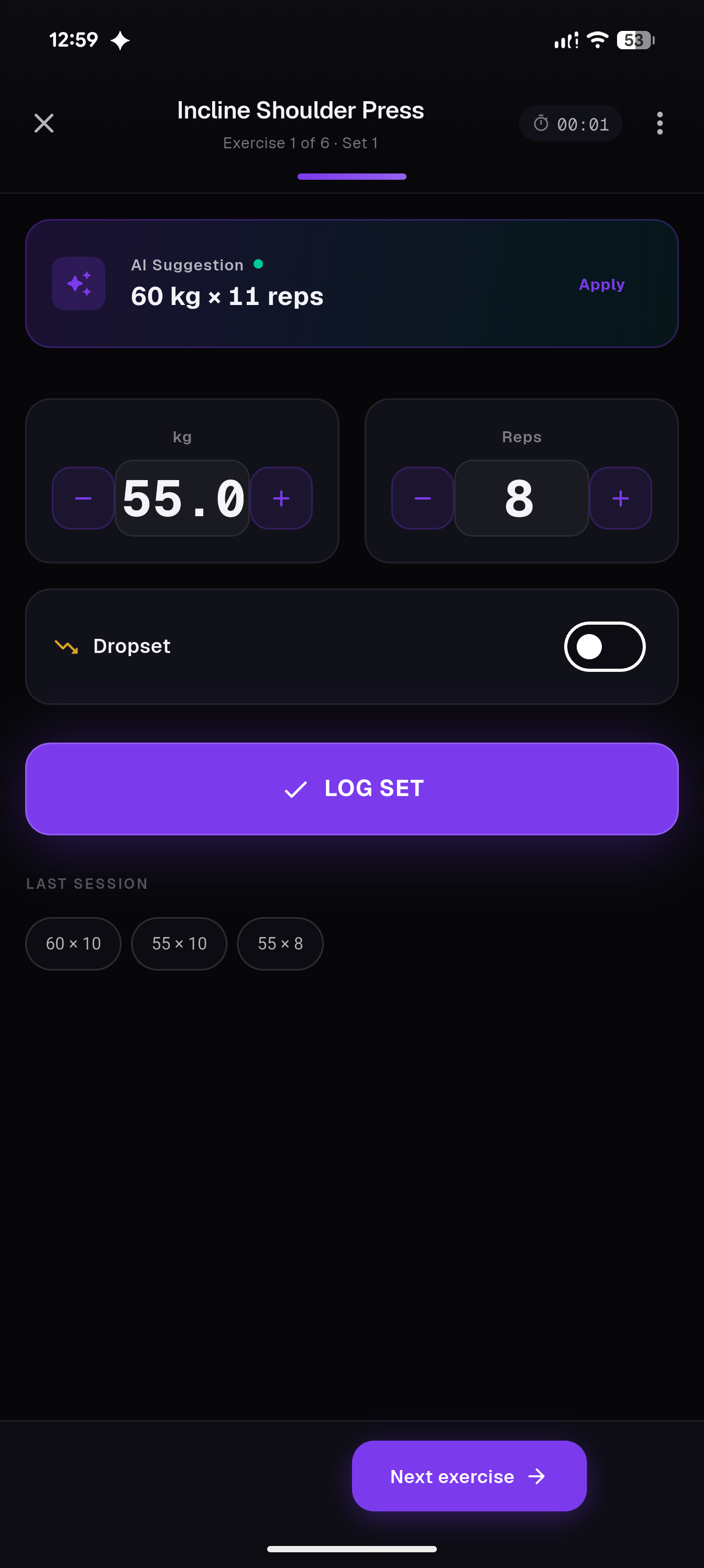
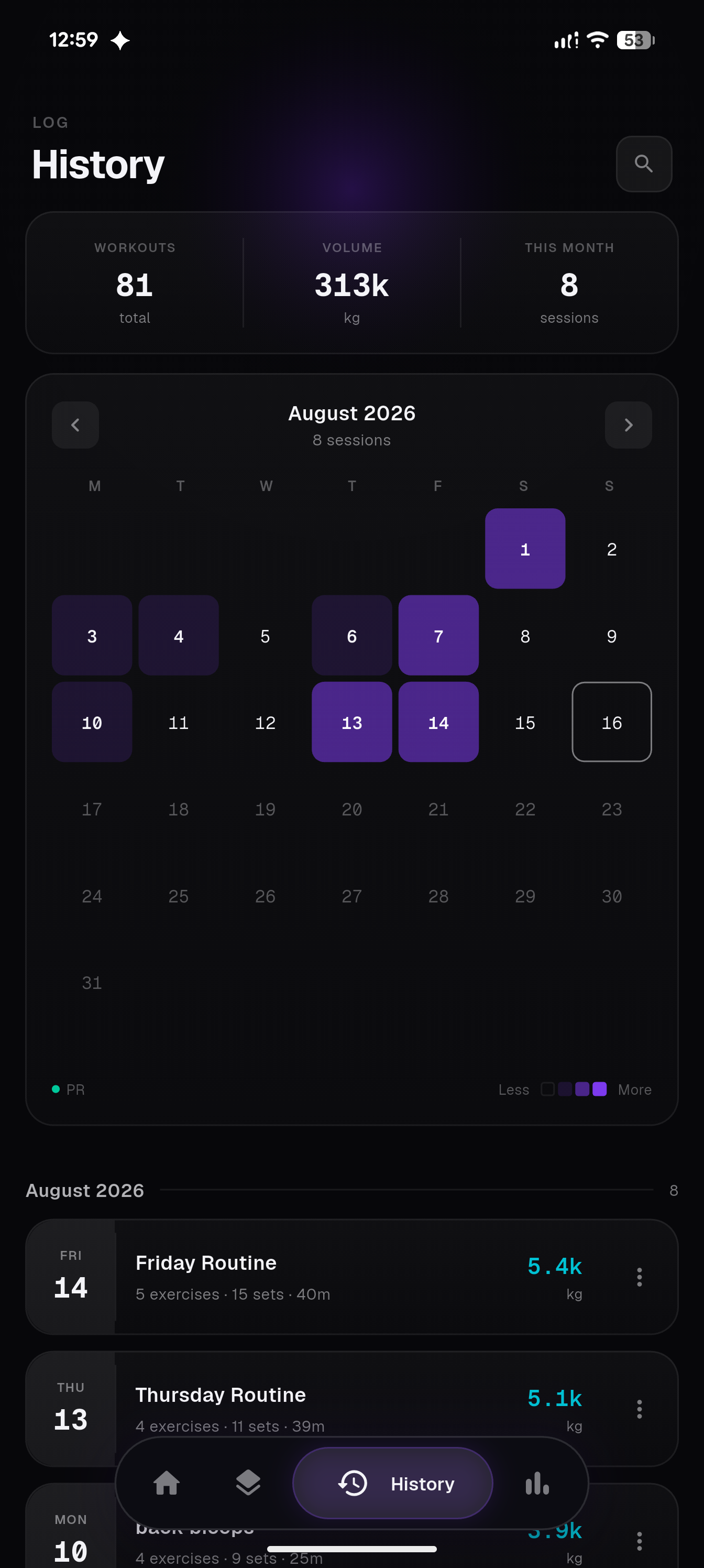
🚫 Anti-Features
RepForge's core workout logging, routines, and analytics work fully offline. The AI Coach is optional and relies on Google's Gemini API over the network — it's the only feature that isn't free/local, and it's disclosed as such in the app's F-Droid listing.
🚀 Getting Started
Want to take RepForge for a spin or contribute? Follow these steps to build the application on your local machine.
Prerequisites
- Flutter SDK
- Android Studio / VS Code
- An Android device or emulator
Installation
-
Clone the repository:
git clone https://github.com/Devasy/RepForge.git cd RepForge/workout-logger -
Install dependencies:
flutter pub get -
Run the app:
flutter run
Building for Production
To build a release APK for Android:
flutter build apk --release --split-per-abi
The APKs will be available under build/app/outputs/flutter-apk/.
Getting the App
- GitHub Releases: github.com/Devasy/RepForge/releases
- F-Droid: submission in progress
🤝 Contributing to RepForge
We believe in the power of open-source! Whether you want to fix a bug, add a feature, or improve documentation, your contributions are highly welcome and appreciated.
How to Contribute
- Fork the repository and clone it to your local machine.
- Create a new branch:
git checkout -b feature/your-awesome-feature. - Make your changes and commit them:
git commit -m 'Add some feature'. - Push to the branch:
git push origin feature/your-awesome-feature. - Open a Pull Request and describe your changes.
What to work on?
Check out the Issues tab! If you have a new idea, feel free to open a new issue for a feature request or bug report before starting your work. Whether it's a UI tweak, performance upgrade, or a brand new workout mode, we'd love to see it!
Development Guidelines
- Follow standard Flutter and Dart formatting (
flutter format .). - Keep state management clean and modular (we use Provider).
- Ensure your PR doesn't break existing behaviors and try to add tests for new logic (
flutter test).
🛡️ License
RepForge is licensed under the Apache License 2.0.
👨💻 Developer
Devasy Patel
- Email: patel.devasy.23@gmail.com
- GitHub: @Devasy

Devasy Patel ↗
分類
如何選擇適合專案的儲存庫?
先依使用情境篩選,再比較專案活躍情況,最後到原始儲存庫確認使用要求。
- 透過儲存庫名稱、作者或描述搜尋,再依技術分類縮小範圍。
- 綜合星標、分支與最近推送比較專案;星標反映社群關注,不保證品質。
- 使用前在 GitHub 確認 README、授權條款與 Issues。
來源與維護
“A repository is the most basic element of GitHub.”
GitHub Docs — About repositories ↗