

v2.0.0
flutter_statusbar_manager
Flutter 狀態列管理員,讓您可以在 iOS 和 Android 上控制狀態列的顏色、樣式(主題)、可見性以及半透明屬性。
123喜歡 100近 30 天下載40Pub 分數
平台暫無資料
適用於 iOS 與 Android 的 Flutter 狀態欄管理器

以下為英文專案原文快照,最新內容請造訪 GitHub。
Now compatible with AndroidX thanks to https://github.com/lorenzOliveto
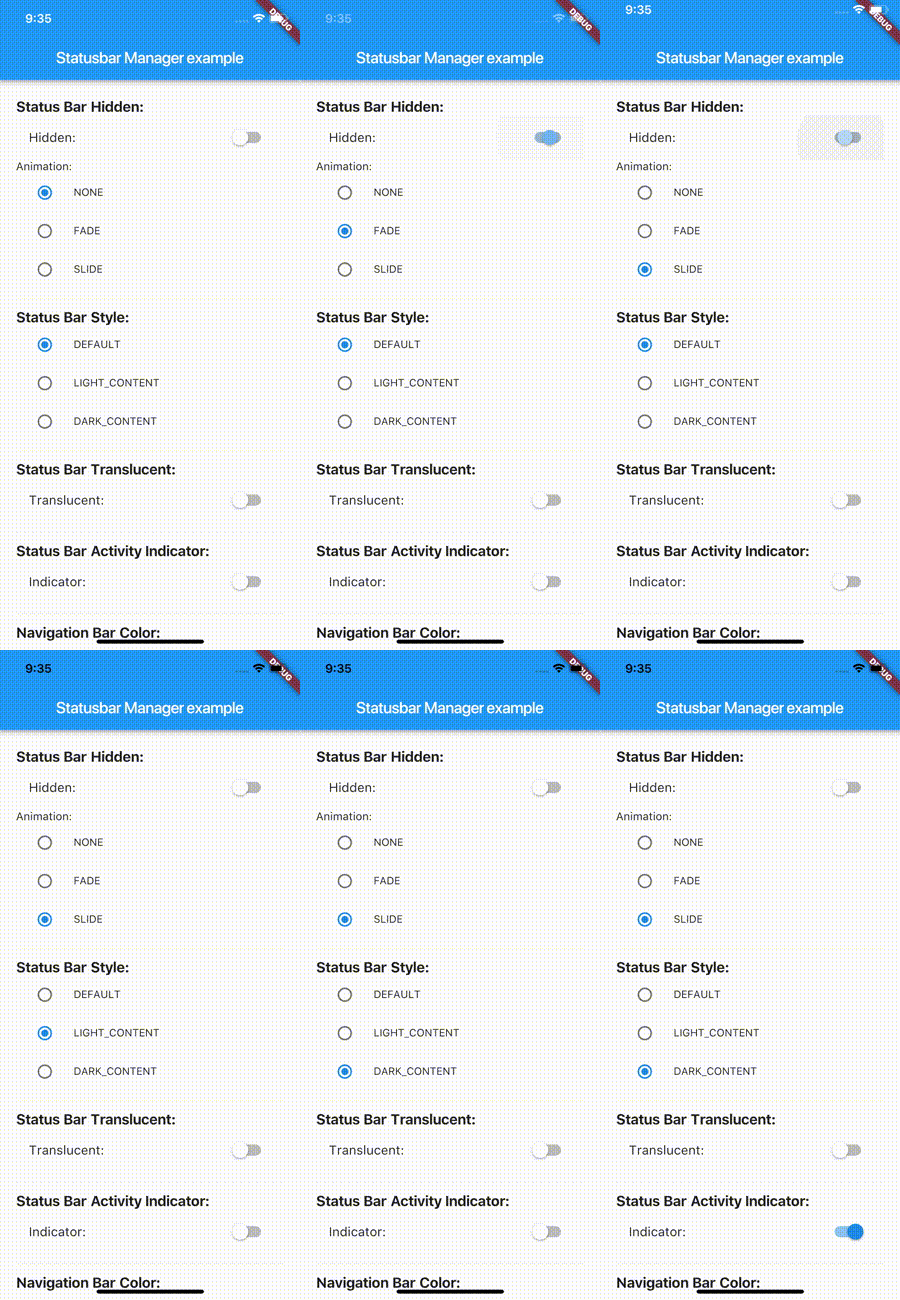
Flutter Statusbar Manager, lets you control the status bar color, style (theme), visibility, and translucent properties across iOS and Android. With some added bonus for Android to control the Navigation Bar.
This plugin is based on React Native's StatusBar component.
The Navigation Bar code was taken from the awesome flutter-screen-theme-plugin.
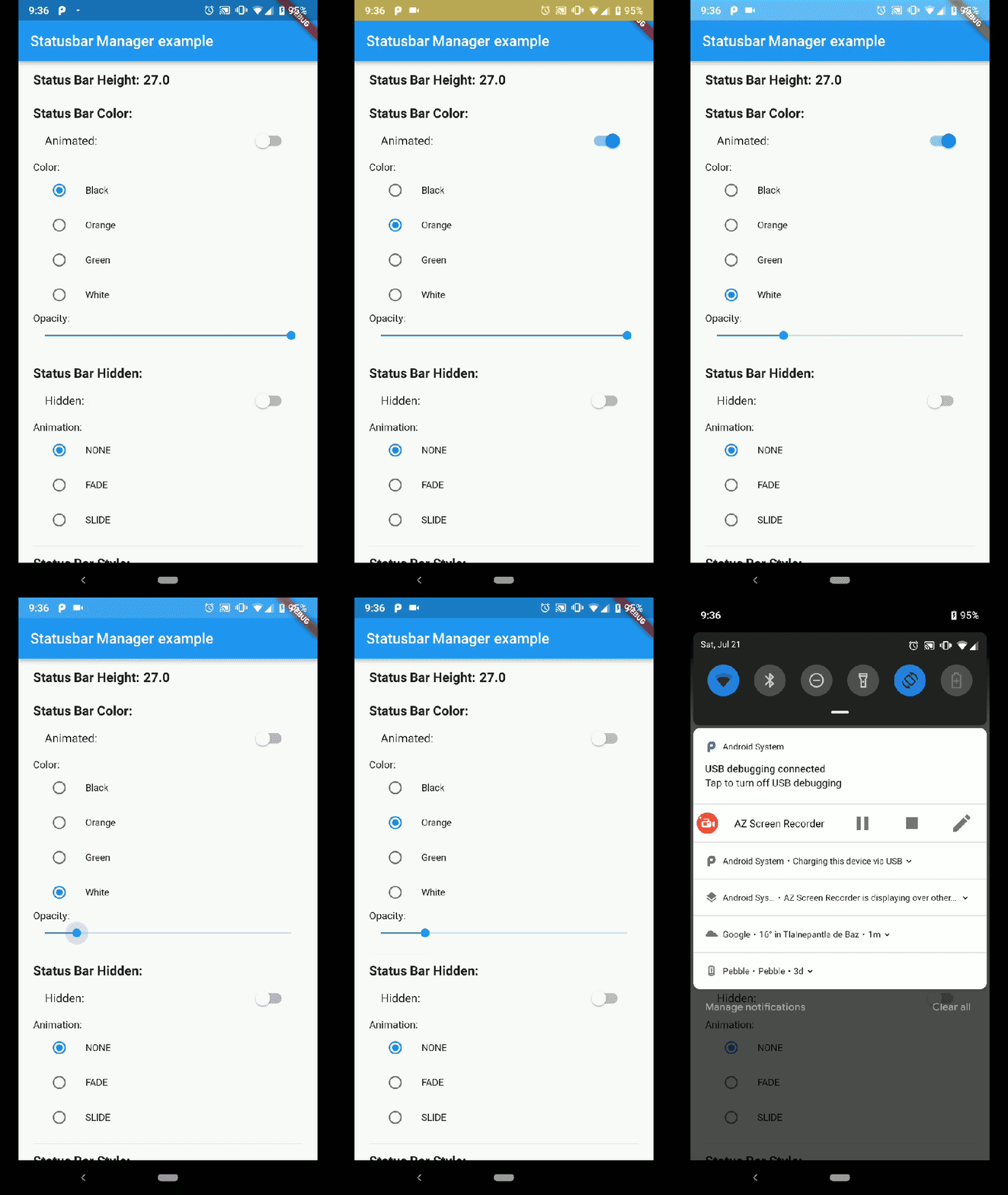
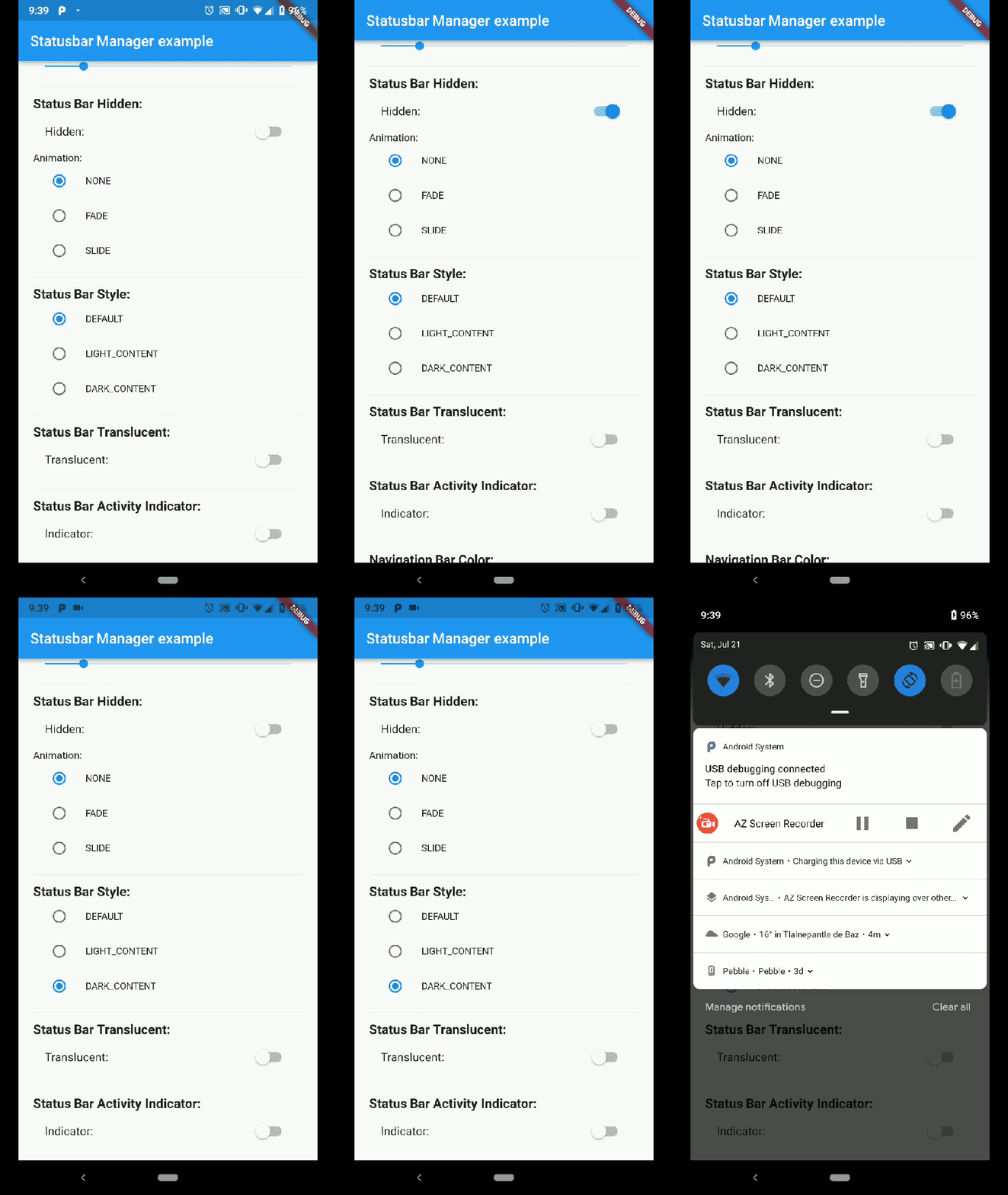
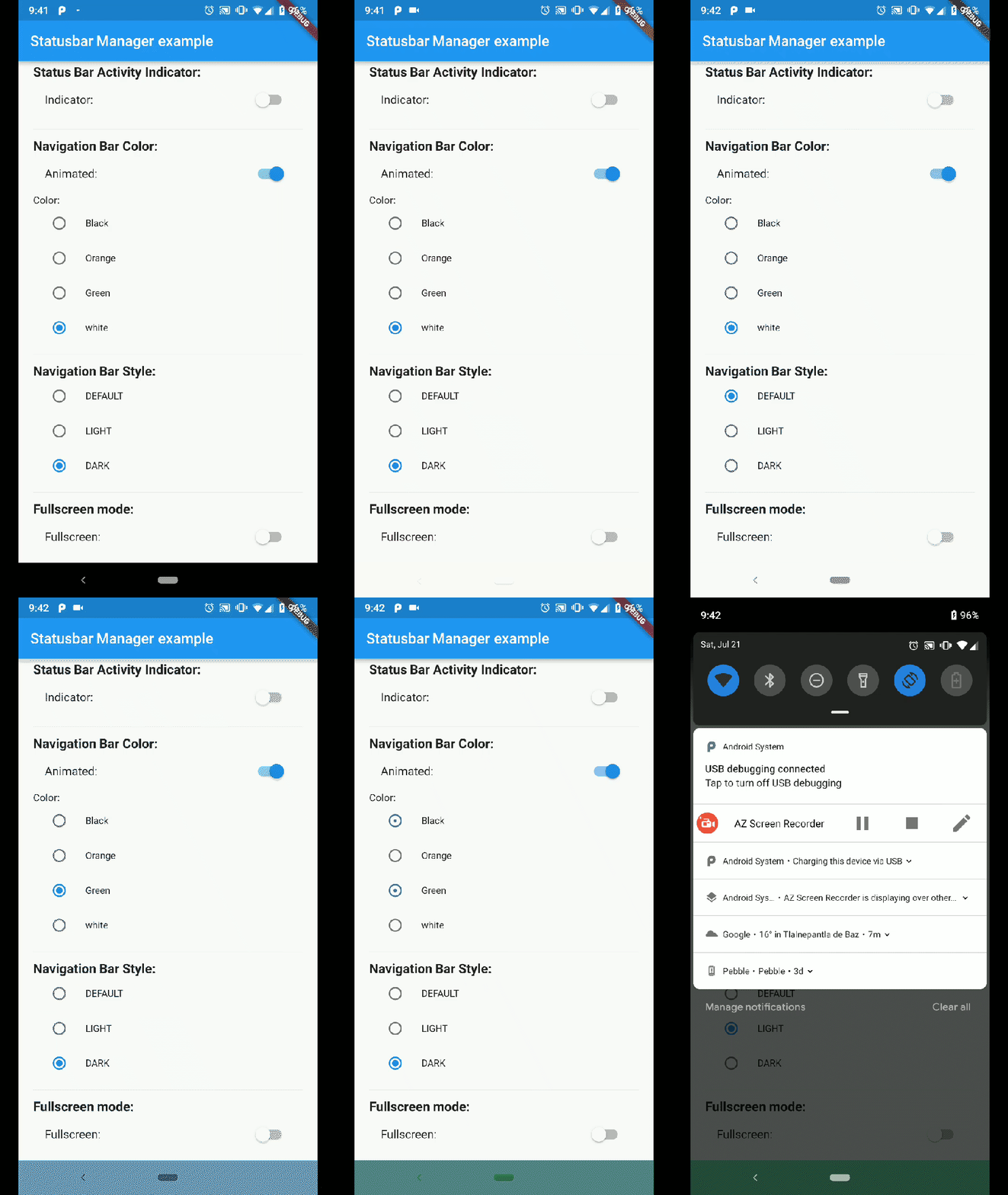
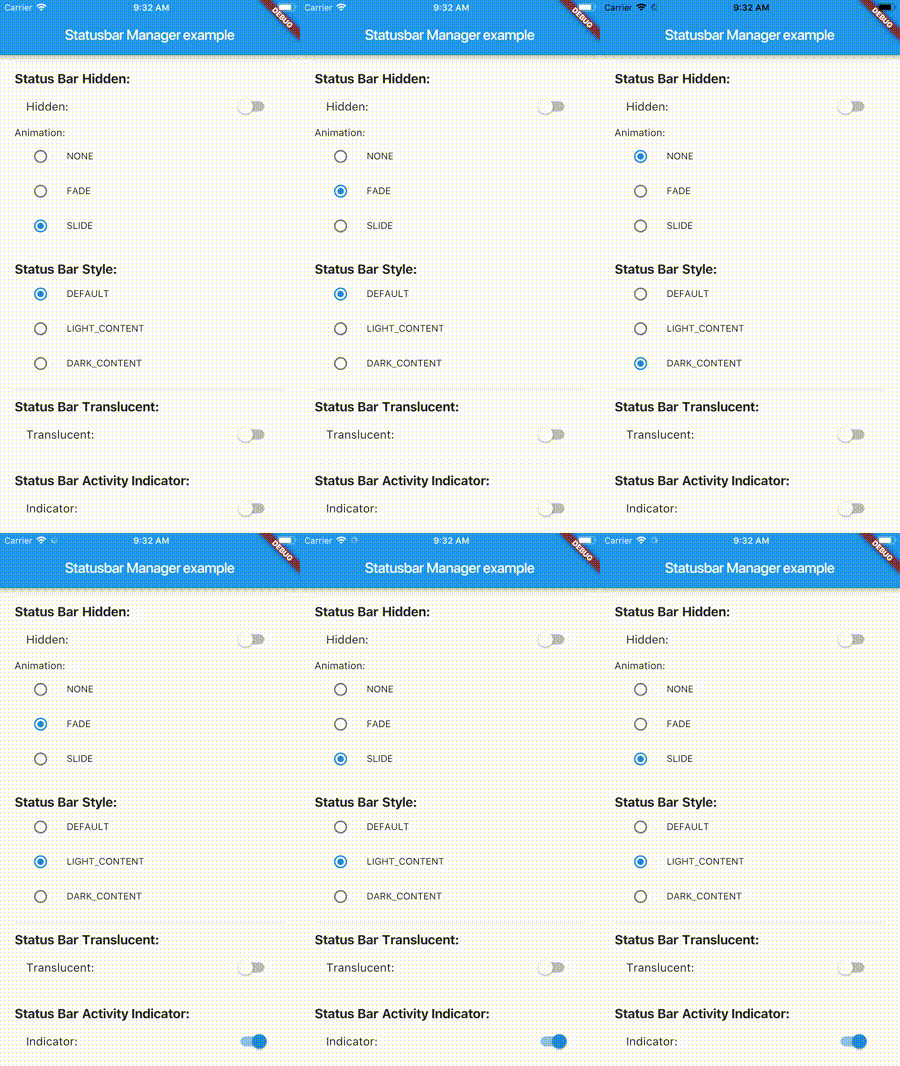
flutter_statusbar_manager : ^lastest_version
to your pubspec.yaml ,and run
flutter packages get
in your project's root directory.
Create a new project with command
flutter create myapp
On iOS add the following in your Info.plist:
<key>UIViewControllerBasedStatusBarAppearance</key>
<false/>
Import the plugin in lib/main.dart like this:
import 'package:flutter_statusbar_manager/flutter_statusbar_manager.dart';
The setColor method will set the status bar background color. On iOS the method will always return a successful Future.
| Parameter | Type | Default | Required | Description |
|---|---|---|---|---|
| color | Color |
none | Yes | The color to be set as background, can use colors with opacity. |
| animated | bool |
false | No | Whether or not to animate the color change. |
await FlutterStatusbarManager.setColor(Colors.green, animated:true);
The setTranslucent method will set the status bar translucent status. On iOS the methods will always return a successful Future.
| Parameter | Type | Default | Required | Description |
|---|---|---|---|---|
| translucent | bool |
none | Yes | Whether or not the status bar will be translucent. |
await FlutterStatusbarManager.setTranslucent(true);
The setHidden will hide the status bar.
| Parameter | Type | Default | Required | Description |
|---|---|---|---|---|
| hidden | bool |
none | Yes | Whether or not to hide the status bar. |
| animation | StatusBarAnimation |
StatusBarAnimation.NONE | No | The hiding animation to use (iOS only). |
await FlutterStatusbarManager.setHidden(true, animation:StatusBarAnimation.SLIDE);
The setStyle method will set the status bar theme.
| Parameter | Type | Default | Required | Description |
|---|---|---|---|---|
| style | StatusBarStyle |
none | Yes | The status bar theme to use for styling, can either be light, dark, default. |
await FlutterStatusbarManager.setStyle(StatusBarStyle.DARK_CONTENT);
The setNetworkActivityIndicatorVisible method will show or hide the activity indicator, On Android the method will always return a successful Future.
| Parameter | Type | Default | Required | Description |
|---|---|---|---|---|
| visible | bool |
none | Yes | Whether or not to show the activity indicator. |
await FlutterStatusbarManager.setNetworkActivityIndicatorVisible(true);
The getHeight getter method will return the height of the status bar.
double height = await FlutterStatusbarManager.getHeight
The setNavigationBarColor method will set the navigation bar background color. On iOS the method will always return a successful Future.
| Parameter | Type | Default | Required | Description |
|---|---|---|---|---|
| color | Color |
none | Yes | The color to be set as background. |
| animated | bool |
false | No | Whether or not to animate the color change. |
await FlutterStatusbarManager.setNavigationBarColor(Colors.green, animated:true);
The setNavigationBarStyle method will set the navigation bar theme.
| Parameter | Type | Default | Required | Description |
|---|---|---|---|---|
| style | NavigationBarStyle |
none | Yes | The navigation bar theme to use for styling, can either be light, dark, default. |
await FlutterStatusbarManager.setNavigationBarStyle(NavigationBarStyle.DARK);
The setFullscreen method will set the app in fullscreen mode.
| Parameter | Type | Default | Required | Description |
|---|---|---|---|---|
| fullscreen | bool |
none | Yes | Whether or not to set the app on fullscreen mode. |
await FlutterStatusbarManager.setNavigationBarStyle(NavigationBarStyle.DARK);
Compatibility: Android (6.0+) & iOS
On Android, it will only work with Android 6.0 (Marshmallow) and above devices.
Compatibility: Android only
Android 5.0 (Lollipop) and above: color
Android 8.0 (Oreo) and above: style (dark/light)
依賴清單 2 項
{"sdk":"flutter"}{"sdk":"flutter"}先依使用情境篩選,再比較專案活躍情況,最後到原始儲存庫確認使用要求。
“A repository is the most basic element of GitHub.”
GitHub Docs — About repositories ↗