
flutter-samples
使用 Stream 的範例應用程式集合

- 星標
- 315
- 分支
- 129
- 最近推送(UTC)
- 2026年7月8日
- 專案狀態
- 未封存
原始 README
以下為英文專案原文快照,最新內容請造訪 GitHub。
Stream Flutter Samples
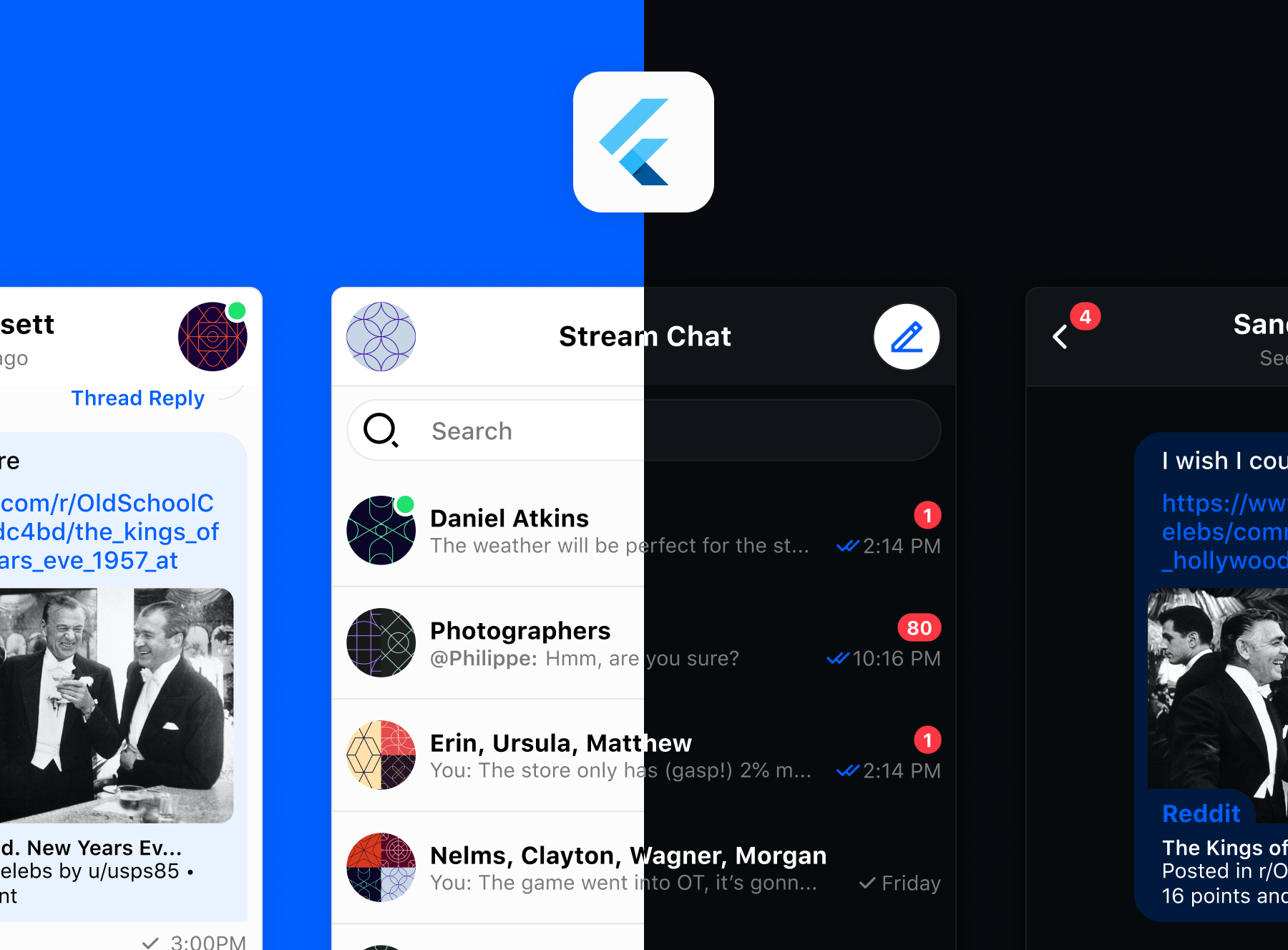
😎 Repo Overview
This repo contains official Stream projects, guides, links to helpful resources, and excellent tutorials and samples developed by the Flutter community.
Quick Links
Chat:
- Flutter Chat Tutorial
- Flutter Chat SDK Repo
- Flutter Chat Client Documentation
- Flutter Chat UI Documentation and Helpful Guides
- Chat UI Kit
Feeds:
🔎 Official Samples and Tutorials
| 🔮 Official Samples | |
|---|---|
Stream Chat Sample ApplicationA fully fledged messaging application, demoing everything you can do with Stream Chat Flutter, using our UI package.• Maintained to support the latest version of the SDK • Combination of pre-made widgets and custom widgets • Light & dark themes • Localization • Multiple users accounts • Message search and filtering • Create private and group chats • View @mentions • View pinned messages, files, photos and videos • Base Stream Chat functionality > Source Code |
 |
| ⚙️ Tutorials | |
Stream Chat Flutter Core Application> YouTube Tutorial PlaylistAn ongoing, beginner friendly, series, demoing how to use the Stream Chat Flutter Core package for lower level control and customization options. • Custom UI components • Lower level client integration • Light & dark themes • Multiple users accounts • Firebase Authentication • Firebase Cloud Functions to generate user tokens • Create private chats > Source Code |
 |
Instagram Clone> YouTube Tutorial> Written Tutorial A tutorial showing how to use Stream Feed Flutter to create an Instagram clone using activity feeds. • Instagram-like animations and transitions • Light & dark themes • Add and change profile pictures • Multiple users accounts • State management with Provider • Application architecture • Add photo posts to your own user feed (activities) • Follow/Unfollow other users' feeds • Add comments and likes (reactions) > Source Code |
|
iMessage Clone> Written TutorialThis tutorial shows how to use Stream Chat Flutter Core to create a basic chat application, styled similar to iMessage. • Custom chat bubbles with a custom painter • Core chat components • Sending attachments • Chat functionality • List all channels > Source Code |
 |
Chess Game in Chat> Written TutorialA fun tutorial showing you how customizable Stream Chat Flutter is by adding a chess game to your chat app. • Custom Stream Chat Attachments • Two player, or group match • Sending attachments • Base chat functionality • Updating messages/attachments > Source Code |
 |
| ⚙️ Codelabs | |
Animated Stickers And Reactions With Rive> CodelabAdd animated reactions and stickers to your chat application using Rive. • Rive animations • Custom attachments • Custom reactions > Source Code |
 |
Chat Guides
See here for all our chat guides.
These guides explore our UI components in greater detail and demonstrate how to easily perform a variety of common actions using the Stream Chat Flutter SDK, such as:
- Adding Push Notifications
- Adding Localization
- Adding Custom Attachments - Location Sharing
- Token Generation With Firebase Auth and Cloud Functions
- Adding Chat To Video Livestreams
- Adding Local Data Persistence
- Understanding Filters
- End To End Chat Encryption
Chat Tutorials
Chat tutorials that go into greater detail on certain topics:
- Add Peer-to-Peer Payment Integration With Stream and Rapyd
- Send Voice Messages
- Location Sharing
- Conversational AI with HuggingFace and DialogGPT
What is Stream?
Stream allows developers to rapidly deploy scalable feeds and chat messaging with an industry-leading 99.999% uptime SLA guarantee.
With Stream's chat components, developers quickly add chat to their app for a variety of use-cases:
- Livestreams like Twitch or Youtube
- In-Game chat like Overwatch or Fortnite
- Team style chat like Slack
- Messaging style chat like Whatsapp or Facebook's messenger
- Commerce chat like Drift or Intercom
📕 Historic Projects
These projects are not actively maintained. They were developed using older versions of our packages and Flutter.
- Stream Chatty Stream Chatty is a sample chat app made in Flutter using Stream Chat, Firebase, and flutter_bloc. It has full light and dark mode support, real-time chat, and full authentication using Firebase auth.
🛠 Requirements
Before running this project, please ensure Flutter is installed and configured on your machine. If you're new to Flutter, please check out the official guide with installation instructions for your OS.
📈 Contributing
- How can I submit a sample app?
- Apps submissions are always welcomed! 🥳 Open a pr with a proper description, and we'll review it as soon as possible
- Spot a bug 🕷?
- We welcome code changes that improve the apps or fix a problem. Please follow all best practices and add tests if applicable before submitting a Pull Request on Github.

Stream ↗
分類
所在榜單
如何選擇適合專案的儲存庫?
先依使用情境篩選,再比較專案活躍情況,最後到原始儲存庫確認使用要求。
- 透過儲存庫名稱、作者或描述搜尋,再依技術分類縮小範圍。
- 綜合星標、分支與最近推送比較專案;星標反映社群關注,不保證品質。
- 使用前在 GitHub 確認 README、授權條款與 Issues。
來源與維護
“A repository is the most basic element of GitHub.”
GitHub Docs — About repositories ↗