

 v0.3.0
avoid_keyboard
此套件可實現方便的鍵盤避讓。可用於為特定檢視區域啟用鍵盤避讓,而不需壓縮整個檢視。
26喜歡 957近 30 天下載150Pub 分數
AndroidiOSWebmacOSWindowsLinux
一個讓 Flutter 應用中的鍵盤避讓變得更簡單的套件。

以下為英文專案原文快照,最新內容請造訪 GitHub。

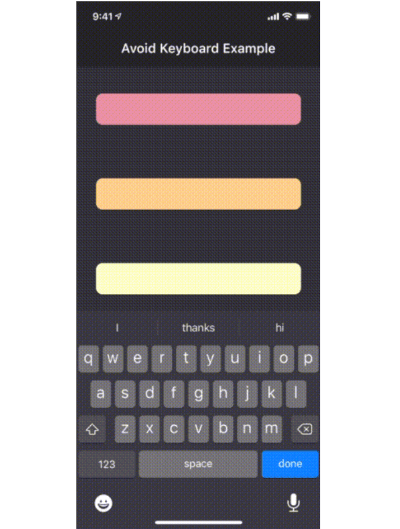
The avoid_keyboard package includes a widget (AvoidKeyboard) in which you can wrap your text fields and other input controls, such that they will scroll out of the way when the keyboard pops up. Using this widget has an advantage over using the default Scaffold behavior, in that you can specify exactly which areas of your app will scroll in response to the keyboard, rather than having your entire viewport compressed (which won't work anyway for fixed height columns).
Another advantage, is that AvoidKeyboard will only shift its contents in the case that the keyboard is actually overlapping the focused input control.

To get started, simply wrap the input controls (along with any surrounding portion of the widget tree which should move out of the way):
class AvoidKeyboardExample extends StatelessWidget {
  @override
  Widget build(BuildContext context) {
    return AvoidKeyboard(
      child: Column(
        children: [
          TextField(),
          TextField(),
        ],
      ),
    );
  }
}
Having done this, the view will now scroll out of the way when the keyboard overlaps an active control.
依賴清單 3 項
^1.1.0{"sdk":"flutter"}{"sdk":"flutter"}先依使用情境篩選,再比較專案活躍情況,最後到原始儲存庫確認使用要求。
“A repository is the most basic element of GitHub.”
GitHub Docs — About repositories ↗