
 v1.1.6
linkfy_text
一個輕量級的 Flutter 套件,用於將包含 URL、電子郵件和主題標籤的文本連結化,效果類似於 Twitter。
194喜歡 2100近 30 天下載140Pub 分數
AndroidiOSWebmacOSWindowsLinux
一個輕量級的 Flutter 套件,用於將包含 URL、電子郵件和標籤的文本轉換為可點擊連結
以下為英文專案原文快照,最新內容請造訪 GitHub。
Lightweight flutter package that detects linkable patterns(urls, emails, hashtags, etc) in a text and makes them clickable. It also allows you to customize the style of the linkified text and the link itself. It also allows you to choose what type of link to linkify in a text.¬


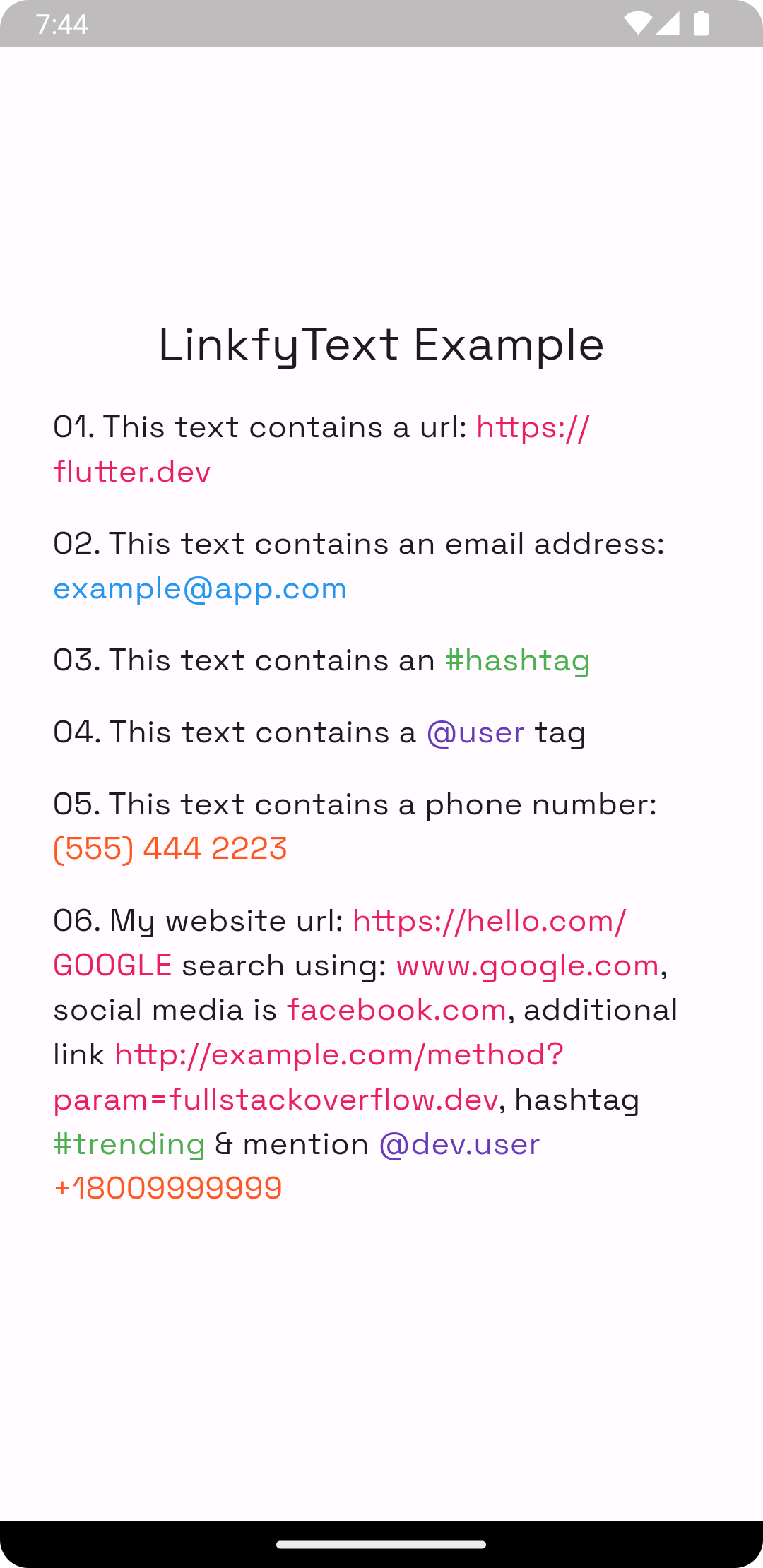
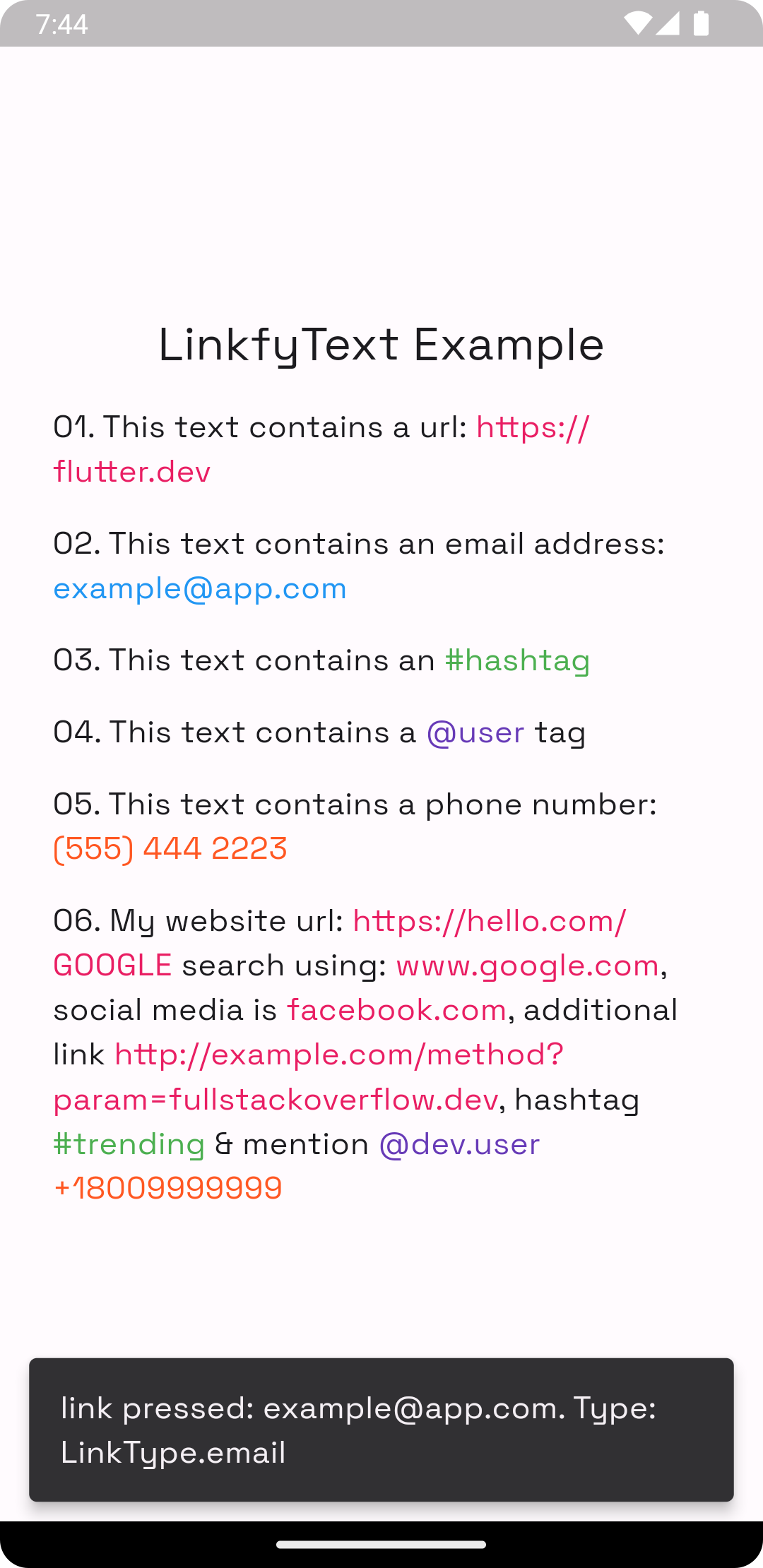
To use this package, add linkfy_text as a dependency in your pubspec.yaml file.
Example:
// first import the package
import 'package:linkfy_text/linkify_text.dart';

Container(
    child: LinkifyText(
    "This text contains a url: https://flutter.dev",
    linkStyle: TextStyle(color: Colors.blue),
    onTap: (link) {
        /// do stuff with `link`
        },
    );
)
Be default, The above snippet would linkify all urls in the string, you can choose what type of link to linkify by passing the LinkTypes parameter
Container(
    child: LinkifyText(
    "This text contains a url: https://flutter.dev and #flutter",
    linkStyle: TextStyle(color: Colors.blue),
    LinkTypes: [LinkType.url, LinkType.hashtag]
    onTap: (link) {
        /// do stuff with `link` like
        /// if(link.type == Link.url) launchUrl(link.value);
        },
    );
)
| Parameter | Type | Description |
|---|---|---|
textStyle |
TextStyle |
style applied to the text |
linkStyle |
TextStyle |
style applied to the linkified text. defaults to textStyle |
LinkTypes |
List<LinkType> |
a list of LinkType used to override the links to be linkified in a text either a url, hashtag or email. defaults to [LinkTypes.url] |
onTap |
Function(Link) |
function called when a link is pressed |
| Parameter | Type | Description |
|---|---|---|
type |
Link |
the link type either url, email or hashtag, @mention |
value |
String |
value the link holds |
Feel free to contribute to this project.
If you find a bug or want a feature, but don't know how to fix/implement it, please fill an issue.
If you fixed a bug or implemented a feature, please send a pull request.

先依使用情境篩選,再比較專案活躍情況,最後到原始儲存庫確認使用要求。
“A repository is the most basic element of GitHub.”
GitHub Docs — About repositories ↗