
 v0.0.2
flutter_awesome_bottom_sheet
快速輕鬆地顯示酷炫的底部表單作為確認對話框。
26喜歡 31近 30 天下載125Pub 分數
AndroidiOSWebmacOSWindowsLinux
快速輕鬆地顯示酷炫的底端表單作為確認對話框

{"sdk":"flutter"}{"sdk":"flutter"}^2.0.0以下為英文專案原文快照,最新內容請造訪 GitHub。
Add flutter_awesome_bottom_sheet: <later-version> to your pubspec.yaml dependencies. And import it:
import 'package:flutter_awesome_bottom_sheet/flutter_awesome_bottom_sheet.dart';
create object
final AwesomeBottomSheet _awesomeBottomSheet = AwesomeBottomSheet();
Simple Awesome Sheet
 _awesomeBottomSheet.show(
      context: context,
      title: const Text("Lorem Ipsum"),
      description: const Text("Flutter Awesome Bottom sheet content here..."),
      color: CustomSheetColor(
        mainColor: const Color(0xff2979FF),
        accentColor: const Color(0xff0D47A1),
        iconColor: Colors.white,
      ),
      positive: AwesomeSheetAction(
        onPressed: () {
          Navigator.of(context).pop();
        },
        title: 'CANCEL',
      ),
    );
 _awesomeBottomSheet.show(
     ...
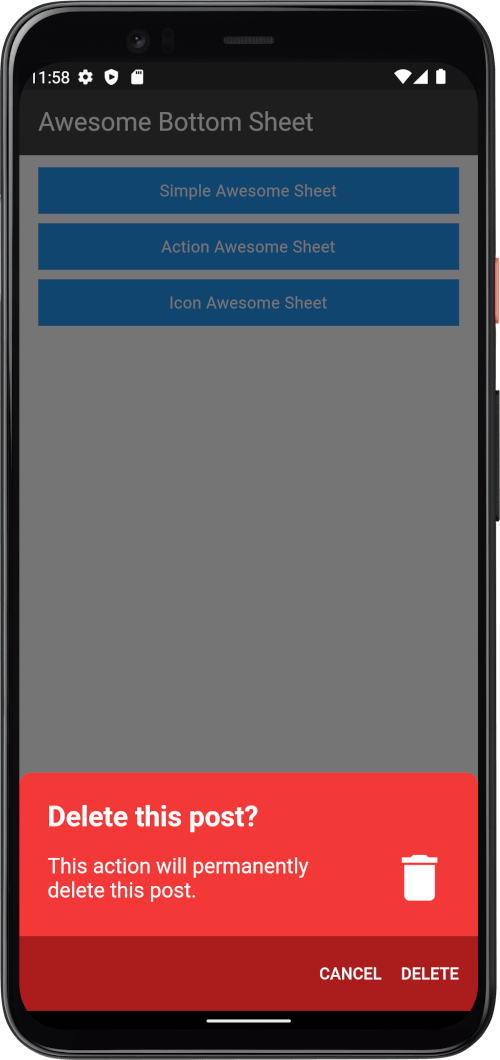
      positive: AwesomeSheetAction(
        onPressed: () {
          Navigator.of(context).pop();
        },
        title: 'DELETE',
      ),
      negative: AwesomeSheetAction(
        onPressed: () {
          Navigator.of(context).pop();
        },
        title: 'CANCEL',
      ),
    );
Add Icons in content and action button
 _awesomeBottomSheet.show(
     ...
      icon: Icons.signal_cellular_connected_no_internet_4_bar,
      positive: AwesomeSheetAction(
        onPressed: () {
          Navigator.of(context).pop();
        },
        title: 'OPEN SETTING',
        icon: Icons.settings,
      ),
      negative: AwesomeSheetAction(
        onPressed: () {
          Navigator.of(context).pop();
        },
        title: 'CANCEL',
      ),
    );
 _awesomeBottomSheet.show(
      ...
      color: CustomSheetColor(
        mainColor: Colors.white,
        accentColor: const Color(0xff5A67D8),
        iconColor: const Color(0xff5A67D8),
      ),
      ...
    );
| Simple | Action | Icon |
|---|---|---|
| simple | action | icon |