
v2.6.0
path_provider_foundation
path_provider 插件的 iOS 與 macOS 實作
9喜歡 802萬近 30 天下載160Pub 分數
iOSmacOS
一個簡單的新聞閱讀器,用於 miniflux 後端(https://miniflux.app)。

path_provider 插件的 iOS 與 macOS 實作
 v10.1.0
官方擴展影像,支援佔位符(載入中)/失敗狀態,快取網路,縮放/平移,相簿檢視,滑出頁面,編輯器(裁切、旋轉、翻轉)、繪圖等。
一個為 Android 提供 Cronet HTTP 客戶端存取權限的 Flutter 外掛程式。
一個用於觀察 ScrollView 中顯示的子組件相關資料的組件。
 v2.3.2+8
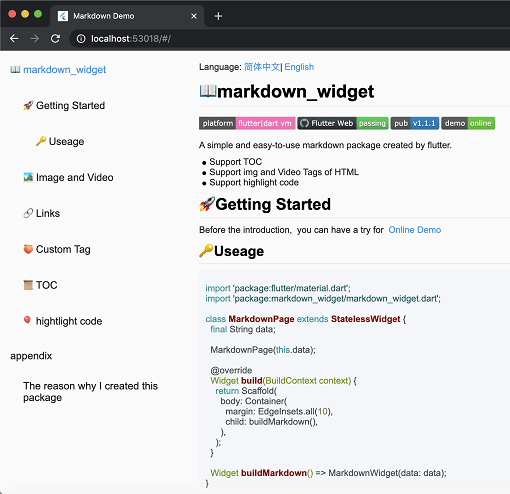
一個新的 markdown 套件。支援目錄(TOC)功能、程式碼強調,並支援所有平台。
SliverList 和 ListView 的即插即用取代品,可處理具有變動範圍的大清單,並支援跳轉/動畫至特定項目。
 v1.6.5
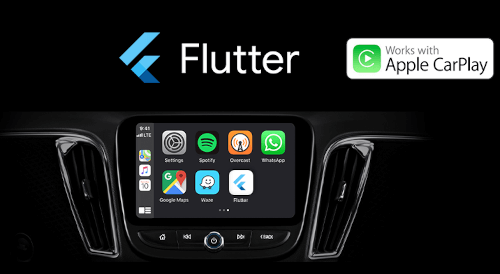
Flutter 應用現在已支援 Apple CarPlay 與 Android Auto。此套件旨在透過與 CarPlay 或 Android Auto 整合,讓使用 Flutter 所開發的應用在車上使用時更為安全。
為您的應用設定 iOS 音訊會話類別與 Android 音訊屬性,並管理應用的音訊焦點、混合與音量降低行為。
一個用於將 HTML 轉換為 Markdown 的程式庫。它支援 CommonMark、簡單表格和自訂轉換規則。
一個使用 pubspec.yaml/lock 檔案產生詳細且更好的開源許可證清單的工具。
 v2.2.7
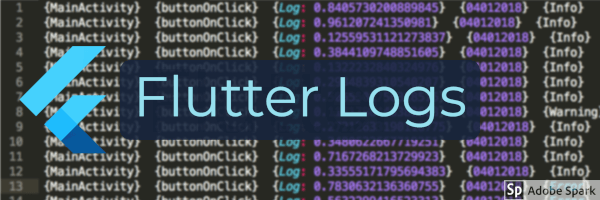
適用於 Flutter 應用的全面基於檔案的日誌框架。(支援 ELK 堆疊)
{"sdk":"flutter"}{"sdk":"flutter"}^1.0.5^6.0.5^1.8.2^1.1.0^0.15.2^0.20.2^10.3.1^11.0.0^0.14.3^2.2.19^6.1.10^1.2.1^2.0.5^3.0.2^2.0.5^1.9.0^2.6.2^13.1.0^2.5.3^2.0.15^10.2.1^12.0.0-beta.5^1.8.0^1.21.0^0.4.1^4.0.0^2.4.2^1.3.2^2.3.2+8^10.0.1^2.5.1^4.0.9^2.9.0^0.10.5^0.18.18^0.2.3^7.1.1^1.3.0^0.9.1^0.10.7^0.30.2{"sdk":"flutter"}^6.0.0^5.4.0^2.3.3^2.3.5以下為英文專案原文快照,最新內容請造訪 GitHub。
A privacy-first Newsreader and Podcast player for the Miniflux backend (https://miniflux.app).
Flux News synchronizes seamlessly with the Miniflux API to bring your favorite articles and podcasts to all your devices - including your car.
Enjoy full offline support, intuitive gestures, a true OLED black mode, and a powerful new media engine for an uninterrupted listening experience.
Flux News requires Miniflux version >= 2.0.29.
The unread articles should appear in the app.
https://raw.githubusercontent.com/KevinCFechtel/FluxNews/HEAD/metadata/en-US/images/phoneScreenshots/screenshot1.png https://raw.githubusercontent.com/KevinCFechtel/FluxNews/HEAD/metadata/en-US/images/phoneScreenshots/screenshot2.png https://raw.githubusercontent.com/KevinCFechtel/FluxNews/HEAD/metadata/en-US/images/phoneScreenshots/screenshot3.png https://raw.githubusercontent.com/KevinCFechtel/FluxNews/HEAD/metadata/en-US/images/phoneScreenshots/screenshot4.png https://raw.githubusercontent.com/KevinCFechtel/FluxNews/HEAD/metadata/en-US/images/phoneScreenshots/screenshot5.png https://raw.githubusercontent.com/KevinCFechtel/FluxNews/HEAD/metadata/en-US/images/phoneScreenshots/screenshot6.png https://raw.githubusercontent.com/KevinCFechtel/FluxNews/HEAD/metadata/en-US/images/phoneScreenshots/screenshot7.png https://raw.githubusercontent.com/KevinCFechtel/FluxNews/HEAD/metadata/en-US/images/phoneScreenshots/screenshot8.png
https://raw.githubusercontent.com/KevinCFechtel/FluxNews/HEAD/metadata/en-US/images/sevenInchScreenshots/screenshot1.png https://raw.githubusercontent.com/KevinCFechtel/FluxNews/HEAD/metadata/en-US/images/sevenInchScreenshots/screenshot4.png https://raw.githubusercontent.com/KevinCFechtel/FluxNews/HEAD/metadata/en-US/images/sevenInchScreenshots/screenshot6.png
Flux News aims to be accessible to everyone. If you would like to help translate the app into your language, or improve existing translations, you can easily do so via the Hosted Weblate instance.
No coding required! You can contribute directly in your browser:
We deeply appreciate every contribution that helps bring Flux News to a wider audience. If your language is not yet listed on Weblate and you would like to start a new translation, please open an issue or let us know!
This program is free software: you can redistribute it and/or modify it under the terms of the Modified BSD License.
This program is distributed in the hope that it will be useful, but WITHOUT ANY WARRANTY; without even the implied warranty of MERCHANTABILITY or FITNESS FOR A PARTICULAR PURPOSE. See the Modified BSD License for more details.