

 v0.0.6
number_pad_keyboard
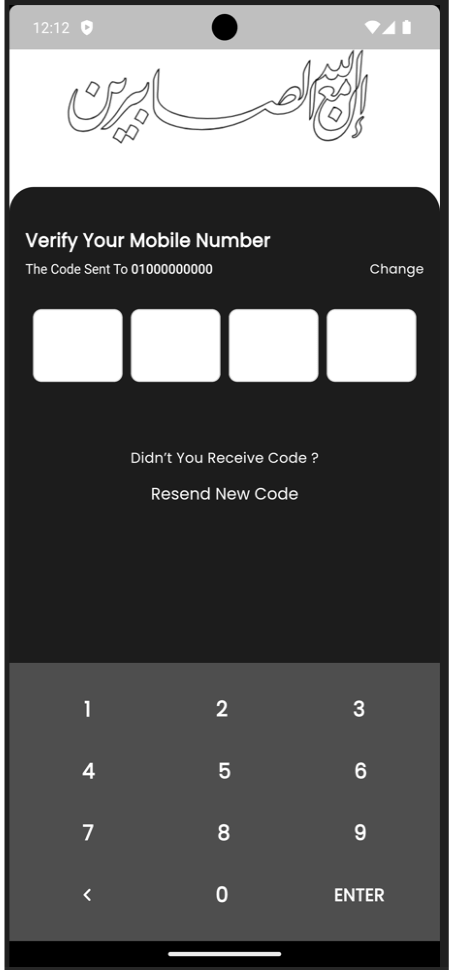
一個 Flutter 套件,提供可自訂的數字鍵盤,用於輸入 PIN 碼或數位輸入。它包含數字和按鈕的自訂樣式等功能。
90喜歡 52近 30 天下載160Pub 分數
AndroidiOSWebmacOSWindowsLinux
一個 Flutter 套件,提供可自訂的數字鍵盤,用於輸入 PIN 碼或數值輸入。它包含數字和按鈕的自訂樣式等功能。

以下為英文專案原文快照,最新內容請造訪 GitHub。
A Flutter package that provides a customizable number pad keyboard widget for entering PIN codes or numeric input.
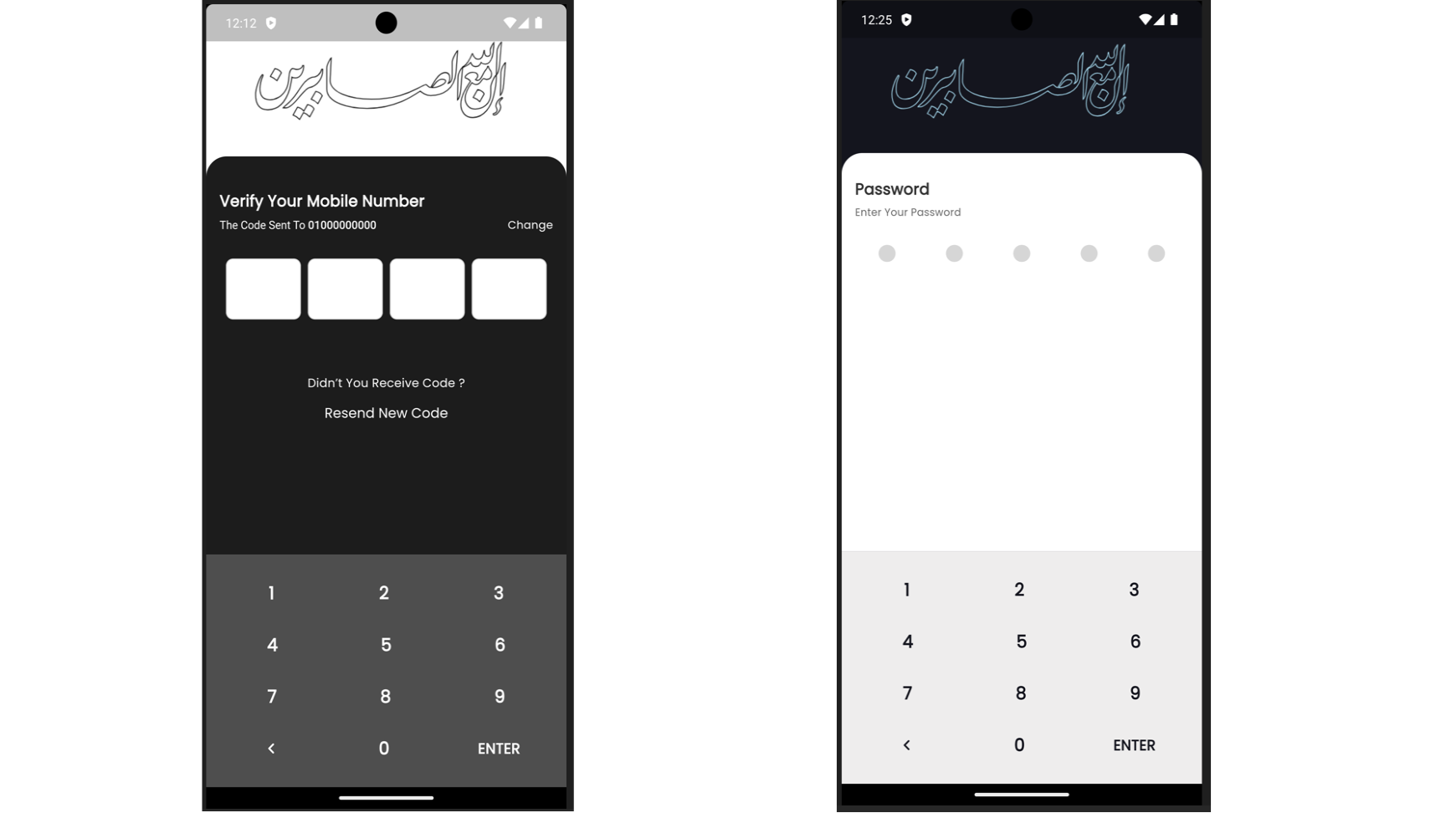
Add the following dependency to your pubspec.yaml file:
dependencies:
  number_pad_keyboard: ^1.0.0
To use the Number Pad Keyboard widget in your Flutter project, import it as follows:
import 'package:number_pad_keyboard/number_pad_keyboard.dart';
import 'package:flutter/material.dart';
import 'package:number_pad_keyboard/number_pad_keyboard.dart';

void main() {
  runApp(
    const MyApp(),
  );
}

class MyApp extends StatelessWidget {
  const MyApp({super.key});

  @override
  Widget build(BuildContext context) {
    return MaterialApp(
      title: 'Number Pad Keyboard Example',
      theme: ThemeData(
        primarySwatch: Colors.blue,
      ),
      home: const MyHomePage(),
    );
  }
}

class MyHomePage extends StatefulWidget {
  const MyHomePage({super.key});

  @override
  _MyHomePageState createState() => _MyHomePageState();
}

class _MyHomePageState extends State<MyHomePage> {
  final TextEditingController _textController = TextEditingController();

  void _addDigit(int digit) {
    if (_textController.text.length < 10) {
      setState(() {
        _textController.text = _textController.text + digit.toString();
      });
    }
  }

  void _backspace() {
    if (_textController.text.isNotEmpty) {
      setState(() {
        _textController.text =
            _textController.text.substring(0, _textController.text.length - 1);
      });
    }
  }

  @override
  Widget build(BuildContext context) {
    return Scaffold(
      appBar: AppBar(
        title: const Text('Number Pad Keyboard Example'),
      ),
      body: SizedBox(
        width: double.infinity,
        child: Column(
          mainAxisAlignment: MainAxisAlignment.end,
          children: <Widget>[
            Padding(
              padding: const EdgeInsets.all(20.0),
              child: TextFormField(
                controller: _textController,
                decoration: const InputDecoration(
                  border: OutlineInputBorder(),
                  labelText: 'PIN Code',
                ),
                readOnly: true,
                textAlign: TextAlign.center,
                style: const TextStyle(fontSize: 24.0),
              ),
            ),

            const SizedBox(height: 200.0,),

            NumberPadKeyboard(
              addDigit: _addDigit,
              backspace: _backspace,
              enterButtonText: 'ENTER',
              onEnter: () {
                debugPrint('PIN Code: ${_textController.text}');
              },
            ),
          ],
        ),
      ),
    );
  }
}
依賴清單 3 項
{"sdk":"flutter"}{"sdk":"flutter"}^3.0.0先依使用情境篩選,再比較專案活躍情況,最後到原始儲存庫確認使用要求。
“A repository is the most basic element of GitHub.”
GitHub Docs — About repositories ↗