

v12.0.7
util_simple_3d
Sp3dObj 的實用工具。包含 3D 幾何產生工具及其他功能。
28喜歡 175近 30 天下載160Pub 分數
AndroidiOSWebmacOSWindowsLinux
Sp3dObj 的實用工具。

以下為英文專案原文快照,最新內容請造訪 GitHub。
(en)Japanese ver is here.
(ja)日本語版はここにあります。
This package is a set of utilities for Sp3dObj (simple_3d package). It currently includes utilities that make it easy to generate geometry and a simple set of materials.
import 'package:simple_3d/simple_3d.dart';
import 'package:util_simple_3d/util_simple_3d.dart';

Sp3dObj obj = UtilSp3dGeometry.capsule(50, 250);
import 'package:simple_3d/simple_3d.dart';
import 'package:util_simple_3d/util_simple_3d.dart';

Sp3dObj obj = UtilSp3dGeometry.cube(200,200,200,4,4,4);
obj.materials.add(FSp3dMaterial.green.deepCopy());
obj.fragments[0].faces[0].materialIndex=1;
Sp3dObj obj = UtilSp3dGeometry.tile(200, 200, 4, 4);
obj.materials[0] = FSp3dMaterial.grey.deepCopy()..strokeColor=Color.fromARGB(255, 0, 255, 0);
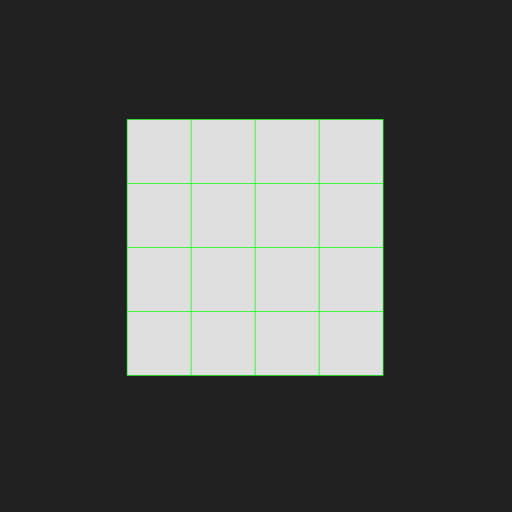
Sp3dObj obj = UtilSp3dGeometry.cube(200,200,200,4,4,4);
obj.materials.add(FSp3dMaterial.green.deepCopy());
obj.fragments[0].faces[0].materialIndex=1;
obj.materials[0] = FSp3dMaterial.grey.deepCopy()..strokeColor=Color.fromARGB(255, 0, 0, 255);
obj.rotate(Sp3dV3D(1,1,0).nor(), 30*3.14/180);
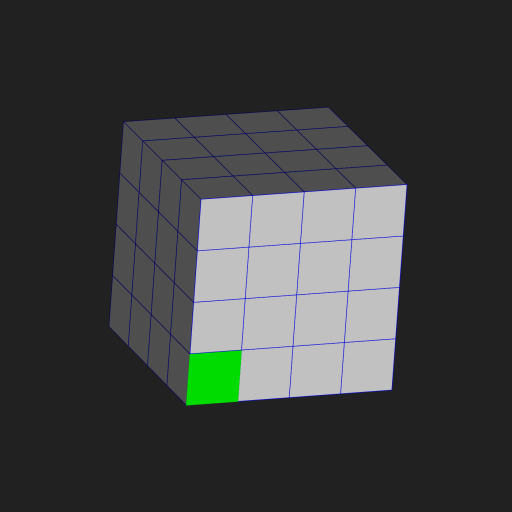
Sp3dObj obj = UtilSp3dGeometry.circle(100, fragments: 20);
obj.materials[0] = FSp3dMaterial.grey.deepCopy()..strokeColor=Color.fromARGB(255, 0, 255, 0);
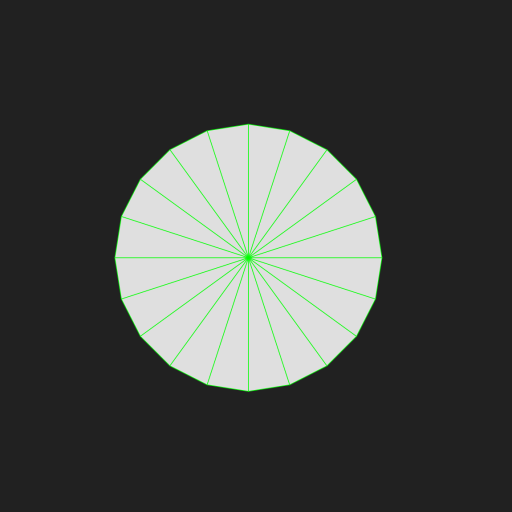
Sp3dObj obj = UtilSp3dGeometry.cone(100, 200);
obj.materials[0] = FSp3dMaterial.grey.deepCopy()..strokeColor=Color.fromARGB(255, 0, 255, 0);
obj.rotate(Sp3dV3D(1, 0, 0), -100*3.14/180);
obj.move(Sp3dV3D(0, -100, 0));
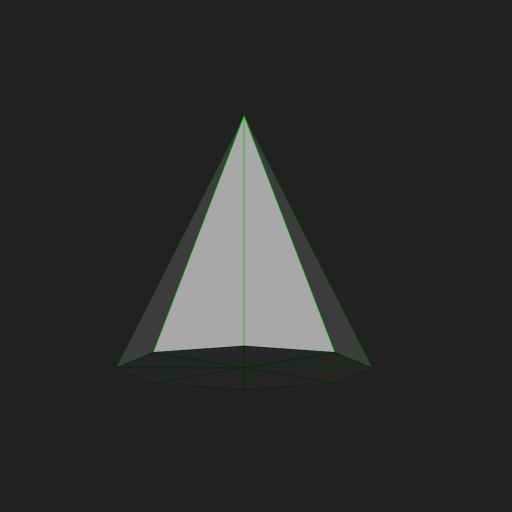
Sp3dObj obj = UtilSp3dGeometry.pillar(50, 50, 200);
obj.materials[0] = FSp3dMaterial.grey.deepCopy()..strokeColor=Color.fromARGB(255, 0, 255, 0);
obj.rotate(Sp3dV3D(1, 0, 0), -120*3.14/180);
obj.move(Sp3dV3D(0, -100, 0));
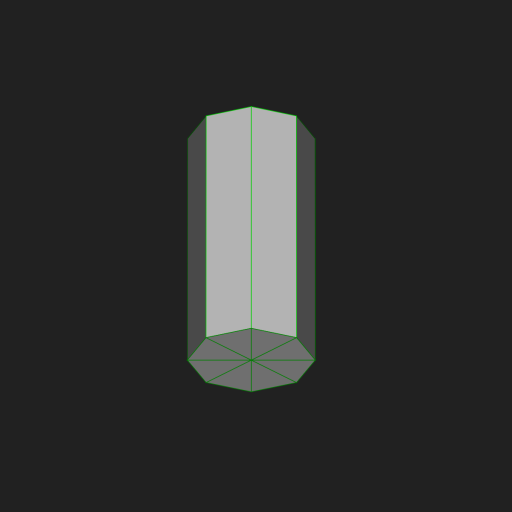
Sp3dObj obj = UtilSp3dGeometry.sphere(100);
obj.materials[0] = FSp3dMaterial.grey.deepCopy()..strokeColor=Color.fromARGB(255, 0, 255, 0);
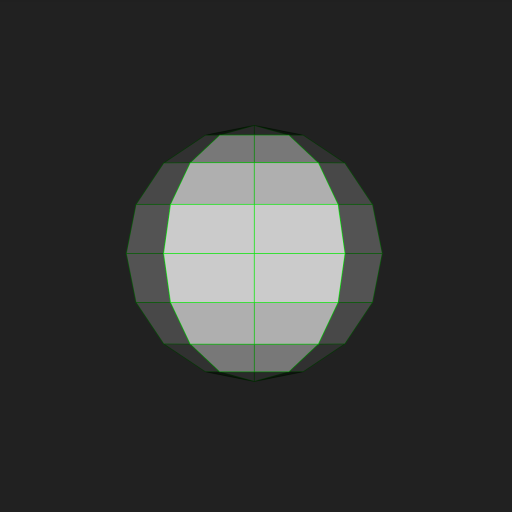
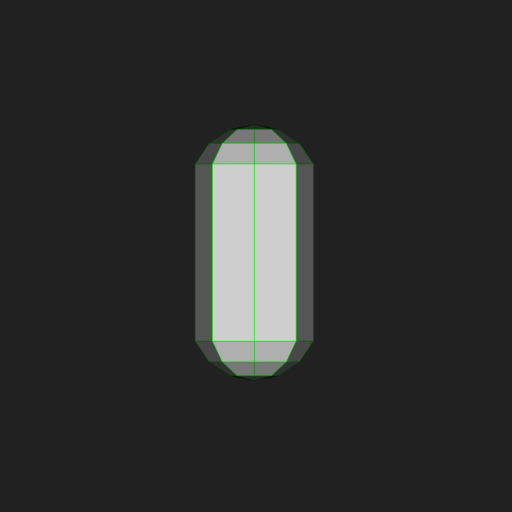
Sp3dObj obj = UtilSp3dGeometry.capsule(50,200);
obj.materials[0] = FSp3dMaterial.grey.deepCopy()..strokeColor=Color.fromARGB(255, 0, 255, 0);
obj.move(Sp3dV3D(0, 100, 0));
Sp3dObj obj = UtilSp3dGeometry.cube(200,200,200,4,4,4);
obj.materials.add(FSp3dMaterial.greenWire.deepCopy());
obj.fragments[0].faces[0].materialIndex = 1;
obj.materials[0] = FSp3dMaterial.blueWire.deepCopy();
obj.rotate(Sp3dV3D(-0.2,0.5,0).nor(), 15*3.14/180);
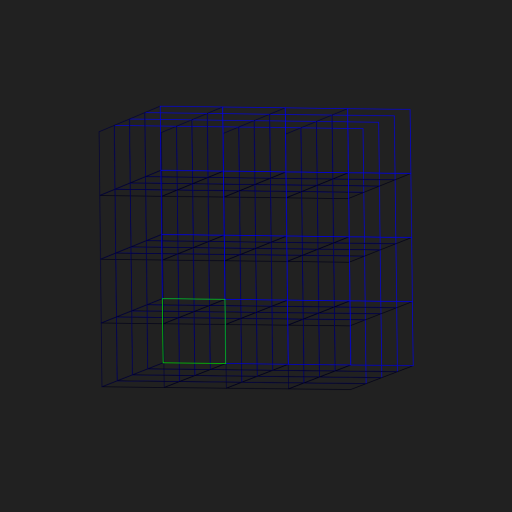
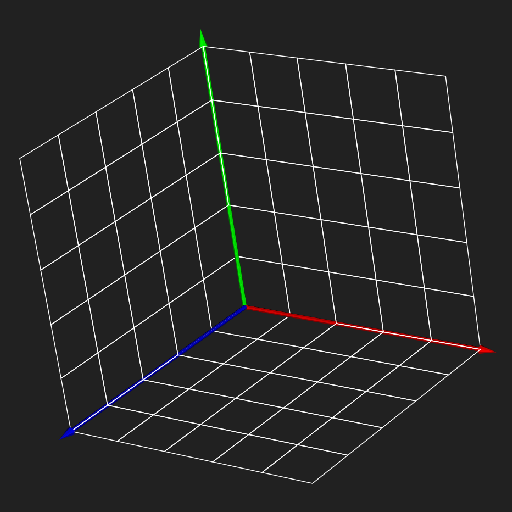
List<Sp3dObj> objs = UtilSp3dCommonParts.coordinateArrows(255);
objs.addAll(UtilSp3dCommonParts.worldMeshes(255));
If you need paid support for any reason, please contact my company.
This package is developed by me personally, but may be supported via the company.
SimpleAppli Inc.
Some geometry may be added in the future.
Utilities are prefixed with "Util".
Static field definition files are prefixed with "F".
These are set up for easy calling from the IDE.
The C part will be changed at the time of version upgrade.
This software is released under the MIT License, see LICENSE file.
依賴清單 4 項
{"sdk":"flutter"}^17.1.0{"sdk":"flutter"}^2.0.0先依使用情境篩選,再比較專案活躍情況,最後到原始儲存庫確認使用要求。
“A repository is the most basic element of GitHub.”
GitHub Docs — About repositories ↗