

v0.0.2
spear_menu
一個 Flutter 箭頭下拉選單外掛。支援 iOS 與 Android。
38喜歡 12近 30 天下載40Pub 分數
平台暫無資料
Mohanraj153/flutter_spear_menu open-source repository details.

以下為英文專案原文快照,最新內容請造訪 GitHub。
A spear dropdown menu plugin. The Spear Menu widget is built to be below placed in the button or Icon widget, replacing the FloatingActionButton widget.
it's possible to set anywhere in scaffold.
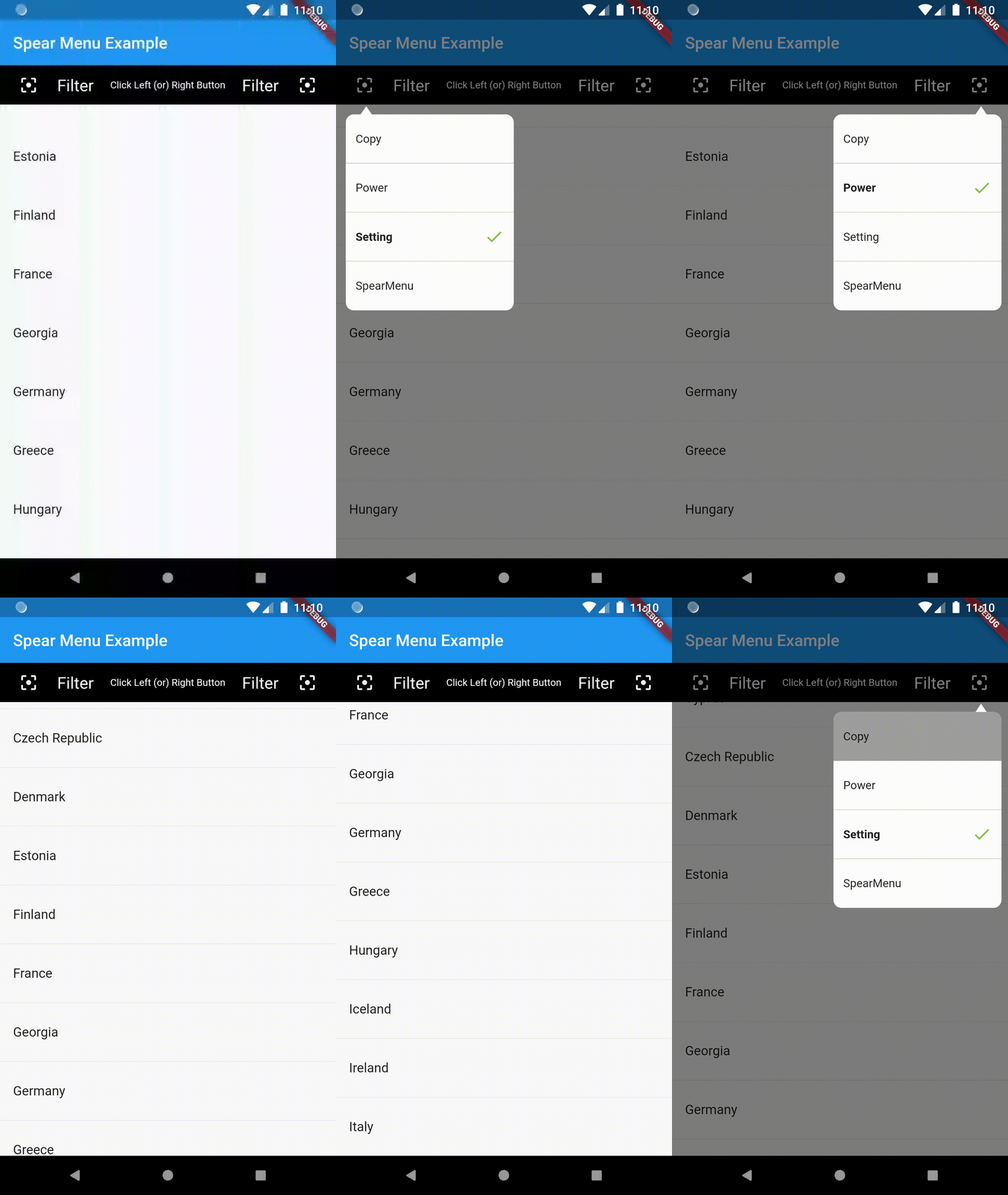
Example Usage (complete with all params):
You can find the demo at the 'example' folder.
First, you should set the context at somewhere in you code. Like below:
PopupMenu.context = context;
import 'package:flutter/material.dart';
import 'package:popup_menu/popup_menu.dart';
import 'CustomData.dart';

void main() => runApp(MyApp());

class MyApp extends StatelessWidget {
  // This widget is the root of your application.
  @override
  Widget build(BuildContext context) {
    return MaterialApp(
      title: 'Flutter Demo',
      home: MyHomePage(title: 'Popup Menu Example'),
    );
  }
}

class MyHomePage extends StatefulWidget {
  MyHomePage({Key key, this.title}) : super(key: key);

  final String title;

  @override
  _MyHomePageState createState() => _MyHomePageState();
}

class _MyHomePageState extends State<MyHomePage> {
  PopupMenu menu;
  GlobalKey btnKey = GlobalKey();
  List<CustomData> menuList = new List<CustomData>();

  @override
  Widget build(BuildContext context) {
    PopupMenu.context = context;

    return Scaffold(
      appBar: AppBar(
        title: Text(widget.title),
      ),
      body: Container(
        alignment: Alignment.topLeft,
        child: Column(
          mainAxisAlignment: MainAxisAlignment.end,
          children: <Widget>[
            Container(
              child: MaterialButton(
                height: 10.0,
                key: btnKey,
                onPressed: menuData,
                child: Icon(Icons.menu,),
              ),
            )
          ],
        ),
      ),
    );
  }

  void menuData() {
    if(menuList.isEmpty){
      menuList.clear();
      menuList.add(CustomData('Copy', false));
      menuList.add(CustomData('Power', false));
      menuList.add(CustomData('Setting', true));
      menuList.add(CustomData('PopupMenu', false));
    }

    List<MenuItemProvider> setData = new List<MenuItemProvider>();
    setData.clear();
    for(var io in menuList){
      print("Result : " + io.name);
      setData.add(MenuItem(title: io.name, isActive: io.isShow));
    }

    PopupMenu menu = PopupMenu(
        //backgroundColor: Colors.teal,
        // lineColor: Colors.tealAccent,
        items: setData,

        onClickMenu: onClickMenu,
        stateChanged: stateChanged,
        onDismiss: onDismiss);
    menu.show(widgetKey: btnKey);
  }

  void onClickMenu(MenuItemProvider item) {
    menuList.map((element) {
      if(item.menuTitle == element.name){
        element.isShow = true;
      }else{
        element.isShow = false;
      }
    }).toList();

    print('Click menu -> ${item.menuTitle}');
  }

  void stateChanged(bool isShow) {
    print('menu is ${isShow ? 'showing' : 'closed'}');
  }

  void onDismiss() {
    print('Menu is dismiss');
  }

}
Please file an issue to send feedback or report a bug. Thank you!
Every pull request is welcome.
依賴清單 2 項
{"sdk":"flutter"}{"sdk":"flutter"}先依使用情境篩選,再比較專案活躍情況,最後到原始儲存庫確認使用要求。
“A repository is the most basic element of GitHub.”
GitHub Docs — About repositories ↗