

v1.0.1
system_fonts
一個用於在 Windows、MacOS 和 Linux 平台上載入系統字型的 Flutter 套件。
29喜歡 3090近 30 天下載150Pub 分數
AndroidiOSmacOSWindowsLinux
在 Flutter 應用中載入和使用桌面系統字體

以下為英文專案原文快照,最新內容請造訪 GitHub。
A Flutter package that allows users to easily load system fonts on Windows, MacOS, and Linux platforms.
pubspec.yaml file in the dependencies section:dependencies:
system_fonts: ^VERSION
Font family names are the font file name in the system without extensions.
For example to change font family of Text widget to arial(arial.ttf), use loadFont(String fontName) method with parameter arial,
this function will load arial.ttf file in the system and return font family name.
class Example extends StatefulWidget {
  const Example({super.key});

  @override
  State<Example> createState() => _ExampleState();
}

class _ExampleState extends State<Example> {
  String fontFamily = '';

  @override
  void initState() {
    super.initState();
    SystemFonts().loadFont('arial').then((value) {
      setState(() {
        fontFamily = value.toString();
      });
    });
  }

  @override
  Widget build(BuildContext context) {
    return Text('this text will use arial font', style: TextStyle(fontFamily: fontFamily));
  }
}
You can load all the fonts on the system with loadAllFonts() method which returns all the available font family names
and then you can use any font in any widget.
You can specify a font folder to load every font inside it and then use them in flutter with addAdditionalFontDirectory(String path) method.
You can add any font from full path with loadFontFromPath(String path) method.
You can list all available font family names to use with getFontList() method.
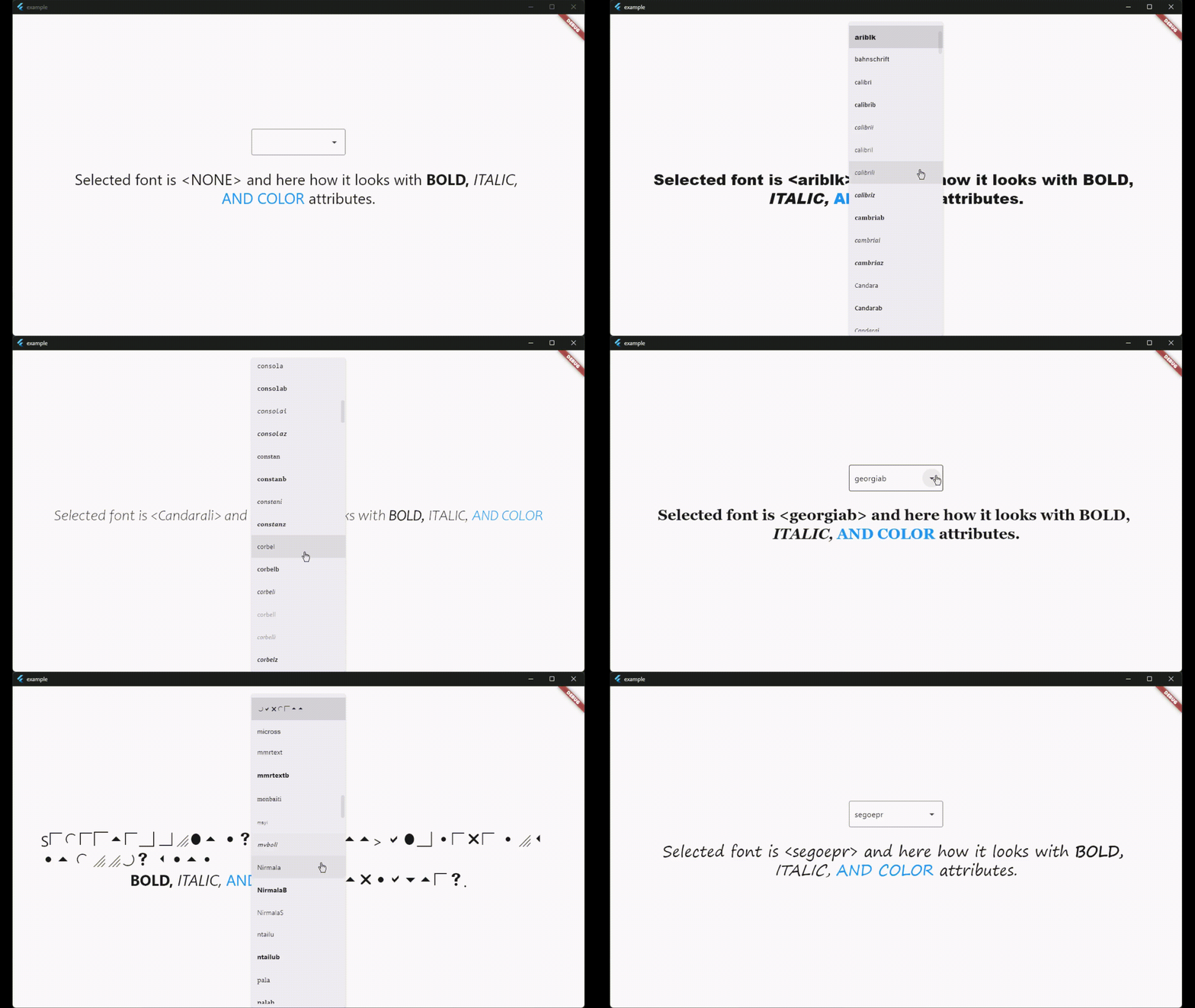
There is also a widget called SystemFontSelector() for list and select fonts and example app shows how to use it.
This package is licensed under the MIT License. See the LICENSE file for details.
依賴清單 4 項
{"sdk":"flutter"}^1.9.0{"sdk":"flutter"}^3.0.0先依使用情境篩選,再比較專案活躍情況,最後到原始儲存庫確認使用要求。
“A repository is the most basic element of GitHub.”
GitHub Docs — About repositories ↗