


v0.2.2
nenuphar_cli
由 Very Good CLI 創建的用於 Dart Frog 的 OpenAPI 生成 CLI。
29喜歡 61近 30 天下載130Pub 分數
AndroidiOSWebmacOSWindowsLinux
一個非常棒的 Dart CLI,用於為 Dart Frog 生成 openapi.json 檔案

以下為英文專案原文快照,最新內容請造訪 GitHub。


Nenuphar is a CLI application to generate Swagger UI OpenAPI definition files for your Dart Frog Server.
https://github.com/PiotrFLEURY/nenuphar_cli/assets/25879276/1590e803-7888-4fa0-8555-2f29f2035bd1

Dart Frog is a minimalistic backend framework for Dart.
To create a new Dart Frog backend project, run the following command:
dart pub global activate dart_frog_cli
dart_frog create <project name>
dart pub global activate nenuphar_cli
First you need to initialize your project by running the following command in the root of your project:
nenuphar init
This will create new file public/index.html. This file will be served statically by your Dart Frog server to expose your Swagger UI documentation.
Nenuphar scans your Dart Frog project to generate an OpenAPI definition file. Each route will generate the CRUD operations documentation for the exposed resource.
First create a Dart Frog route:
dart_frog new route "/todos"
Then generate the OpenAPI definition file
nenuphar gen
The openapi specification will be written in the public/openapi.json file.
This file is loaded by the public/index.html file to display the documentation.
You're now ready to start your Dart Frog server
dart_frog dev
Visit http://localhost:8080/index.html to see your documentation.
open http://localhost:8080/index.html
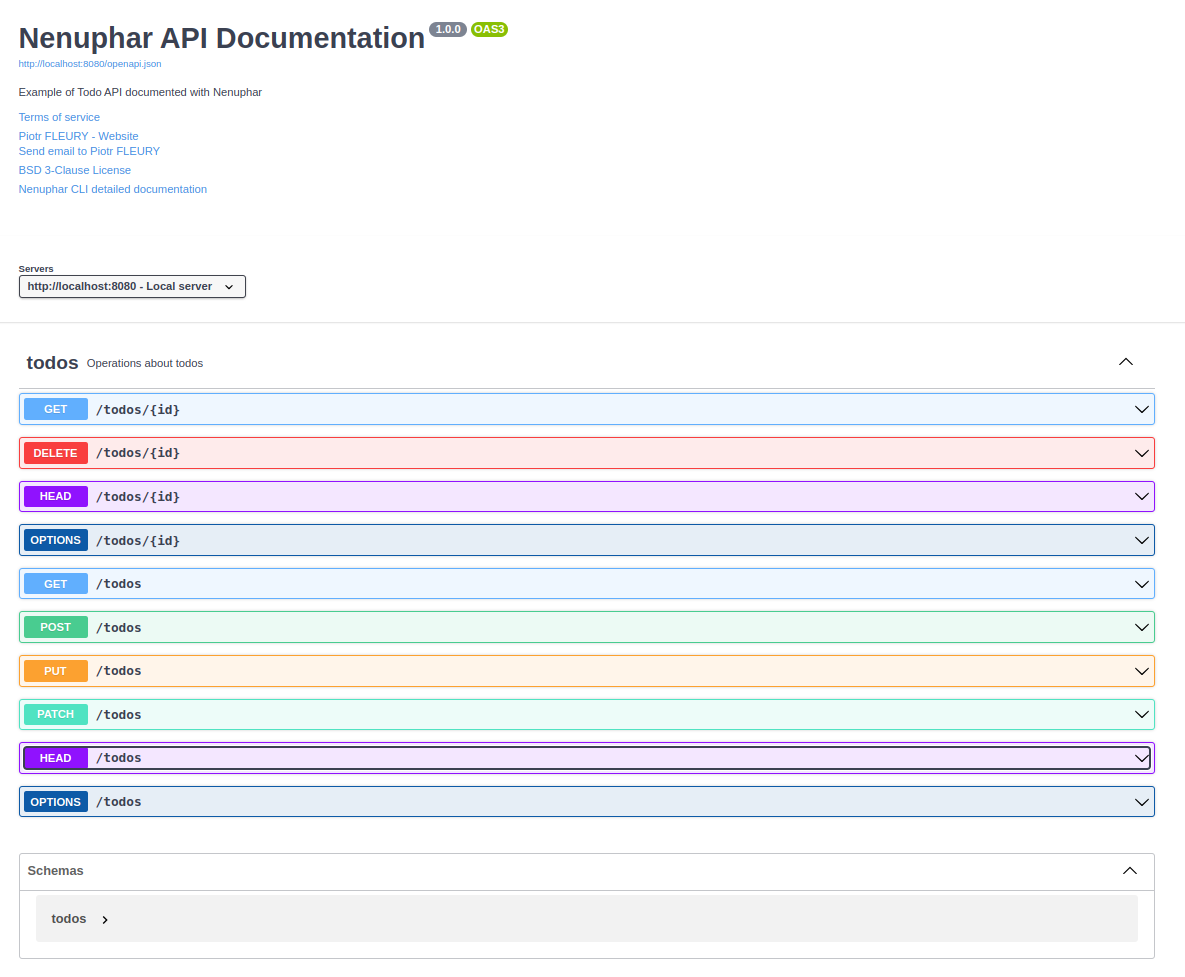
Thanks for using Nenuphar!
Please visit https://piotrfleury.github.io/nenuphar_cli/ for detailed documentation.
Generated by the Very Good CLI 🤖
依賴清單 13 項
^2.4.1>=0.3.0 <0.6.0>=6.1.4 <8.0.0^4.8.1^0.2.5>=0.3.0 <0.5.0^2.4.6^3.1.0^2.1.1^6.7.1^1.0.0^1.24.2^5.0.0先依使用情境篩選,再比較專案活躍情況,最後到原始儲存庫確認使用要求。
“A repository is the most basic element of GitHub.”
GitHub Docs — About repositories ↗