

v1.0.0
geojson
用於處理 GeoJSON 數據的工具。具備反應式 API 的解析器、搜尋與地理圍欄功能
63喜歡 1380近 30 天下載140Pub 分數
AndroidiOSmacOSWindowsLinux
Berlin-bike-theft-warning 是一個簡單的應用程式,可告知使用者在特定地點或點擊後被竊的自行車數量。

以下為英文專案原文快照,最新內容請造訪 GitHub。
Berlin-bike-theft-warning is a simple application which informs the user about the number of stolen bicycles either by location or by tapping.
It utilizes Riverpod/Provider for State Management and OSM Tiles.

flutter_riverpod for state managementhive as local databasehive_flutter extension for hivecsv converts csv to nested listsgeolocator handles realtime location in iOS and Androidflutter_maps A Dart implementation of Leaflet for Flutter apps.proj4dart needed for custom CRSData sources:
https://daten.berlin.de/datensaetze/fahrraddiebstahl-berlin
https://daten.odis-berlin.de/
https://daten.berlin.de/datensaetze/strassenverkehrsunf%C3%A4lle-nach-unfallort-berlin-2020
ANGELEGT_AM,TATZEIT_ANFANG_DATUM,TATZEIT_ANFANG_STUNDE,TATZEIT_ENDE_DATUM,TATZEIT_ENDE_STUNDE,LOR,SCHADENSHOEHE,VERSUCH,ART_DES_FAHRRADS,DELIKT,ERFASSUNGSGRUND


The button is color coded.
Green: more than 20 bike thefts below average.
Yellow: less than 20 bike thefts below/above average.
Red: more than 20 bike thefts above average.
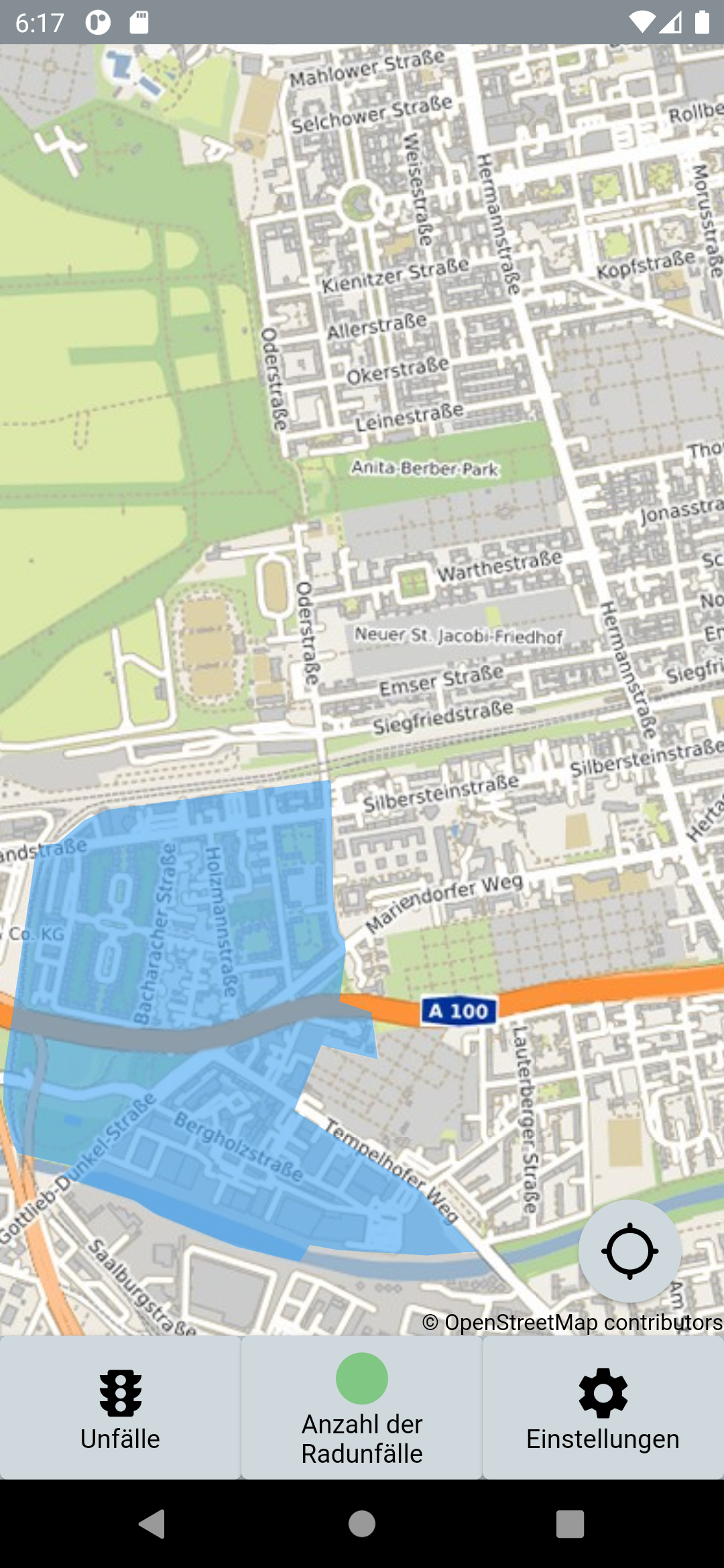

By pressing the button a bar chart will pop up.
TODO:
依賴清單 22 項
{"sdk":"flutter"}^0.14.0+4—^5.0.0—^2.0.3^0.17.0^2.0.4^1.1.0^7.0.3—^0.40.0^0.14.0—^1.0.0^1.0.0^1.0.2^2.0.7^2.0.0^1.0.2{"sdk":"flutter"}—先依使用情境篩選,再比較專案活躍情況,最後到原始儲存庫確認使用要求。
“A repository is the most basic element of GitHub.”
GitHub Docs — About repositories ↗