
SpringNote
SpringNote 是一款為懶人設計的筆記工具。只要隨手記下事情,AI 就會幫你整理零散的內容,讓記錄變得輕鬆無負擔。

- 星標
- 548
- 分支
- 51
- 最近推送(UTC)
- 2026年9月11日
- 專案狀態
- 未封存
原始 README
以下為英文專案原文快照,最新內容請造訪 GitHub。
 SpringNote


Why SpringNote
Writing down one thing is easy — but organizing many scattered notes together takes time, and it's why many people struggle to keep a consistent journaling habit.
SpringNote removes the organizing step: record your thoughts and daily moments anytime, and AI organizes them into daily, weekly, and monthly reports — turning scattered fragments into a complete whole automatically.
With "Memories", you can also search and chat with your past notes, bringing back anything you once wrote down.
SpringNote aims to make recording your life easier to stick with, with the help of AI.
Core Features
-
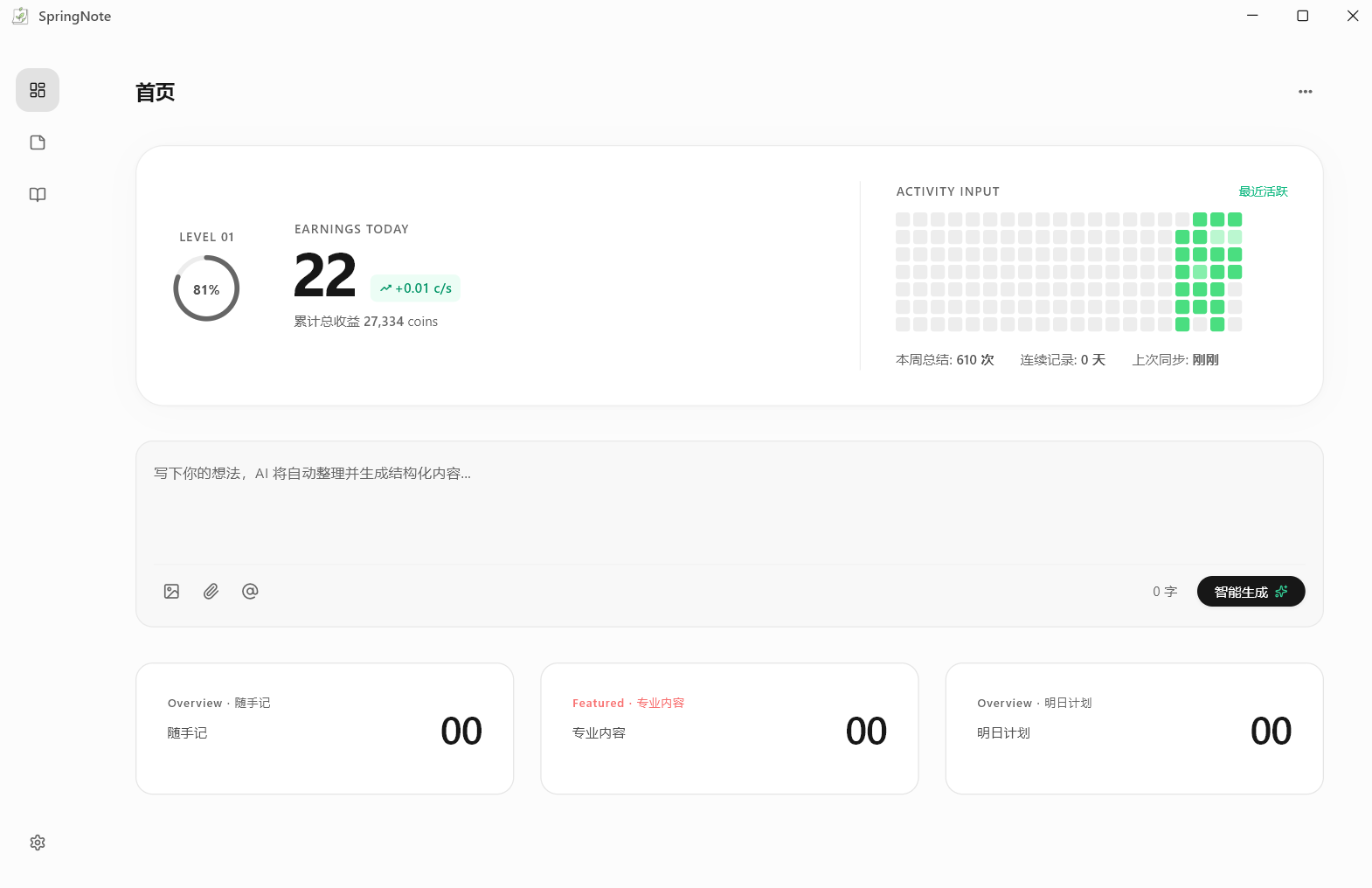
Home Dashboard: Workhorse level, earnings, activity heatmap, quick input box, and today's summary card.
-
AI-Powered Generation: Quickly jot down ideas on the home page, and AI automatically organizes them into structured content.
-
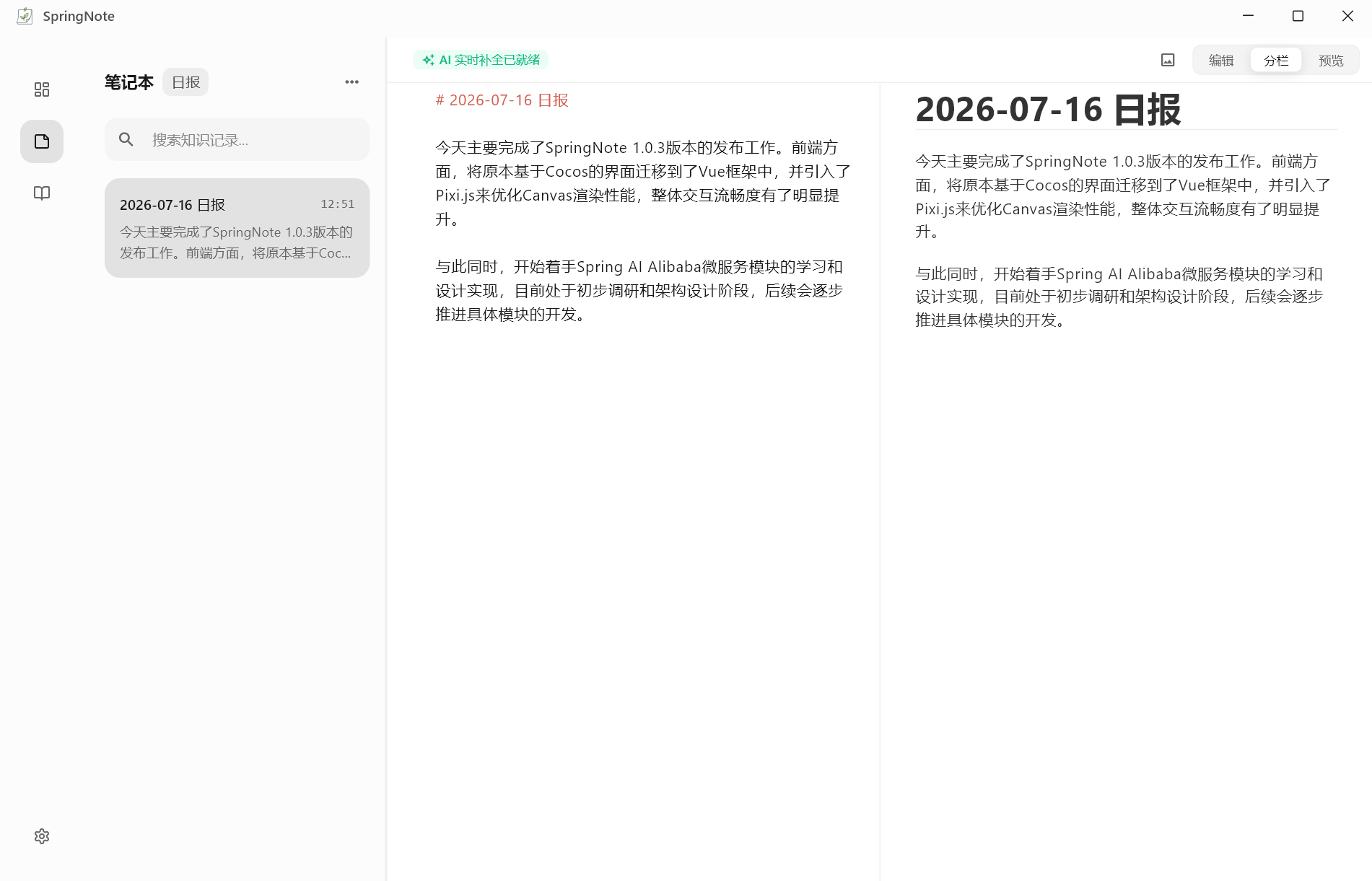
Note Editor: Supports daily, weekly, and monthly notes, with Markdown editing, preview, code block highlighting, and AI completion suggestions.
-
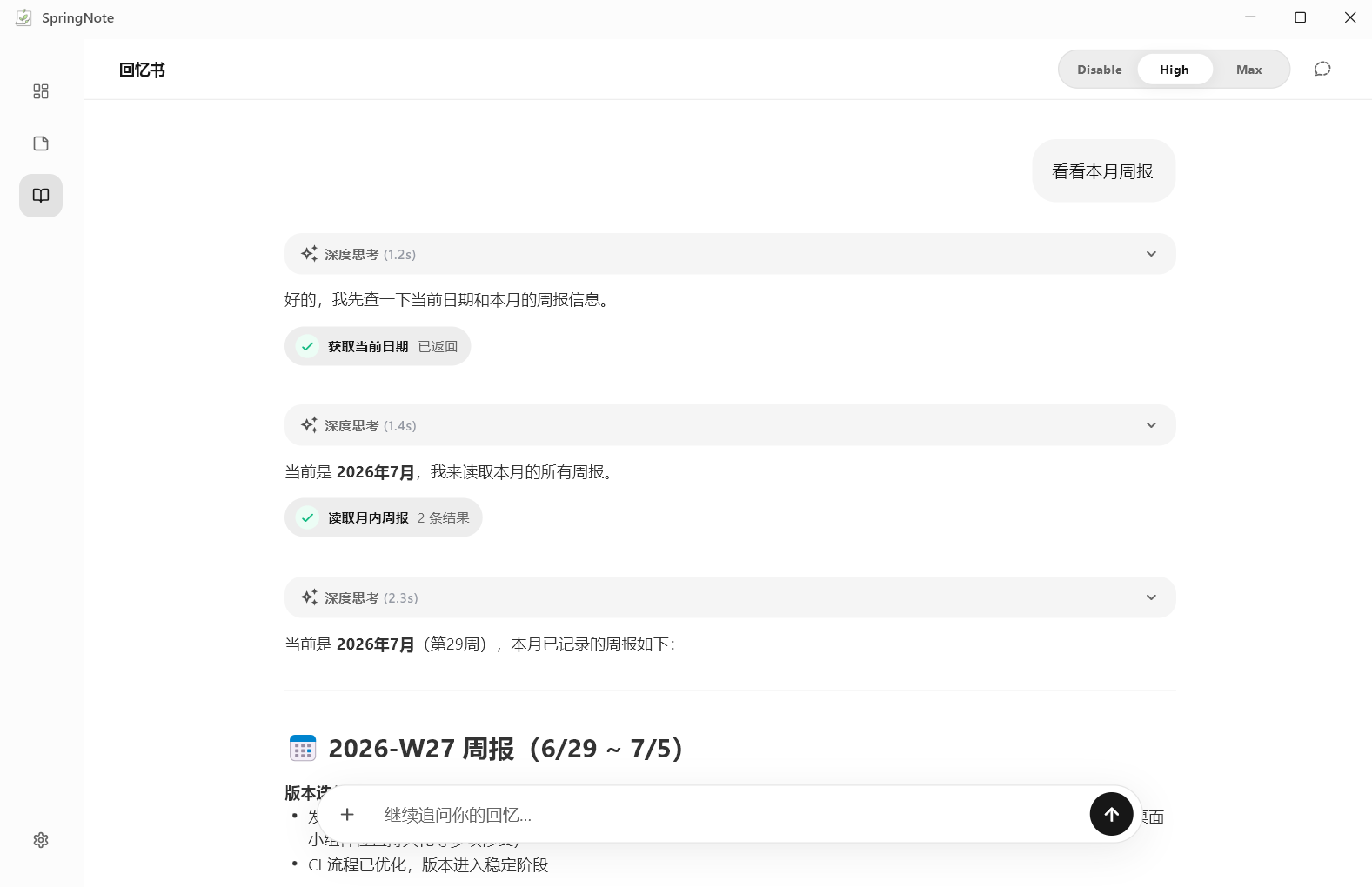
Memories Chat: Retrieve and organize your memories through conversation, with visible thinking process, tool call display, and Markdown rendering.
-
Automatic Report Generation: On startup, fills in missing weekly/monthly reports based on existing daily or weekly notes.
-
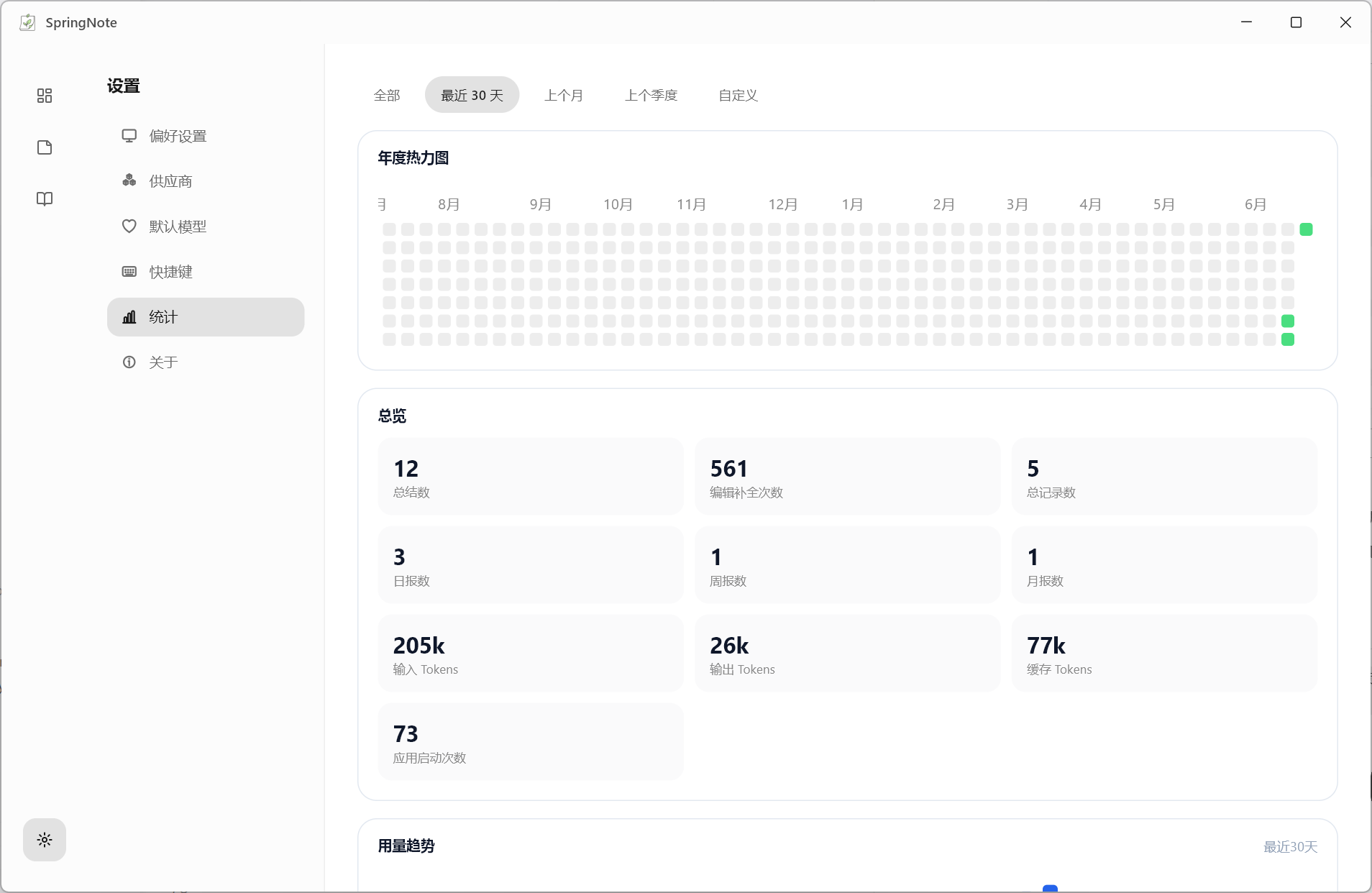
Statistics Panel: View records, activity, model calls, and data overviews across time ranges.
-
Workhorse Clock: Set a custom daily salary and work hours; your hourly rate is calculated automatically and shown as a desktop widget.

-
Polished Desktop Experience: Custom Windows title bar, system tray, launch on boot, global shortcuts, desktop status widget, and system font switching.
Quick Start
Download & Install
Download from GitHub
Go to the Releases page to download SpringNote.
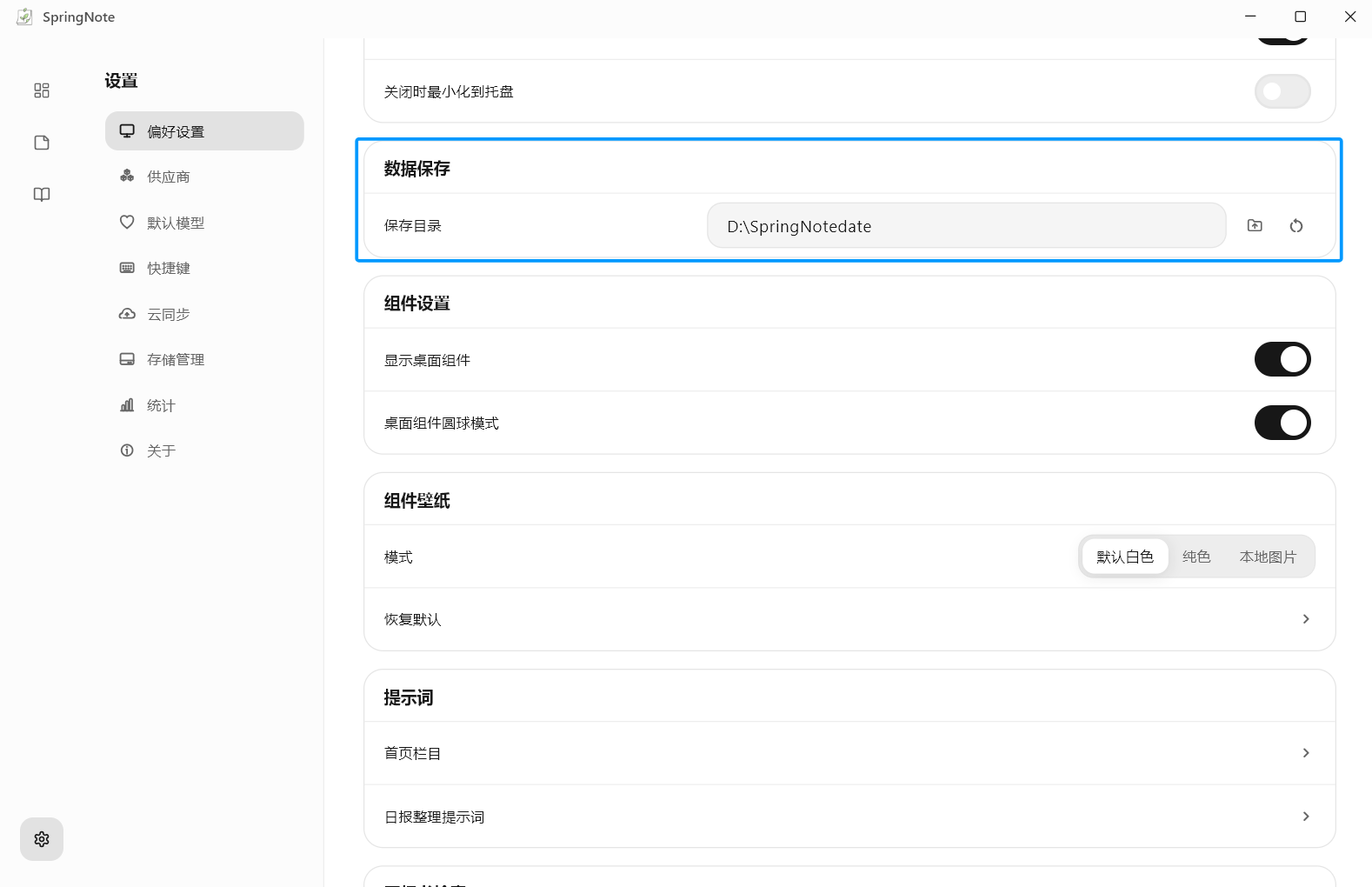
Step 1: Confirm the Data Directory
Before first use, confirm where your data will be stored. Daily, weekly, and monthly notes, images, and related configs are all saved around this directory.
Step 2: Configure AI
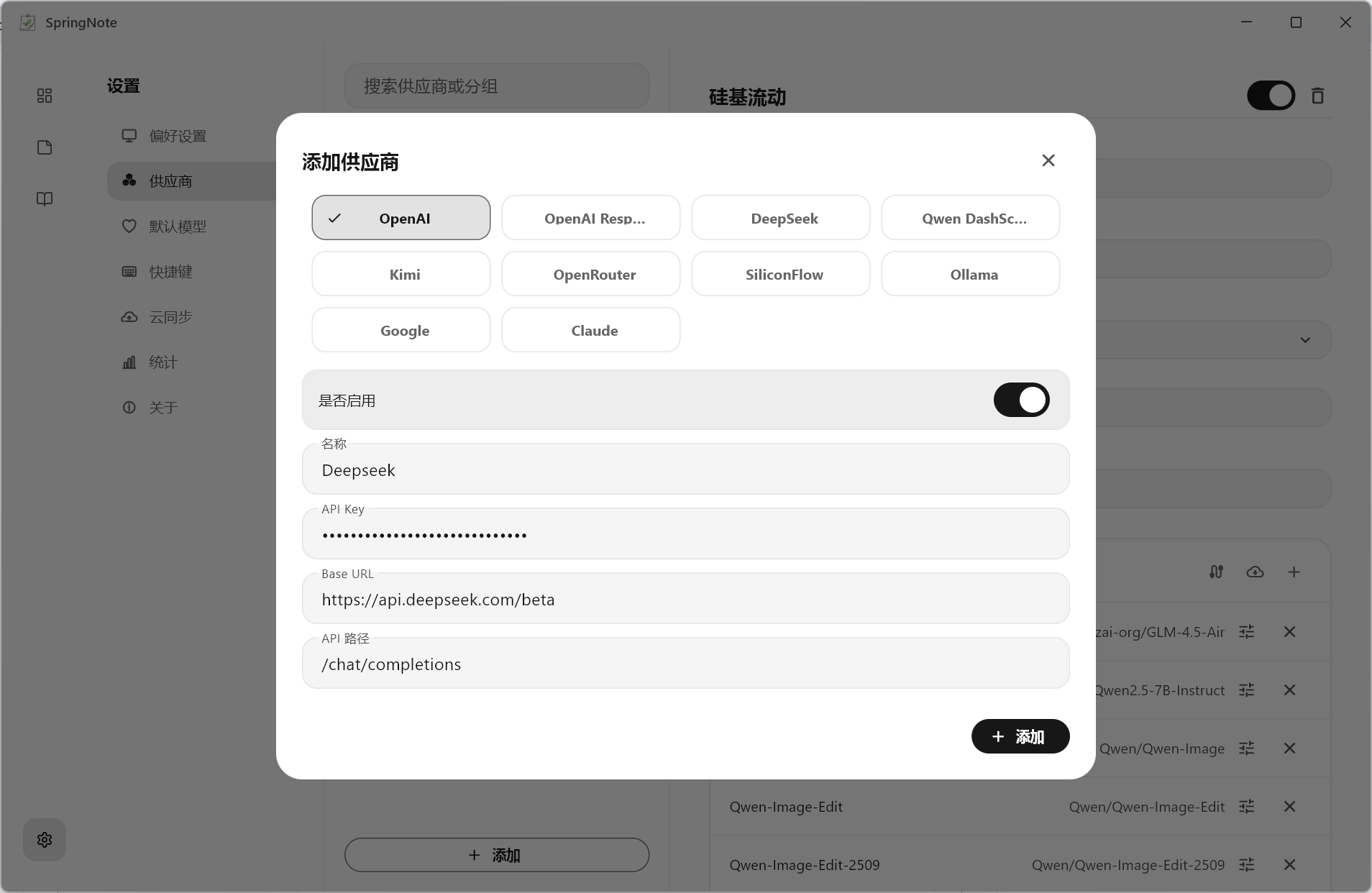
We use DeepSeek as an example:
① Add a provider — set the BaseURL to https://api.deepseek.com/beta
The
betapath is used here because of DeepSeek's FIM API requirements.For other OpenAI-compatible APIs, fill in the BaseURL according to your provider's documentation.
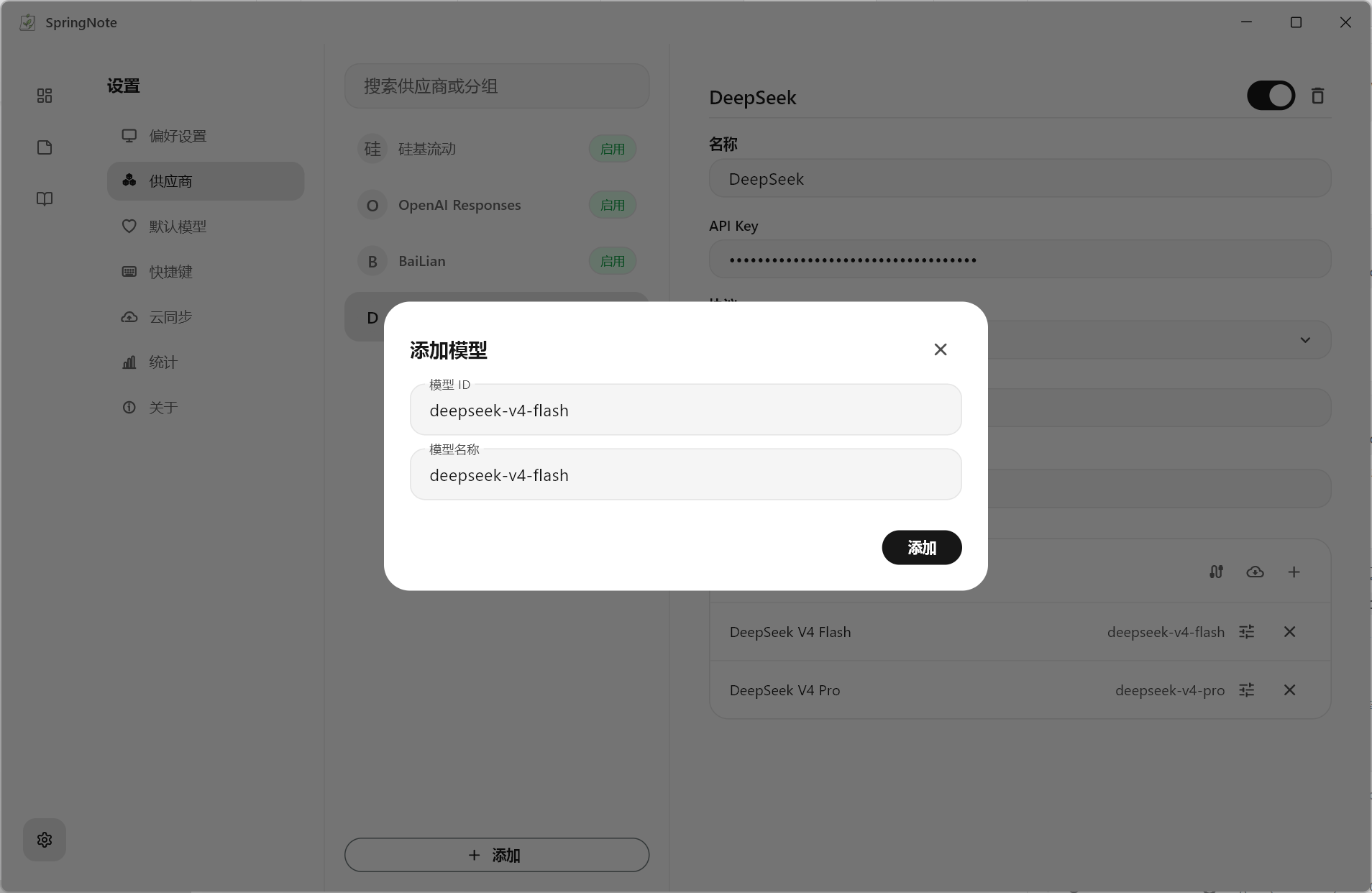
② Manually add the model deepseek-v4-flash
DeepSeek's
betaendpoint does not support listing models, so the model must be added manually.
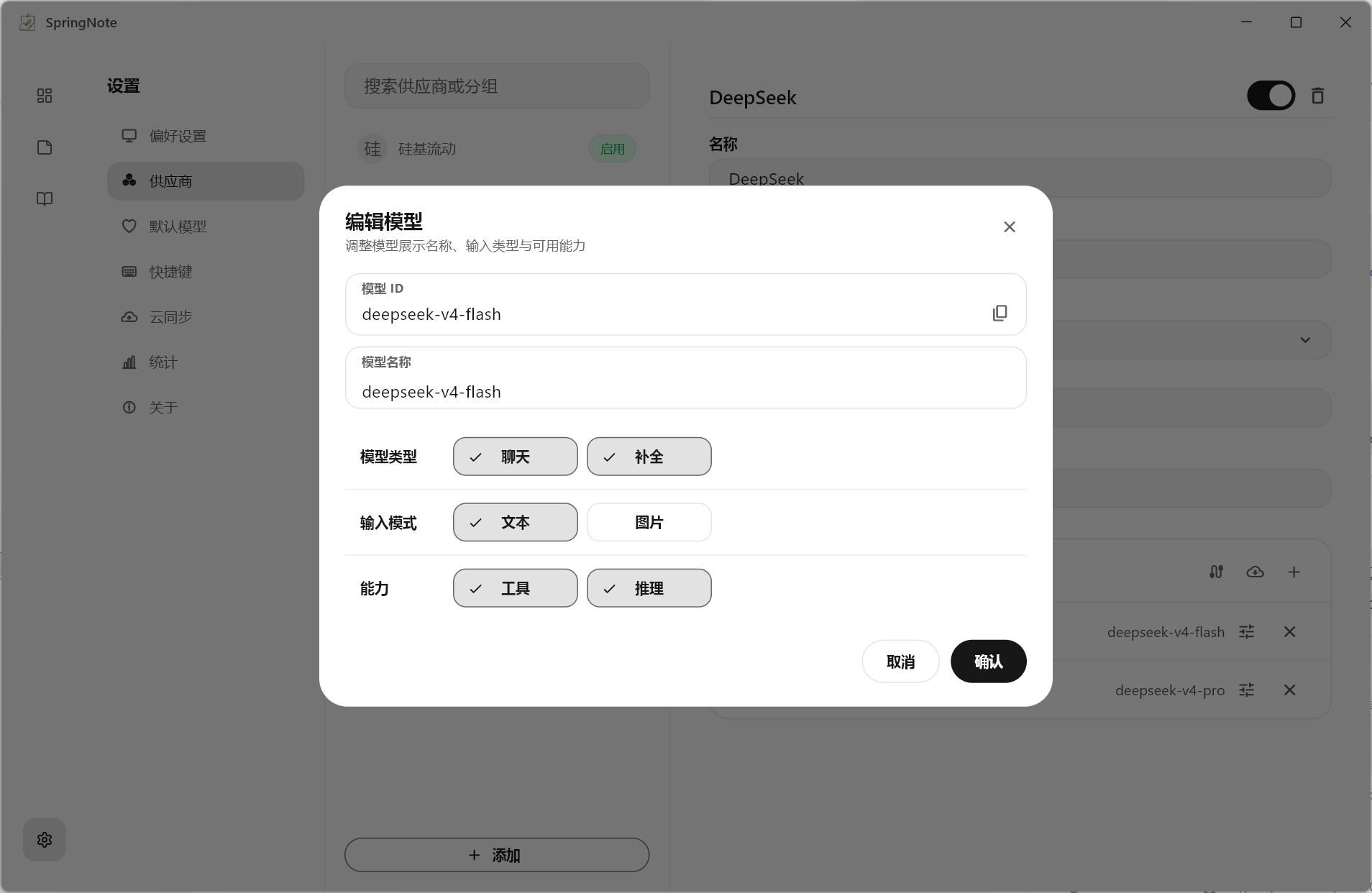
③ Edit the model
Manually check the completion capability option.
④ Select the default model
If a model doesn't support completion, it won't appear in the completion model list.
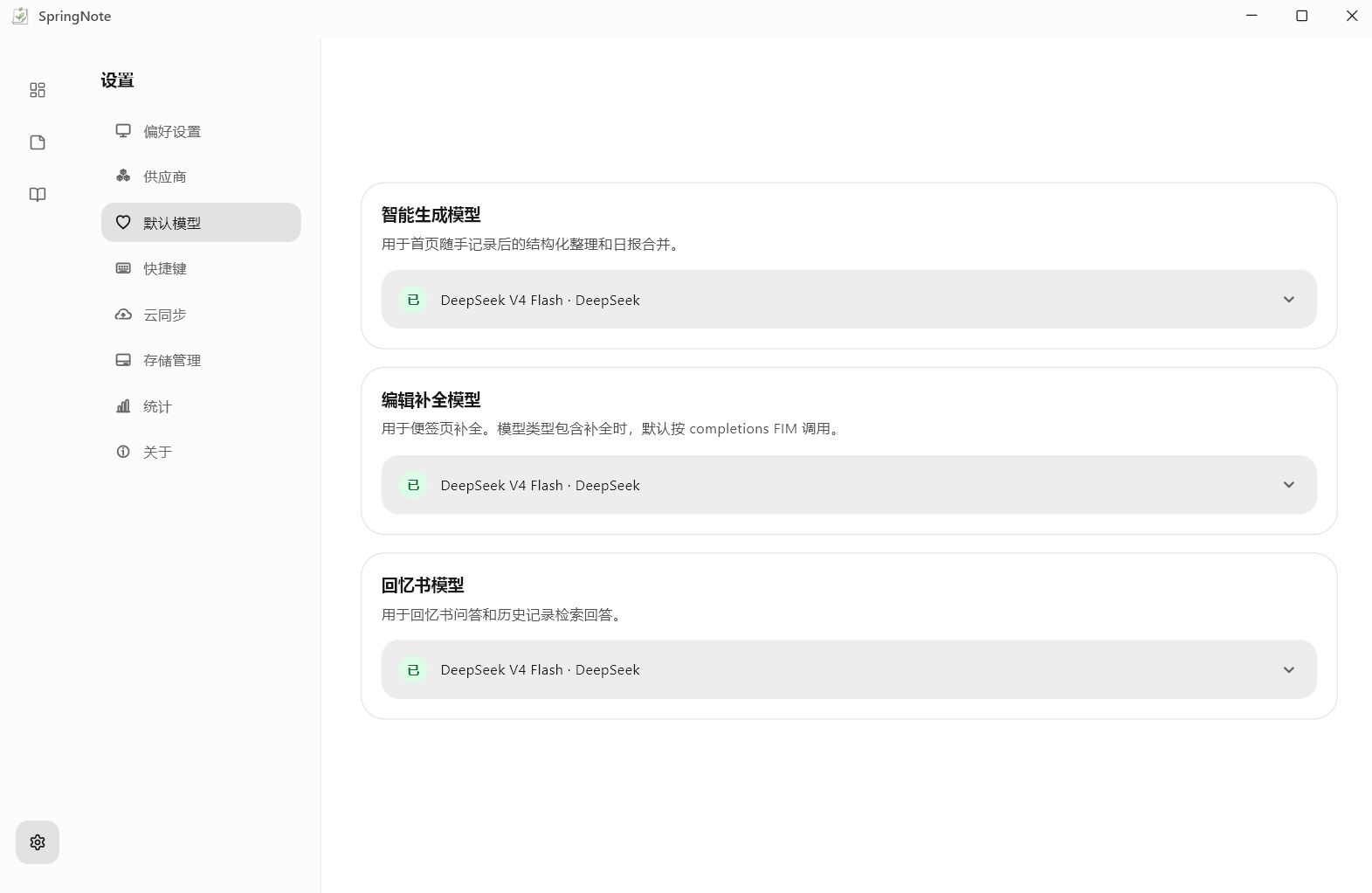
Step 3: Create Your First Note
Step 4: View and Edit in the Notebook
Notebook search only searches within the currently selected note type (daily, weekly, or monthly). Enter at least two characters to search; click a result to open its full content.
Step 5: Use Memories
In "Memories", you can directly ask questions about your saved work records.
Step 6: Use the Workhorse Clock
The widget shows the current timer, today's work duration, and earnings, and lets you control the timer outside the main window.
- Left-click the widget: start or pause the timer;
- Right-click the widget: open the main window and go to the home page;
- Left-drag the widget: move the window;
Keep Exploring
After finishing the basics, you can continue configuring in Settings. For more usage instructions, see the documentation.
🌍 Community
Whether you've run into an issue while using SpringNote, or you have new ideas and suggestions, you're welcome to talk with us.
We read every piece of feedback carefully and keep improving SpringNote to make it better.
Join the SpringNote official community group to share your experience and ideas.
QQ Group: 463423961
[!TIP] When reporting an issue, please also provide:
- Your current version number
- Steps to reproduce
- Whether it can be reproduced consistently
- Relevant screenshots or error messages
This information helps us locate the problem quickly.
❤️ Special Thanks
Special thanks to all Contributors and community members for supporting SpringNote ❤️
⭐ Star History
[!TIP] If this project has helped your life or work, or if you're following its future development, please give it a Star — that's what keeps us maintaining this open-source project <3

Radiant303 ↗
分類
所在榜單
如何選擇適合專案的儲存庫?
先依使用情境篩選,再比較專案活躍情況,最後到原始儲存庫確認使用要求。
- 透過儲存庫名稱、作者或描述搜尋,再依技術分類縮小範圍。
- 綜合星標、分支與最近推送比較專案;星標反映社群關注,不保證品質。
- 使用前在 GitHub 確認 README、授權條款與 Issues。
來源與維護
“A repository is the most basic element of GitHub.”
GitHub Docs — About repositories ↗