


 v2.0.0
animated_text_lerp
用於在數字或字串文字之間進行動畫的簡單小工具。適用於數字增減動畫、貨幣價值動畫或字串內容變更動畫。
60喜歡 2050近 30 天下載150Pub 分數
AndroidiOSWebmacOSWindowsLinux
用於 Flutter 中動畫文字的套件。適用於貨幣價值增加/減少的動畫,或文字內容的插值動畫。

以下為英文專案原文快照,最新內容請造訪 GitHub。
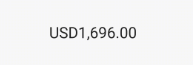
Simple widgets to animate between number or string text. Useful for number increase/decrease animation, currency value animation or string content changing animation.
import 'package:animated_text_lerp/animated_text_lerp.dart';

The widget support lerping between number values. Just setState with the current value and the widget will start animating to it.
AnimatedNumberText(
  value, // int or double
  curve: Curves.easeIn,
  duration: const Duration(seconds: 1),
  style: const TextStyle(fontSize: 30),
  formatter: (value) {
    final formatted =
    intl.NumberFormat.currency(locale: "en").format(value);
    return formatted;
  },
)

The widget support lerping between string values. Just setState with the current value and the widget will start animating to it. Each character will lerp to the new corresponding one respectively.
AnimatedStringText(
  value, // string
  curve: Curves.easeIn,
  duration: const Duration(seconds: 1),
  style: const TextStyle(fontSize: 30),
)
依賴清單 3 項
{"sdk":"flutter"}{"sdk":"flutter"}^3.0.0先依使用情境篩選,再比較專案活躍情況,最後到原始儲存庫確認使用要求。
“A repository is the most basic element of GitHub.”
GitHub Docs — About repositories ↗