

v4.1.2
http_parser
一個跨平台的套件,用於解析和序列化HTTP格式。
271喜歡 1290萬近 30 天下載160Pub 分數
AndroidiOSWebmacOSWindowsLinux
自訂上傳器是使用 flutter 為 android 設備建構的簡單、輕量且易於使用的檔案上傳工具,可讓您將檔案上傳至您選擇的檔案主機。
以下為英文專案原文快照,最新內容請造訪 GitHub。



Custom Uploader is a user-friendly file uploading tool that makes it easy for you to transfer files to your preferred hosting service. It is designed to be lightweight and efficient, with a straightforward interface that allows you to upload files quickly and easily. With Custom Uploader, you can upload a variety of different file types, including documents, images, videos, and more. The versatile tool is perfect for anyone who needs a reliable and convenient way to upload files for storage or sharing. Whenever you are a business owner, a student, or a professional, Custom Uploader can help you manage and share your files with ease.


You can also get the latest version of the app from the releases page.
Minimum supported Android version for this app is 5.0 (Lolipop).
See BUILDING.MD for details
Like the app? Consider donating to support the development of the app.

一個跨平台的套件,用於解析和序列化HTTP格式。
 v7.0.0
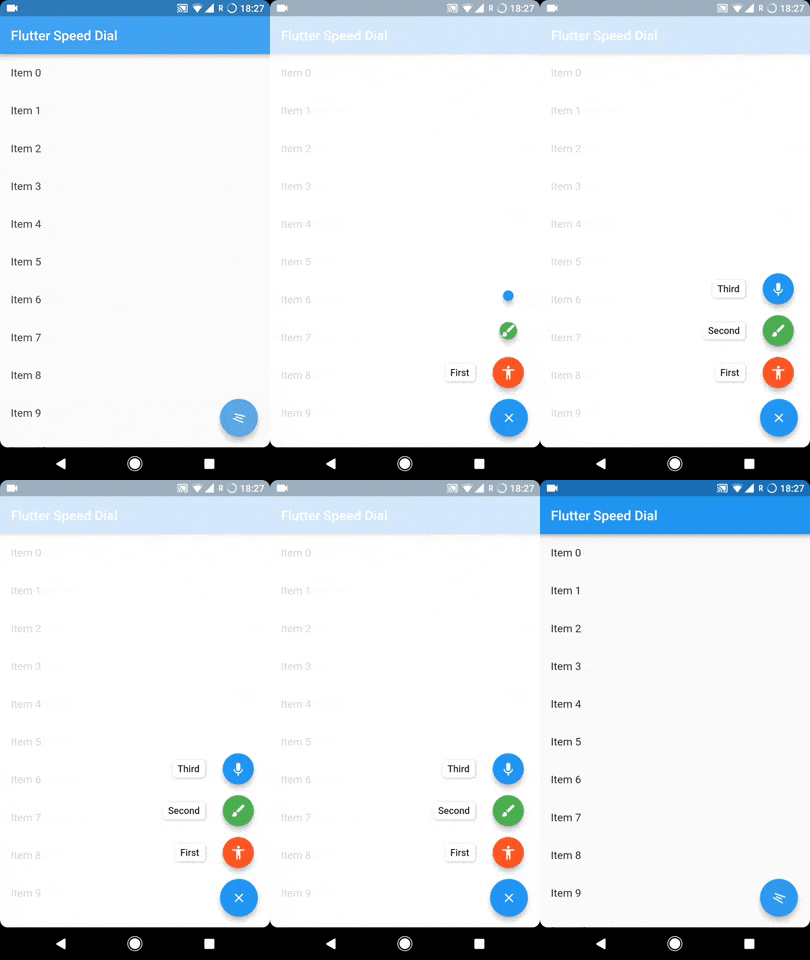
Flutter 插件,用於實現具有標籤、動畫圖示、多方向子項等的美觀且動態的 Material Design 速撥鈕。
Dio HTTP 快取攔截器,支援多種儲存方式並遵守 HTTP 指示(或不遵守)。
一個可以在桌面和網頁上透過鍵盤控制的資料表格。當然,在 Android 和 IOS 上也能良好運作。(DataGrid、DataTable、資料網格、資料表、固定)
intl_utils 是一個 Dart 庫,可從 ARB 檔案產生 Dart 地區化程式碼。產生的程式碼依賴於 Intl 庫。
一個 Flutter 插件,允許 Flutter 應用從其他應用接收照片、影片、文字、URL 或任何其他檔案類型。
依賴清單 29 項
{"sdk":"flutter"}{"sdk":"flutter"}any^5.9.0^4.0.3^10.3.2^4.2.5^6.3.0^2.2.3^1.1.0^2.0.0^2.0.4^6.3.2^12.0.1^12.3.0^9.0.0^3.1.2^2.0.0^4.1.2^2.0.1^0.7.5^7.0.0^12.0.1^2.1.0{"sdk":"flutter"}^6.0.0^2.0.0^2.4.13^2.8.2先依使用情境篩選,再比較專案活躍情況,最後到原始儲存庫確認使用要求。
“A repository is the most basic element of GitHub.”
GitHub Docs — About repositories ↗