

 v1.0.1
page_animator
一個提供流暢頁面過渡和動畫的 Flutter 套件,支援自訂效果。非常適合建立具有水平頁面導航的吸引人使用者介面。
9喜歡 14近 30 天下載160Pub 分數
AndroidiOSWebmacOSWindowsLinux
StageCoding/page_animator open-source repository details.

以下為英文專案原文快照,最新內容請造訪 GitHub。
A Flutter package that provides smooth page transitions and animations with customizable effects. Perfect for creating engaging user interfaces with horizontal page navigation.
The package supports various animation types through PageAnimatorType. Here's a comprehensive list of all available animations:
| Preview | Preview | Preview |
|---|---|---|
 |
 |
 |
Uncompressed gifanimatedSwitcher - Animated switcher transition |
Uncompressed gifnoAnimation - No animation effect, instant page switch |
Uncompressed gifhorizontalSimple - Simple horizontal slide transition |
 |
 |
 |
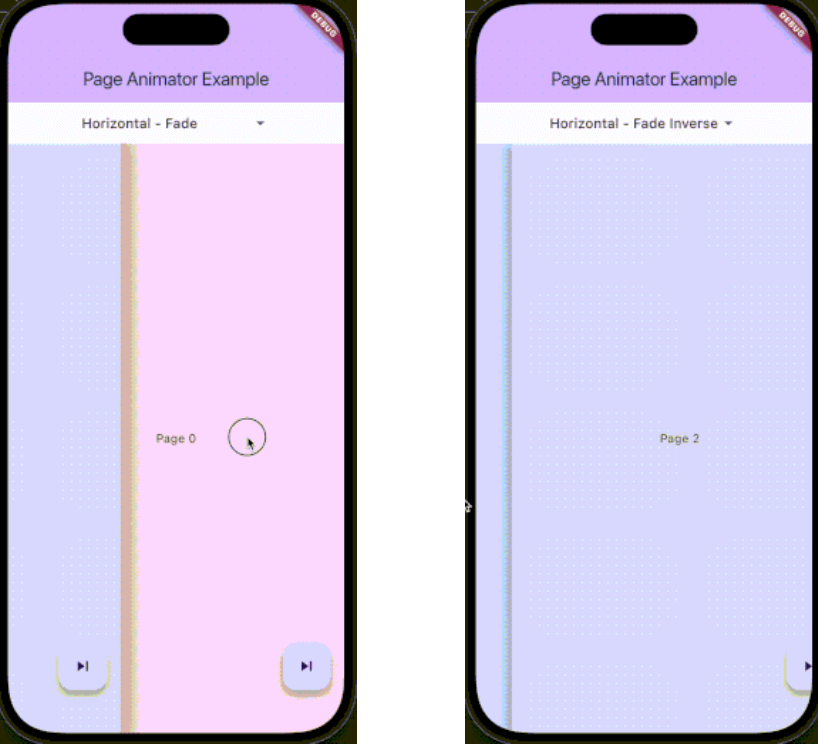
Uncompressed gifhorizontalFade - Horizontal slide with fade effect |
Uncompressed gifhorizontalFadeInverse - Horizontal slide with inverse fade effect |
Uncompressed gifverticalSimple - Simple vertical slide transition |
 |
 |
|
Uncompressed gifverticalFade - Vertical slide with fade effect |
Uncompressed gifverticalFadeInverse - Vertical slide with inverse fade effect |
You can change the animation type dynamically using the controller:
pageAnimatorController.type.value = PageAnimatorType.verticalFade;
Add this to your package's pubspec.yaml file:
dependencies:
  page_animator: ^1.0.0
import 'package:page_animator/page_animator.dart';
PageAnimatorController:final pageAnimatorController = PageAnimatorController(
type: PageAnimatorType.horizontalFade,
);
PageAnimator widget:PageAnimator(
controller: pageAnimatorController,
onPageChanged: (int currentPage) {
print('Page offset: $currentPage');
},
leftMostIndex: -3,
rightMostIndex: 3,
children: [
// Your page widgets here
],
enableImmersiveSwitch: true,
)
The PageAnimator widget allows you to set bounds for page navigation using leftMostIndex and rightMostIndex parameters:
leftMostIndex: The minimum page offset that can be reached by swiping leftrightMostIndex: The maximum page offset that can be reached by swiping rightThese bounds can be changed in realtime, allowing you to dynamically control the navigation range. For example:
// Initially allow navigation indefinitelly
PageAnimator(
leftMostIndex: null,
rightMostIndex: null,
// ... other parameters
)
// Later, you can update the bounds
PageAnimator(
leftMostIndex: -3,
rightMostIndex: 3,
// ... other parameters
)
When a bound is reached, the page will stop scrolling in that direction, providing a natural end to the navigation.
Here's a complete example showing how to use the package:
class MyPage extends StatefulWidget {
@override
State<MyPage> createState() => _MyPageState();
}
class _MyPageState extends State<MyPage> {
final pageAnimatorController = PageAnimatorController(
  type: PageAnimatorType.horizontalFade,
);
@override
Widget build(BuildContext context) {
return Scaffold(
body: PageAnimator(
controller: pageAnimatorController,
onPageChanged: (int currentPage) {
print('Page offset: $currentPage');
},
leftMostIndex: -3,
rightMostIndex: 3,
children: [
for (final page in List.generate(3, (index) => index))
_buildPage(page),
],
enableImmersiveSwitch: true,
),
);
}
Widget _buildPage(int page) {
return Scaffold(
body: Center(
child: Text('Page $page'),
),
floatingActionButton: FloatingActionButton(
onPressed: () => pageAnimatorController.animateToOffset(1),
child: const Icon(Icons.skip_next),
),
);
}
}
The PageAnimatorController provides several methods to control page transitions:
animateToOffset(int offset): Animate to a specific page offsettype: Change the animation type dynamicallyswitcherActive: Control the page switcher stateContributions are welcome! Please feel free to submit a Pull Request.
This project is licensed under the MIT License - see the LICENSE file for details.
children: List of widgets to display as pagesonPageChanged: Callback when page is changedleftMostIndex: The first page user can go torightMostIndex: The last page user can go tocontroller: PageAnimatorController instanceenableImmersiveSwitch: Optional boolean that controls whether to enable immersive mode while switcher is inactive, and automatically disable it when user enters switcher. If not specified, defaults to true.onDragStart: Optional callback when drag startsonDragEnd: Optional callback when drag endsonDragAnimationStart: Optional callback when animation startsonDragAnimationEnd: Optional callback when animation ends依賴清單 4 項
{"sdk":"flutter"}^0.21.2^5.0.0{"sdk":"flutter"}先依使用情境篩選,再比較專案活躍情況,最後到原始儲存庫確認使用要求。
“A repository is the most basic element of GitHub.”
GitHub Docs — About repositories ↗