


 v4.0.0
smart_auth
Android 短信使用者同意 API、短信檢索 API 的包裝,用於讀取一次性簡訊代碼、取得使用者電話號碼、OTP、OTC、簡訊自動填入、Android 自動填入
211喜歡 16.7萬近 30 天下載160Pub 分數
Android
適用於 Android 的 Flutter 套件,用於監聽簡訊驗證碼,建議手機號碼、電子郵件,並儲存憑證。

以下為英文專案原文快照,最新內容請造訪 GitHub。
Flutter package for listening SMS code on Android, suggesting phone number, email, saving a credential.
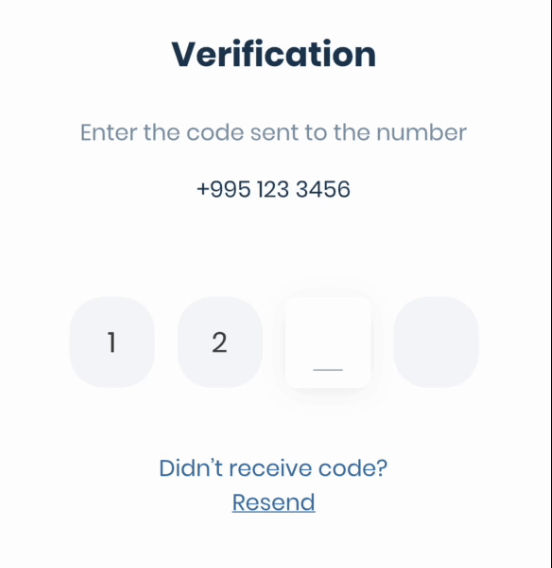
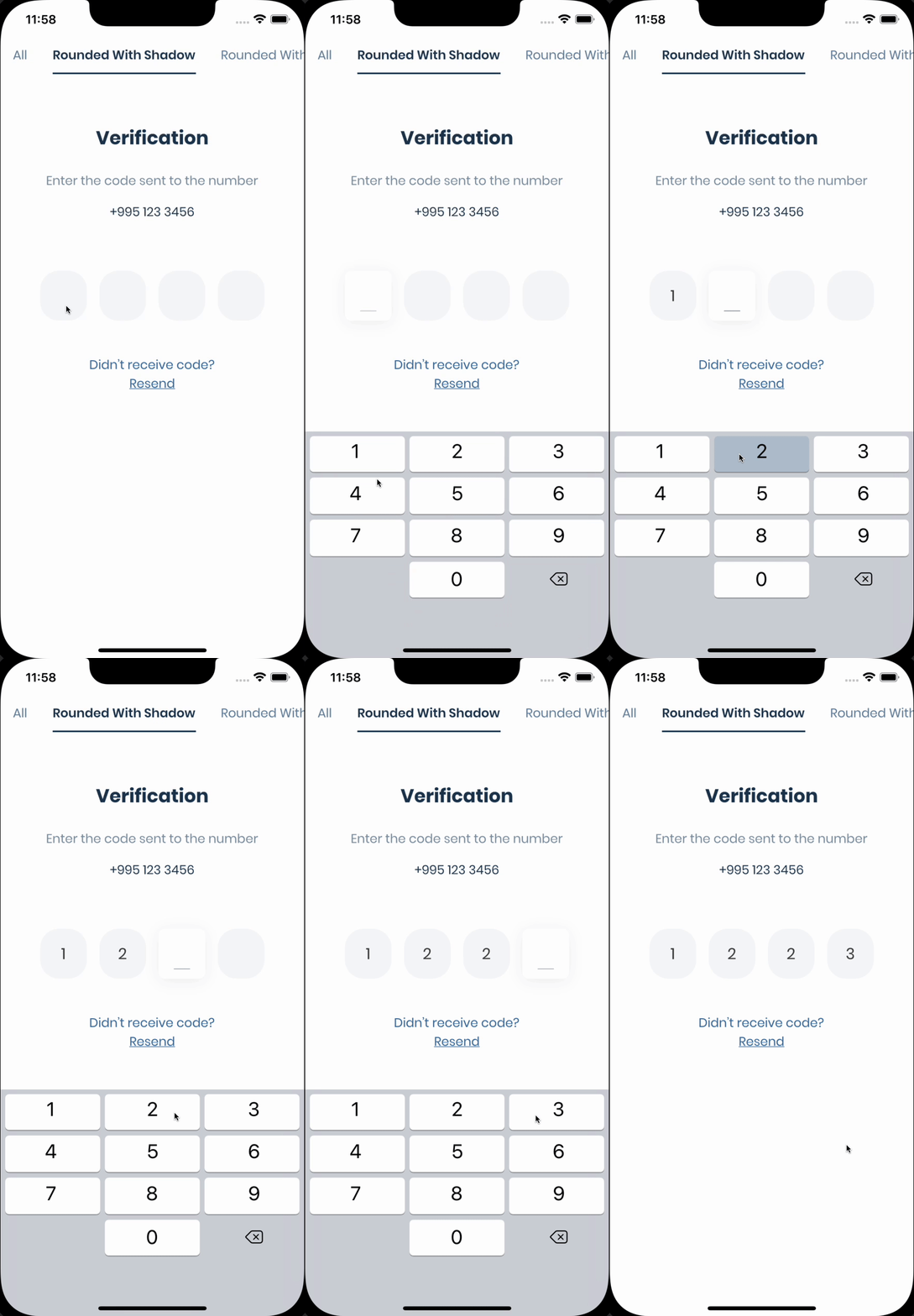
If you need pin code input like shown below, take a look at the Pinput package.
Discord Channel
Don't forget to give it a star ⭐
If you want to contribute to this project, please read the contribution guide.
If you are using legacy imperative apply
// android/build.gradle
buildscript {
    ext.kotlin_version = '1.8.0'
    ...others

    dependencies {
        classpath 'com.android.tools.build:gradle:8.3.2'
        classpath "org.jetbrains.kotlin:kotlin-gradle-plugin:$kotlin_version"
    }
}
If you are using new declarative plugin approach
// android/settings.gradle
plugins {
    id "org.jetbrains.kotlin.android" version "1.8.0" apply false
    id "com.android.application" version "8.3.2" apply false
    ...others
}
// android/gradle/wrapper/gradle-wrapper.properties
distributionUrl=https\://services.gradle.org/distributions/gradle-8.4-all.zip
// android/app/build.gradle
compileOptions {
    sourceCompatibility = JavaVersion.VERSION_11
    targetCompatibility = JavaVersion.VERSION_11
}

kotlinOptions {
    jvmTarget = '11'
}
final smartAuth = SmartAuth.instance;
The Phone Number Hint API, a library powered by Google Play services, provides a frictionless way to show a user’s (SIM-based) phone numbers as a hint.
The benefits to using Phone Number Hint include the following:
void requestPhoneNumberHint() async {
  final res = await smartAuth.requestPhoneNumberHint();
  if (res.hasData) {
    // Use the phone number
  } else {
    // Handle error
  }
}
The SMS User Consent API complements the SMS Retriever API by allowing an app to prompt the user to grant access to the content of a single SMS message. When a user gives consent, the app will then have access to the entire message body to automatically complete SMS verification. The verification flow looks like this:
requestPhoneNumberHint method.getSmsWithUserConsentApi to show the user a dialog to
grant access to the SMS message.getSmsWithUserConsentApi will extract the
one-time code from the message text and you have to send it back to your server.void getSmsWithUserConsentApi() async {
final res = await smartAuth.getSmsWithUserConsentApi();
if (res.hasData) {
final code = res.requireData.code;
/// The code can be null if the SMS was received but the code was not extracted from it
if (code == null) return;
// Use the code
} else if (res.isCanceled) {
// User canceled the dialog
} else {
// handle the error
}
}
With the SMS Retriever API, you can perform SMS-based user verification in your Android app automatically, without requiring the user to manually type verification codes, and without requiring any extra app permissions. When you implement automatic SMS verification in your app, the verification flow looks like this:
requestPhoneNumberHint method.getSmsWithRetrieverApi to begin listening for an SMS
response from your server.getSmsWithRetrieverApi will extract the one-time code from the message text and you have to
send it back to your server.void getSmsWithRetrieverApi() async {
final res = await smartAuth.getSmsWithRetrieverApi();
if (res.hasData) {
final code = res.requireData.code;
/// The code can be null if the SMS was received but the code was not extracted from it
if (code == null) return;
// Use the code
} else {
// handle the error
}
}
The plugin automatically removes listeners after receiving the code, if not you can remove them by
calling the removeUserConsentApiListener or removeSmsRetrieverApiListener method.
void removeSmsListener() {
  smartAuth.removeUserConsentApiListener();
  // or
  smartAuth.removeSmsRetrieverApiListener();
}
依賴清單 4 項
{"sdk":"flutter"}{"sdk":"flutter"}^22.7.0^5.0.0先依使用情境篩選,再比較專案活躍情況,最後到原始儲存庫確認使用要求。
“A repository is the most basic element of GitHub.”
GitHub Docs — About repositories ↗