
 v0.6.0
cli_completion
為使用 CommandRunner 構建的 Dart 命令列介面提供完成功能。由 Very Good Ventures 開發。
71喜歡 80.4萬近 30 天下載160Pub 分數
AndroidiOSmacOSWindowsLinux
適用於使用 CommandRunner 構建的 Dart 命令列介面的補完功能。由 Very Good Ventures 開發。🦄

^2.5.0^2.0.5^0.3.0^1.15.0^1.9.0^1.0.4^1.25.8^10.3.0以下為英文專案原文快照,最新內容請造訪 GitHub。
Very Good Ventures Very Good Ventures
ci coverage pub package style: very good analysis License: MIT
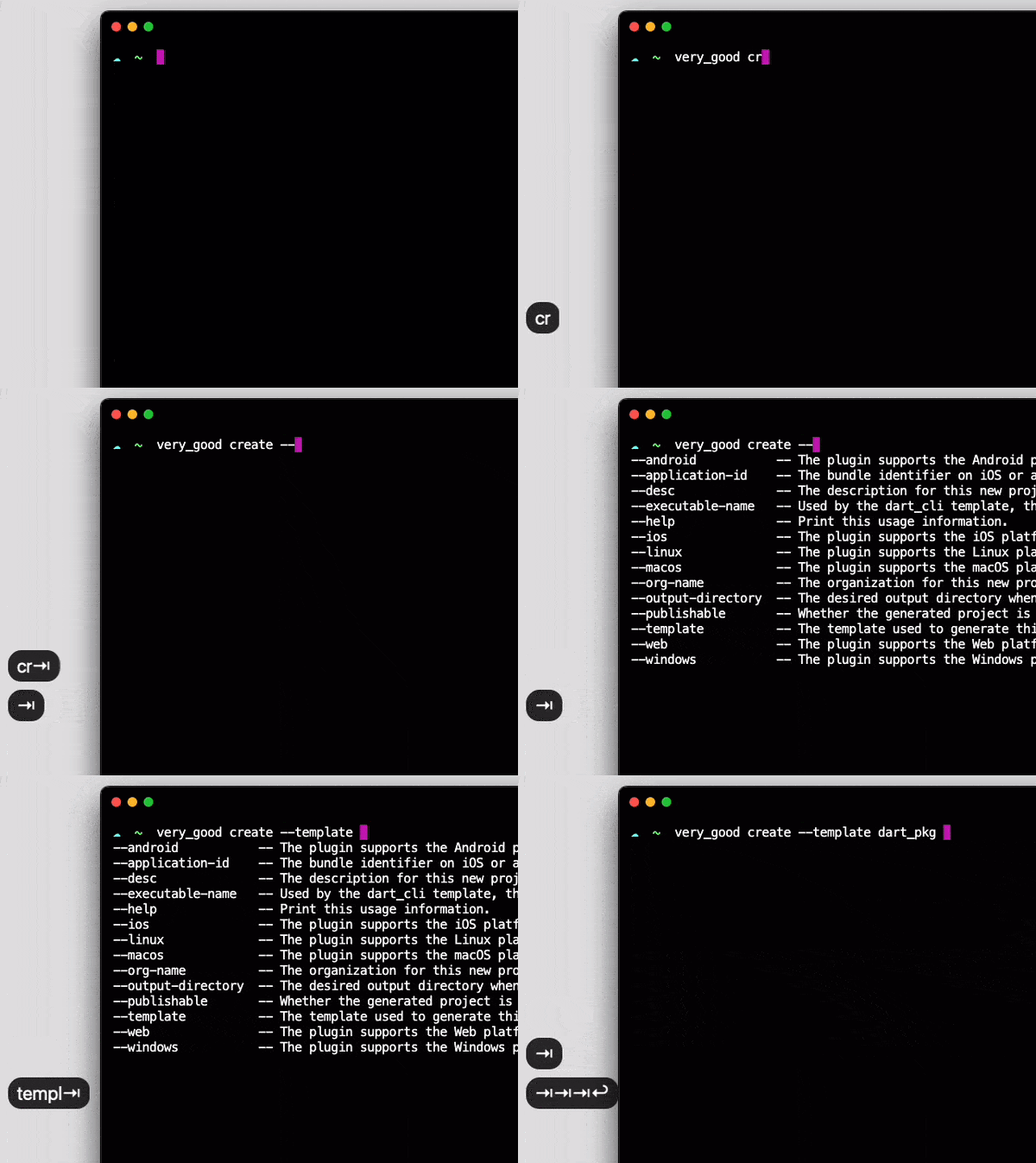
screen
Completion functionality for Dart Command-Line Interfaces built using CommandRunner.
Developed with 💙 by Very Good Ventures 🦄
❗ In order to start using CLI Completion you must have the Dart SDK installed on your machine.
flutter pub add cli_completion
On your CommandRunner class, extend CompletionCommandRunner :
import 'package:cli_completion/cli_completion.dart';

class ExampleCommandRunner extends CompletionCommandRunner<int> {
...
This will make the first command run to install the completion files automatically. To disable that behavior, set enableAutoInstall to false:
class ExampleCommandRunner extends CompletionCommandRunner<int> {

  @override
  bool get enableAutoInstall => false;
...
When enableAutoInstall is set to false, users will have to call install-completion-files to install these files manually.
$ example_cli install-completion-files
Additionally, when enableAutoInstall is disabled a completion-script command is exposed. It prints the completion script for the current shell to stdout, so users can install it wherever they prefer:
$ example_cli completion-script >> ~/.zshrc
For an overview of how this package works, check out the documentation.
Handling completion requests should be straightforward.
If there are any checks (like analytics, telemetry, or anything that you may have on run or runCommand overrides) before running subcommands, make sure you fast track the completion command to skip all of the unnecessary computations.
Example:
@override
Future<int?> runCommand(ArgResults topLevelResults) async {
  if (topLevelResults.command?.name == 'completion') {
    super.runCommand(topLevelResults);
      return;
  }
  // ... analytics and other unrelated stuff
If you are not using any zsh framework such as Oh My Zsh, you have to start the completion system manually.
Add the following lines to your ~/.zshrc file:
# Add this to the start of your zsh starter file (~/.zshrc)
autoload -Uz compinit
compinit