

 v1.0.0
flip_box_bar_plus
受 Dribbble 設計師 Dannniel 啟發的 3D 底部導航欄
34喜歡 38近 30 天下載140Pub 分數
AndroidiOSWebmacOSWindowsLinux
Flutter 中的 3D 底部導航欄

以下為英文專案原文快照,最新內容請造訪 GitHub。
Forked from Flip_box_bar, added support for vertical position
A 3D BottomNavigationBar inspired by Dribbble design by Dannniel.
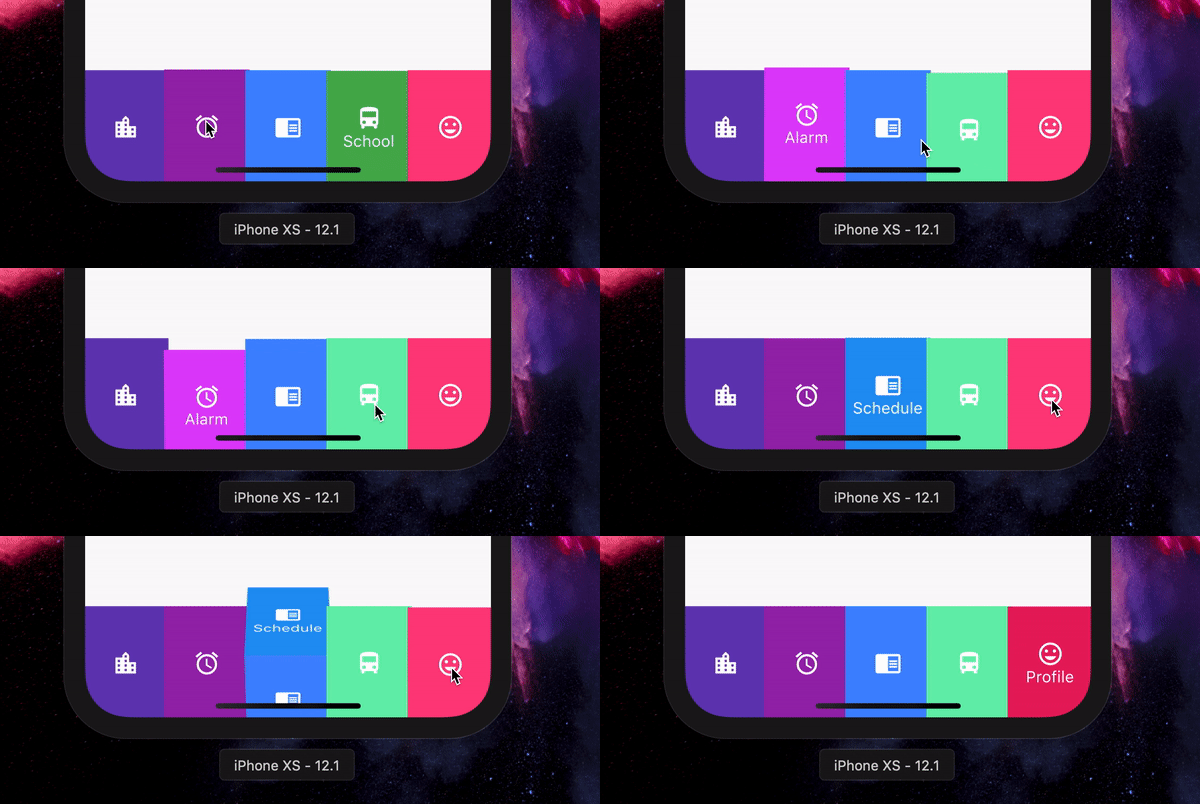
      // In Scaffold
      int selectedIndex = 0;

      FlipBoxBarPlus(
              selectedIndex: index,
              items: [
                FlipBarItem(icon: Icon(Icons.map), text: Text("Map"), frontColor: Colors.blue, backColor: Colors.blueAccent),
                FlipBarItem(icon: Icon(Icons.add), text: Text("Add"), frontColor: Colors.cyan, backColor: Colors.cyanAccent),
                FlipBarItem(icon: Icon(Icons.chrome_reader_mode), text: Text("Read"), frontColor: Colors.orange, backColor: Colors.orangeAccent),
                FlipBarItem(icon: Icon(Icons.print), text: Text("Print"), frontColor: Colors.purple, backColor: Colors.purpleAccent),
                FlipBarItem(icon: Icon(Icons.print), text: Text("Print"), frontColor: Colors.pink, backColor: Colors.pinkAccent),
              ],
              onIndexChanged: (newIndex) {
                setState() {
                    selectedIndex = newIndex;
                }
              },
            ),
The items to be displayed in the NavBar.
The duration of the animation of the box flip.
Callback for getting value of item selection.
The initial selected index of the NavBar.
The height of the NavBar when it is in bottom nav position.
Set the navigation bar as vertical.
The width of the NavBar when it is in vertical position.
依賴清單 2 項
{"sdk":"flutter"}{"sdk":"flutter"}先依使用情境篩選,再比較專案活躍情況,最後到原始儲存庫確認使用要求。
“A repository is the most basic element of GitHub.”
GitHub Docs — About repositories ↗