


 v3.2.0
intro_views_flutter
一個用於簡單材質設計應用介紹畫面的 Flutter 套件,帶有酷炫的動畫效果。
550喜歡 652近 30 天下載150Pub 分數
AndroidiOSWebmacOSWindowsLinux
☀️ 一個用於某些材質設計應用介紹畫面的 Flutter 套件,帶有酷炫的動畫。

以下為英文專案原文快照,最新內容請造訪 GitHub。
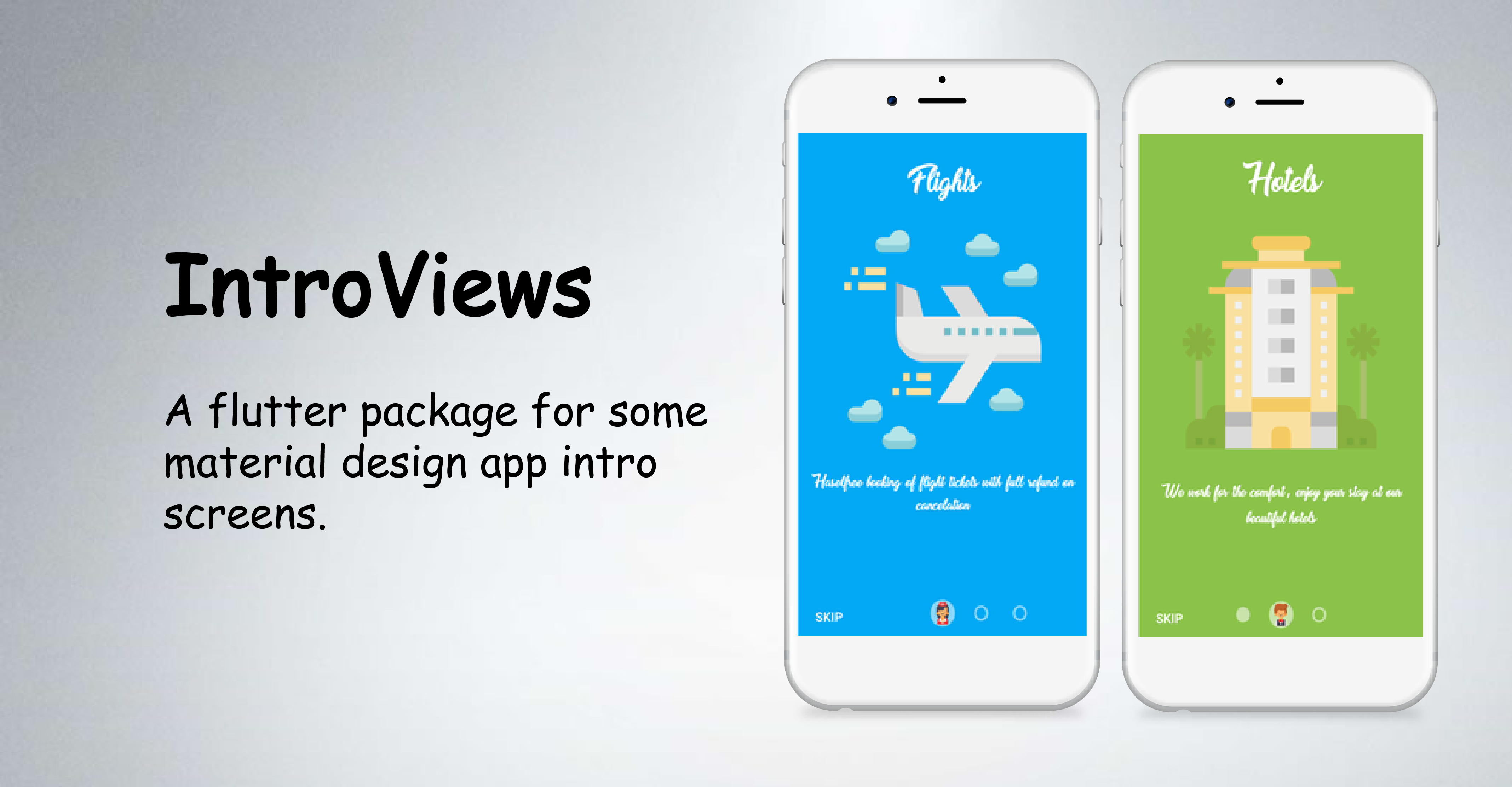


IntroViews is inspired by Paper Onboarding and developed with love from scratch. Checkout our fully responsive live example app.
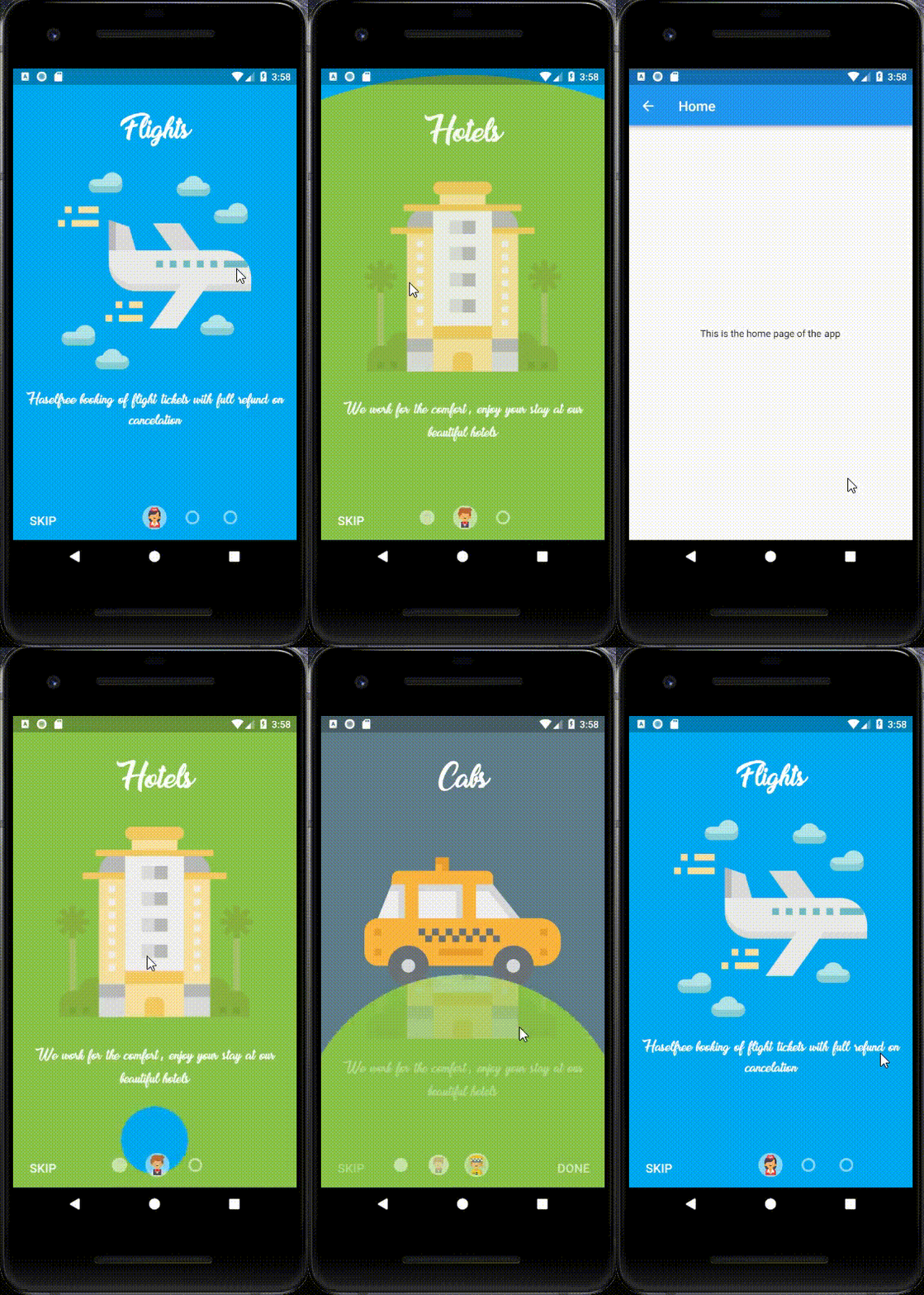
Easy addition of pages.
Circular page reveal.
Cool Animations.
Animation control, if the user stops sliding in the midway.
Skip button, for skipping the app intro.
Custom font selection.
Material Design.
You should ensure that you add the intro_views_flutter as a dependency in your flutter project.
dependencies:
  intro_views_flutter: '^3.2.0'
You can also reference the git repository directly if you want:
dependencies:
  intro_views_flutter:
    git: git://github.com/aagarwal1012/IntroViews-Flutter
You should then run flutter packages get in your terminal so as to get the package.
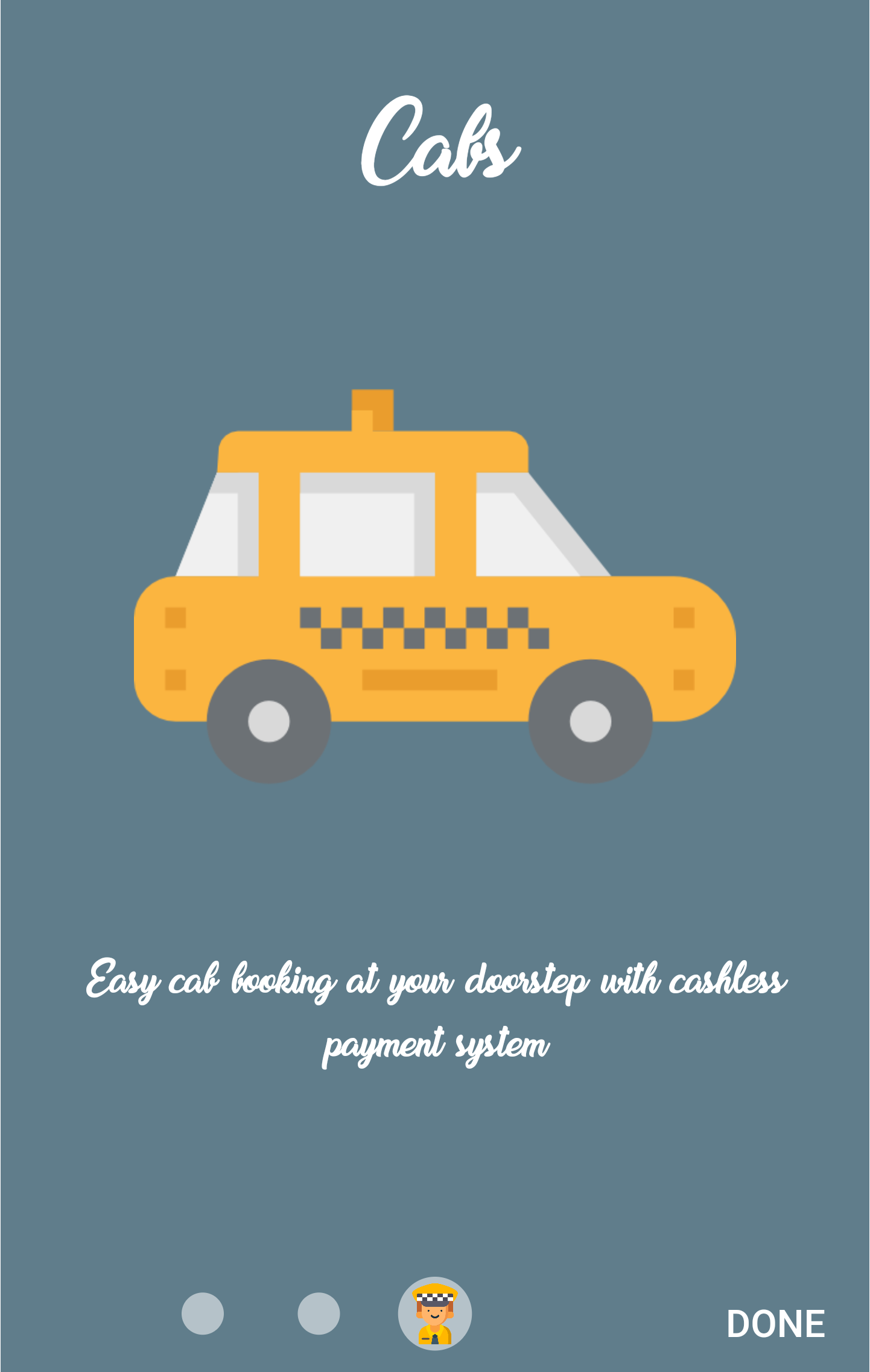
IntroViewsFlutter widget require a list of PageViewModel , and some other parameters. Refer the code below to create a PageViewModel page.
import 'package:intro_views_flutter/intro_views_flutter.dart';

...

final page = PageViewModel(
    pageColor: const Color(0xFF607D8B),
      iconImageAssetPath: 'assets/taxi-driver.png',
      body: Text(
        'Easy  cab  booking  at  your  doorstep  with  cashless  payment  system',
      ),
      title: Text('Cabs'),
      mainImage: Image.asset(
        'assets/taxi.png',
        height: 285.0,
        width: 285.0,
        alignment: Alignment.center,
      ),
      titleTextStyle: TextStyle(fontFamily: 'MyFont', color: Colors.white),
      bodyTextStyle: TextStyle(fontFamily: 'MyFont', color: Colors.white),
    );
Now refer the code below to get the IntroViewsFlutter widget.
final Widget introViews = IntroViewsFlutter(
      page,
      onTapDoneButton: () {
        // Void Callback
      },
      showSkipButton: true,
      pageButtonTextStyles: TextStyle(
          color: Colors.white,
          fontSize: 18.0,
          fontFamily: 'Regular',
        ),
    );
For further usage refer the example available.
For Landscape preview click the link.
Note : If you added more than four pages in the list then there might be overlapping between page icons and skip button, so my suggestion is just make the showSkipButton: false.
| Dart attribute | Datatype | Description | Default Value |
|---|---|---|---|
| pageColor | Color? | Set color of the page. | Null |
| pageBackground | Widget | Set a widget as a background of the whole page (pageColor has priority) | Null |
| mainImage | Image / Widget | Set the main image of the page. If null, then the widget is omitted. | - |
| title | Text / Widget | Set the title text of the page. If null, then the widget is omitted. | - |
| body | Text / Widget | Set the body text of the page. If null, then the widget is omitted. | - |
| iconImageAssetPath | String? | Set the icon image asset path that would be displayed in page bubble. | Null |
| iconColor | Color? | Set the page bubble icon color. | Null |
| bubbleBackgroundColor | Color | Set the page bubble background color. | Colors.white / Color(0x88FFFFFF) |
| textStyle | TextStyle? | Set TextStyle for both title and body | title: color: Colors.white , fontSize: 50.0 body: color: Colors.white , fontSize: 24.0 |
| titleTextStyle | TextStyle | Set TextStyle for title | color: Colors.white , fontSize: 50.0 |
| bodyTextStyle | TextStyle | Set TextStyle for body | color: Colors.white , fontSize: 24.0 |
| bubble | Widget? | Set a custom widget for the inner bubble | Null |
| Dart attribute | Datatype | Description | Default Value |
|---|---|---|---|
| pages | List<PageViewModel> | Set the pages of the intro screen. | (required) |
| onTapDoneButton | VoidCallback? | Method executes on tapping done button. | Null |
| onTapBackButton | VoidCallback? | Method executes on tapping back button. | Null |
| onTapNextButton | VoidCallback? | Method executes on tapping next button. | Null |
| showSkipButton | bool | Show the skip button at the bottom of page. | true |
| showBackButton | bool | Show the Back button at the bottom of page. Overrides showSkipButton starting from the second page | false |
| showNextButton | bool | Show the Next button at the bottom of page. Overrides doneButtonPersist. | false |
| pageButtonTextSize | double | Set the button text size. | 18.0 |
| pageButtonFontFamily | String? | Set the font of button text. | Null |
| onTapSkipButton | VoidCallback? | Method executes on tapping skip button. | Null |
| pageButtonTextStyles | TextStyle? | Configure TextStyle for skip, done buttons, overrides pageButtonFontFamily, pageButtonsColor, pageButtonTextSize. | fontSize: 18.0, color: Colors.white |
| skipText | Text / Widget | Override Skip Button Text and styles. | Text('SKIP') |
| doneText | Text / Widget | Override Done Button Text and styles. | Text('DONE') |
| backText | Text / Widget | Override Back Button Text and styles. | Text('BACK') |
| nextText | Text / Widget | Override Next Button Text and styles. | Text('NEXT') |
| doneButtonPersist | bool | Show done Button throughout pages | false |
| columnMainAxisAlignment | MainAxisAlignment | Control [MainAxisAlignment] for column | MainAxisAlignment.spaceAround |
| fullTransition | double | Adjust scroll distance for full transition | 300.0 |
| background | Color? | Set the background color to Colors.transparent if you have your own background image below | Null |
For help on editing package code, view the flutter documentation.
If you encounter any problems feel free to open an issue. If you feel the library is missing a feature, please raise a ticket on GitHub and I'll look into it. Pull request are also welcome.
See Contributing.md.
If you found this project helpful or you learned something from the source code and want to thank me, consider buying me a cup of :coffee:
Thanks goes to these wonderful people (emoji key):
This project follows the all-contributors specification. Contributions of any kind welcome! See Contributing.md.
IntroViews-Flutter is licensed under MIT license.
依賴清單 3 項
{"sdk":"flutter"}{"sdk":"flutter"}^1.0.3先依使用情境篩選,再比較專案活躍情況,最後到原始儲存庫確認使用要求。
“A repository is the most basic element of GitHub.”
GitHub Docs — About repositories ↗