

 v1.0.0
parsed_readmore
一個可擴展的 Flutter 文字組件,可自動將文字中的 URL 解析為可點擊的連結。
42喜歡 327近 30 天下載160Pub 分數
AndroidiOSWebmacOSWindowsLinux
一個允許輸入可摺疊和展開文字的套件。此外,它會自動將文字中出現的 URL 解析為超連結。

以下為英文專案原文快照,最新內容請造訪 GitHub。
A Flutter package which allows the user to enter text which can be collapsed and expanded based on user defined trimming conditions. Nevertheless, it will automatically parse the user regex patterns (urls by default) present in the text into clickable hyperlinks with a user defined click action (browser launch by default). It also allows the user to enter a highlight text on which some custom text style can be applied with the support of multiple text phrases (priority based).
Latest release: https://pub.dev/packages/parsed_readmore
Run this command in your terminal
flutter pub add parsed_readmore
Or add it manually in your project's pubspec.yaml (and run an implicit flutter pub get):
dependencies:
  parsed_readmore: latest_version
Import parsed_readmore.dart in the file where you wish to use
import 'package:parsed_readmore/parsed_readmore.dart';
For detailed implementation refer to the "Example" tab
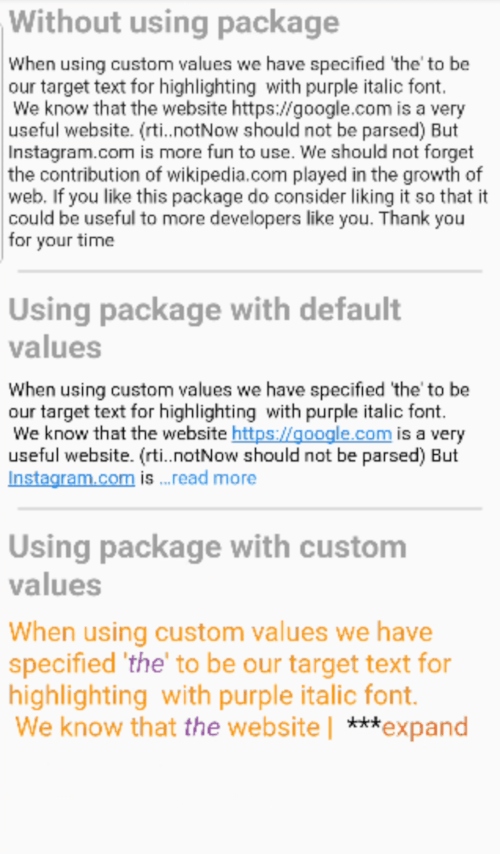
We will be using a common input string to demonstrate the different uses cases of this package.
const inputString = "When using custom values we have specified 'the' to be our target text for highlighting with purple italic font.\n We know that the website https://google.com is a very useful website. (rti..notNow should not be parsed) But Instagram.com is more fun to use. We should not forget the contribution of wikipedia.com played in the growth of web. If you like this package do consider liking it so that it could be useful to more developers like you. Thank you for your time";
Here we are using the simple Text() widget available in Flutter by default.
Text(inputString);
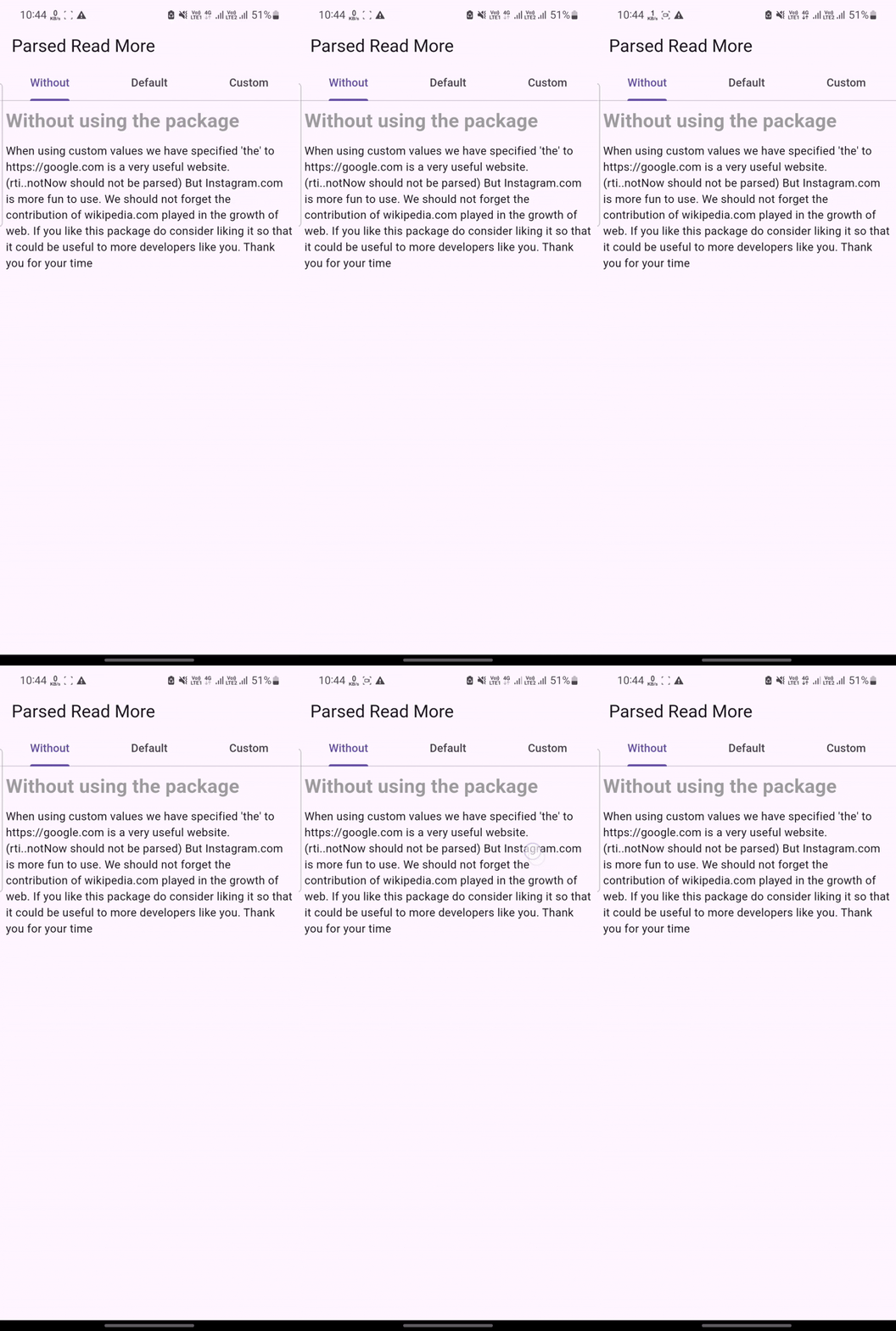
We can clearly see that no url is parsed here into clickable texts and there is no option to expand and collapse the texts.
ParsedReadMore(TextHighlightParser(data: inputData))
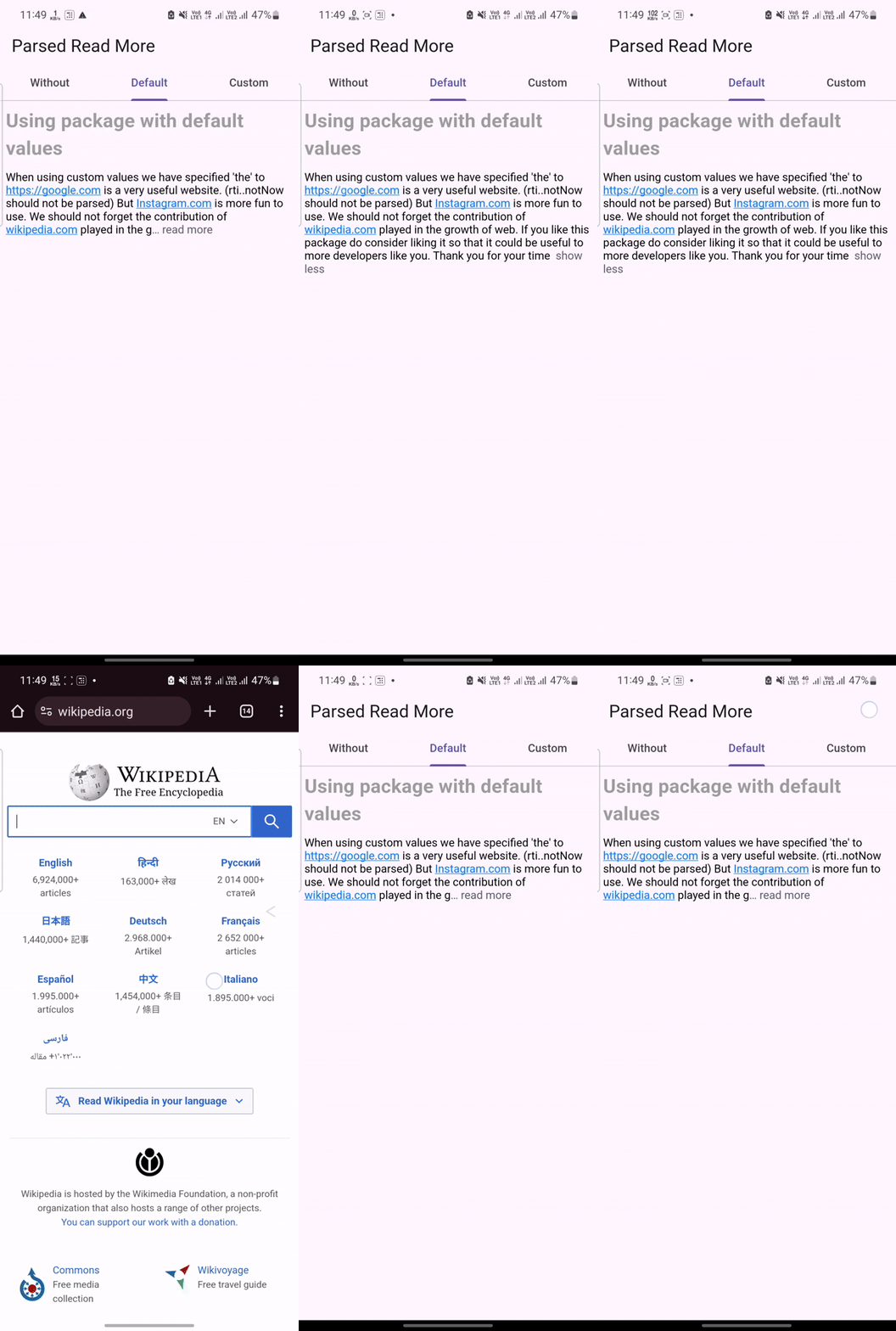
The code above will implement all features of the widget with the default values which are :
Here the urls are parsed into clickable links which open external browser on tapping. The text is also collapsable and expandable
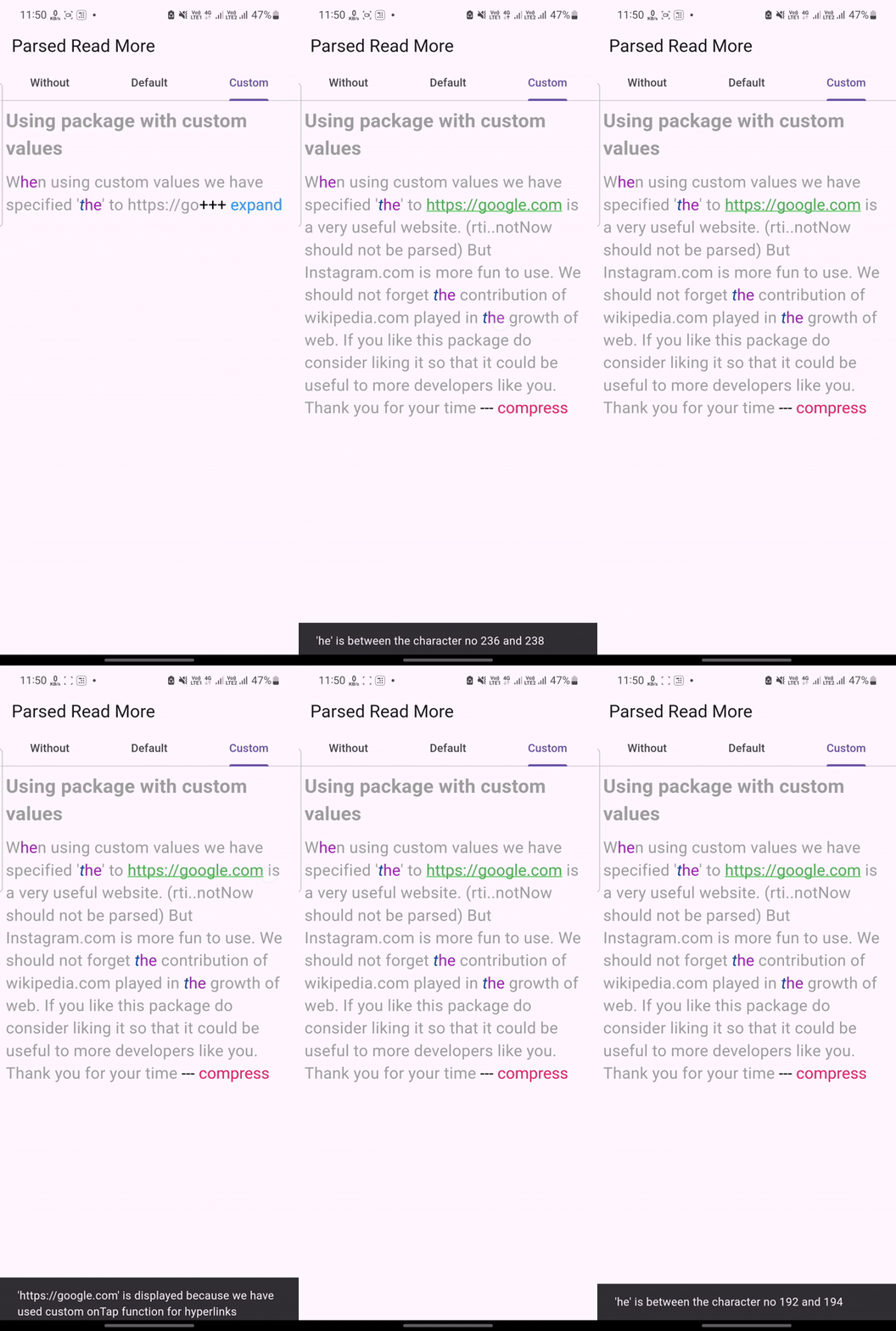
ParsedReadMore(
  TextHighlightParser(
    urlRegex: r'https:\/\/[^\s]+',
    data: inputData,
    initialState: ReadMoreState.collapsed,
    urlTextStyle: textStyle.copyWith(
      color: Colors.green,
      decoration: TextDecoration.underline,
    ),
    trimMode: TrimMode.line,
    maxLines: 2,
    onTapLink: (url) {
      ScaffoldMessenger.of(context).showSnackBar(
        SnackBar(
          content: Text(
            """'$url' is displayed because we have used custom onTap function for hyperlinks""",
          ),
        ),
      );
    },
    targetTextHighlights: TargetTextHighlights(targetHighlights: [
      TargetTextHighlight(
        priority: 1,
        targetText: 'The',
        style: TextStyle(
          fontSize: 20.0,
          fontStyle: FontStyle.italic,
          color: Colors.blue[900],
        ),
      ),
      TargetTextHighlight(
          priority: 2,
          targetText: 'he',
          highlightInUrl: true,
          style: const TextStyle(
            fontSize: 20.0,
            color: Colors.purple,
          ),
          onTap: (range) {
            ScaffoldMessenger.of(context).showSnackBar(
              SnackBar(
                content: Text(
                    "'${range.textInside(inputData)}' is between the character no ${range.start} and ${range.end}"),
              ),
            );
          }),
    ]),
  ),
  readMoreDelimiter: '+++',
  readLessDelimiter: ' ---',
  readMoreDelimiterStyle: textStyle.copyWith(color: Colors.black),
  readLessDelimiterStyle: textStyle.copyWith(color: Colors.black),
  style: textStyle.copyWith(color: Colors.grey),
  readMoreText: ' expand',
  readLessText: ' compress',
  readMoreTextStyle: textStyle.copyWith(color: Colors.blue),
  readLessTextStyle: textStyle.copyWith(color: Colors.pink),
)
Please file any issues, bugs or feature request as an issue on the GitHub page. If you have some idea for feature upgrade, feel free to contact me through email [aashish.260401@gmail.com](mailto:aashish.260401@gmail.com).
依賴清單 4 項
{"sdk":"flutter"}^6.1.14{"sdk":"flutter"}^2.0.0先依使用情境篩選,再比較專案活躍情況,最後到原始儲存庫確認使用要求。
“A repository is the most basic element of GitHub.”
GitHub Docs — About repositories ↗