
 v1.9.6
particles_network
一個高效能且可自訂的互動式粒子網路組件,適用於 Flutter。非常適合用於背景動畫、登陸頁面和視覺效果。
70喜歡 5640近 30 天下載160Pub 分數
AndroidiOSWebmacOSWindowsLinux
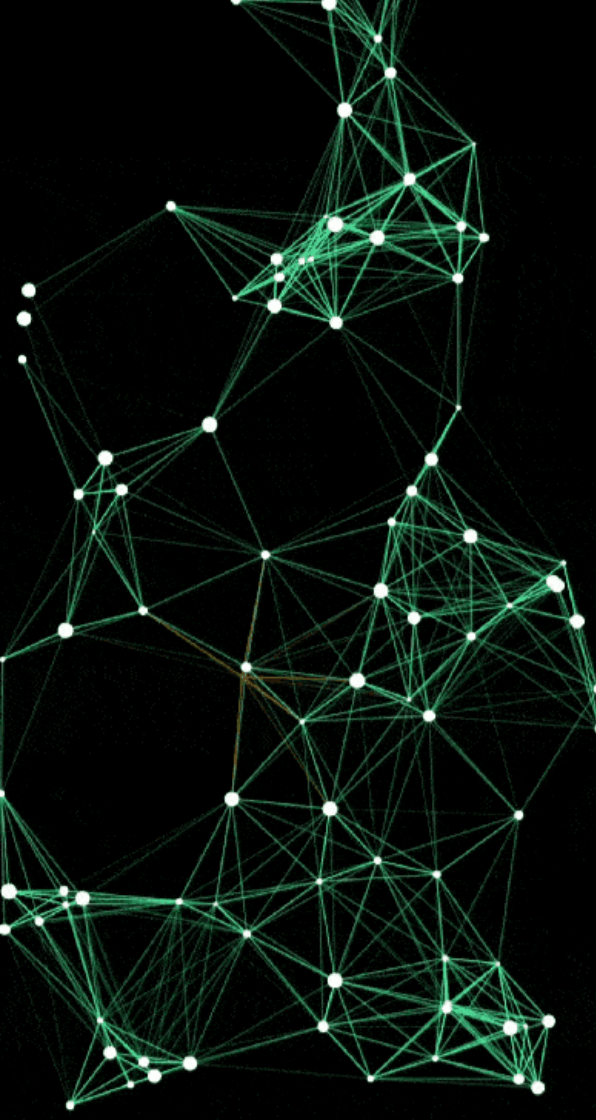
用於 Flutter 的互動式粒子網路 使用令人驚艷的高效率粒子網路動畫,讓您的 Flutter UI 動起來,並能對觸控做出反應,且在各裝置上都能完美縮放。

{"sdk":"flutter"}{"sdk":"flutter"}^6.0.0^5.0.0^1.16.0^2.4.0以下為英文專案原文快照,最新內容請造訪 GitHub。
Transform your Flutter app's UI with a high-performance particle network animation that responds to touch and adapts seamlessly to any screen size.
High-performance, GPU-accelerated particle systems for Flutter with advanced physics.
Particles Network Banner
CI Status Pub Version Code Coverage License: MIT
GitHub stars Pub Likes Pub Points Live Demo
GitHub • Pub.dev • Live Demo • Documentation
Advanced Physics Engine
_lineColorLut): Precomputed 256-level alpha lookup table with inverse distance precomputation ($255.0 / \text{lineDistance}$), completely eliminating Color allocations and GC overhead during connection rendering.isTouchActive): Skips all touch physics calculations, distance queries, and forced QuadTree rebuilds when the screen is idle.TrajectoryBuffer): Deterministic trajectory precomputation during idle states for smooth 120 FPS playback with zero per-frame physics computation.Rich Customization
demo image
| Default Network | Bold Lines | Gravity Effect |
| https://raw.githubusercontent.com/abod8639/media/main/particles_network_media/demo_boomerang.gif | https://raw.githubusercontent.com/abod8639/media/main/particles_network_media/demo_boomerang1.gif | https://raw.githubusercontent.com/abod8639/media/main/particles_network_media/demo_boomerang2.gif |
| Mass Gravity Effect | Complex Optimized | Particle no stroke |
| https://raw.githubusercontent.com/abod8639/media/main/particles_network_media/demo_boomerang3.gif | https://raw.githubusercontent.com/abod8639/media/main/particles_network_media/demo_boomerang4.gif | https://raw.githubusercontent.com/abod8639/media/main/particles_network_media/demo_boomerang5.gif |
Experience the performance and fluid animations directly in your browser:
[!TIP] For the best experience on web, our demo uses CanvasKit rendering to ensure smooth 60 FPS performance for the particle physics and shaders.
Perfect for creating stunning visual effects in:
| Metric | Before Optimization | After Optimization | Improvement |
|---|---|---|---|
| Rendering 100 frames (500 particles) | 4,608 ms (~46 ms/frame) | 496 ms (~4.9 ms/frame) | 9.3x Faster (89.2% reduction) |
| Physics Update Loop (1,000 particles, 1,000 frames) | ~120 ms | 45 ms | 2.6x Faster |
| Framerate (500 particles) | ~21 FPS | > 120 FPS | Ultra-fluid rendering |
| Connection Color Allocations | Thousands of Color instances/sec |
0 allocations (_lineColorLut) |
100% GC pressure eliminated |
| Touch calculations when idle | Executed every frame | 0 calculations (isTouchActive) |
100% idle overhead eliminated |
[!NOTE] Performance may vary based on device specifications, screen resolution, and other running applications. These benchmarks use default settings with
drawNetwork: trueandfill: true.
import 'package:flutter/material.dart';
import 'package:particles_network/particles_network.dart';

void main() {
  runApp(const MyApp());
}

class MyApp extends StatelessWidget {
  const MyApp({super.key});

  @override
  Widget build(BuildContext context) {
    return MaterialApp(
      home: Scaffold(
        backgroundColor: Colors.black,
        body: ParticleNetwork(
          particleCount: 100,
          maxSpeed: 1.5,
          maxSize: 1.5,
          lineWidth: 1.0,
          lineDistance: 100,
          particleColor: Colors.white,
          lineColor: Colors.teal,
          touchColor: Colors.amber,
          touchActivation: true,
          isComplex: false,
          fill: true,
          drawNetwork: true,
          gravityType: GravityType.none,
          gravityStrength: 0.1,
          gravityDirection: const Offset(0, 1),
          gravityCenter: null,
          hoverEffect: true,
        ),
      ),
    );
  }
}
Add the package to your pubspec.yaml:
dependencies:
  particles_network: ^1.9.5
Then run:
flutter pub get
For optimal performance on web, use CanvasKit renderer:
# Development
flutter run -d chrome --wasm
# Production build
flutter build web --wasm
No additional setup required! The package works out of the box.
No additional setup required! The package works out of the box.
| Platform | Support | Performance | Notes |
|---|---|---|---|
| Android | ✅ Full | Excellent | Hardware acceleration enabled |
| iOS | ✅ Full | Excellent | Optimized for Metal rendering |
| Web | ✅ Full | Very Good | Best with CanvasKit renderer |
| Windows | ✅ Full | Excellent | DirectX acceleration |
| macOS | ✅ Full | Excellent | Metal acceleration |
| Linux | ✅ Full | Very Good | OpenGL acceleration |
Minimum Requirements:
>=3.10.0^3.0.0| Property | Type | Default | Description |
|---|---|---|---|
particleCount |
int |
60 |
Number of particles in the system |
maxSpeed |
double |
0.5 |
Maximum initial velocity of particles |
maxSize |
double |
1.5 |
Maximum particle radius |
lineWidth |
double |
0.5 |
Thickness of connection lines |
lineDistance |
double |
100 |
Max distance for a connection to form |
particleColor |
Color |
Colors.white |
Color of the particles |
lineColor |
Color |
Colors.teal |
Color of the connections |
touchColor |
Color |
Colors.amber |
Highlight color on touch/proximity |
touchActivation |
bool |
true |
Enables interactive touch effects |
isComplex |
bool |
false |
Optimized mode for 500+ particles |
fill |
bool |
true |
Whether to fill or outline particles |
drawNetwork |
bool |
true |
Enables/Disables connection lines |
gravityType |
GravityType |
none |
Type of physics simulation (none, global, point) |
gravityStrength |
double |
0.1 |
Intensity of the force ($F = ma$ applied) |
gravityDirection |
Offset |
(0, 1) |
Direction vector for GravityType.global |
gravityCenter |
Offset? |
center |
Center coordinates for GravityType.point |
hoverEffect |
bool? |
false |
Enables/Disables mouse hover effects |
The library now features a realistic physics engine that simulates mass and forces.
Simulates a constant force field across the entire viewport (like natural Earth gravity).
gravityType: GravityType.global.gravityDirection to control where the particles "fall". Offset(0, 1) is down, Offset(1, 0) is right.ParticleNetwork(
gravityType: GravityType.global,
gravityStrength: 0.5,
gravityDirection: Offset(0, 1), // Standard downward fall
)
Simulates a force emanating from or towards a specific point in space.
gravityStrength. Particles will accelerate towards the gravityCenter.gravityStrength. Particles will be pushed away from the gravityCenter.ParticleNetwork(
gravityType: GravityType.point,
gravityStrength: -1.5, // Repulsion effect
gravityCenter: Offset(width / 2, height / 2),
)
[!NOTE] Physical properties like Mass are automatically calculated based on the particle's
size. Larger particles will feel heavier and respond more realistically to the applied forces.
AnimatedBuilder(
  animation: Theme.of(context),
  builder: (context, _) => ParticleNetwork(
    particleColor: Theme.of(context).primaryColor,
    lineColor: Theme.of(context).colorScheme.secondary,
    // other configs...
  ),
)
Stack(
  children: [
    ParticleNetwork(/* configuration */),
    YourAppContent(),
  ],
)
particleCount and lineDistance for weaker devicesisComplex: true for high-density scenesfill: false for better performance and lighter visualsThe package now exports core types directly from the main entry point, making it easier to use without managing multiple imports:
import 'package:particles_network/particles_network.dart';

// Access directly:
// GravityType, GravityConfig, Particle
This package combines advanced CPU-side spatial partitioning with GPU-side rendering using Fragment Shaders to achieve optimal performance even with a large number of particles.
The particle network uses Fragment Shaders for rendering, which offloads the drawing work to the GPU. This allows for:
[!TIP] For web deployments, use CanvasKit rendering mode for the best shader performance. Add
--web-renderer canvaskitto your build command.
The package uses an advanced Compressed QuadTree spatial data structure for efficient particle management.
final quadTree = CompressedQuadTreeNode(
  Rectangle(0, 0, screenWidth, screenHeight),
);

particles.forEach((particle) =>
  quadTree.insert(QuadTreeParticle(
    particle.id,
    particle.x,
    particle.y
  ))
);

final nearbyParticles = quadTree.queryCircle(
  touchX,
  touchY,
  searchRadius
);
QuadTree Visualization
Key Benefits:
_lineColorLut)To prevent micro-stutters and frame drops caused by Garbage Collector (GC) pauses during connection rendering:
List<Color> _lineColorLut stores all 256 opacity gradations for the configured lineColor.color.withAlpha(...) allocations and division operations per connection with an instantaneous $O(1)$ table lookup, eliminating thousands of short-lived Color objects per second from the heap.TrajectoryBuffer)Float64List buffer when the screen is idle.import 'package:flutter/material.dart';
import 'package:particles_network/particles_network.dart';
class HomePage extends StatelessWidget {
@override
Widget build(BuildContext context) {
return Scaffold(
body: Stack(
children: [
// Particle background
ParticleNetwork(
particleCount: 80,
maxSpeed: 1.0,
particleColor: Colors.blue.shade200,
lineColor: Colors.blue.shade100,
touchActivation: false,
),
// Your content
Center(
child: Text(
'Welcome',
style: TextStyle(fontSize: 48, color: Colors.white),
),
),
],
),
);
}
}
ParticleNetwork(
  particleCount: 120,
  maxSpeed: 2.0,
  lineDistance: 150,
  touchActivation: true,
  touchColor: Colors.amber,
  particleColor: Colors.white,
  lineColor: Colors.teal,
)
ParticleNetwork(
  particleCount: 100,
  gravityType: GravityType.global,
  gravityStrength: 0.5,
  gravityDirection: Offset(0, 1), // Downward
  particleColor: Colors.white,
  lineColor: Colors.blue,
)
ParticleNetwork(
  particleCount: 150,
  gravityType: GravityType.point,
  gravityStrength: 1.2, // Positive = attraction
  gravityCenter: Offset(screenWidth / 2, screenHeight / 2),
  particleColor: Colors.purple,
  lineColor: Colors.purpleAccent,
)
ParticleNetwork(
  particleCount: 100,
  gravityType: GravityType.point,
  gravityStrength: -1.5, // Negative = repulsion
  gravityCenter: Offset(screenWidth / 2, screenHeight / 2),
  particleColor: Colors.red,
  lineColor: Colors.orange,
)
ParticleNetwork(
  particleCount: 800,
  isComplex: true, // Enable optimization for 500+ particles
  maxSpeed: 0.8,
  lineDistance: 80,
  fill: false, // Outline mode for better performance
  particleColor: Colors.cyan,
  lineColor: Colors.cyanAccent,
)
class ThemedParticles extends StatelessWidget {
  @override
  Widget build(BuildContext context) {
    final isDark = Theme.of(context).brightness == Brightness.dark;

    return ParticleNetwork(
      particleCount: 100,
      particleColor: isDark ? Colors.white : Colors.black,
      lineColor: isDark ? Colors.teal : Colors.blue,
      touchColor: Theme.of(context).colorScheme.primary,
    );
  }
}
Solution: Use CanvasKit renderer for better shader performance:
flutter run -d chrome --web-renderer canvaskit
flutter build web --web-renderer canvaskit
Possible Causes:
particleColor contrasts with the backgroundmaxSize parameter (default is 1.5)particleCount for more visibilitySolution:
ParticleNetwork(
  particleCount: 100, // Increase if needed
  maxSize: 3.0,       // Make particles larger
  particleColor: Colors.white, // Ensure contrast
  // ...
)
Solution: Ensure touchActivation is set to true:
ParticleNetwork(
  touchActivation: true,
  touchColor: Colors.amber, // Visible highlight color
  // ...
)
Solution: Enable complex mode and optimize settings:
ParticleNetwork(
  particleCount: 500,
  isComplex: true,        // Enable optimization
  fill: false,            // Use outline mode
  lineDistance: 80,       // Reduce connection distance
  drawNetwork: true,      // Can disable if needed
  // ...
)
Solution: Ensure gravity type is set correctly:
// For global gravity
ParticleNetwork(
  gravityType: GravityType.global,  // Must be set
  gravityStrength: 0.5,              // Non-zero value
  gravityDirection: Offset(0, 1),    // Direction vector
)

// For point gravity
ParticleNetwork(
  gravityType: GravityType.point,    // Must be set
  gravityStrength: 1.0,              // Non-zero value
  gravityCenter: Offset(200, 200),   // Valid coordinates
)
A: It depends on your target platform:
isComplex: true: 500-1000 particlesA: Yes! Simply wrap it in a Stack:
Stack(
  children: [
    ParticleNetwork(/* config */),
    YourContent(),
  ],
)
A: Yes! The package supports:
A: Use global gravity with downward direction:
ParticleNetwork(
  gravityType: GravityType.global,
  gravityStrength: 0.3,
  gravityDirection: Offset(0, 1),
  particleColor: Colors.white,
  maxSpeed: 0.5,
)
A: Yes, set drawNetwork: false:
ParticleNetwork(
  drawNetwork: false,
  // ...
)
fill: true and fill: false?A:
fill: true - Particles are filled circles (default, more visible)fill: false - Particles are outlined circles (better performance, lighter look)A: Enable touch activation:
ParticleNetwork(
  touchActivation: true,
  touchColor: Colors.amber, // Highlight color
  lineDistance: 150,        // Interaction radius
)
Note: Some properties like particleCount, maxSpeed, and maxSize require a widget rebuild to take effect. You can force this by changing the widget's key.
New Features:
Breaking Changes: None! Version 1.9.x is fully backward compatible.
New Parameters:
ParticleNetwork(
  // New gravity parameters (optional)
  gravityType: GravityType.none,     // none, global, or point
  gravityStrength: 0.1,              // Force intensity
  gravityDirection: Offset(0, 1),    // For global gravity
  gravityCenter: null,               // For point gravity
  // All existing parameters still work
)
Recommended Updates:
Update your pubspec.yaml:
dependencies:
  particles_network: ^1.9.2
Run:
flutter pub get
(Optional) Experiment with the new gravity features!
This package is built with:
Inspired by:
Special Thanks:
We welcome contributions! See the contributing guide for more details.
Ways to Contribute:
This package is released under the MIT License.