
awesome-flutter-ui
10+ 個 Flutter(Android、iOS)UI 設計範例 :zap: - 登入、書籍、個人資料、食物訂單、電影串流、引導頁、組件

- 星標
- 1177
- 分支
- 153
- 最近推送(UTC)
- 2021年3月17日
- 專案狀態
- 未封存
原始 README
以下為英文專案原文快照,最新內容請造訪 GitHub。

Flutter UI/UX Examples 🍟


Looking for an awesome UI kit for Flutter? Here is a curated list of a few awesome Flutter UI design templates to integrate in your Flutter app and save your time on designing widgets. You can check more UI design templates here.
Show some ❤️ and star ⭐ the repo to support the project
Index 📝
1. Login Page UI 🍦
| GIF | Screenshot |
|---|---|
 |
 |
Packages in use:
Fonts
2. Movie Streaming App 🍨
| GIF | Screenshot |
|---|---|
 |
 |
Packages in use:
Fonts
3. Food Order app 🎂
| GIF | Screenshot |
|---|---|
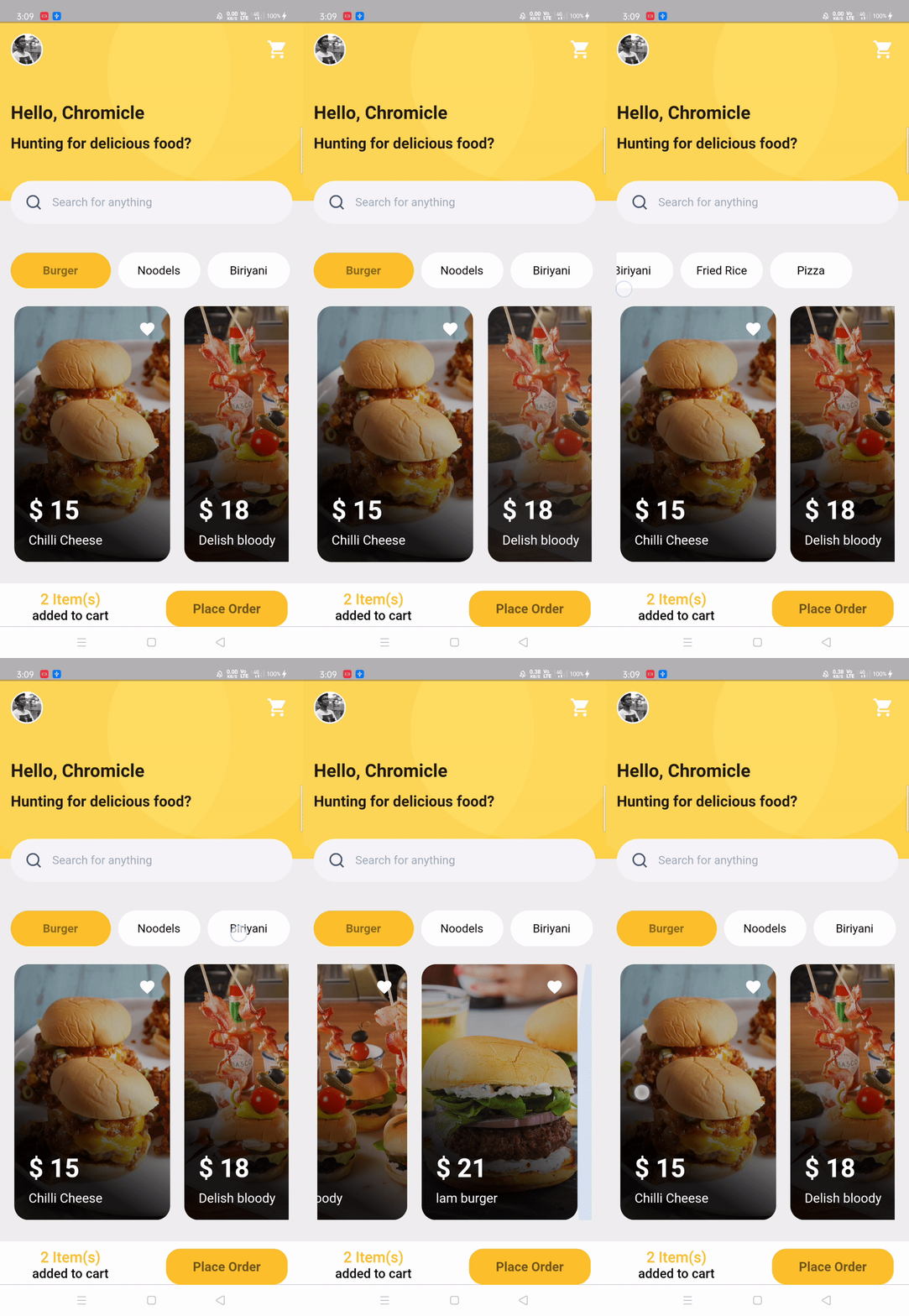 |
 |
Packages in use:
4. Books app UI 🍨
| GIF | Screenshot |
|---|---|
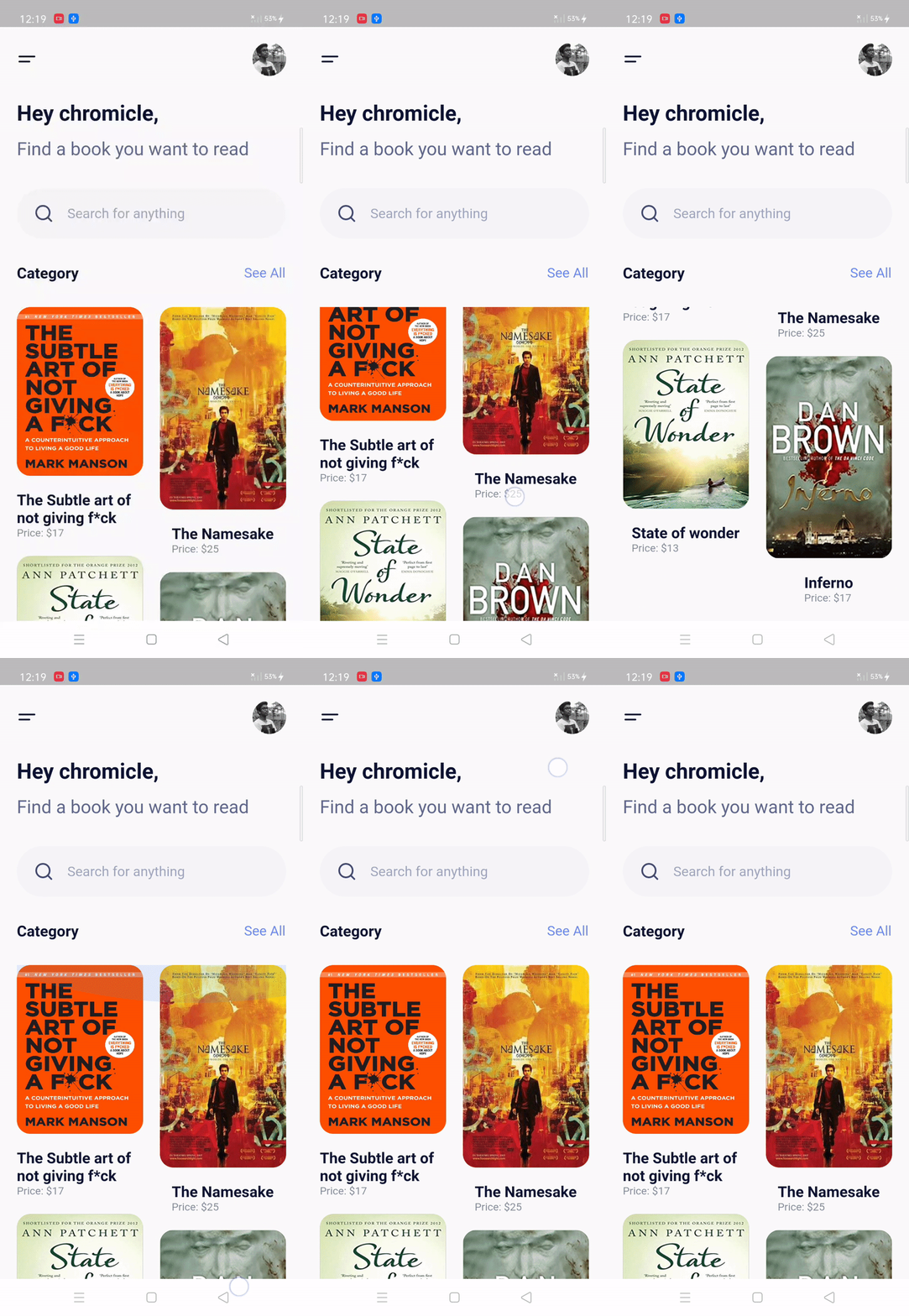 |
 |
Packages in use:
Fonts
5. Profile Page UI 🍧
| GIF | Screenshot |
|---|---|
 |
 |
Packages in use:
Fonts
6. Walkthrough Screen 🎂
This is a little special... Guess what?
I implemented this in Kotlin! 😱
This is the walk-through screen, that you can adapt according to your use, by changing images and number of screens. The top slider will scroll on any amount of screens you add!
| GIF | Screenshot |
|---|---|
 |
 |
Resources:
- Animations: cubic briezer
- Primary color: #6C63FF
- Images: undraw.co
Fonts
- Poppins
Widgets :rocket:
List of well-designed widgets that you will actually need and find useful rather than overwhelming you with a plethora of low-quality ones.
Index 📝
1. Rounded Input field 🍦
GIF
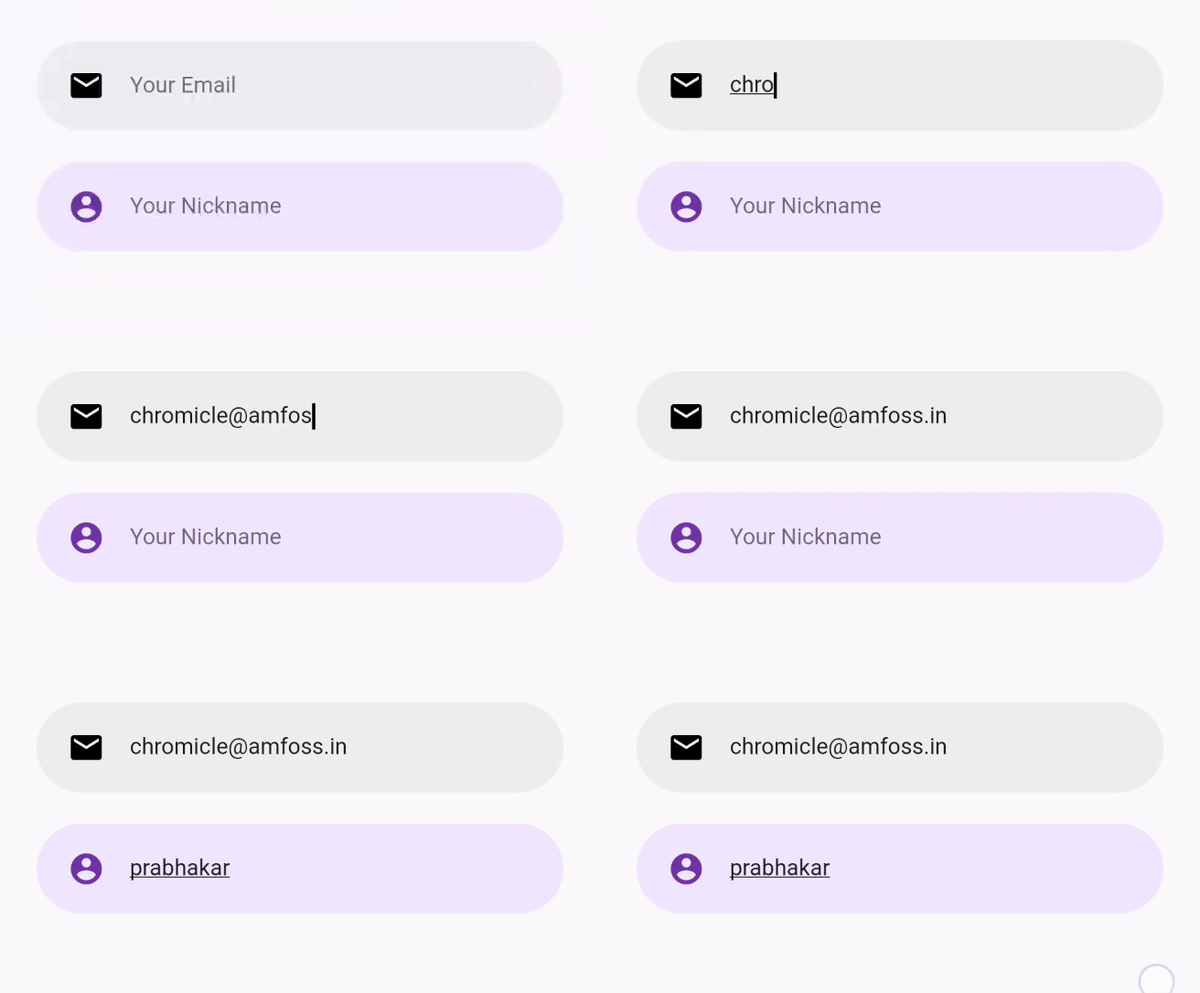
Use
RoundedInputField(
    textEditingController: controllerName,
    hintText: "Your Email",
    icon: Icons.email,
    cursorColor: Colors.black,
    editTextBackgroundColor: Colors.grey[200],
    iconColor: Colors.black,
    onChanged: (value) {
      name = value;
     },
 )
2. Flushbar alert service
To use this widget you have to include one denpendency called flushbar in your pubspec.yaml, if you want error alert you have to give AlertType.error in type feild same applies to warning
GIF

Use
CustomButton(
    text: "Add to Cart",
    onPressed: () {
      AlertService().showAlert(
         context: context,
         message: 'product has been added to cart',
         type: AlertType.success,
         );
     },
 )
Doremon 🐱
Any doremon fans here? For relaxation I design some of cartoons
 Thanks for coming here from doremon :xD
Author(s) ✍️
 @chromicle
Looking to contribute? :computer:
Please read CONTRIBUTING.md before writing a pull request. Any and all help we can get is welcome :)
License :memo:
This repository is licensed under MIT License. Find LICENSE to know more.
Note
These examples are open to all kinds of contribution in all of its categories. dude, they are completely free😜
If you found this project useful, then please consider giving it a :star: on Github and sharing it with your friends via social media⚡.
Happy Coding 💻.

Ajay Prabhakar ↗
分類
所在榜單
如何選擇適合專案的儲存庫?
先依使用情境篩選,再比較專案活躍情況,最後到原始儲存庫確認使用要求。
- 透過儲存庫名稱、作者或描述搜尋,再依技術分類縮小範圍。
- 綜合星標、分支與最近推送比較專案;星標反映社群關注,不保證品質。
- 使用前在 GitHub 確認 README、授權條款與 Issues。
來源與維護
“A repository is the most basic element of GitHub.”
GitHub Docs — About repositories ↗