搜尋套件、儲存庫與 APP 分類

GitHub 儲存庫aloklearning/flutter_bounce

flutter_bounce

這是一個用於在組件上實現點擊彈跳效果的 Flutter 套件

flutter_bounce 專案封面
星標
18
分支
10
最近推送(UTC)
2023年8月29日
專案狀態
未封存

原始 README

以下為英文專案原文快照,最新內容請造訪 GitHub。

flutter_bounce

pub_package git_license build

  • An efficient flutter package for an on-tap bounce animation on any flutter widgets
  • This package is an enhanced version of bouncing_widget.
  • Limitation of the bouncing_widget package:
    • It is not efficient for the widgets in Scroll Pages. We cannot scroll while having our fingers on the widget
    • The same issue would be found here

Advantages of flutter_bounce

  • Flutter bounce package will give you full freedom, to be used in on both the static and dynamic like scrolling pages.
  • Not sticky on scrolling, efficient bounce effect every where
  • With Duration, controll the bounce animation
  • It doesn't let the widget stay pressed when you scroll through, if we use the normal bounce effect with simply using the Flutter AnimationController and Tranform.scale() Widget.

Disclaimer

  • Widget flutter_widget is not the copy paste of bouncing_widget, it works differently. Without limitations, and the functionality works differently, based upon the duration, and not on the scaleFactor.
  • It doesn't have the scaleFactor at all, which is required in the widget
  • The code written in such a way that supports the flutter_bounce functionality. However, I have taken motivation from the limitations of the bouncing_widget

Usage

To use this plugin, add flutter_bounce as a dependency in your pubspec.yaml file.

Demo

This is how the Bounce Widget works when wrapped around the widget. The below shows Bounce being used in both the scenario:
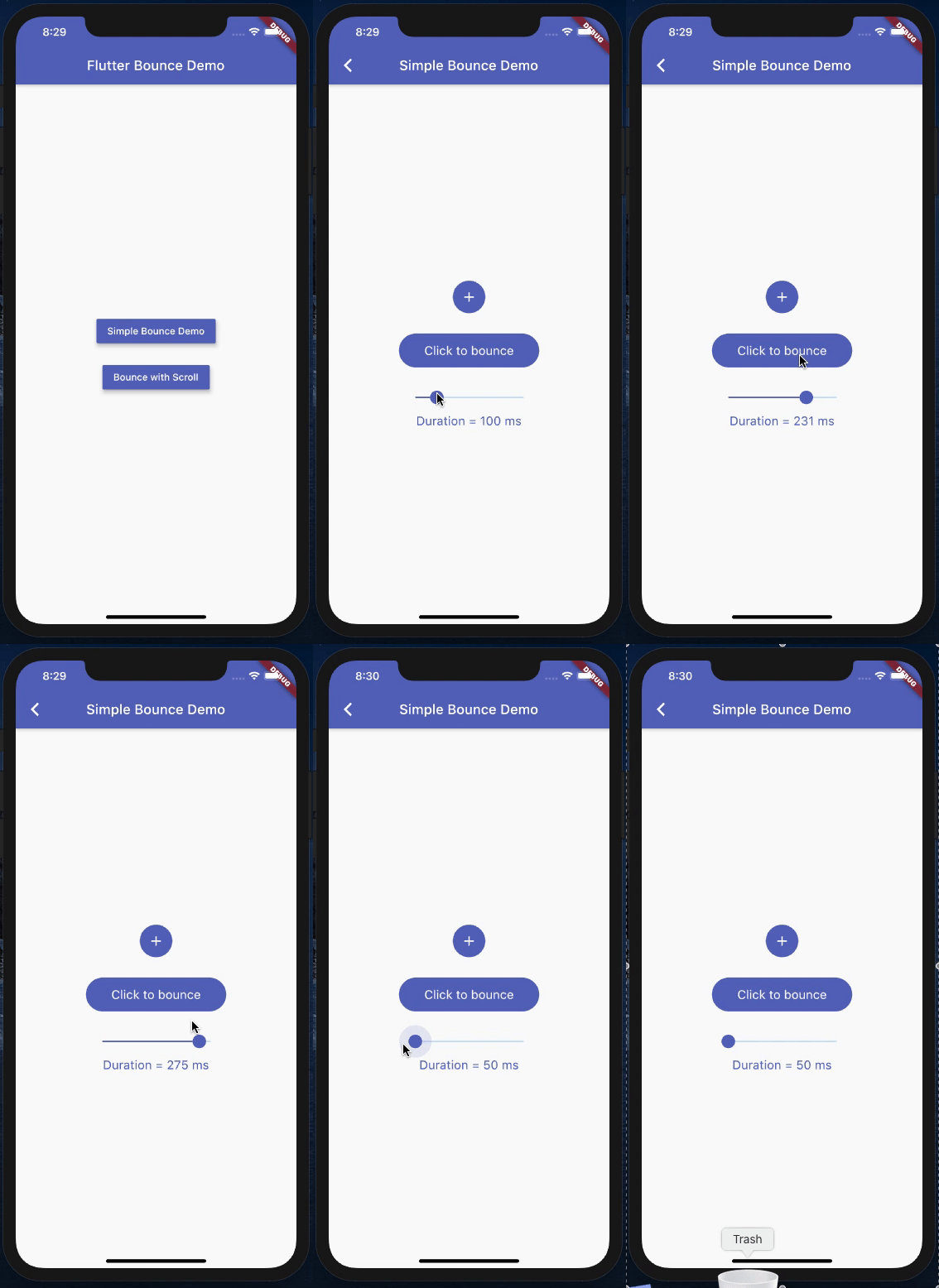
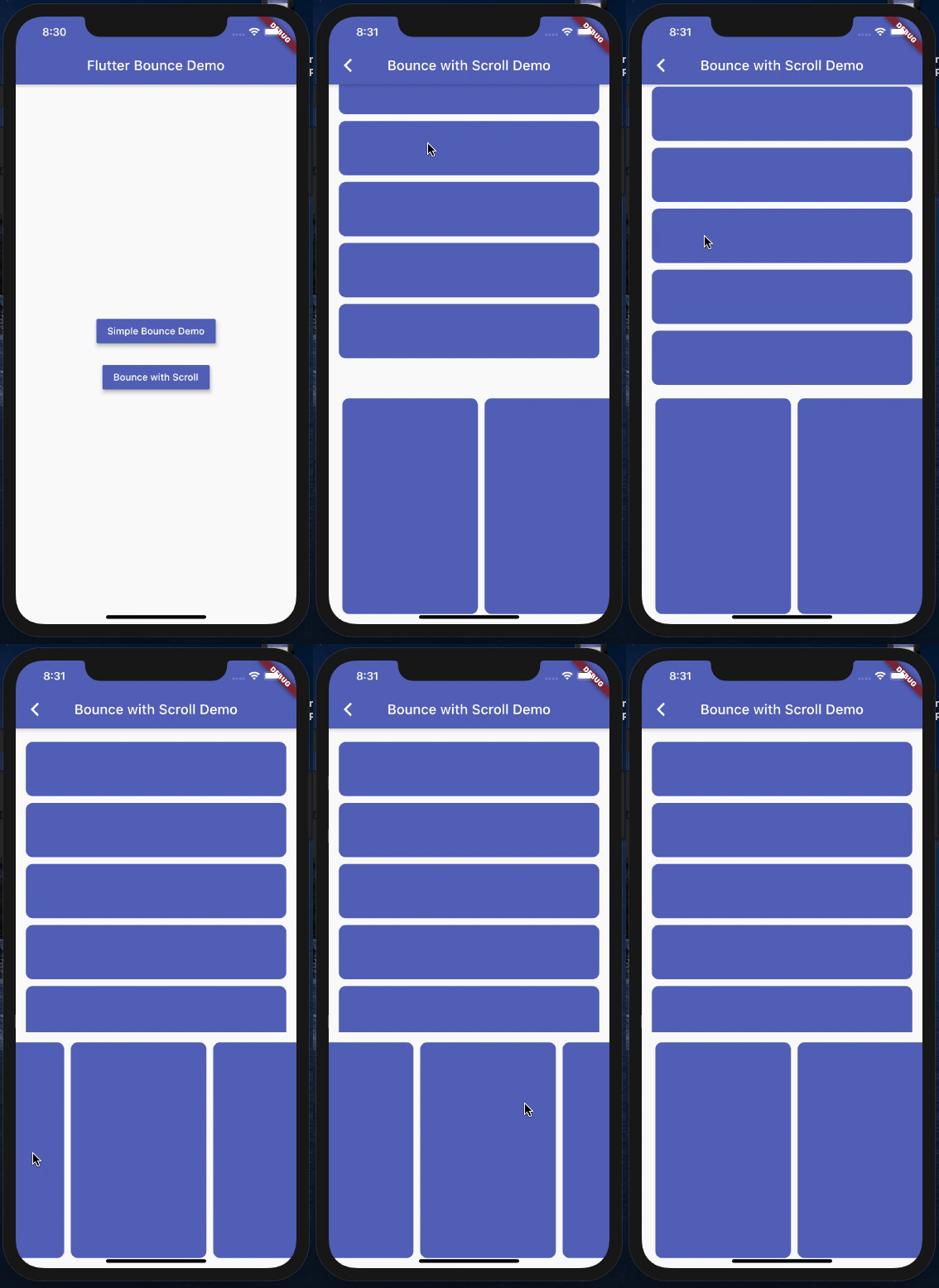
  1. Static Page with Duration set facility
  2. Scroll Page with default Duration as 100 ms:
    • Horizontal Scroll
    • Vertical Scroll

Example

  • Import the library
import 'package:flutter_bounce/flutter_bounce.dart';
  • In order to use this package, we just need to wrap the content with the widget Bounce.
  • child, duration and onPressed is mandatory in the widget.
  • However, onPressed and duration can have null in the widget. By default duration is set to 100 milliseconds.
  • Please Note: Always pass the duration in milliseconds for best result
Bounce(
  duration: Duration(milliseconds: 110),
  onPressed: (){ YOUR_FUNCTION },
  child: YOUR_WIDGET
)

Acknowledgement

  • I would like to thank Levent Kantaroğlu for contributing in the recent null safety addition to the code, which will now help the community to use this package efficiently.
  • I would like to thank ThomasEcalle for the indirect motivation via his widget, to come up with an efficient work around, which will now be useful for our flutter community people
Alok Kumar GitHub avatar
GitHub 作者

Alok Kumar ↗

💻 Senior Software Engineer | 👨‍💻 Learning new techs to make the software efficient and better | 🤔 Curious

Bengaluru, Karnataka, India
語言DartSwiftKotlinObjective-C

分類

此儲存庫發佈的套件

使用的依賴

依賴清單 2 項

  • flutter{"sdk":"flutter"}
  • flutter_test開發依賴{"sdk":"flutter"}

如何選擇適合專案的儲存庫?

先依使用情境篩選,再比較專案活躍情況,最後到原始儲存庫確認使用要求。

  1. 透過儲存庫名稱、作者或描述搜尋,再依技術分類縮小範圍。
  2. 綜合星標、分支與最近推送比較專案;星標反映社群關注,不保證品質。
  3. 使用前在 GitHub 確認 README、授權條款與 Issues。

來源與維護

“A repository is the most basic element of GitHub.”

GitHub Docs — About repositories ↗