

v3.0.1
anitex
Anitex 是一個隱式動畫文字組件,會在傳入的文字變更時進行動畫
29喜歡 480近 30 天下載150Pub 分數
AndroidiOSWebmacOSWindowsLinux
動畫文字組件

以下為英文專案原文快照,最新內容請造訪 GitHub。
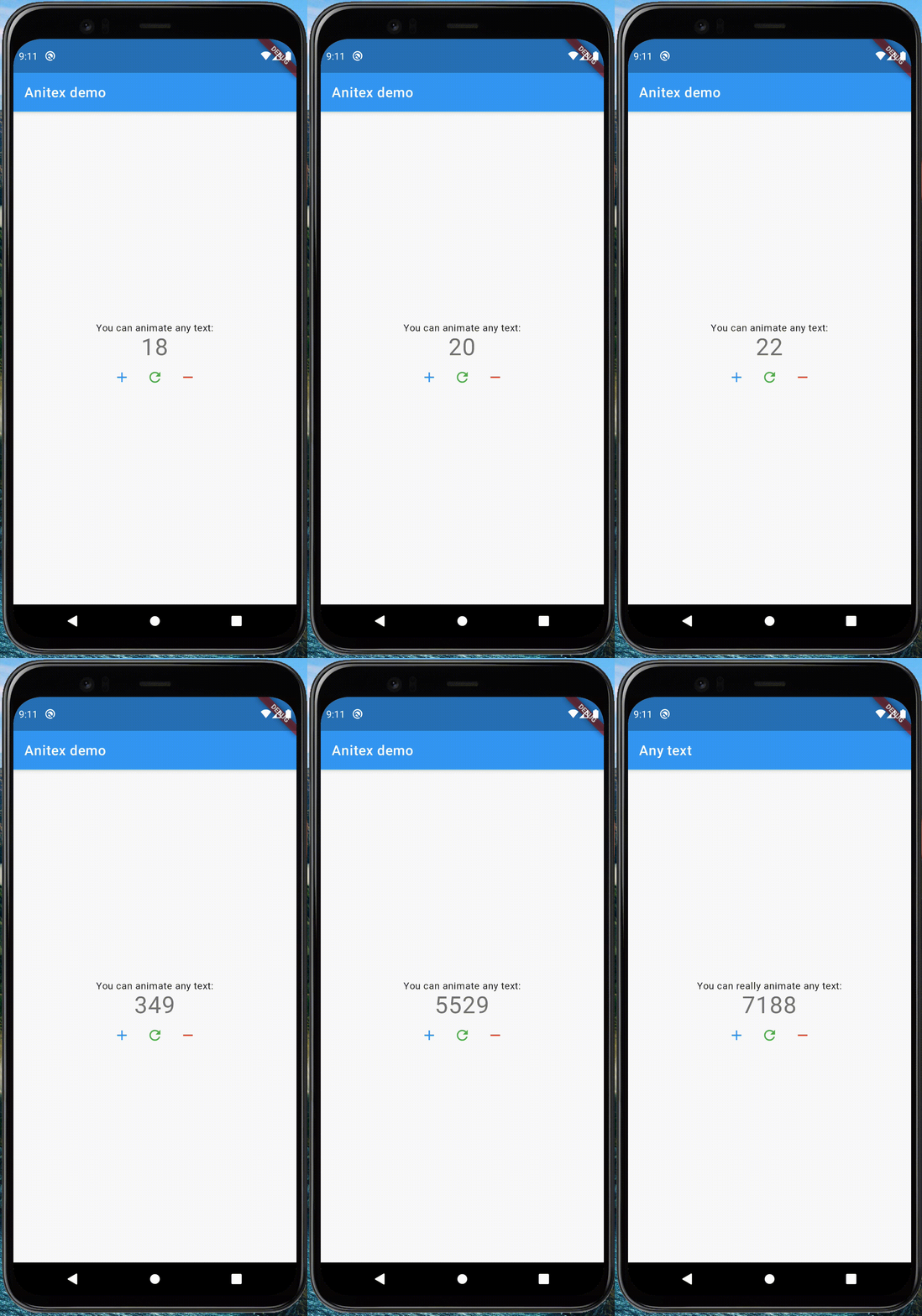
Anitex - is a simple package, which give you access to implicitly animate any text. The most impressive animation is achieve if the old and new lines are the same length, or don't differ too much in length.
  /// ...
  @override
  Widget build(BuildContext context) {
    return Scaffold(
      appBar: AppBar(
        title: AnimatedText(
          title, // This is just a [String]
          style: Theme.of(context).textTheme.headline6.copyWith(color: Colors.white),
          duration: const Duration(seconds: 1),
        ),
      ),
      body: Center(
        child: AnimatedText(
          content,
          reversed: true,
        ),
      ),
    );
  }
依賴清單 3 項
{"sdk":"flutter"}{"sdk":"flutter"}^2.0.1先依使用情境篩選,再比較專案活躍情況,最後到原始儲存庫確認使用要求。
“A repository is the most basic element of GitHub.”
GitHub Docs — About repositories ↗