
Shokhi
Shokhi 是一個使用 Flutter 建構的行動應用程式,並利用 Gemini Pro API 為使用者提供互動性與資訊豐富的 AI 經驗。採用簡約的 Material 3 設計模式,Shokhi 提供乾淨且易於使用的介面,以利與 AI 互動。

- 星標
- 6
- 分支
- 0
- 最近推送(UTC)
- 2024年3月8日
- 專案狀態
- 未封存
原始 README
以下為英文專案原文快照,最新內容請造訪 GitHub。
Shokhi: Your AI Friend in Flutter (Material 3 Design)
Shokhi (meaning "friend" in Bangla) is a mobile application built with Flutter and utilizes the Gemini Pro API to provide users with an interactive and informative AI experience. Embracing a minimal Material 3 design pattern, Shokhi offers a clean and user-friendly interface for engaging with AI.
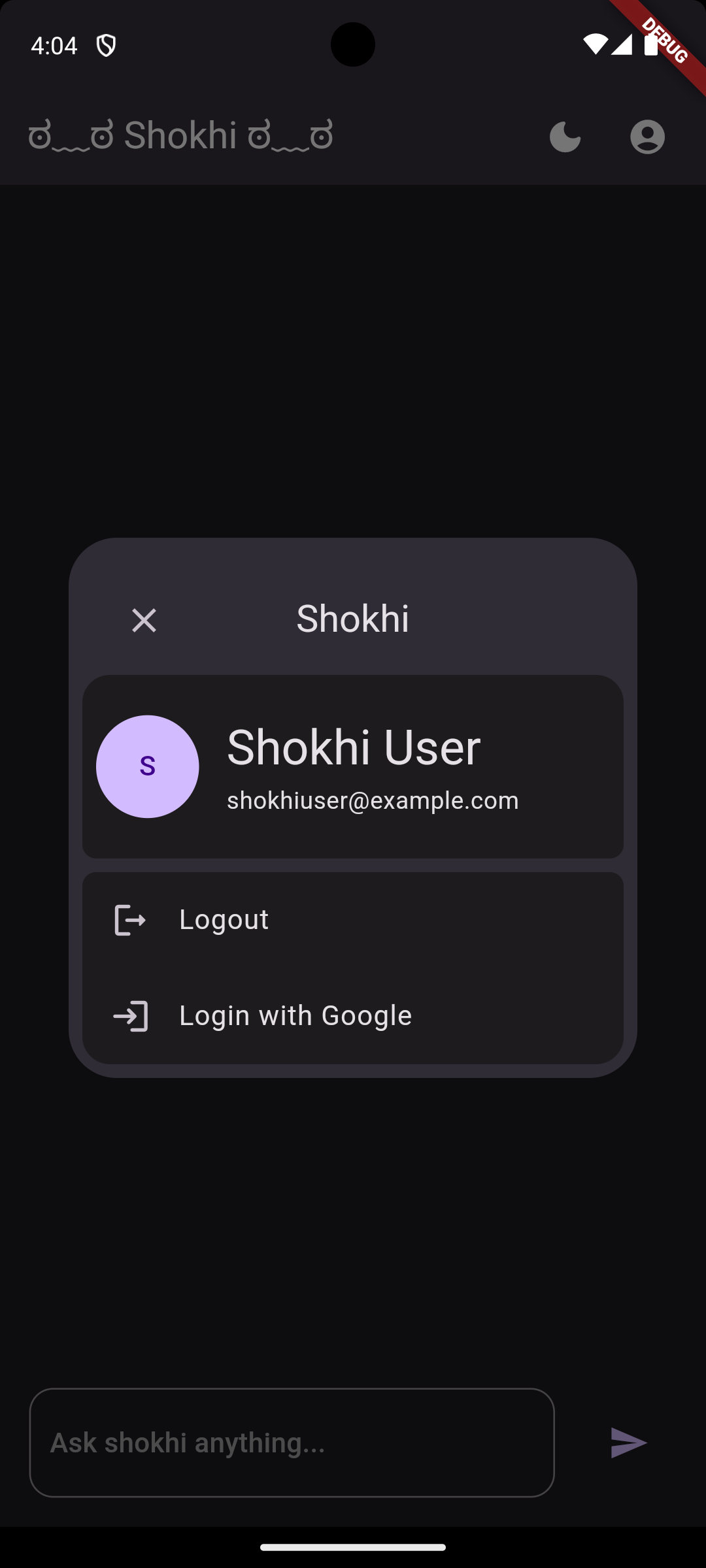
Screenshots:
| Home Page | Dialog |
|---|---|
 |
 |
Current Features:
- Conversational AI: Interact with the integrated AI model through text messages, asking questions or prompting for creative text formats.
- Minimal Material 3 Design: Enjoy a beautiful and intuitive user interface that adheres to the latest Material 3 design principles.
- Offline Support: (planned) Shokhi will function to some extent even without an internet connection (for features that don't require server interaction).
Future Plans:
- Firebase Integration: Integrate Firebase for user authentication and potential backend functionalities.
- Multilingual Support: (planned) Allow users to interact with Shokhi in various languages.
- Personalization: (planned) Enable users to personalize their experience with Shokhi through settings and preferences.
Technologies Used:
- Flutter
- Gemini Pro API
- Material 3 Design
Getting Started:
- Clone the repository:
git clone https://github.com/aluffyy/shokhi.git - Install dependencies:
flutter pub get - (Optional) Set up your Gemini Pro API key in the
.envfile.
Contributing:
We welcome contributions to Shokhi! Feel free to fork the repository, make changes, and submit pull requests.
Disclaimer:
This project is currently under development and may contain unfinished functionalities. We are actively working on improving Shokhi and appreciate your feedback and suggestions.

Mustakim Islam Alif ↗
分類
使用的依賴
依賴清單 9 項
- flutter
{"sdk":"flutter"} - cupertino_icons
^1.0.6 - google_generative_ai
^0.2.2 - flutter_dotenv
^5.1.0 - flutter_markdown
^0.6.20 - flutter_animated_icons
^1.0.1 - provider
^6.1.2 - flutter_test開發依賴
{"sdk":"flutter"} - flutter_lints開發依賴
^3.0.0
如何選擇適合專案的儲存庫?
先依使用情境篩選,再比較專案活躍情況,最後到原始儲存庫確認使用要求。
- 透過儲存庫名稱、作者或描述搜尋,再依技術分類縮小範圍。
- 綜合星標、分支與最近推送比較專案;星標反映社群關注,不保證品質。
- 使用前在 GitHub 確認 README、授權條款與 Issues。
來源與維護
“A repository is the most basic element of GitHub.”
GitHub Docs — About repositories ↗