

 v1.0.0
secure_app_switcher
在應用切換器或工作列中對應用螢幕套用安全遮蔽效果。
37喜歡 774近 30 天下載150Pub 分數
AndroidiOS
arkwycr/secure_app_switcher open-source repository details.

以下為英文專案原文快照,最新內容請造訪 GitHub。
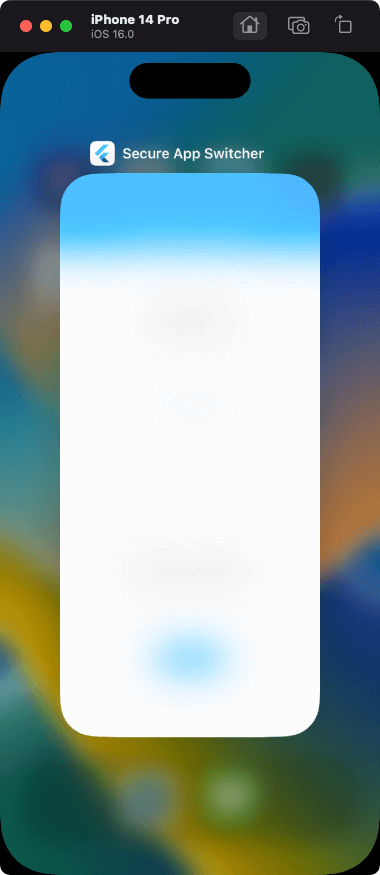
Apply a safe masking effect to the app screen on the app switcher or task list.
Functions can be enabled/disabled within any process. It also provides a mechanism for switching functions on a screen-by-screen basis.
The effect is different for iOS and Android.
import 'package:secure_app_switcher/secure_app_switcher.dart';

// ON
SecureAppSwitcher.on();

// OFF
SecureAppSwitcher.off();
It is necessary to set secureAppSwitcherRouteObserver to switch the function at the time of screen transition.
Wrap the target screen widget with MaterialPageRoute and SecureAppSwitcherPage.
@override
  Widget build(BuildContext context) {
    return MaterialApp(
      title: 'Secure App Switcher',
      onGenerateRoute: generateRoute,
      navigatorObservers: [secureAppSwitcherRouteObserver], // add
      initialRoute: '/',
    );
  }
// Example: Case where the function is enabled on screen A

Route<dynamic> generateRoute(RouteSettings settings) {
  switch (settings.name) {
    case "/":
      return MaterialPageRoute(builder: (context) {
        return const HomeScreen();
      });
    case "/screenA":
      return MaterialPageRoute(builder: (context) {
        return const SecureAppSwitcherPage( // add
          style: SecureMaskStyle.dark,
          child: ScreenA(),
        );
      });
  }
}
For iOS, you can specify the type of mask effect.
SecureAppSwitcher.on(iosStyle: SecureMaskStyle.blurLight);
| Light | Dark | BlurLight | BlurDark |
|---|---|---|---|
 |
 |
 |
 |
FLAG_SECURE of WindowManager LayoutParams is used.
| switching apps | screenshot disabled |
|---|---|
 |
 |
Please file feature requests and bugs on the issue tracker.
依賴清單 4 項
{"sdk":"flutter"}^2.0.2{"sdk":"flutter"}^4.0.0先依使用情境篩選,再比較專案活躍情況,最後到原始儲存庫確認使用要求。
“A repository is the most basic element of GitHub.”
GitHub Docs — About repositories ↗