
mrz_scanner
bonaparta13/mrz_scanner open-source repository details.

- 星標
- 6
- 分支
- 19
- 最近推送(UTC)
- 2026年3月13日
- 專案狀態
- 未封存
原始 README
以下為英文專案原文快照,最新內容請造訪 GitHub。
MRZ Scanner
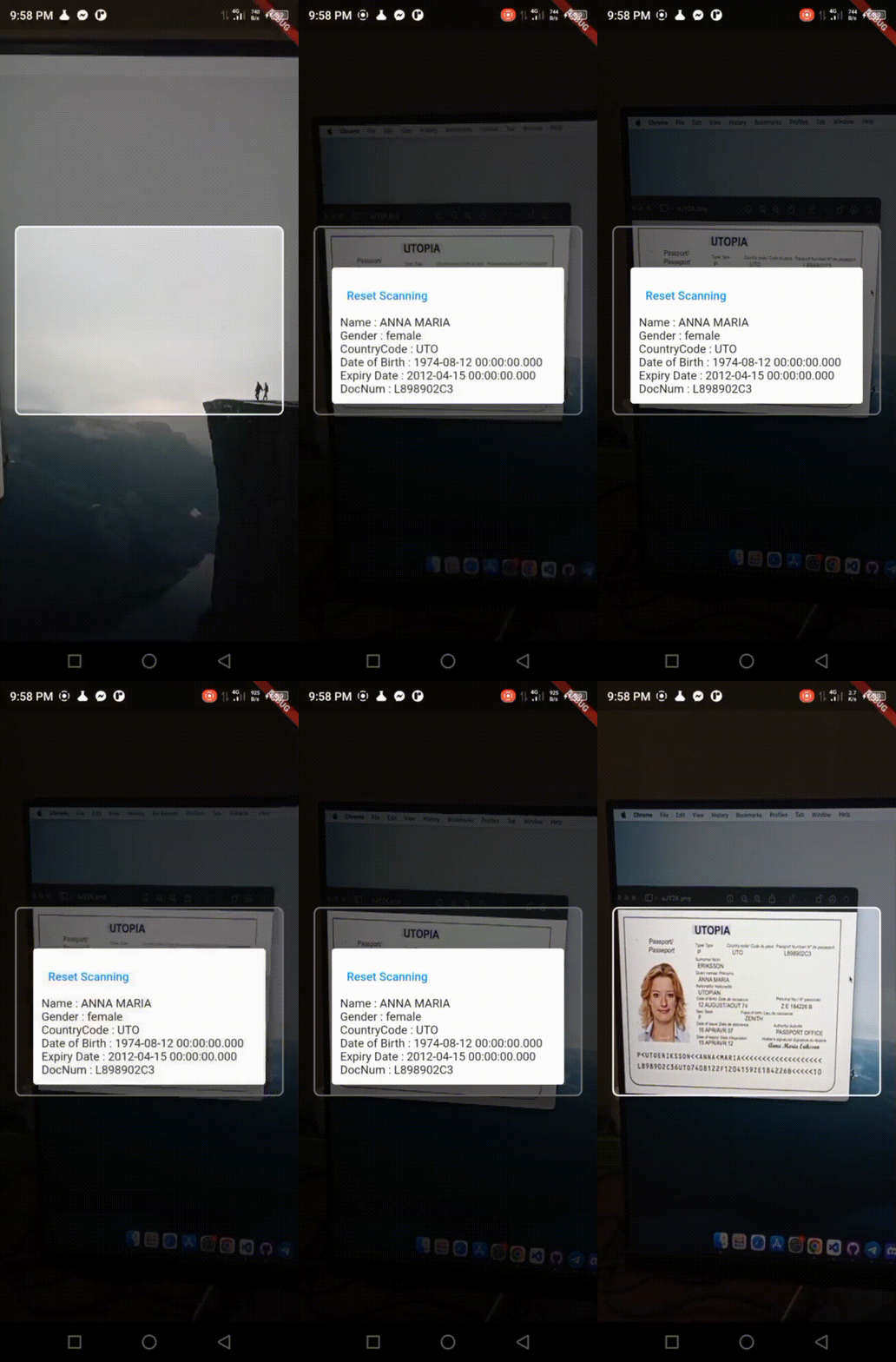
A lightweight Flutter plugin for scanning and parsing Machine Readable Zones (MRZ) from passports, ID cards, and visas. Supports both live camera scanning and image file parsing.
Supported Formats
| Format | Description | Lines |
|---|---|---|
| TD1 | ID Cards | 3 x 30 chars |
| TD2 | ID Cards | 2 x 36 chars |
| TD3 | Passports | 2 x 44 chars |
| MRVA | Visas | 2 x 44 chars |
| MRVB | Visas | 2 x 36 chars |
Platform Support
| Android | iOS | |
|---|---|---|
| Support | SDK 24+ | iOS 13+ |
Note: Camera scanning requires a real device, not an emulator.
Setup
Android
Add to AndroidManifest.xml:
<uses-permission android:name="android.permission.CAMERA" />
iOS
Add to Info.plist:
<key>NSCameraUsageDescription</key>
<string>Allow Camera to scan MRZ</string>
Usage
import 'package:mrz_scanner/mrz_scanner.dart';
Camera Scanning
Use the MRZScanner widget for live camera-based scanning:
MRZScanner(
  onSuccess: (mrzResult, lines) {
    print(mrzResult.documentNumber);
    print(mrzResult.givenNames);
    print(mrzResult.surnames);
    print(mrzResult.birthDate);
    print(mrzResult.expiryDate);
    print(mrzResult.sex);
    print(mrzResult.countryCode);
  },
)
Options
| Parameter | Type | Default | Description |
|---|---|---|---|
onSuccess |
Function(MRZResult, List<String>) |
required | Callback with parsed result and raw MRZ lines |
initialDirection |
CameraLensDirection |
back |
Camera to use |
showOverlay |
bool |
true |
Show document frame overlay |
controller |
MRZController? |
null |
Controller for resetting scan state |
Resetting the Scanner
Use a controller to reset scanning after a successful read:
final controller = MRZController();

MRZScanner(
  controller: controller,
  onSuccess: (result, lines) {
    // Process result, then allow scanning again
    controller.currentState?.resetScanning();
  },
)
Image File Scanning
Use MRZScanner.scanImage() to parse an MRZ from a file path (e.g. from gallery or file picker):
try {
  final result = await MRZScanner.scanImage('/path/to/document.jpg');
  print(result.documentNumber);
} on FormatException {
  print('No valid MRZ found in image');
}
MRZResult Fields
| Field | Type | Description |
|---|---|---|
documentType |
String |
Document type (P, I, V, etc.) |
countryCode |
String |
Issuing country code |
surnames |
String |
Holder's surnames |
givenNames |
String |
Holder's given names |
documentNumber |
String |
Document number |
nationalityCountryCode |
String |
Nationality country code |
birthDate |
DateTime |
Date of birth |
sex |
Sex |
Sex.male, Sex.female, or Sex.none |
expiryDate |
DateTime |
Expiry date |
personalNumber |
String |
Personal/optional number |
Demo
License
mrz_scanner is released under a MIT License. See LICENSE for details.

GitHub 作者
Anas Mohamed ↗
語言DartRubySwiftKotlinObjective-C
使用的依賴
依賴清單 6 項
- flutter
{"sdk":"flutter"} - camera
^0.12.0 - flutter_tesseract_ocr
^0.4.30 - path_provider
^2.1.5 - flutter_test開發依賴
{"sdk":"flutter"} - flutter_lints開發依賴
^2.0.0
如何選擇適合專案的儲存庫?
先依使用情境篩選,再比較專案活躍情況,最後到原始儲存庫確認使用要求。
- 透過儲存庫名稱、作者或描述搜尋,再依技術分類縮小範圍。
- 綜合星標、分支與最近推送比較專案;星標反映社群關注,不保證品質。
- 使用前在 GitHub 確認 README、授權條款與 Issues。
來源與維護
“A repository is the most basic element of GitHub.”
GitHub Docs — About repositories ↗